7 Best Community Platforms in 2026 (I Tested Them All)

After testing 30 apps, the best online community platforms of 2026 are Circle, Mighty Networks, Bettermode, Heartbeat, Kajabi Communities, Swarm and GroupApp.
Platform |
Bottom Line |
Pricing (Annual billing) |
|---|---|---|
Offers solid community organization, and membership management tools. Supports native events hosting, full community white-labeling, branded mobile apps, and built-in marketing tools. |
$89 – $419/mon |
|
Best for high-engagement communities. Features visually rich polls, quizzes, icebreakers, events, and streaks to keep members active. Has super flexible spaces to organize and structure your community the way you want. |
$79 – $354/mon |
|
Best for flexibility & advanced customization. Full control through design Blocks, CMS models, and theming. Built for businesses and enterprises that need strong branding, security and detailed reporting. |
$0 – $49/mon |
|
|
$40 – $108/mon |
|
Ultimate all-in-one digital business platform. Has diverse digital offerings including courses, coaching, community memberships, newsletters and downloads. It also empowers you with solid business tools like website building, sales funnels, email marketing and checkouts. |
$143– $399/mon |
|
1The best video-centric platform. Prioritizes video communication and coaching for creators who lead with visual content. |
$19 – $149/mon |
|
Best for structured learning programs. Combines Teachable’s course-building depth with comprehensive community engagement tools. |
$39 – $249/mon |
In this guide, I’ll review all the seven platforms to show you where each excels and falls short. I’ll also detail my research process to show you how I graded each tool plus how I arrived at these 7 software solutions.
So, let’s get right into it.
My research process…
Any tool that:
- supports threaded discussions,
- let’s you gate content,
- allows you to host live events.
Qualifies as an online community platform.
But not all apps made it to this list.
So what did I consider when evaluating the best online community platforms?
To help you understand this better, let me start with why I needed a community platform in the first place.
I run a coaching program called GrowthCreatorLab where I teach small creators on how to build profitable businesses.
As the program matured, it became clear that a paid community was the missing layer.
I wanted a place where members could learn together, interact consistently, and access support beyond scheduled calls.
That meant the platform I was choosing had to do a few things exceptionally well:
- Solid community organization: The platform had to have a clear community organization criteria for different types of activity. That is, discussions should be separate from course content and events. Each space had to serve a single purpose and support the right format, whether that was long-form threaded discussions, real-time chat, or structured learning like courses and resource libraries.
- Access control: That includes locking individual spaces, grouping multiple spaces into a single offer, and assigning access automatically when someone joins, upgrades, or cancels. Manual role changes were not acceptable. If a platform could not handle tiered memberships cleanly and reliably, it failed this requirement.
- Great events tech stack: Live interaction is central to my coaching model, so this could not feel bolted on. I needed native scheduling that supports recurring sessions, clear time zone handling, and automatic reminders. It also had to have its built-in live-streaming option and if not, support integrations for tools like Zoom, Google Meet, e.t.c. That said, hosting live calls like community events, a group coaching call, or a one-to-one session, had to be fast to set up and frictionless for members to join.
- Solid community engagement features: Content only does not drive engagement. The platform had to offer other native mechanisms to encourage members participations such as gamification, leaderboards, ice-breakers, challenges, streaks e.t.c
- Branding: The community needed to feel like my product, not rented space. That means adding my logo, setting theme colors, using a custom domain, and ideally full white-labeling. Support for branded mobile apps was a major bonus.
- Detailed analytics and reporting: I wanted a tool that provided clear insight into my community’s health. That includes how members interract with each other, which spaces drive activity,what content pulls attention, what offers sell best, and general revenue performance of my membership. Without solid data, I’d just be guessing while making decisions.
- User friendliness: The platform had to be fast, intuitive, and stable. A clean dashboard, logical navigation, and responsive performance were non-negotiable.
- Cost effective: The pricing had to make sense for my business. I rejected platforms with steep jumps between plans or high percentage cuts on payments. I needed predictable monthly billing that lets me forecast revenue, and clear limits on what’s included at each tier. I also weighed annual pricing incentives like how much would I save if I pay annually.
As you can see, these requirements are pretty much standard for anyone looking for an online community platform.
Given that, here’s what my selection process was like.
I started by making a list of 30 popular and top rated online community software.
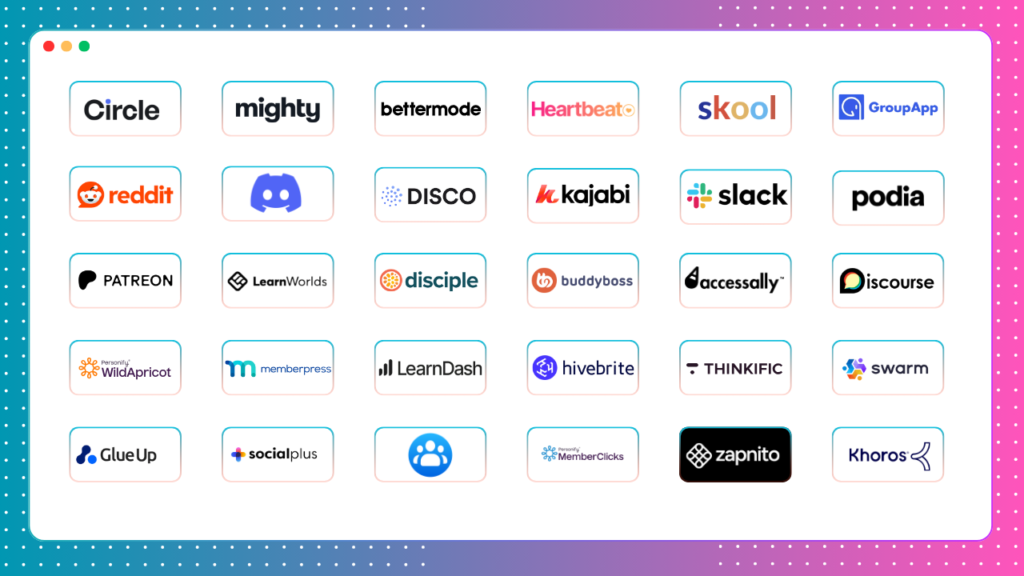
And right away, I began cutting down my list.
I started by eliminating platforms that:
- Are social media community apps (e.g, Facebook Groups, Discord and Reddit)
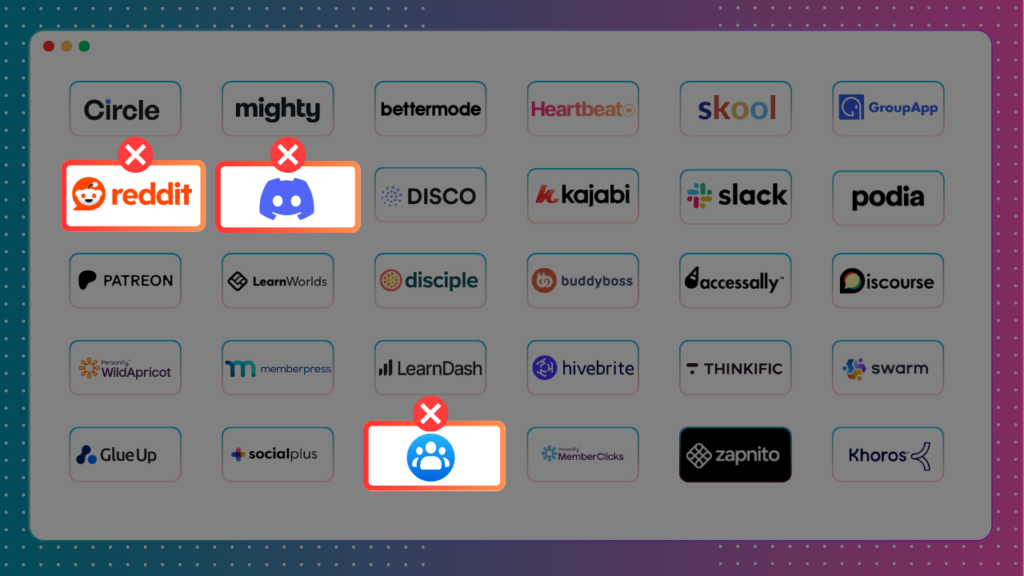
While they’re good starting places, it’s hard to build a professional community on them.
They don’t have native ways to monetize your groups. You also have limited control over branding, ownership and members’ engagement and data.
To put it simply,
I didn’t want to build my community in a place I had nearly no control.
- Are corporate & enterprise community software solutions.
These came down to two things.
First, pricing.
These community software are super expensive.
For example, Disciple’s cheapest plan starts at $399/mon. And that is if you pay annually.
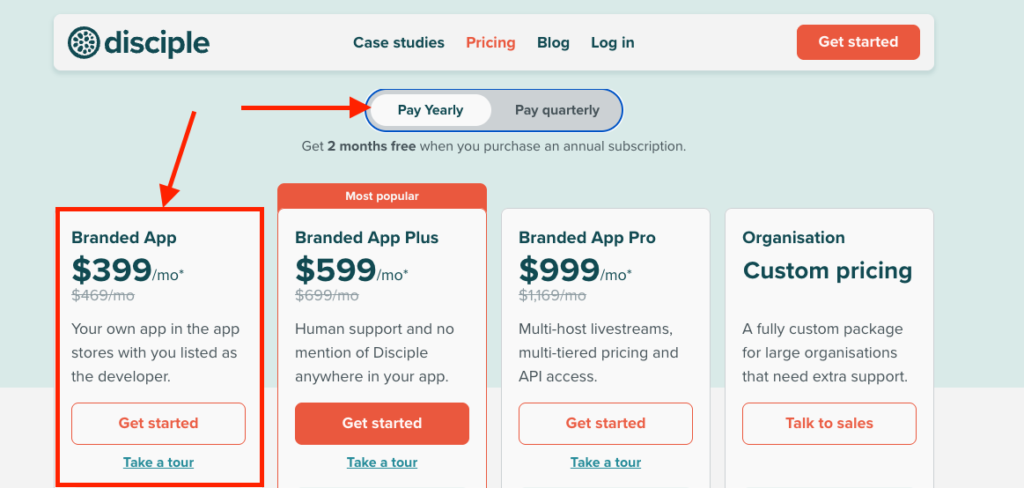
That’s an expensive upfront investment, considering you’ll not probably need many of its features right away.
Like their branded mobile apps.
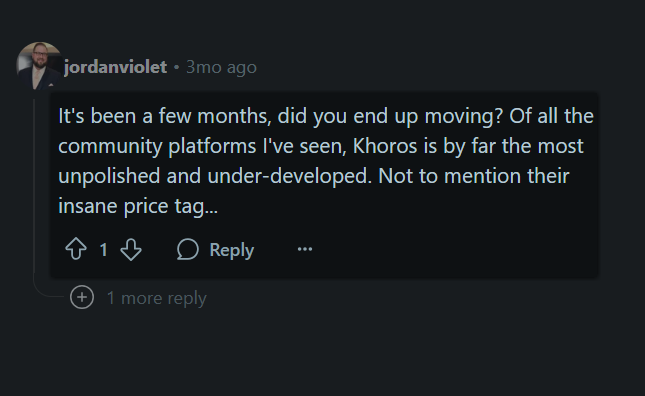
Others like Disco, Khoros, Hivebrite, SocialPlus, MemberClicks and GlueUp hide their pricing behind a “Book demo” button. Which doesn’t give you an idea on what to expect in terms of pricing.
Another thing that made me eliminate these enterprise community management software from my list is that they many of them are complex, clunky and a nightmare to work with.
Here’s what few users on Reddit had to say about one of Khoros.
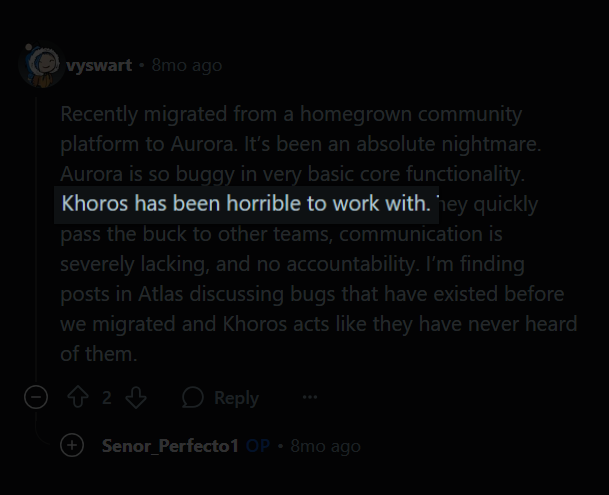
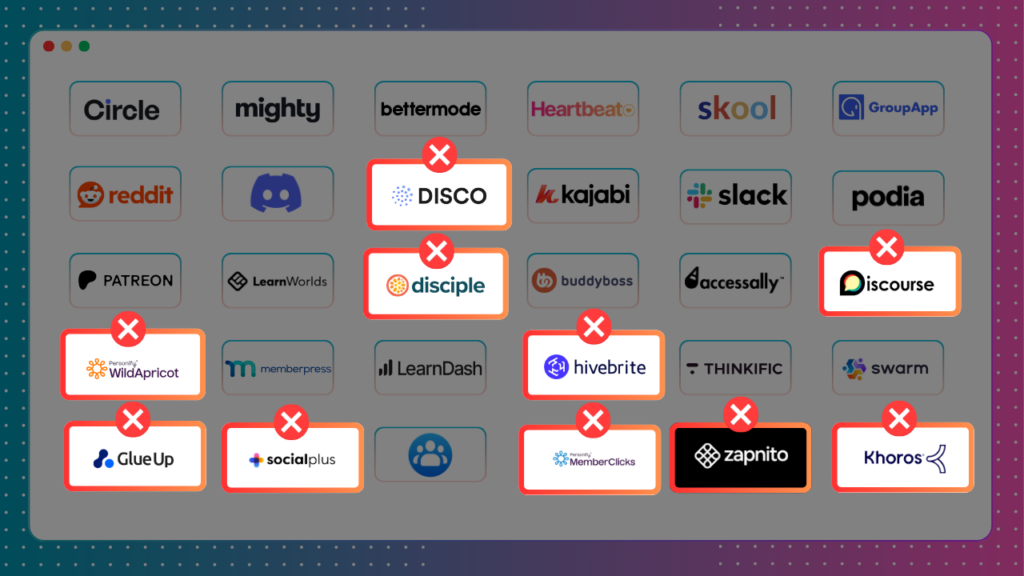
In that case, Disciple Media, Disco, Zapnito, Discourse, GlueUp, SocialPlus, Hivebrite, Khoros, MembersClicks, and WildApricot were also outta my list.
Read this detailed guide to find the best enterprise community management software.
- WordPress-based community and membership site plugins.
I have used WordPress to know enough. And honestly, it’s the last place I’d want to host my community.
It also has many moving parts.
You need to:
- Buy hosting (good ones like Rocket.net will cost you $60 per month)
- Install a theme and a couple plugins
- Watch for updates, theme and plugin conflicts
These are the things I didn’t want to deal with.
It’s an expensive venture in the long run. Money-wise, and time-wise.
Not to mention if you’re new to WordPress, you’ll quickly realize that it’s not the most user-friendly CMS and website builder.
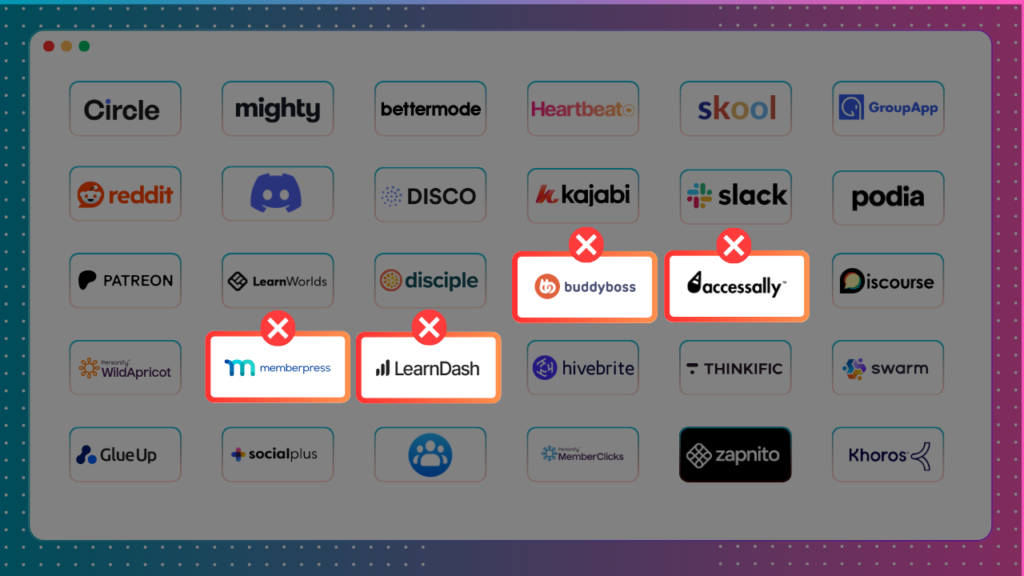
That said, I eliminated WordPress community plugins like MemberPress, BuddyBoss, AccessAlly, and LearnDash.
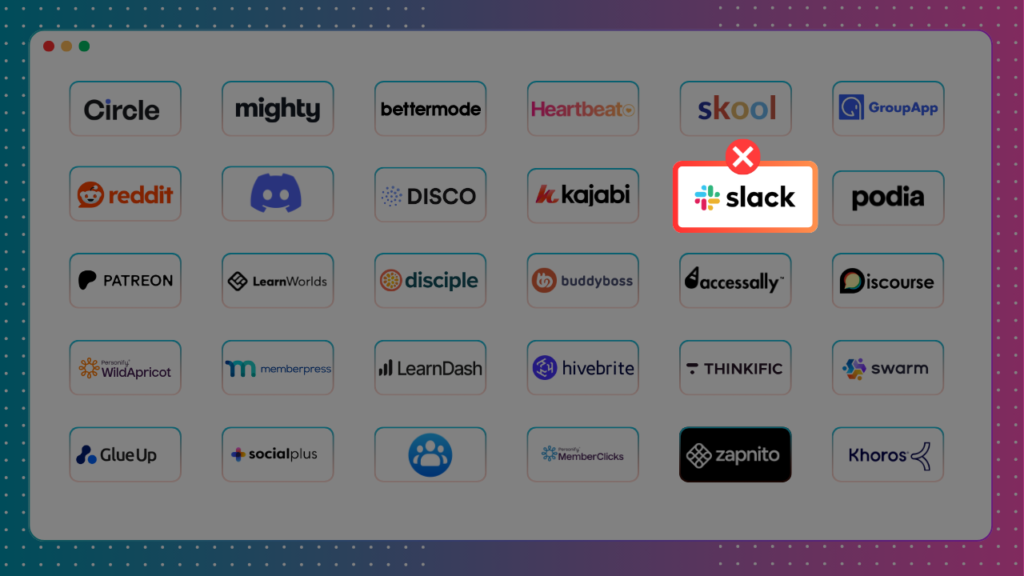
- Slack community
I’ve used Slack before. But I wouldn’t build a paid community on Slack.
There are some huge risks that made me not consider it.
- Slack free plan limits your message history for up to 90 days.
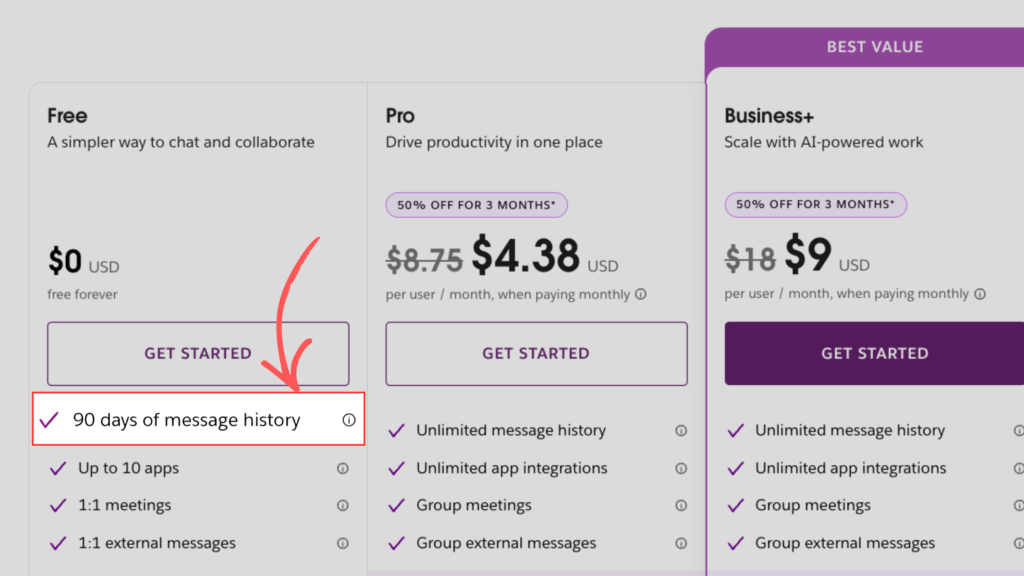
Meaning you and your members can’t access conversations older than 90 days.
So if you have some good information buried down in your chats that your members might find useful,
I’m sorry, but after 90 days you have to kiss them goodbye.
Suppose you want to upgrade to one of its paid tiers to preserve older conversations?
- Well, Slack is ridiculously expensive.
It’s Pro plan costs $8.75 per member per month,
Which means for a 100-member community you’ll be paying $875 per month.
Whoa!
So Slack, you’re also out of my list.
So Slack was also off my list.
- Basic community forum and membership site platforms
During my tests, I came across a few platforms that almost checked everything I was looking for.
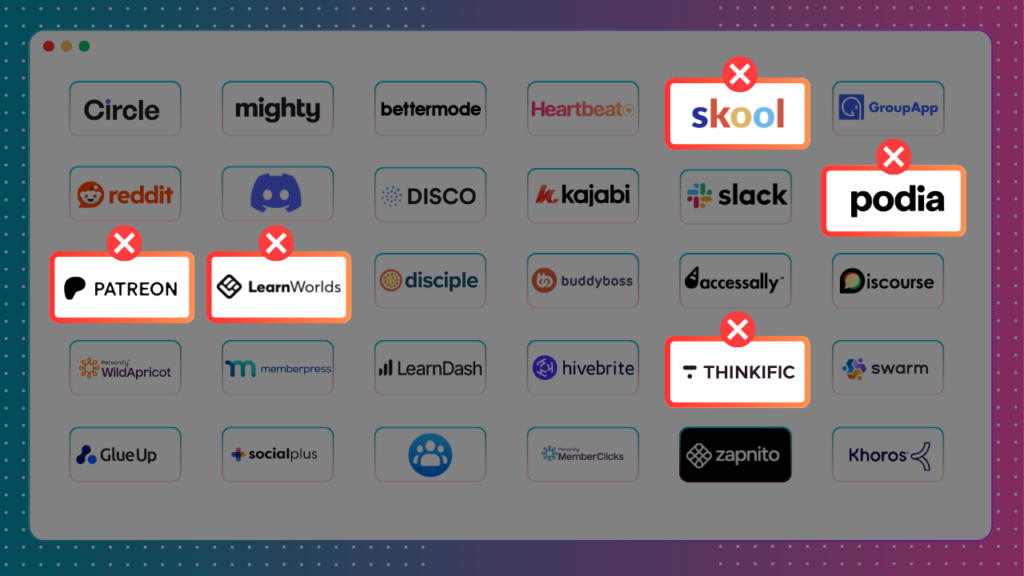
(Podia, LearnWorlds, Thinkific and Patreon.)
And I almost considered them.
Until I tested each one of them.
Podia checks the basics and could work if you just need a simple digital business setup. But it felt unpolished. The interface looks dated, templates are basic, and the entire community feature feels tacked on as an afterthought rather than a core part of the experience.
Skool is popular and a good starting for many creators but it falls shorts when it comes to branding, community management and value for money. At $99 per month, you can get a good bang for the buck with platforms like Heartbeat. (Read my detailed Skool review, and best Skool alternatives guide).
LearnWorlds and Thinkific didn’t fare much better. Both are strong if you only want to build courses. But offered a barebones community building experience.
Patreon functions primarily as a membership site for creators.
However, it has minimal customization, lacks white-labeling, and does not allow you to host the community on your own domain.
The cost structure is also a drawback. Patreon takes 8% to 12% of every transaction. While it is free to join, these fees scale with your revenue and quickly reduce your total profits.
In that case, Skool, LearnWorlds, Thinkific, Podia and Patreon were also out.
My Detailed Review of the Best Online Community Platforms
After narrowing down my list, I was left with 7 tools.
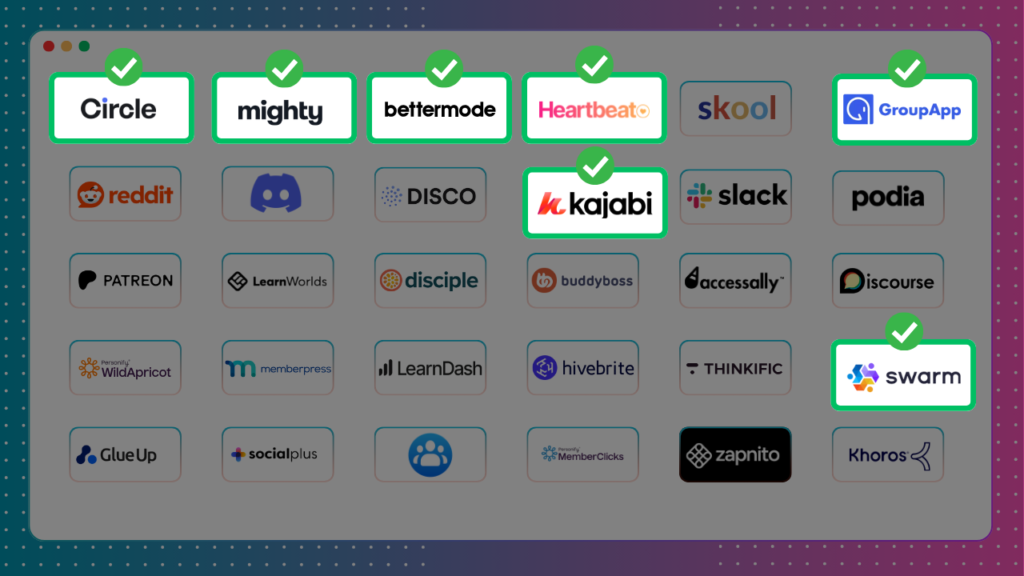
I like to call them the “undisputable SEVEN”.
Let me show you how each one of them measures up in practice.
#1: Circle.so
Best all-in-one online community platform overall.

In 2026, Circle once again topped my list as the best overall community building platform.
Of all the community apps I tested, it had:
- The best community management tools
- The strongest branding features
- One of the most outstanding growth toolset
However, it has since lost its “value for money” crown to Heartbeat—which I found more cost-effective and even easier to use, particularly for starting creators and coaches.
With Circle you can organize your communities into separate sections called Spaces.
Spaces function as dedicated containers that house various content types in your community such as discussions posts, courses, events, resource library orchat.
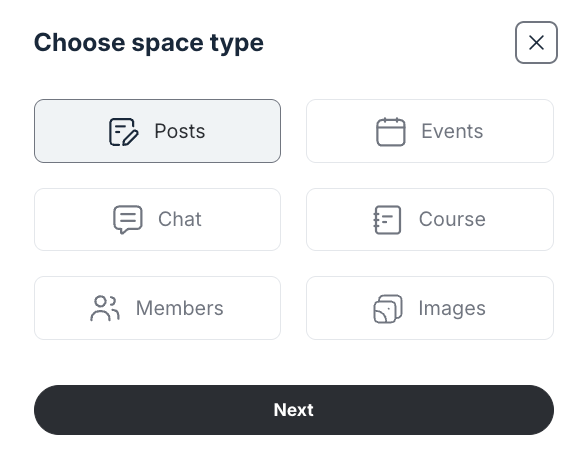
You then organize related spaces into folders known as Space Groups.
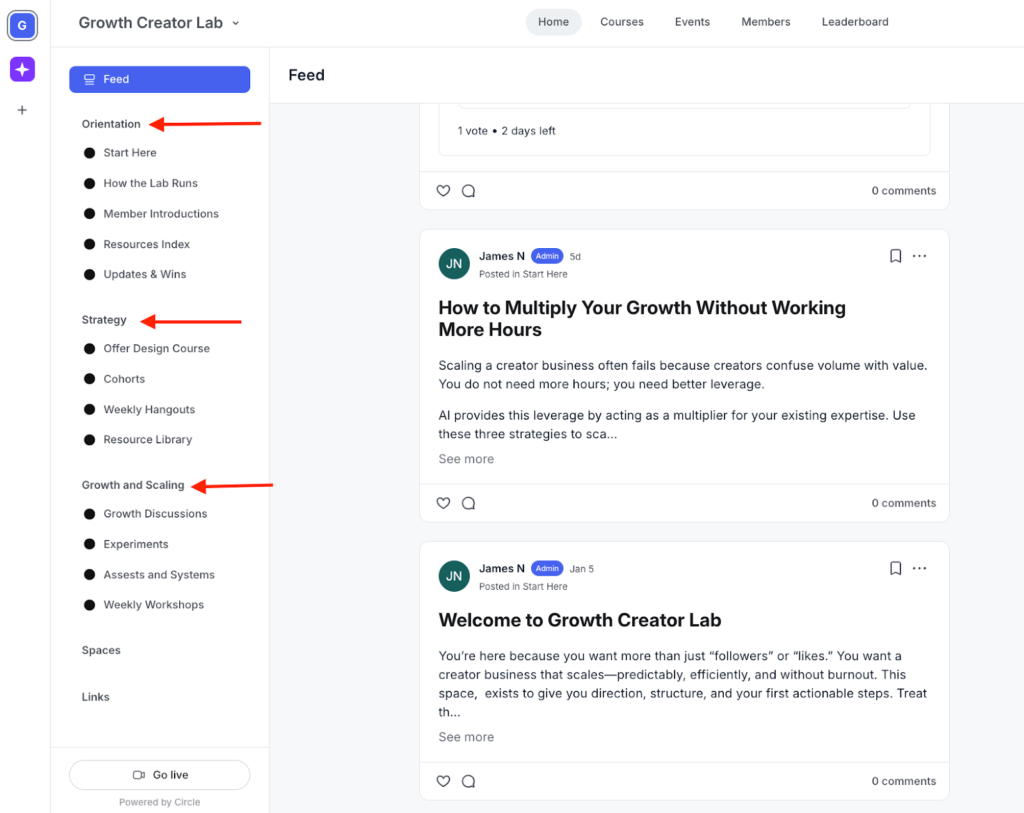
Both spaces and space groups are conveniently placed on the left sidebar of your community which is easier to locate and find for both you and members.
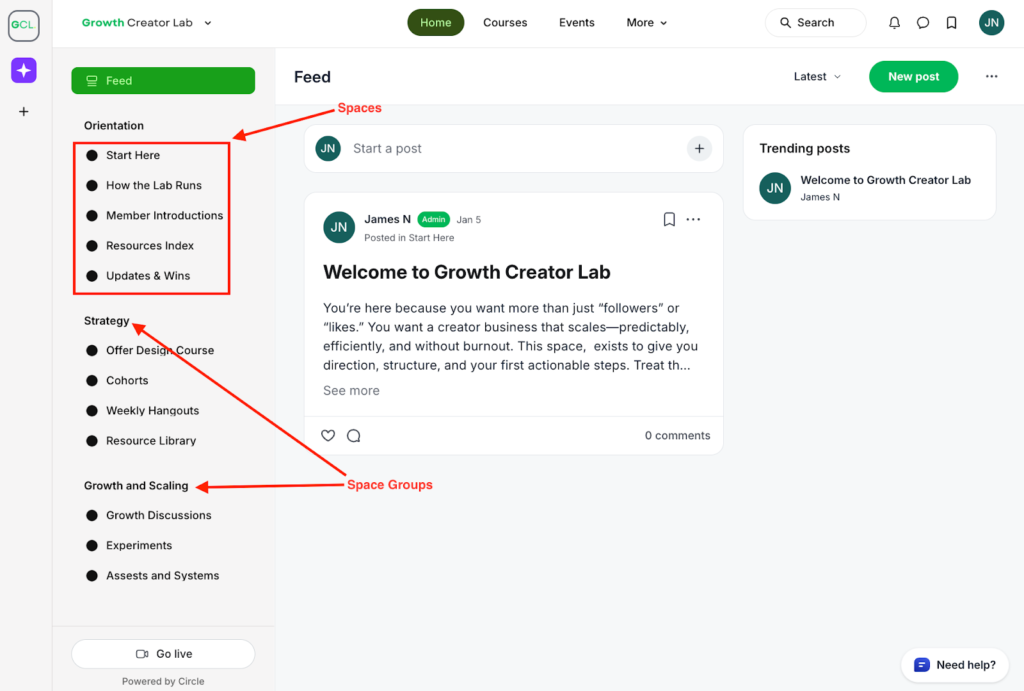
With this hierarchical structure, it’s easier to keep your community organized and free from chaos—unlike platforms such as Skool, which places all discussions and events into a single threaded feed.
You can manage access to individual Spaces by setting them as open, private, or secret depending on what you want members to see or join.
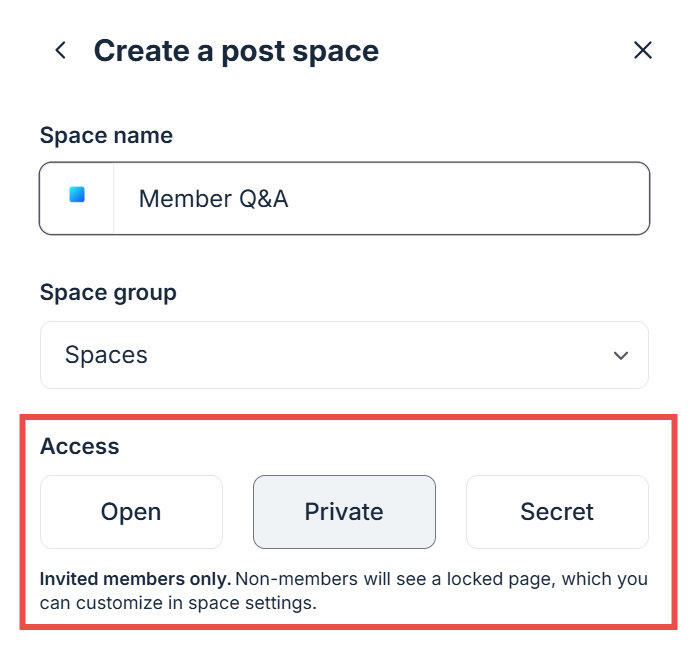
However, as your community grows, managing access can get messy and ineffecient.
That’s because you need to manually set permissions for each member or entry point, which becomes repetitive and hard to manage.
Enter Access Groups.
Essentially, they let you centralize access management by bundling multiple spaces which is a whole lot easier and less time consuming.
So, instead of manually adding a member to ten different spaces one by one, you can add them to one access group that contains those spaces.
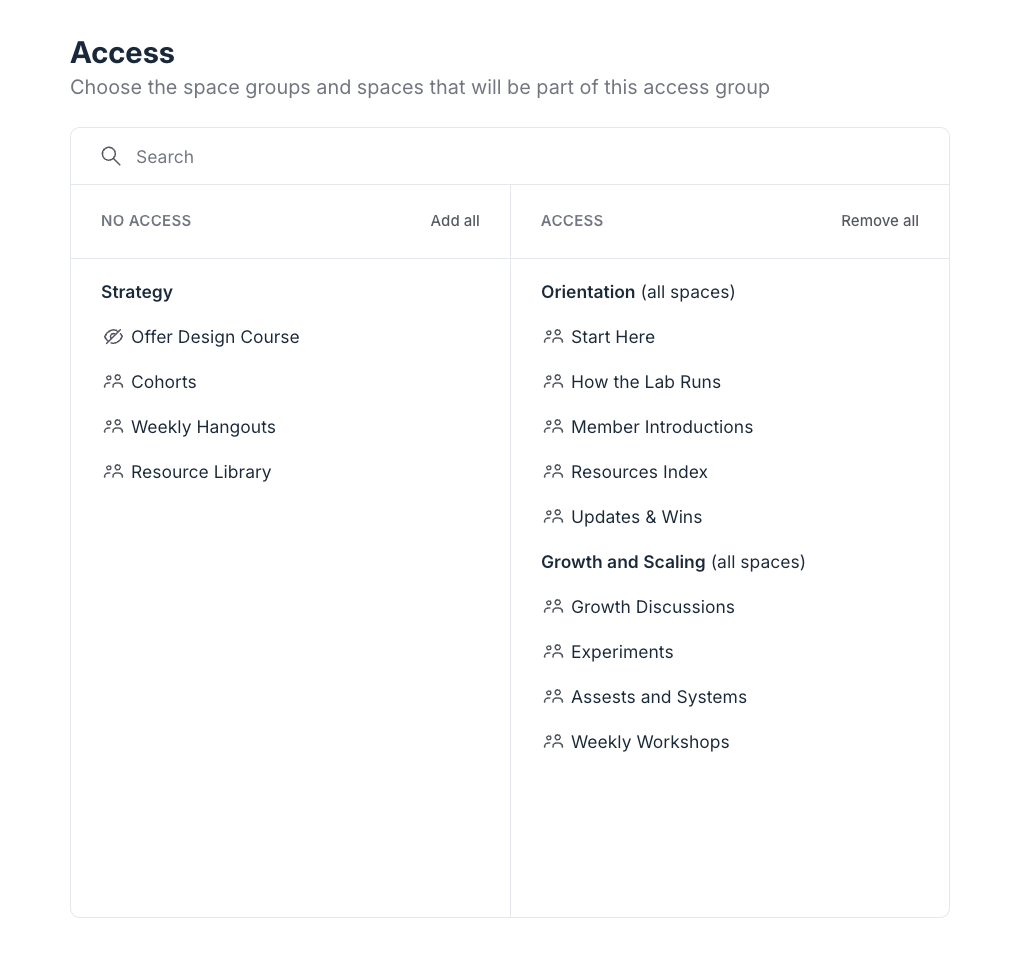
If you make adjustments in the future, such as adding more spaces, you won’t need to go back to individual members’ profiles to add them or send invitation links.
You link access groups to entry points such as:
- Paywalls: immediately unlock relevant spaces when a member purchases a related offer.
- Invitation links: automatically add members to the appropriate spaces when they accept the invite.
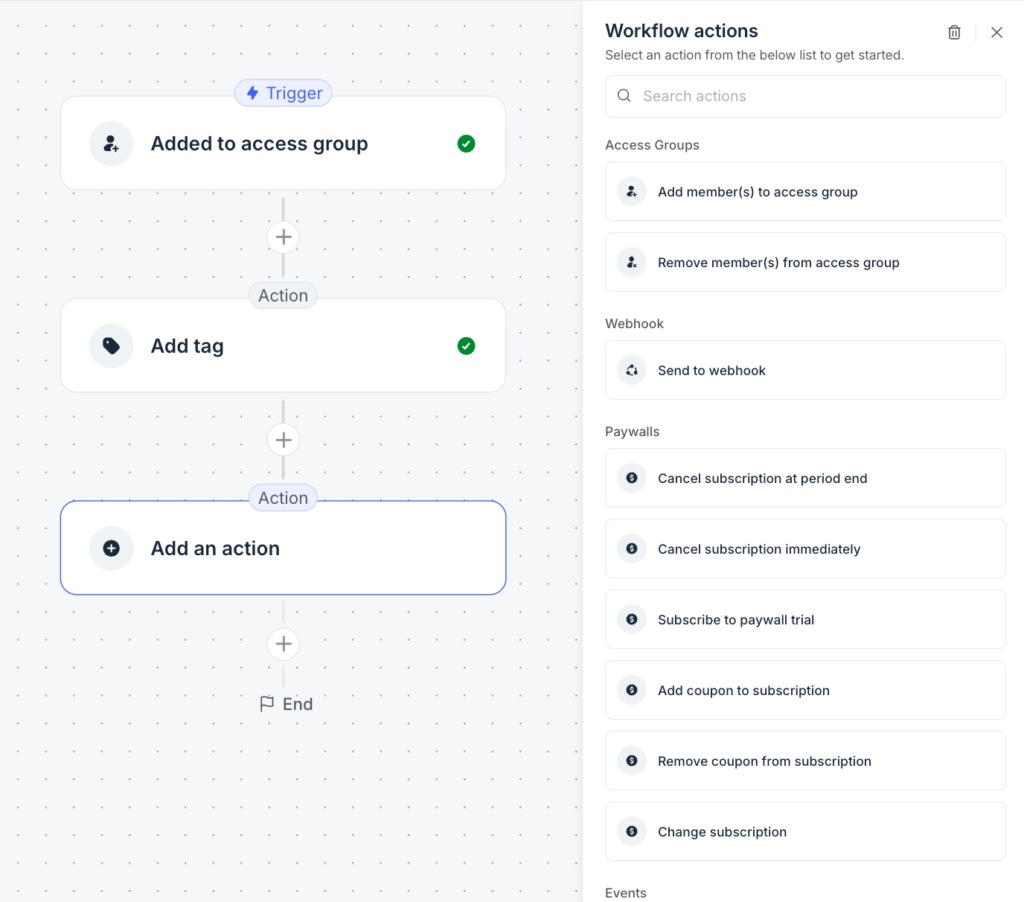
- Automated workflows: define what happens after members are added to access groups, such as applying tags or sending data to a webhook.
Beyond organizing your community and managing permissions, Circle helps you take community management to the next level with AI agents and AI workflows.
You can train AI agents on your community’s specific resources and deploy them for tasks such as onboarding new members or providing personalized support—think of AI agents as an extension of yourself.
AI workflows, on the other hand, help automate processes like moderating community posts and curating your feed.
Together, these tools allow you to scale your personal presence without increasing your workload. By automating baseline interactions, you ensure every member receives instant value, which improves retention and keeps your spaces active around the clock.
When it comes to community engagement, Circle lets you:
- Host live events and stream them natively or through third-party tools like Zoom
- Run intimate live sessions within specific Spaces, allowing members to join with video and audio
- Gamify participation with leaderboards and badges to highlight member contributions
- Launch polls directly within community posts
- Notify members about new posts and upcoming activities via push notifications, email, and weekly digests
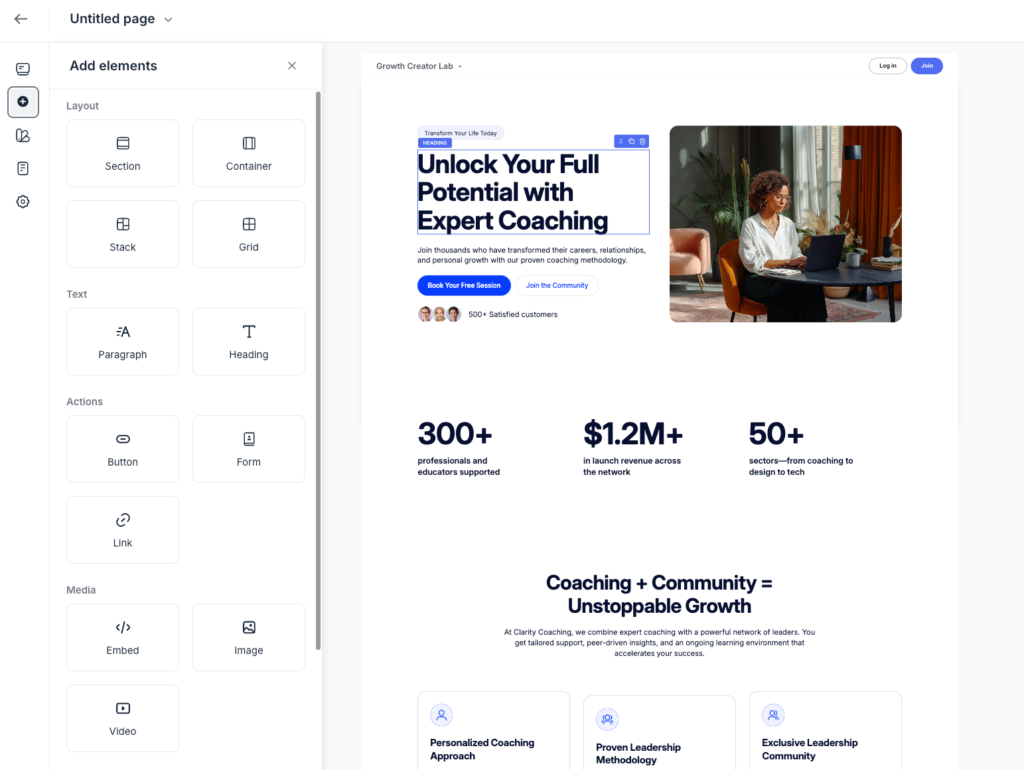
Circle has also grown beyond being just a community platform into a full digital business suite. You can build professional website pages that act as your community storefront, landing pages for lead generation, or product sales pages.
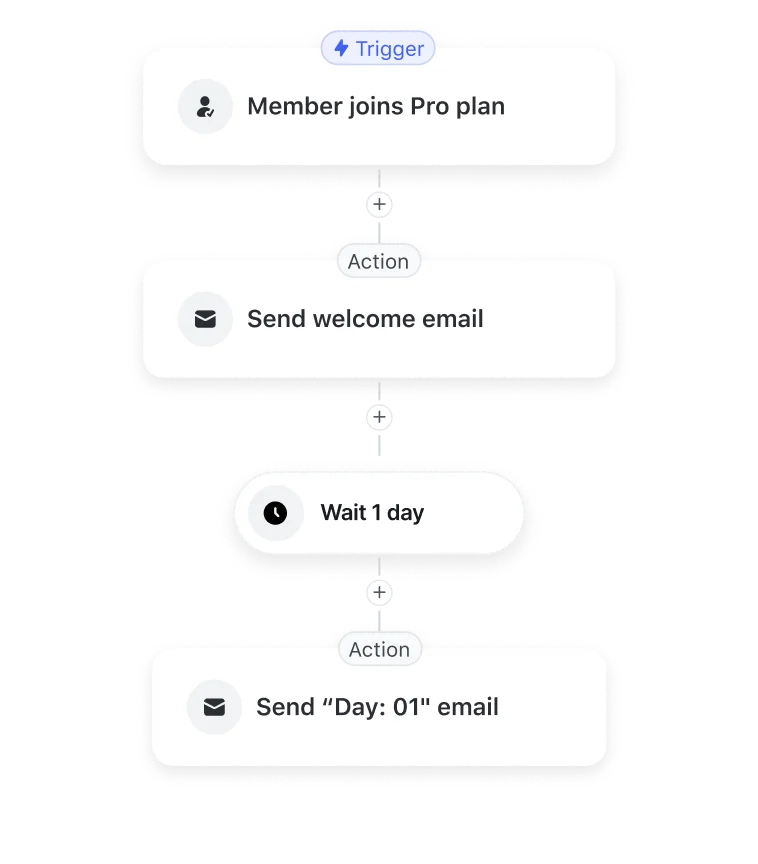
In addition, it allows you to run end-to-end email campaigns. You can send one-off email broadcasts or create automated email workflows triggered by member behavior and activity.
But, there’s a catch.
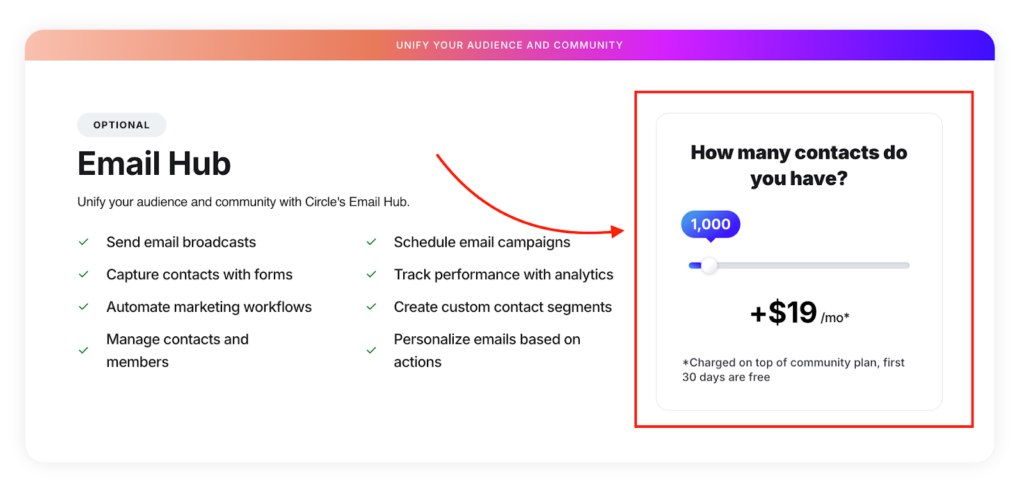
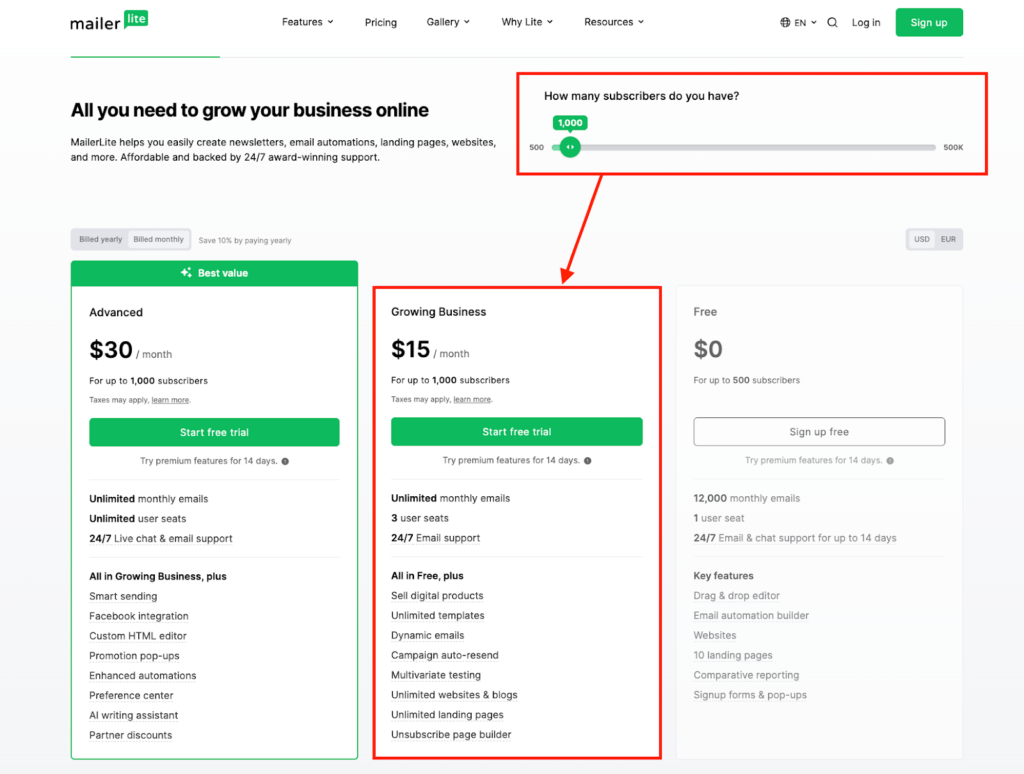
Email marketing isn’t included in Circle’s base plans. Its email tool (Email Hub) is offered as a paid add-on, with pricing based on your number of contacts—for example, $19 per month for 1,000 contacts.
In my opinion, that’s expensive.
I use MailerLite for my email campaigns, and as you can see, it’s significantly more affordable—$15 per month for 1,000 subscribers.
When it comes to monetization, Circle lets you charge for access using Paywalls to gate your entire community or specific Spaces.
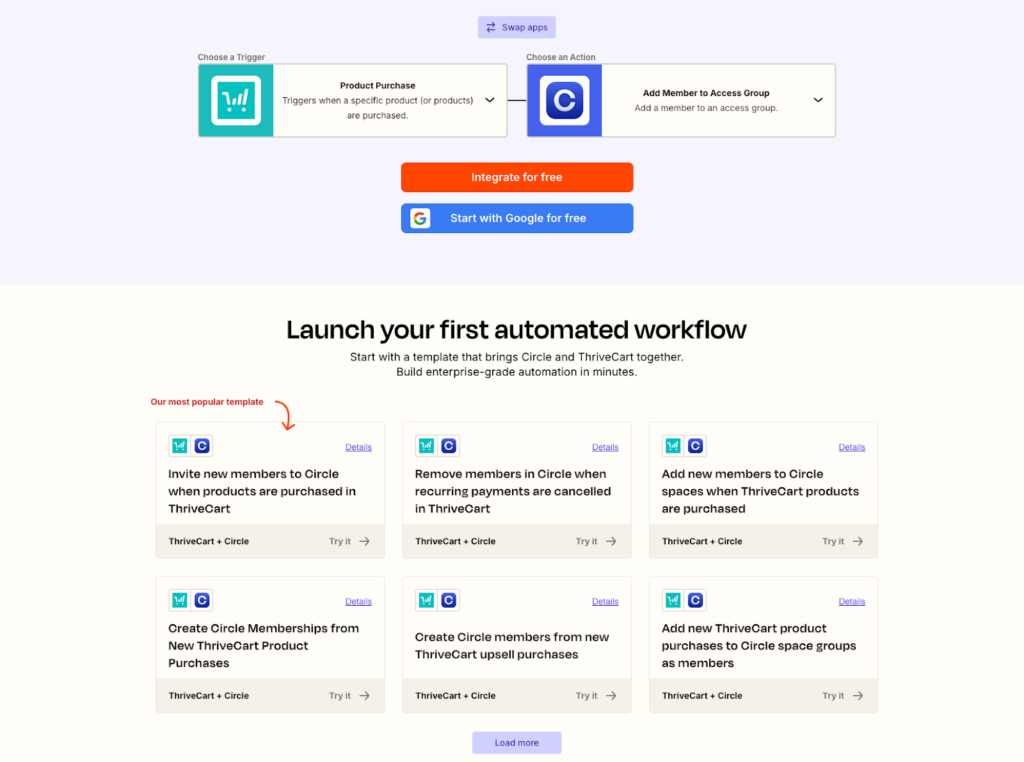
Circle’s Paywalls integrate only with Stripe. If you’re in a region where Stripe isn’t supported, you’ll need a workaround, such as using an external checkout tool like ThriveCart and connecting it via Zapier—which, as you might expect, can get technical and messy.
That said, when available, Paywalls are extremely powerful since they’re a native Circle feature. Using it, you can:
- Offer flexible pricing models, including recurring subscriptions, one-time payments, and installment plans.
- Increase revenue with post-checkout upsells.
- Reduce purchase friction by accepting Google Pay, Apple Pay, and credit/debit cards.
- Boost conversions with free trials.
- Run promotions and incentives using coupons.
Currently, Circle doesn’t support in-checkout order bumps or other advanced funnel features, such as one-click upsells, cross-sells, downsells, or tiered pricing that dynamically adapts based on what a customer selects.
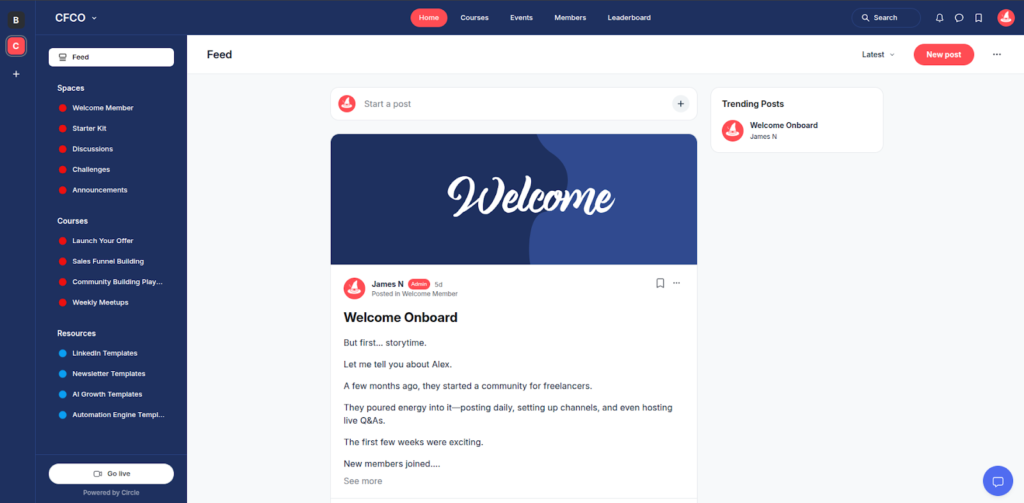
On the branding front, Circle allows you to change your community theme colors, upload your logo, and add custom Space icons. While it’s not as flexible as Bettermode, it’s more than enough to create a unique, branded experience for your community for most creators and coaches.
In short, you can transform your community appearance from the default layout to something like this…
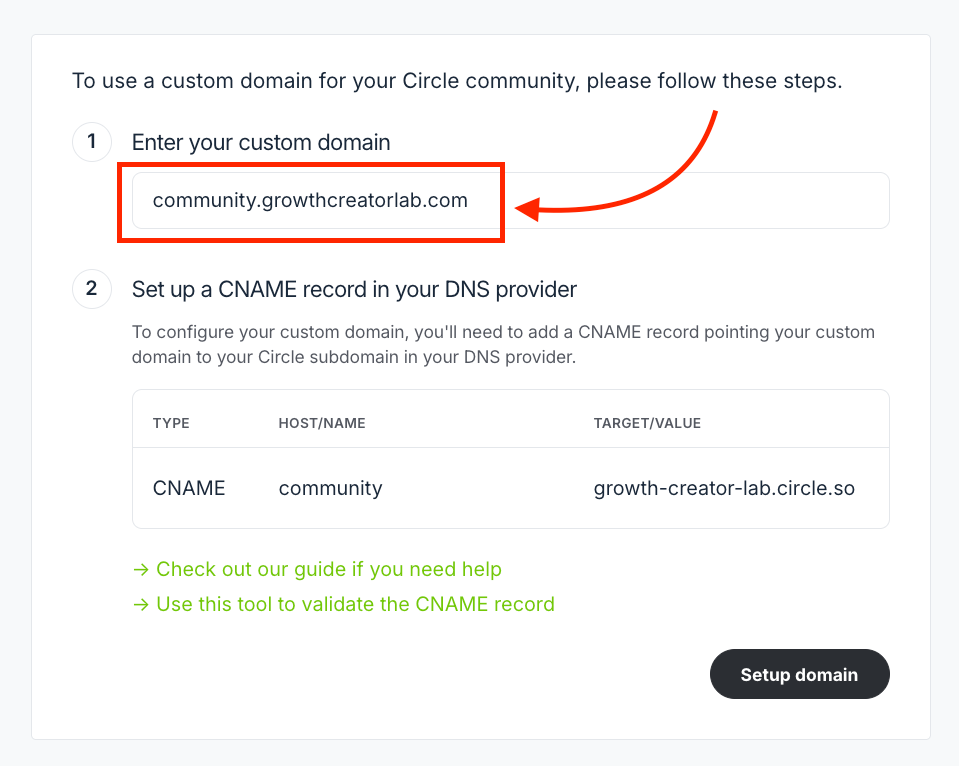
Circle also allows you to host your community on a custom domain, fully white-label the experience, and even launch branded mobile apps.
Other features I love about Circle include:
- Tags and Segments that make it easy to organize and manage your audience.
- Bulk actions that let you efficiently manage members, posts, and content at scale.
- 30 direct third-party integrations plus a headless member API that lets you embed community features into custom websites or apps.
- A built-in affiliate tool for running affiliate programs for products and memberships.
- Robust post editors for creating rich, well-formatted community content.
- Powerful analytics and reporting that provide insights into member activity across posts, Spaces, pages, events, and Paywalls.
Circle.so Pricing
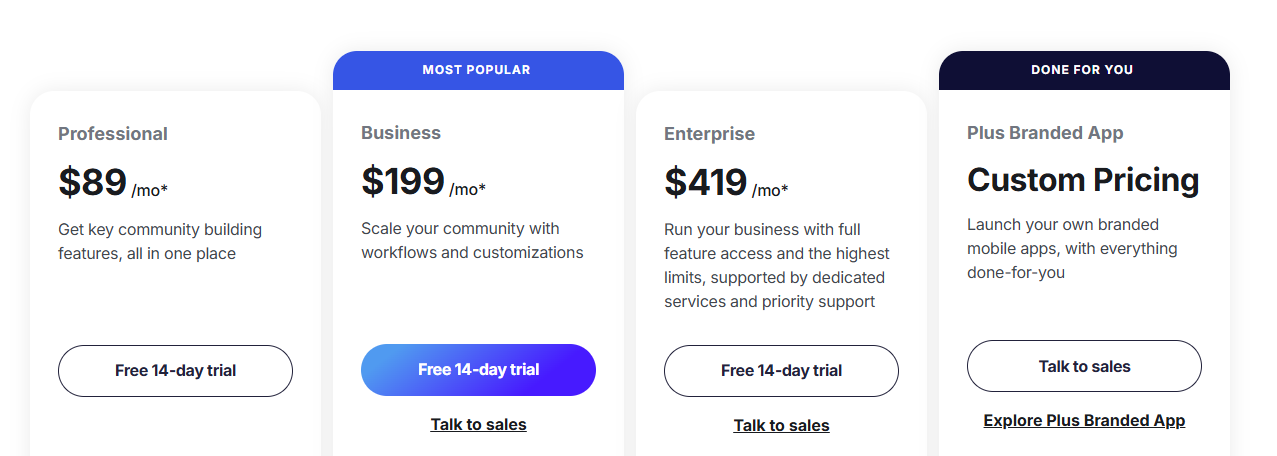
Honestly, Circle is expensive. Pricing starts at $89 per month and scales up to $419 per month when billed annually.
The platform also tends to “nickel-and-dime” users by limiting the number of Spaces, admins, moderators, live stream attendees, and room participants you can have. Many community add-ons are also costly. For example, branded email notifications cost $40 per month, while customizable profile fields cost $49 per month.
In addition, Circle charges transaction fees on every sale made through the platform, ranging from 0.5% to2% depending on your plan. These fees are separate from Stripe’s payment processing charges, which are typically 2.9% + $0.30 per transaction.
Below is a simplified breakdown of Circle’s pricing:
- Professional – $89/month: up to 3 admins, 10 moderators, 20 Spaces
- Business – $199/month: up to 5 admins, 15 moderators, 30 Spaces
- Enterprise – $419/month: up to 10 admins, 100 moderators, 100 Spaces
- Plus – Custom pricing: up to 20 admins, 200 moderators, 500 Spaces
Circle.so Pros and Cons
Pros
Cons
Bottom line: Circle functions as an all-in-one community growth platform designed not just to help you build engaging community experiences, but to scale it. You can automate management with AI workflows, create high-converting website pages, run end-to-end email campaigns, and launch a fully branded mobile app so members can engage on the go. That said, choose Circle to build a community that scales alongside your business.
👉 Explore Circle.so free for 14 days.
Also read:
#2: Mighty Networks
Best for building high-engagement, multi-level online communities.
Mighty Networks has been in the community building space for nearly a decade now. So it’s safe to think that they understand what tools you need to build an engaging community better than newer competitors.
And honestly, they do.
Compared to other platforms I’ve used including—Circle and Bettermode—Mighty has superior engagement tools. You can build interactive experiences to engage members through social mechanics that feel native.
For example you can use:
- Icebreaker questions to secure participation the moment a new member joins.
- People Magic to highlight commonalities between members like shared professional transitions or geographic proximity which lets them connect instantly without digging through a static directory.
- Streaks and challenges to gamify participation and maintain momentum throughout the member journey.
Within your discussion boards, you can engage members with threaded posts, multi-media content, and polls.
But unlike other community platforms like Circle and Skool, where polls are plain and easy to ignore:
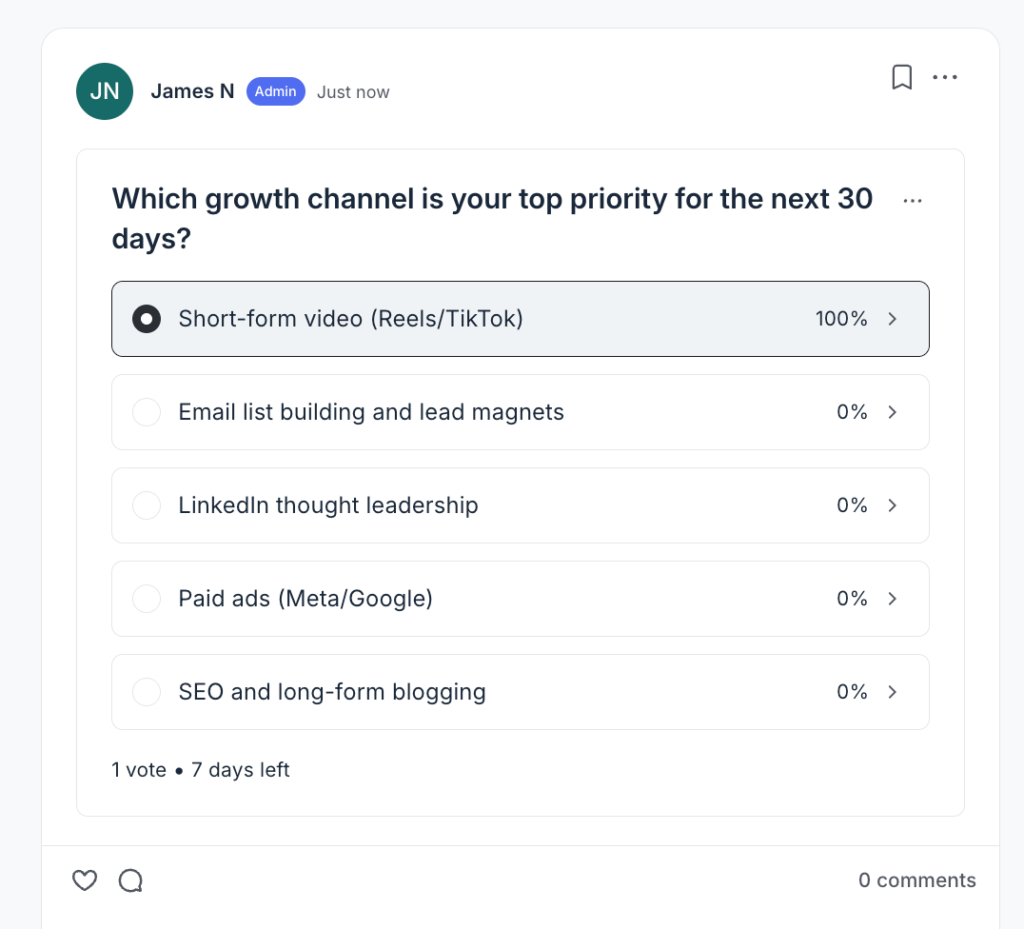
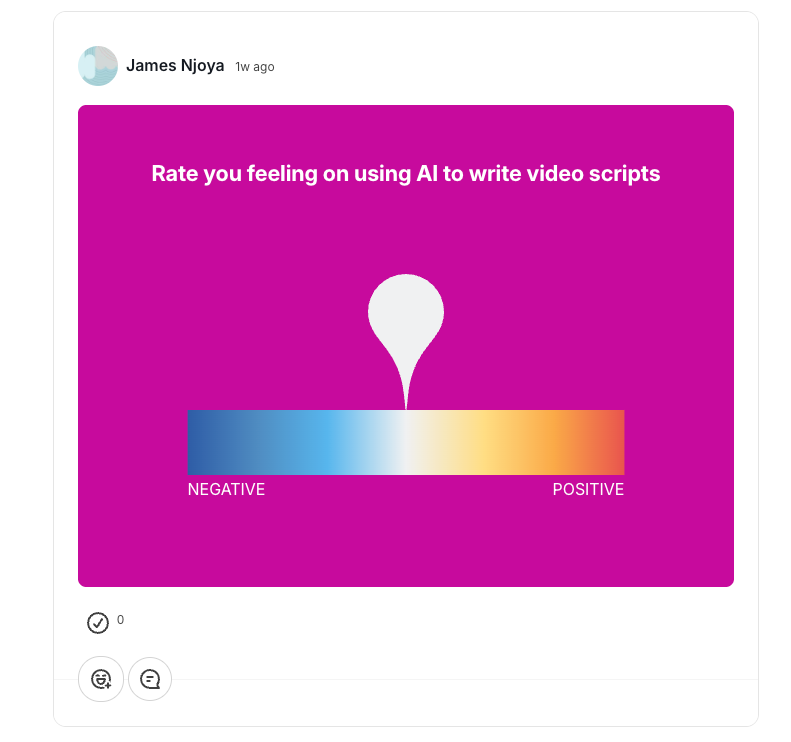
In Mighty Networks, polls are more visually appealing.
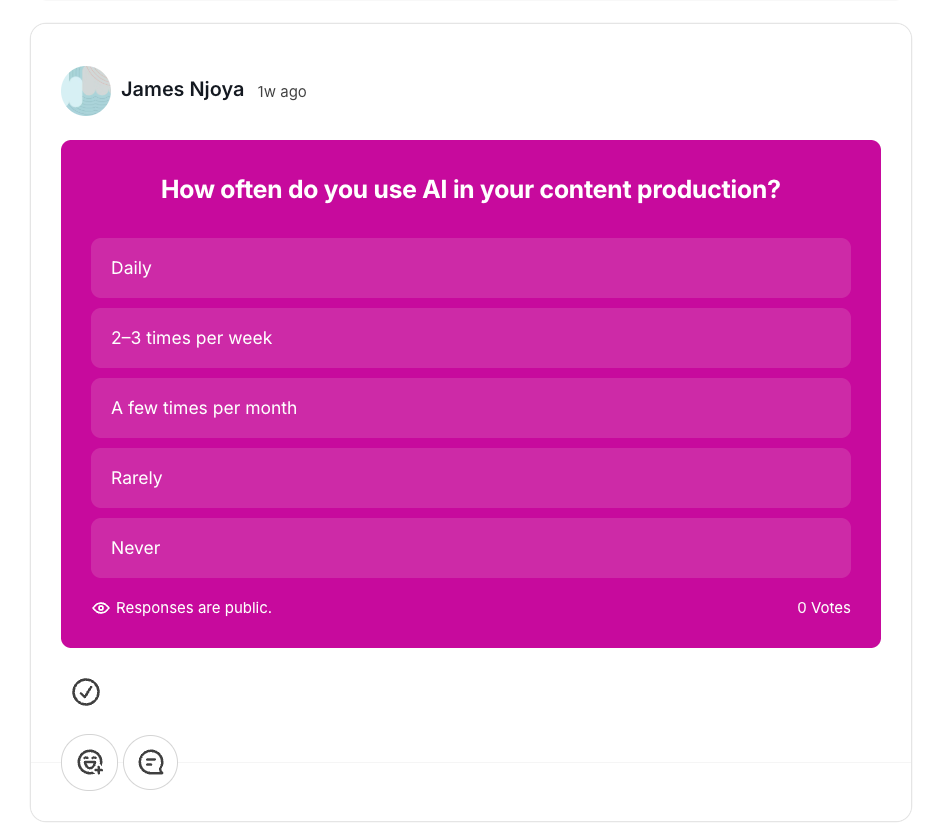
You also get more poll formats like hot-or-cold voting, open-ended questions, and percentage sliders which makes participation and data collection more interactive.
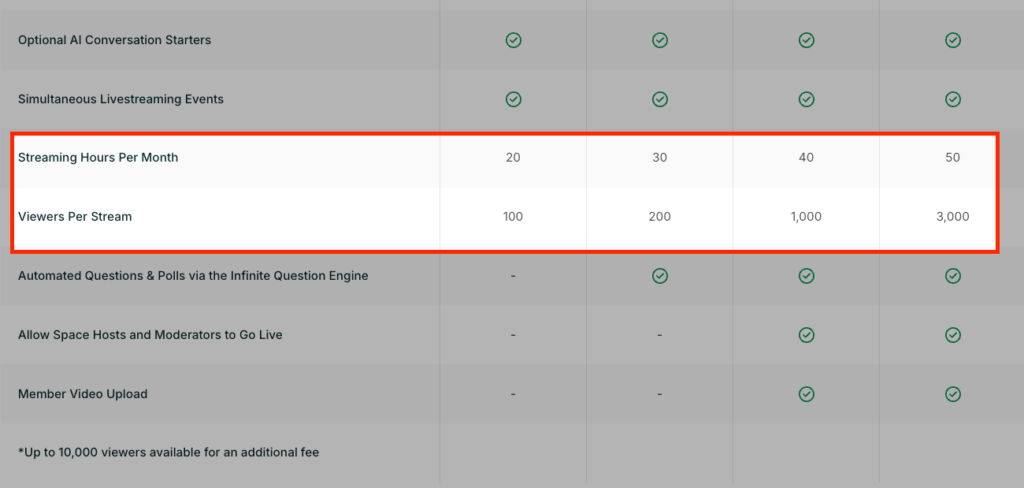
Speaking of events, Mighty Networks supports native livestreaming and event management. You can host one-off workshops or recurring masterminds with built-in RSVP tracking and automated reminders.
However, it’s important to note that they limit the livestreaming hours per month and the number of participants you can have per live session. For example, its entry-level plan restricts you to 100 viewers per session and 20 total hours per month.
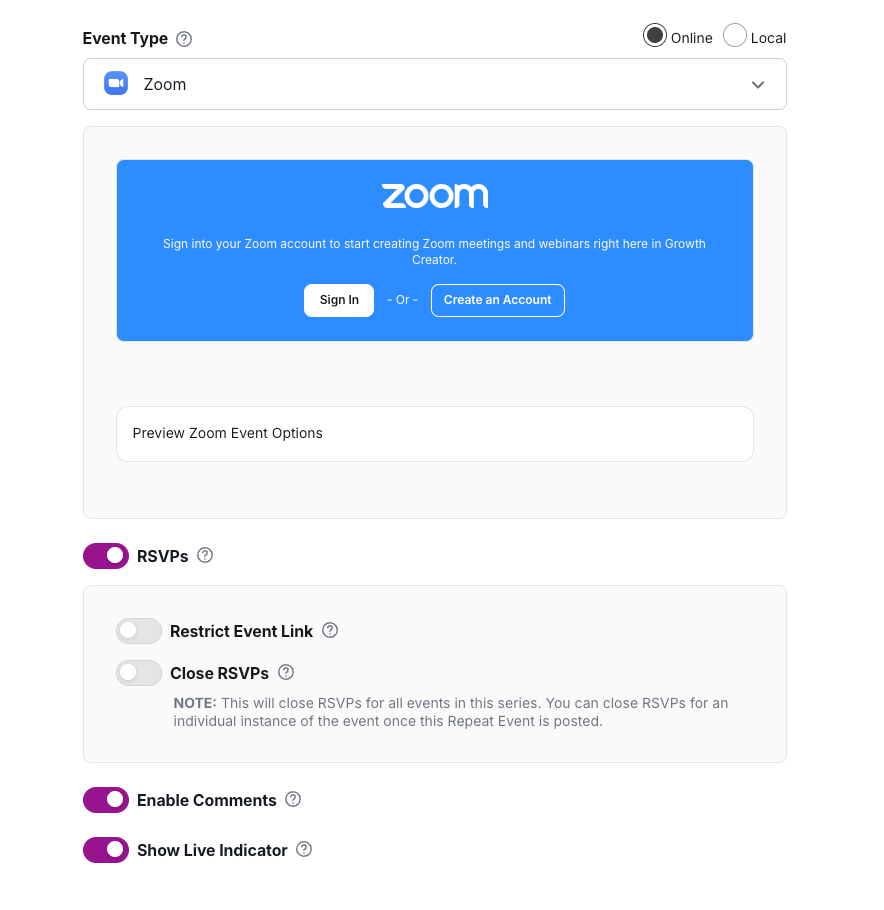
But if you prefer using an external video conferencing tool instead, Mighty Networks has a direct integration to Zoom which ensures your Zoom Meetings or Webinars sync directly with your events calendar, keeping all attendance data in one place.
When it comes to learning, Mighty Networks support both self-paced and cohort-based courses.
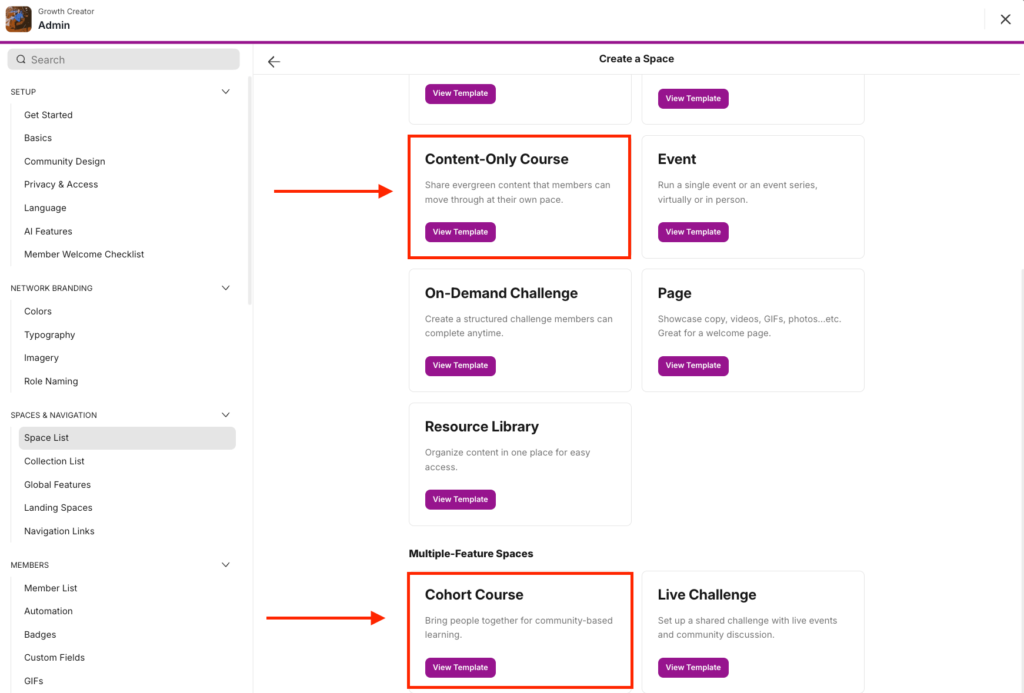
For self-paced programs, you can natively host your materials, drip-feed modules, add downloadable files and assess your students with quizzes.
However Mighty’s course builder doesn’t support more advanced learning management tools like SCORM compliance, gradebooks, randomized question banks, survey forms and completion certificate issuing.
In cohort-based programs, Mighty Networks lets you incorporate social elements into your courses. Essentially, it combines course delivery, discussion board, members directory and live events directly into your course space.
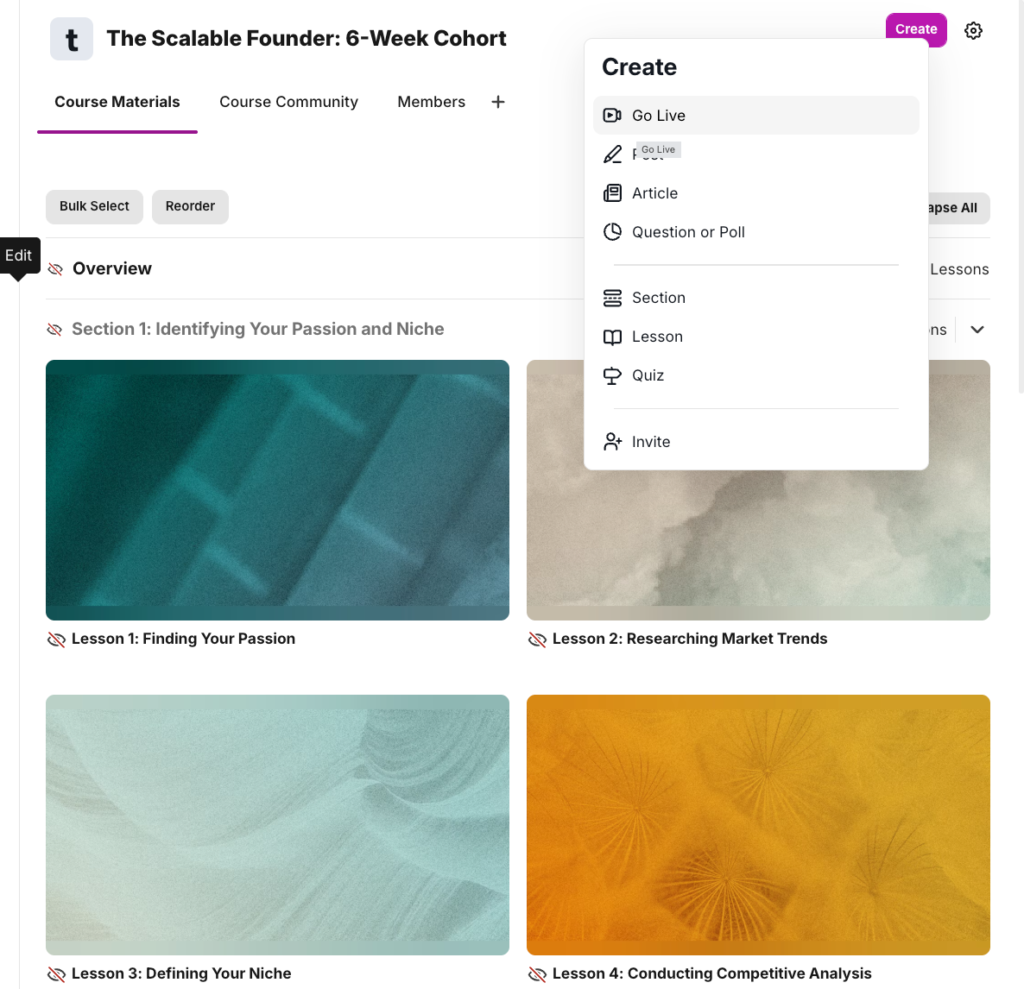
Instead of going through the learning materials alone, your students can collaborate through discussions, direct messaging and live sessions. This increases completion rates because it lets you transform your course into an active community where members support each.
Mighty Networks’ Space architecture is also one of its major strengths which makes it a stronger solution for associations and professional networks.
In other platforms, Spaces or the equivalents of them, are rigid and not customizable. For example in Circle, spaces can only support one content format at a time. That is, if it’s a course space, you can’t embed other features like discussions, events or a member directory within that same specific space.
But in Mighty Networks, a Space is a container that you can customize like a Lego set. Simply head to your space settings and enable the specific features you want. You could have a single space that contains a chat, feed, members directory and events calendar.
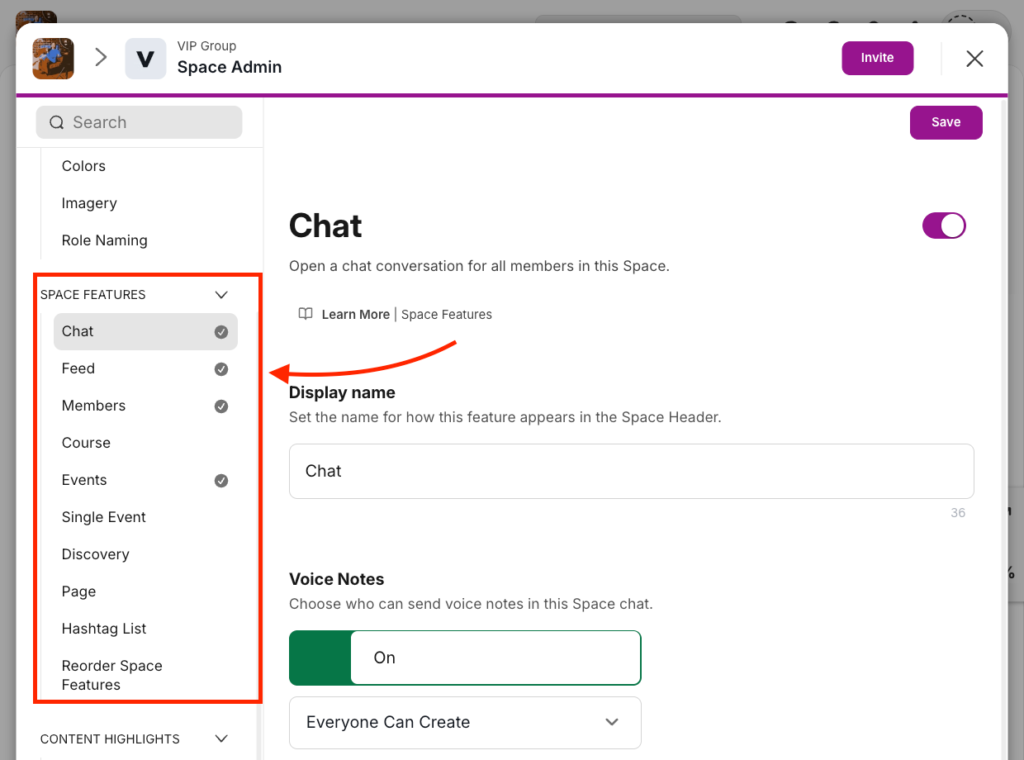
Given this flexibility, you can host dozens of private sub-communities for specific chapters or interest groups which helps keep your network more organized and intentional.
Mighty Networks Pricing
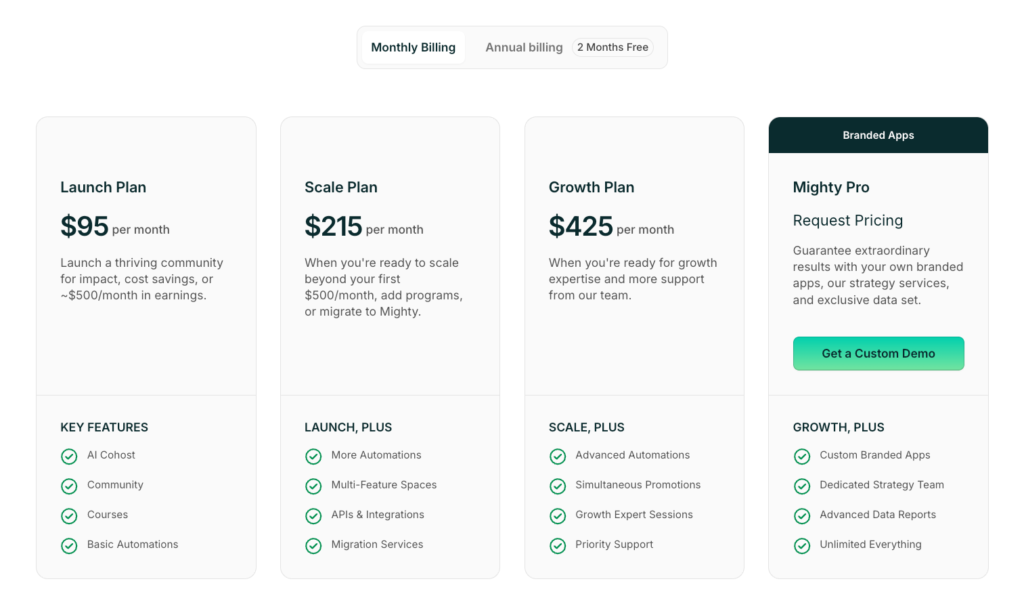
Mighty Networks has 4 plans: Three paid tiers and a custom enterprise plan. Paid plans limit you based on the number of hosts, moderators, and spaces you can have in your community. All plans allow for unlimited members and include mobile apps for iOS, Android devices.
- Launch: $95 per month for 3 hosts, 10 moderators, and 20 single-feature spaces.
- Scale: $215 per month for 5 hosts, 15 moderators, and 40 multi-feature spaces.
- Growth: $425 per month for 10 hosts, 100 moderators, and 80 multi-feature spaces.
- Mighty Pro: Custom pricing for unlimited hosts, moderators, and spaces. Plan also includes your own branded mobile apps and a dedicated strategy team.
Mighty Networks Pros and Cons
Pros
Cons
Bottom line: Mighty Networks is the best platform for building custom, high-engagement social communities. It seamlessly integrates community features with online courses and memberships, allowing you to create a sustainable business while keeping members engaged. You can build branded communities that align with your theme, engage members through events, chats, posts, polls, leaderboards, and quizzes.
👉 Explore Mighty Networks free for 14 days.
Also read:
#3: Bettermode
Best community software for businesses and brands.
Bettermode gives you more flexibility and design control without costing you a leg. It’s the best platform if you’re building product communities, branded creator spaces or enterprise networks.
Upon signing up, you’ll get access to 30+ community templates covering various use cases like learning communities, developer hubs, customer support forums, job boards, and more—so you can launch faster without starting from scratch.
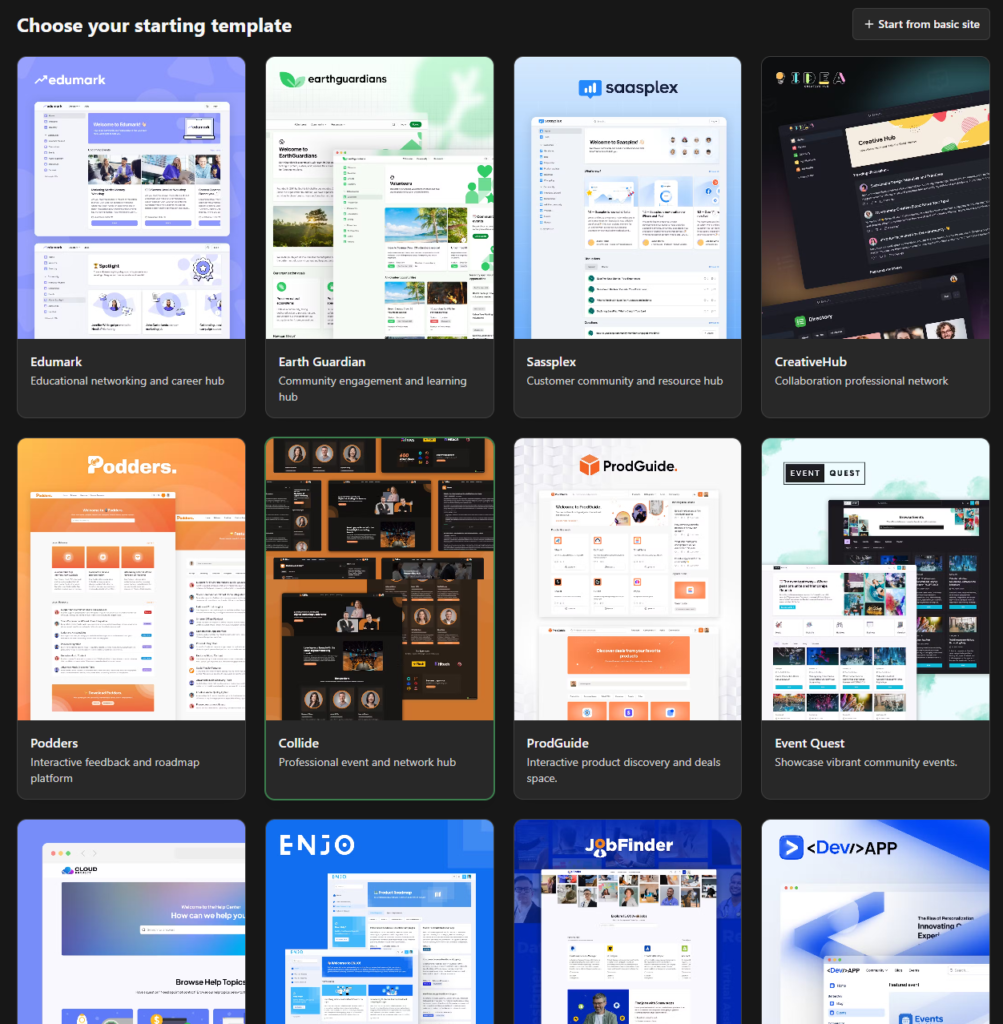
None of the community platforms I tested, not even Circle, Mighty Networks, or Kajabi offered any form of community design templates.
You can customize your community by adding your logo, choosing custom fonts, setting your own color palette, and hosting it on your custom domain. You can even redesign the layout and fully white-label your community end to end.
I especially liked its Block builder which lets you design custom space layouts.
Instead of using the predefined space layout you can style the space header, then drag in different block types like accordions, leaderboards, tag filters, HTML scripts, space collections, post feeds, and more to give your spaces a different look and functionality.
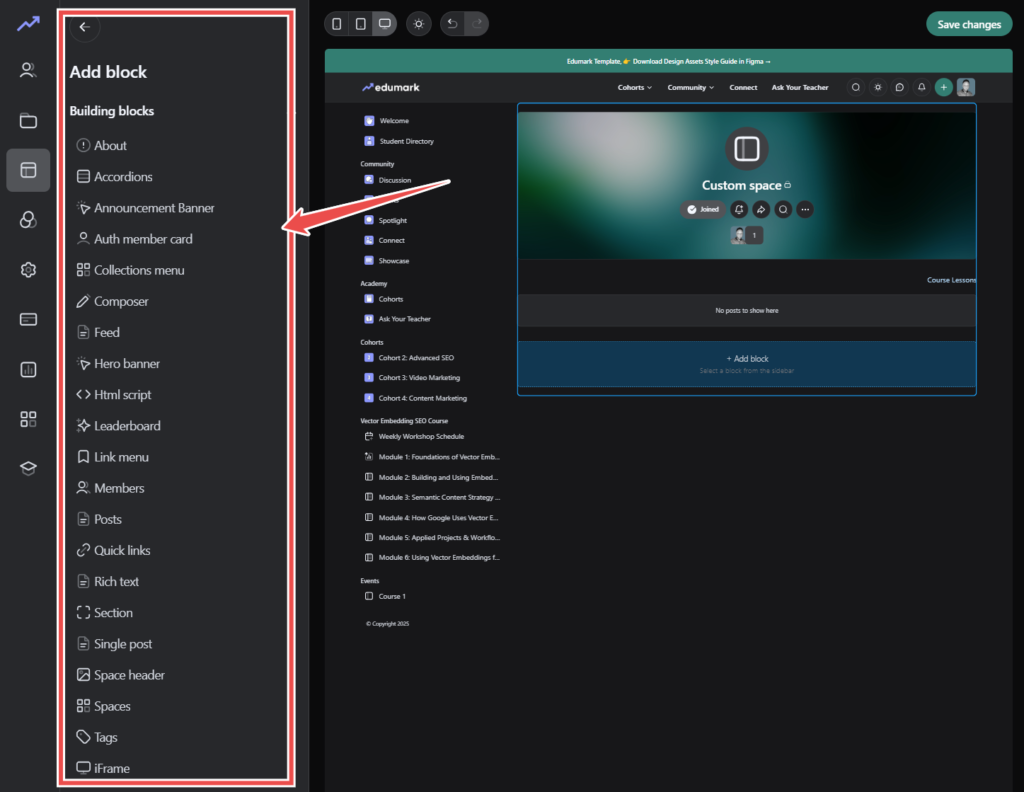
For example, you can use Blocks to build a structured content library by grouping your posts by tag, embedding a video playlist, or showing only pinned posts in a clean card layout.
Perhaps, the most interesting of all about Bettermode is its Custom App builder. It enables you to build unique functionalities on top of the community platform using APIs and webhooks. It’s kinda like WordPress plugins but for Bettermode communities.
Using the Custom App builder, you can sync member data with your CRM, automate complex moderation workflows, or create custom analytics dashboards that track specific member behaviors. For example, you could build an AI-powered welcome bot that automatically identifies a new member’s interests from their profile and sends them a personalized message with links to relevant resources and spaces.
However this level of control also comes with some tradeoffs. Bettermode has a steep learning curve. Because of its sheer number of customization options, it can take you more time configuring your ideal setup which can be daunting if you’re not familiar with community tools.
It’s also not built for education-first communities because it lacks a native course builder. While you can still use Spaces to organize learning materials, it’s not as intuitive using well-rounded online course platforms like Kajabi or Thinkific, which offer built-in tools for curriculum structuring, progress tracking, and assessments.
Moreover, Bettermode doesn’t support native payments. And from what I saw in their support forums, they aren’t planning to launch them anytime soon.
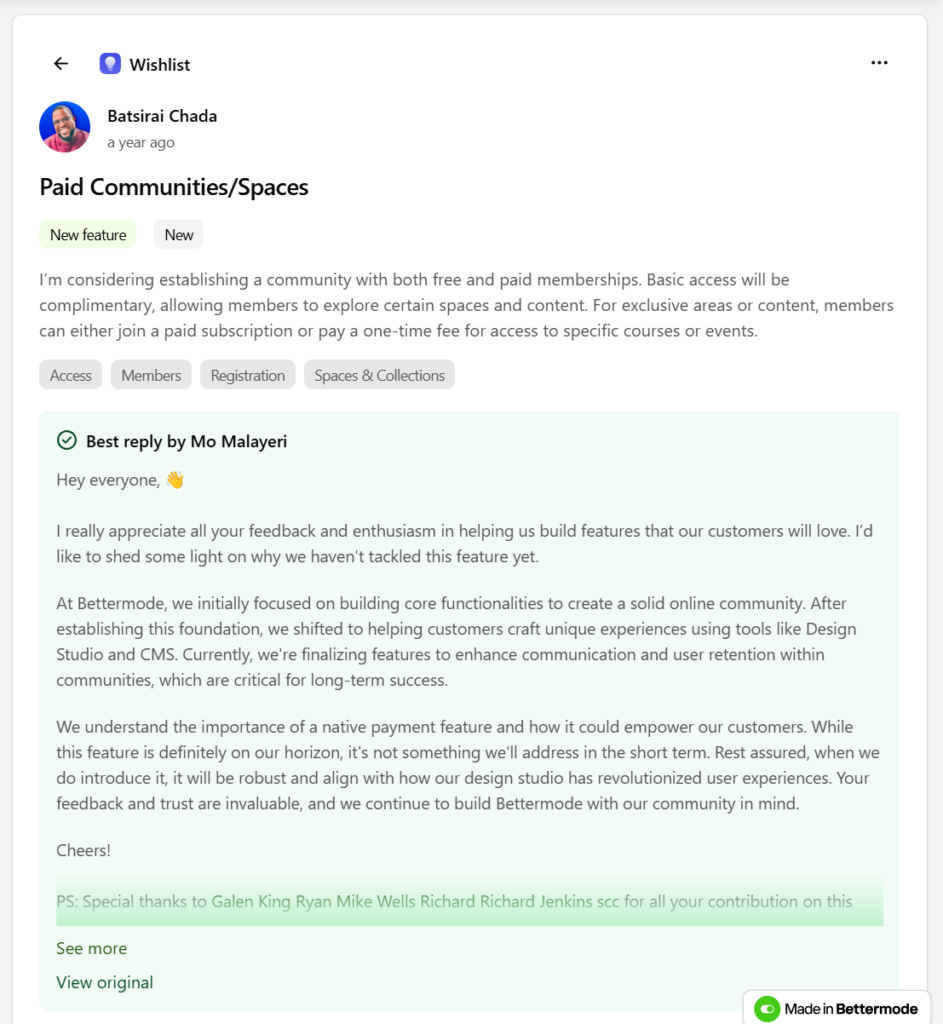
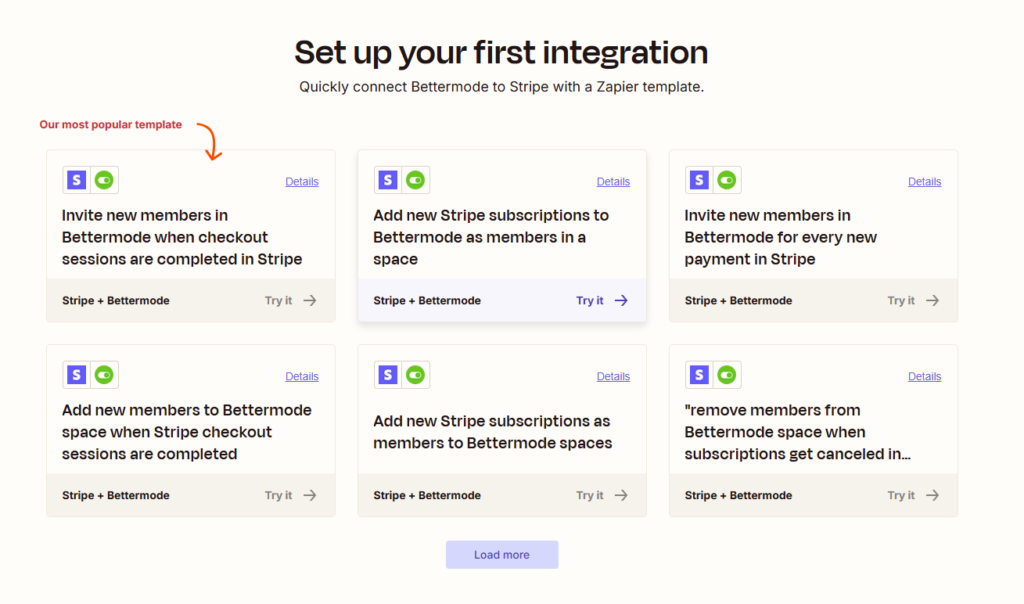
If you want to charge for access to your community via membership or sell content, you’ll need to set it up through third-party tools like Stripe using Zapier. Which, as you can guess already, is daunting for non-technical users.
Bettermode features
- Strong community moderation tools: Bettermode includes built-in AI-powered moderation. You can enable Akismet and OOPSpam to automatically detect spam based on IP address, user agent, referrer, and site URL. You can also set keyword-based triggers to flag sensitive content for manual review. As the admin you can place specific members on a watchlist, meaning their posts and comments would require approval before being visible.
- Messaging: Members can message each other directly or participate in private group chats—all within the platform. Messaging is native and doesn’t require external tools.
- Events hosting: You can create, schedule, and manage events directly on Bettermode platform. Members can RSVP, add events to their calendars, and receive reminders.
- Multi-language support: You can localize the interface based on your audience. Members will see translated UI elements like menus, buttons, and prompts according to their language preferences.
- Detailed Reporting: You can access analytics on posts, comments, membership growth, engagement, moderation actions, and messaging which lets you measure community health and identify trends.
- Blocks: Instead of a fixed layout, Bettermode gives you drag-and-drop control over how each Space looks and functions. You can build a clean video library using post feeds and tag filters, create a multi-section help center with accordions and post blocks, or design a custom homepage using space collections, leaderboards, and HTML embeds.
- CMS models: Bettermode lets you define exactly what kind of content lives in each Space. You can create structured models for things like knowledge base articles, job listings, documentation, or tutorials. Each model is made up of custom fields like titles, tags, dropdowns, file uploads, embeds, and more. This means you get to decide what content fields appear, how they’re displayed, and who can publish or edit them. Perfect for building searchable, structured hubs inside your community.
- API and webhooks: Bettermode lets you intergrate your community with the rest of your tools using API and webhooks. You can use the API to sync members, pull content, or publish updates from other platforms. Meanwhile webhooks let you trigger workflows like sending a Slack alert when someone posts in a feedback Space, or enrolling new members in your email list when they join a private group.
Bettermode pricing
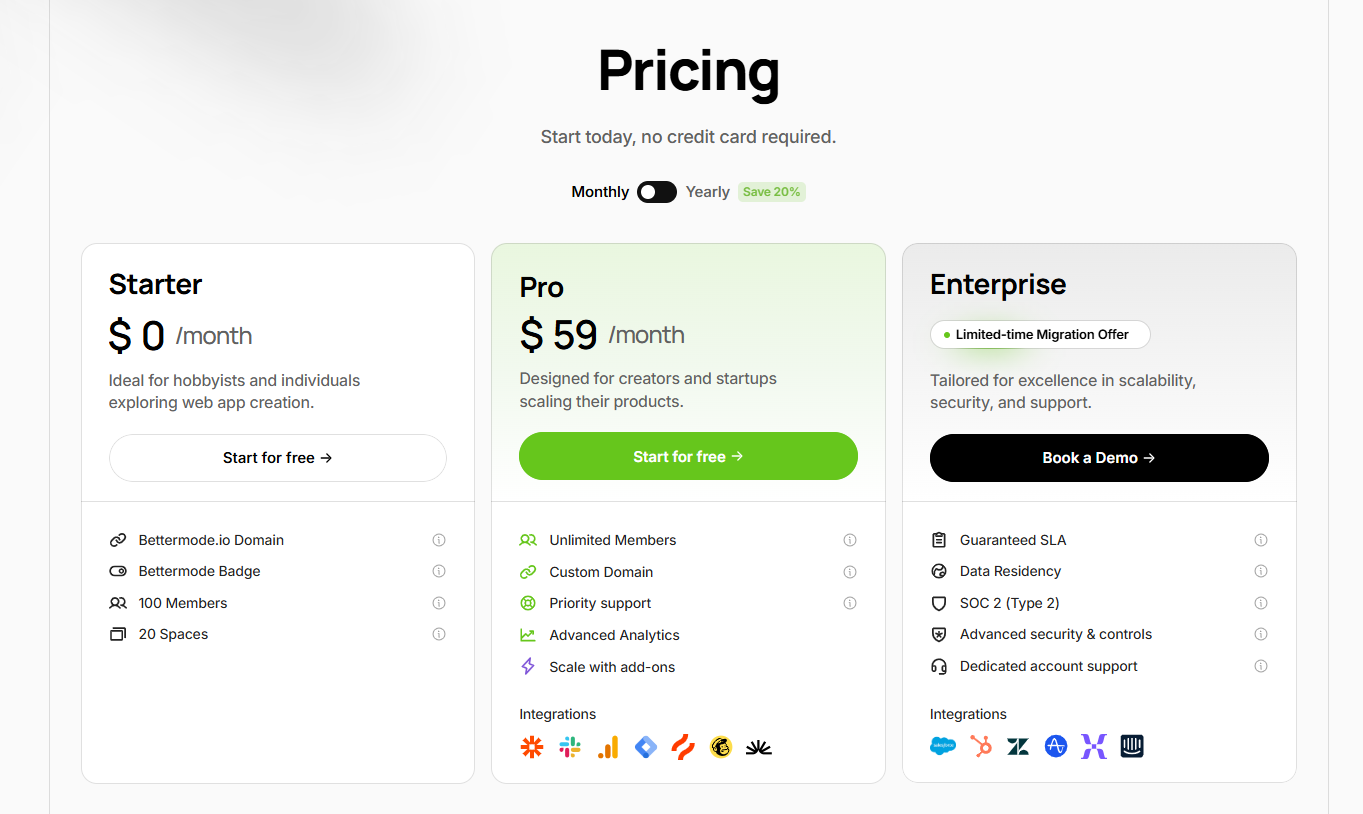
Unlike most community platforms I tested, Bettermode is surprisingly affordable. It offers a free plan, a flat-rate Pro plan, and a customizable Enterprise option.
- Starter:free for upto 100 members and 20 spaces.
- Pro: $59/month for unlimited members, 20 spaces, and 20 CMS collections
- Enterprise: custom pricing with tailored limits, advanced support, and security features
Bettermode Pros and Cons
Pros
Cons
#4: Heartbeat
Best value for money
Heartbeat is a strong choice if you’re building an online learning community and want to integrate course delivery directly into the platform.
Unlike platforms like Circle, Mighty, or Skool that focus more on community-first experiences, Heartbeat has more compelling online learning features. It offers built-in tools to run both evergreen (self-paced) and cohort-based courses, with progression tracking.
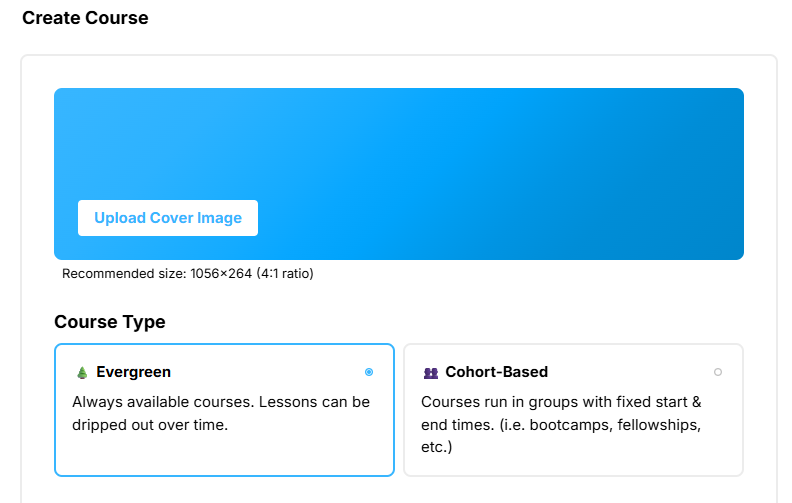
You can natively host course videos or embed them from platforms like Wistia, Loom, Vimeo, or YouTube. You can attach assignments, link community discussions to specific lessons, and sync event channels with your courses which lets you cultivate a social learning experience.
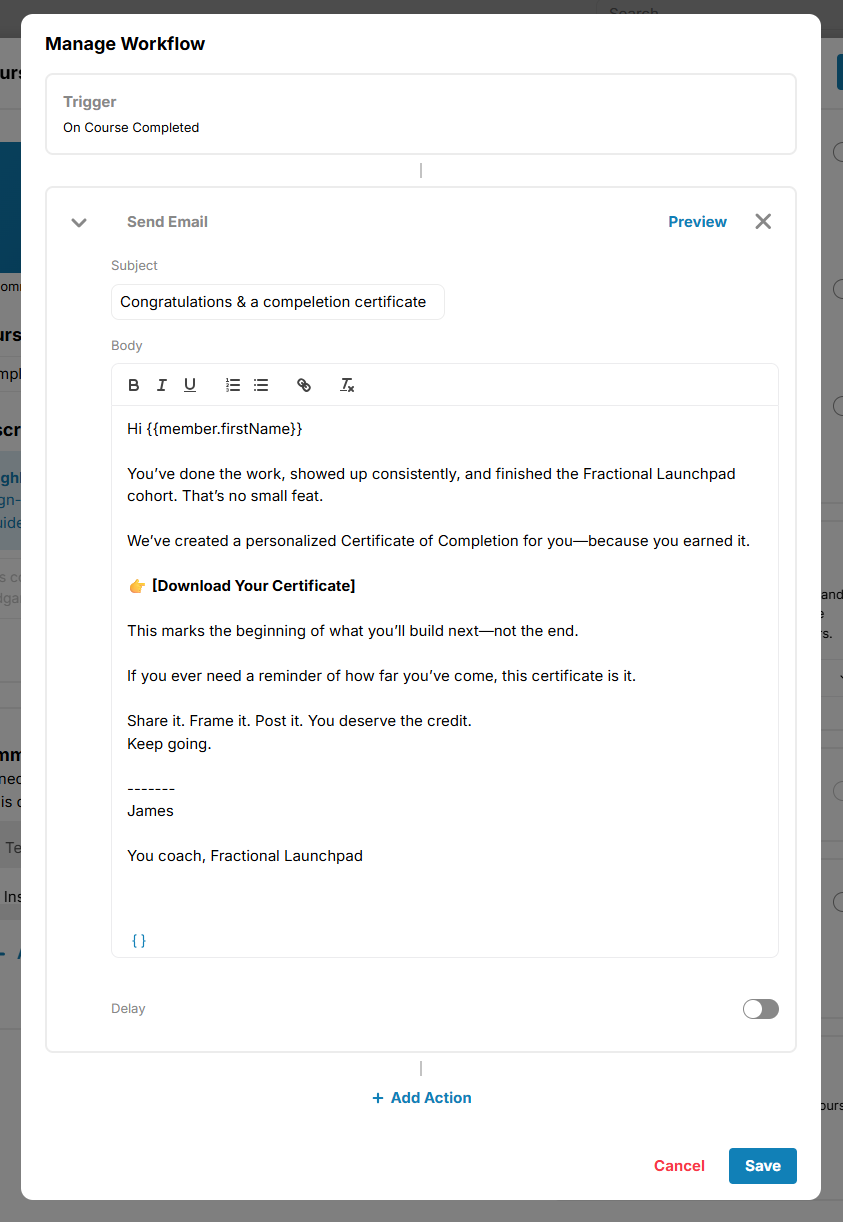
Heartbeat also supports basic automation which simplifies your community management.For example, you can trigger a workflow that sends an email with a certificate download link once a student completes a course.
On the community side, Heartbeat supports threaded posts, group chat, events, and voice rooms. You can share videos, write text posts, run polls, and attach files inside posts. Members can RSVP to events, and you can charge for events or make them public. However, it doesn’t support native livestreaming and you’ll need to use Zoom or external video conferencing software of your choice.
Unlike Circle and Kajabi Communities, Heartbeat doesn’t offer built-in community gamification tools. So if leaderboards, exclusive perks and custom badges are things you’re looking to implement in your community, you’ll want to look elsewhere.
Heartbeat features
- Course creation tools: with Heartbeat you can create self-paced and cohort-based course programs. You can natively host your course materials, assess your learners with assigments and track their progress. However, it lacks diverse assessment tols like exams, multiple choice quizzes, survey forms, peer review and course completion certifcate. But for simple learning and coaching programs, Heartbeat thrives in that.
- Events management: the platform lets you host events inside your community with RSVP, reminders, and calendar integration. You can control who sees and joins your events by setting your events as paid and public. However unlike Circle and Mighty Networks it doesn’t support in-platform livestreaming and requires external tools like Zoom.
- Automation & workflows: you can build simple automations which simplify community management.You get access to 10+ workflow templates covering various useases like events management, members onboarding and payment processing. For example you can create a workflow that’s triggered when new members join your community and are automatically to a specific access group.
- Built-in payment processing: with Heartbeat you can charge access to your courses, community, and events. It features payment processing tools powered by Stripe gateway. You can set up one-time, recurring and even tiered payments options for your community. You can also create coupons and upsell offers to increase conversions.
- Matchups: Heartbeat lets you automatically pair members based on shared interests or attributes which can be useful for peer learning, accountability, or mastermind matching.
- Custom domains and emai whitelabeling: you can brand your community with a custom domain and send emails from your own address to maintain a consistent member experience. However email whitelabelling is only available on its high end Growth plan.
- Affiliate programs: Heartbeat lets you launch a native referral system that lets members promote your community or products and earn commissions.
- Community apps: Heartbeat community apps for both mobile and desktop devices giving members flexibility to engage from any device.
Heartbeat pricing
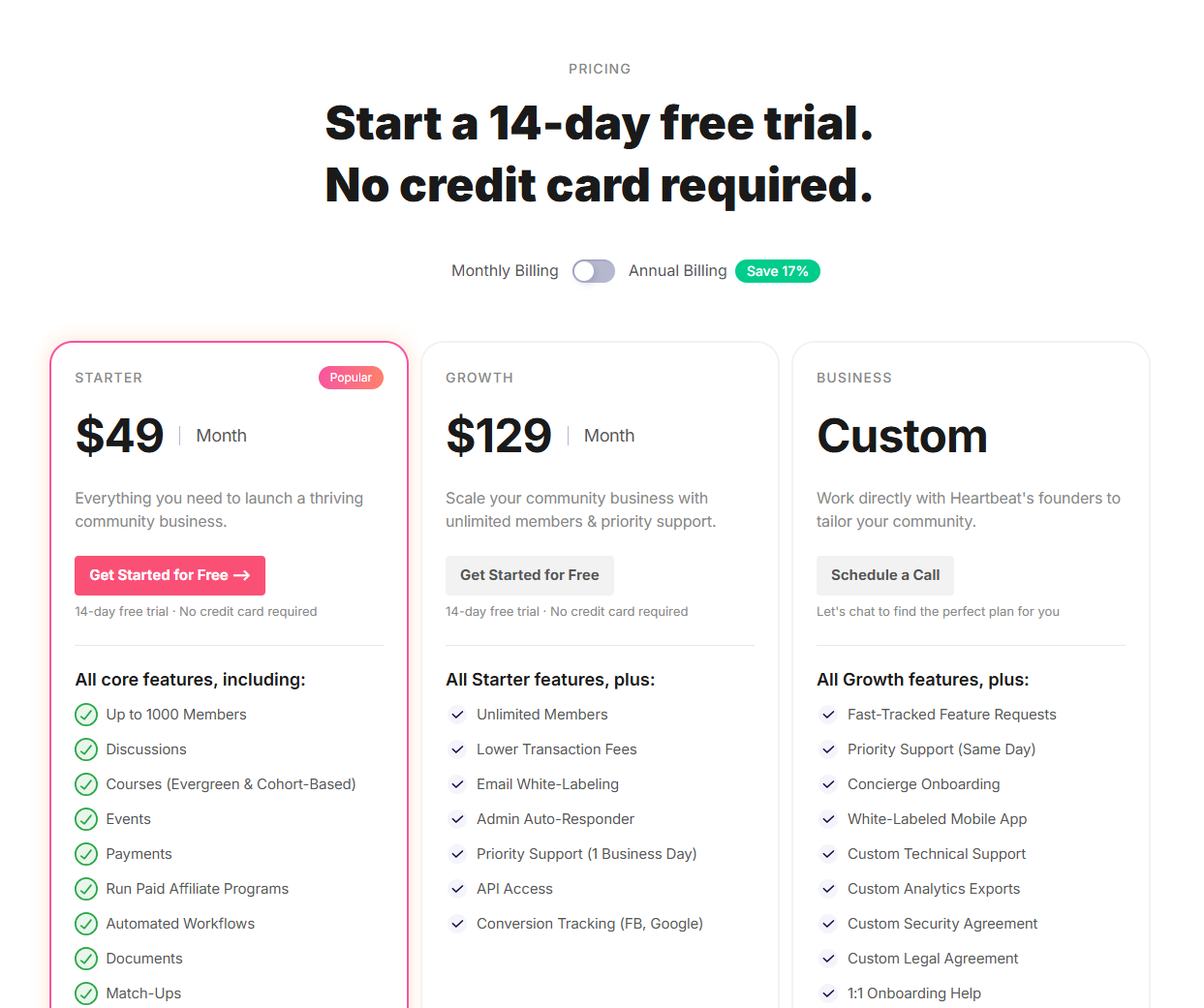
Heartbeat is reasonably priced, especially compared to platforms like Circle and Mighty Networks. Its plans are clearly structured, outlining what you get and where limits apply.
The Starter plan costs $49/month and includes core features like courses, events, and workflows. But it limits your community to 1,000 members and doesn’t include advanced options like API access or email white-labeling.
The Growth plan, at $129/month, removes those limits. You get unlimited members, access to the API, email white-labeling, and priority support.
For larger communities, Heartbeat offers a Business plan with custom pricing. It includes everything in Growth, plus a fully white-labeled mobile app and dedicated support from the Heartbeat team.
However, Heartbeat’s trascational fees are slightly higher than its counterparts like Circle and Kajabi.
- 3% on the Starter plan
- 2% on the Growth plan
- 1% on the Business plan
Heartbeat pros and cons
Pros
Cons
Explore Heartbeat Community for 14-days for free
#5: Kajabi Communities
Best all-in-one digital business platform.
Kajabi is the best online community platform if you’re looking for a comprehensive digital business solution that comes with well-intergrated sales and marketing features.
Unlike community-focused platforms like Circle and Mighty Networks, Kajabi provides everything you need to run your business in one place. You can build websites, create sales funnels, run email marketing campaigns, and set up checkout systems—without relying on third-party tools.
For example, you won’t need Kit for email marketing or ClickFunnels for sales funnels because Kajabi has these features built in.
Like Heartbeat, Kajabi Community is refreshingly easy to use. You can structure and organize your community using Channels and Access Groups which makes it easy to manage content and member interactions.
Channels serve as the main organization tool within your community. They allow you to structure your community around different topics or themes, which can take various forms, such as group chats or threaded discussions.
I found creating posts straightforward, though I felt like its post editor could need more polishing because it looked a bit dated. But it lets you create everything from simple community text posts, to long articles. You can also embed multimedia like images, videos, audio files, and even polls to increase engagement.
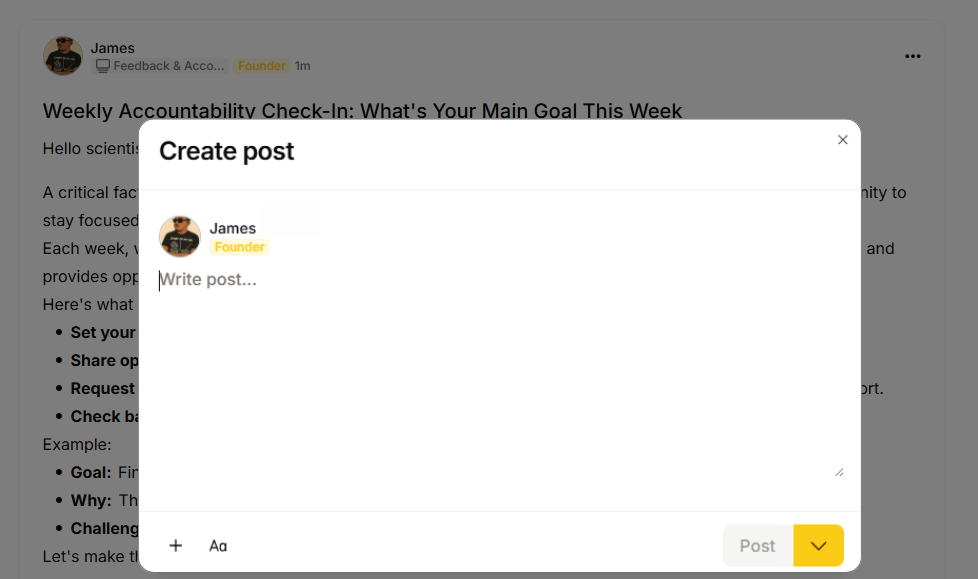
Apart from creating posts, Kajabi also lets you engage members via challenges, leaderboards and meetups.
Unlike other platforms such as Circle, Mighty Networks, or Heartbeat, Kajabi provides native tools for hosting challenges directly in your community.
You can set one-time or recurring challenges, set their duration, and even specify rewards for winners.
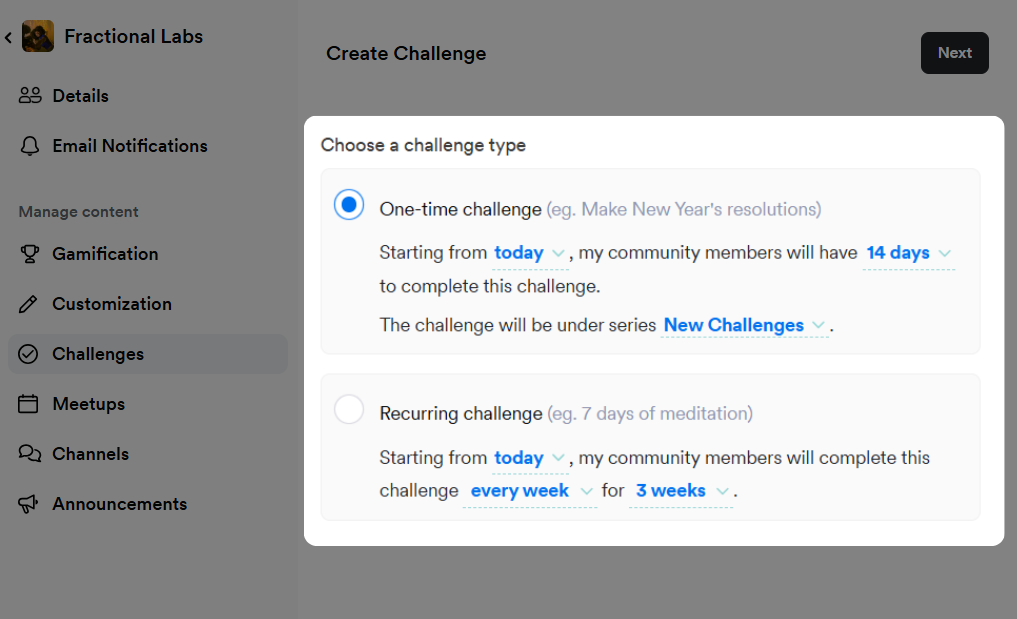
Speaking of leaderboards, Kajabi lets you award members points when they complete a challenge, RSVP to an event, respond to a poll and more.
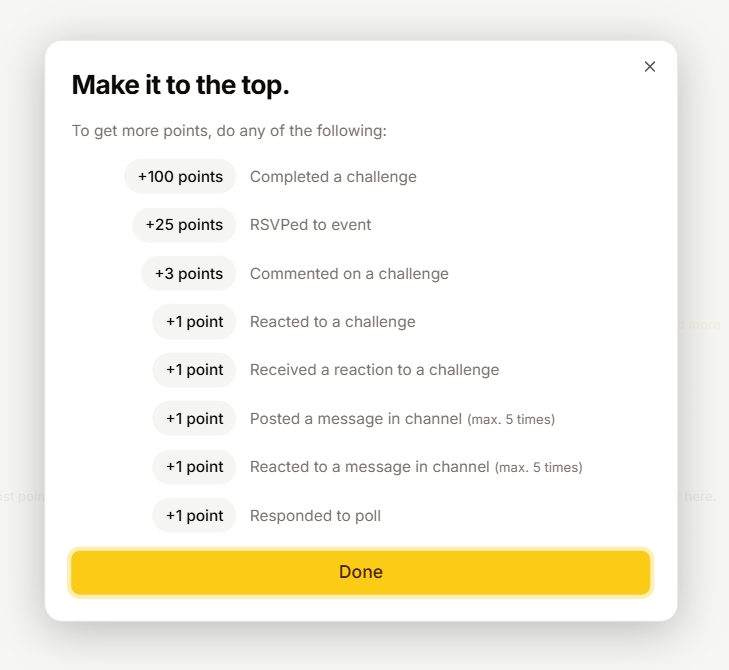
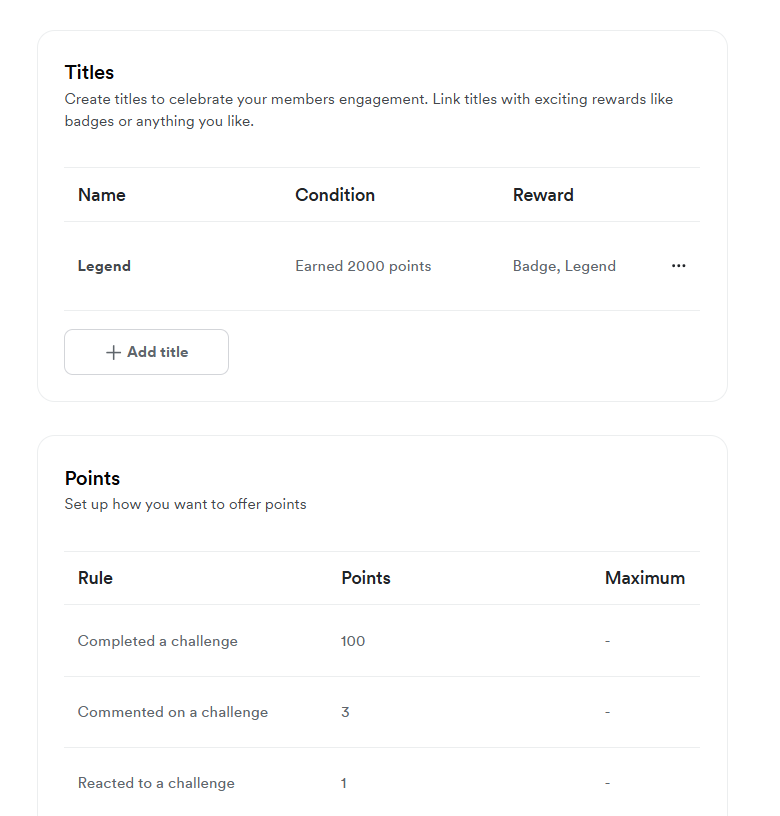
You can customize the points system, award badges, and even assign titles to members who reach certain milestones.
Kajabi also supports live events, allowing you to host virtual gatherings for up to 200 attendees within specific channels or access groups. Members can RSVP, and you can use the platform’s built-in livestreaming feature.
I actually did try its livestreaming tool and I liked it. It’s simple with decent web conferencing tools and settings. ( please don’t roast my low res laptop webcam)

During live events, you can share your screen, enable chat, and even create breakout rooms, making it easy to host interactive sessions. You can also record your sessions which can make good learning materials.
In my opinion, Kajabi is the best solutionif you’re looking to build an engaging online learning space for your courses and coaching programs, without the need to pay for separate tools for marketing and sales.
The Kajabi online community builder is well polished. It has an intuitive UI and strong engagement features. You can create Circles to organize your community and manage access with Access Groups. You can then engage members using community posts, polls, challenges, live events and gamification.
Kajabi communities features
- Community challenges: The platform allows you to engage community members with challenges to encourage them to work toward common goals or learning objectives.
- Built-in events: You can easily host online events like webinars, workshops, and live Q&As directly in Kajabi, without needing extra tools. It also supports 1-on-1 live coaching sessions. Plus, you can record these events and use them later as part of your course content.
- Native sales and marketing features: Once you sign up for Kajabi, you gain access to built-in marketing tools like sales funnels, a website builder, email marketing, and contact management—eliminating the need for external integrations.
- Student assessments and certification: Kajabi lets you create quizzes with automatic grading, making it easy to assess students. After they complete a course, you can quickly issue certificates of completion.
Kajabi pricing

Kajabi comes at a higher price tag compared to other specialized online community platforms due to its comprehensive approach
Here’s a brief breakdown of Kajabi Pricing.
- Kickstater: $89/mon for up to 250 contacts
- Basic: $149/mon for up to 10,000 contacts
- Growth: $199/mon for up to 25,000 contacts
- Pro: $399/mon for up to 100,000 contacts
Kajabi pros and cons
Pros
Cons
👉 Explore Kajabi free for 30 days.
Also read: Kajabi alternatives
#6: Swarm
Best for building video-rich online communities and coaching programs.
Swarm works a little differently than many other online community platforms I’ve tested on this list.
It is a video-centric platform which means that video conversations can take place either live or asynchronously. This can come in handy if you rely on video to connect with your audience and conversations are more relatable and authentic. You can also use text and voice notes but Swarm pride itself on being video-first.
For example if you’re a YouTuber sharing behind the scenes content or online coach offering interactive workshops.
In Swarm, your community will be structured and organized using Hubs. They’re similar to Circle’s spaces or Channels in slack. A Hub can either be video, or discussion, or chat focused.
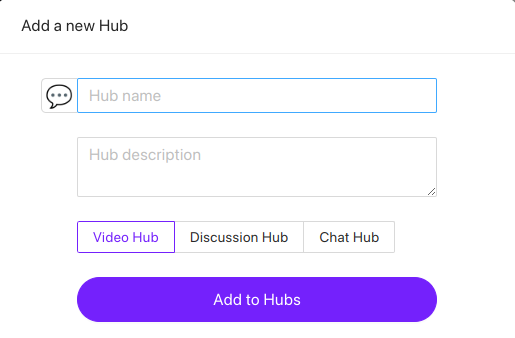
Within your community hubs, you can choose to share content by recording a video or audio on the go right within the Swarm platform or you can upload video files from your local storage.
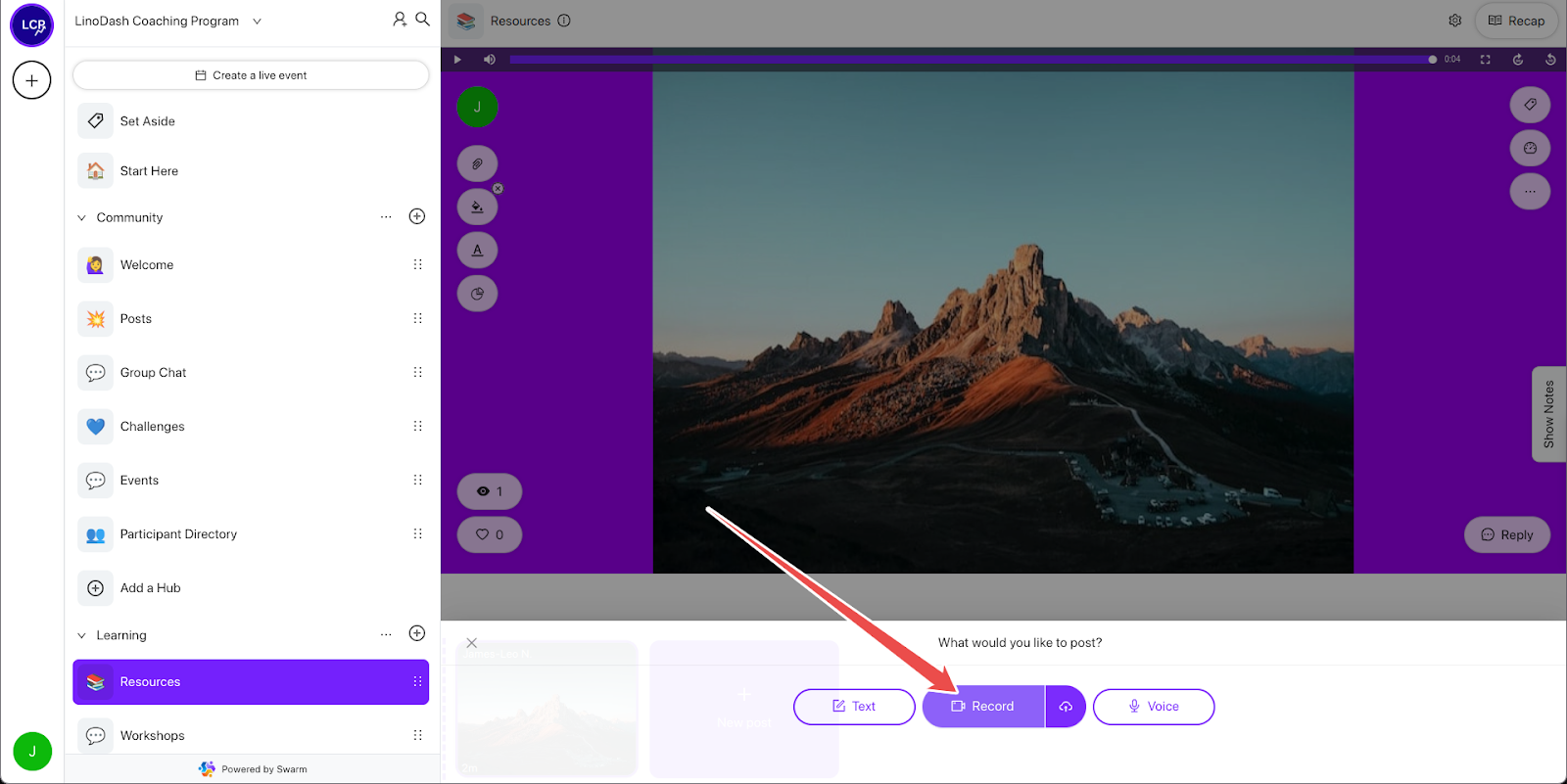
You can also embed your videos from external hosting platforms like YouTube, Wistia and Vimeo.
Swarm also lets you create text based community posts with rich content such as images, GIFs, audio, polls and file attachments.
Speaking of events, Swarm lets you natively stream your live sessions or you can choose to use a third party software like Zoom or Webinarjam. However, its native live events features come with serious some limitations of up to 90 minutes for its high end plan.
Swarm Community Features
- Host live video events inside your Swarm community
- Create video community posts
- Video and audio recording
- AI transcriptions
- Threaded messaging
Swarm Pricing
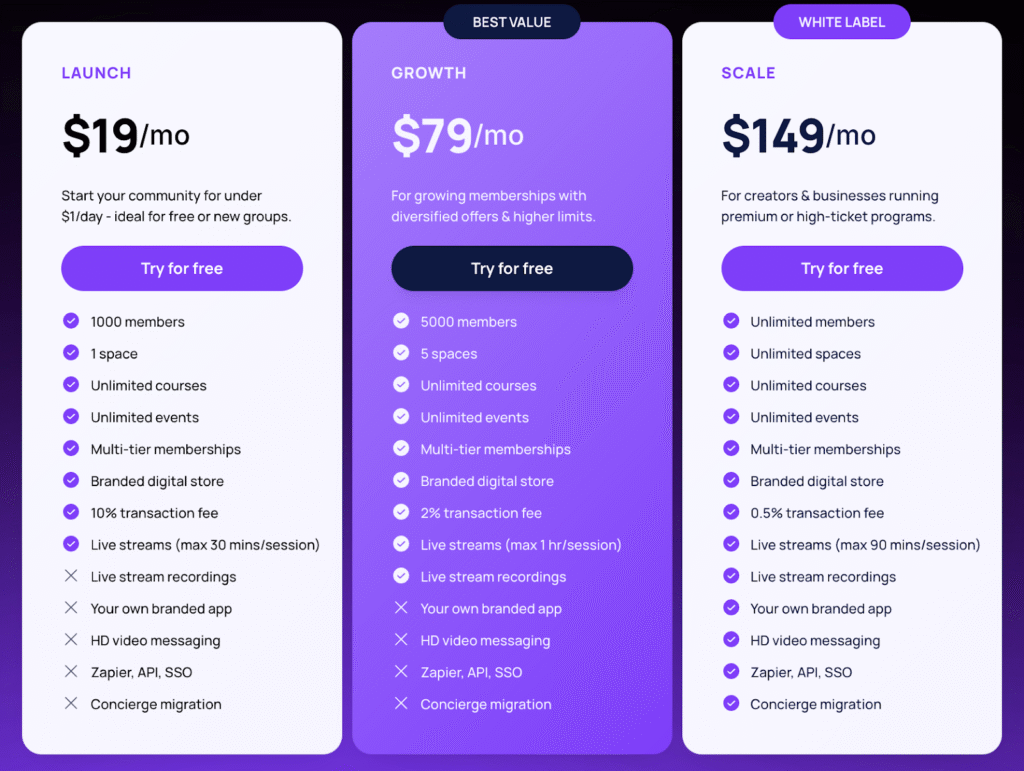
Swarm has recently introduced the Launch plan which gives members the opportunity to build their community at minimal cost. Members can then upgrade as they grow. The jump between Launch and Growth plans might be significant in terms of cost but allows up to 5x the number of members as well as 1 hour live streams.
Here’s a breakdown of Swarm’s pricing:
- Launch – $19/month for 1 community space and up to 1000 members, unlimited courses and events, live streams up to 30 minutes.
- Growth – $79/month for 5 spaces and up to 5000 members, unlimited courses and events, live streams up to 60 minutes.
- Scale – $149/month for unlimited spaces, unlimited members, unlimited courses and events, white labelling with branded app, API access, SSO and live streams up to 90 minutes.
Swarm Pros and Cons
Pros
Cons
Swarm is the best community platform if you’re looking to build an online space where video is the primary form of engagement. It’s useful especially for coaches and educators looking to build tightly focused communities where they can offer value to their clients either in small groups or 1-on-1 sessions.
👉 Explore Swarm free for 14 days.
#7: Group.App
Best for building online learning communities.
GroupApp is one of the few online community platforms with robust online learning tools. While software like Circle, Mighty Networks, and Skool include course-building capabilities, they have shallow learning management tools.
GroupApp offers a drag-and-drop curriculum builder that lets you structure courses into clear modules and lessons.
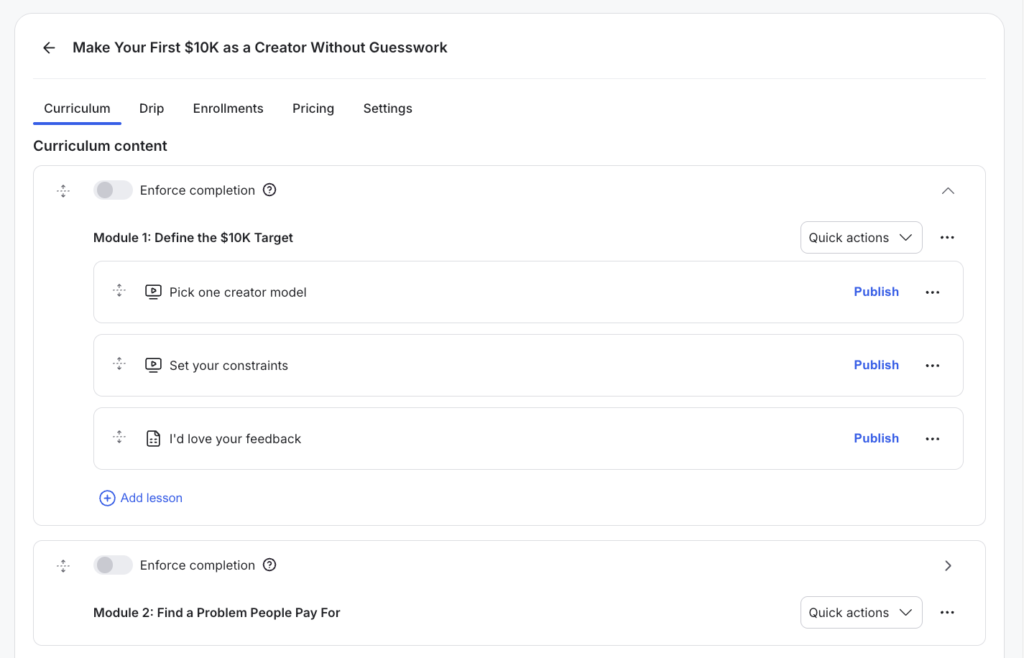
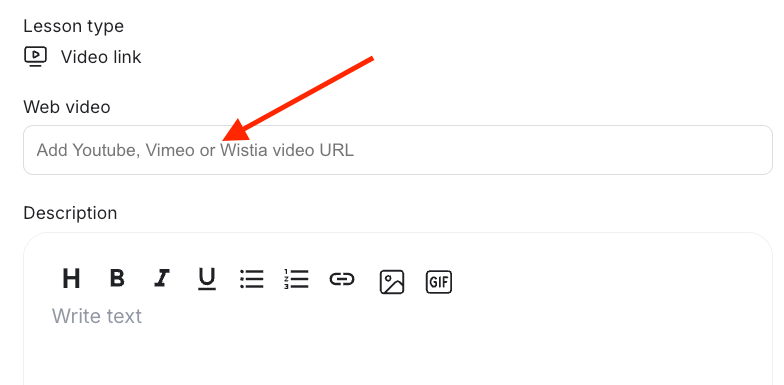
You can choose to natively host your course materials or embed video lessons from third-party platforms like Wistia, YouTube and Vimeo.
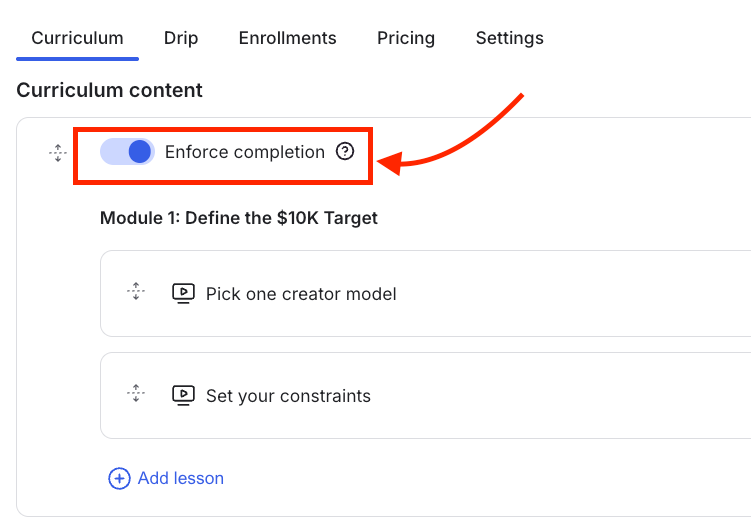
To ensure student progress, you can enforce module completion, requiring students to watch previous materials before unlocking the next.
You can also drip-feed modules and customize notification emails to inform students when new lessons become available.
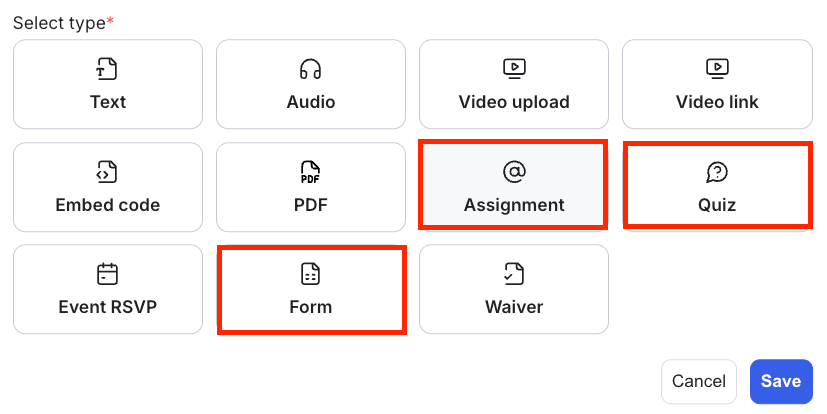
Unlike most mainstream community platforms, GroupApp allows you to assess students through quizzes and assignments. You can also use the form-building feature to survey learners and collect feedback, providing insights into their learning experience.
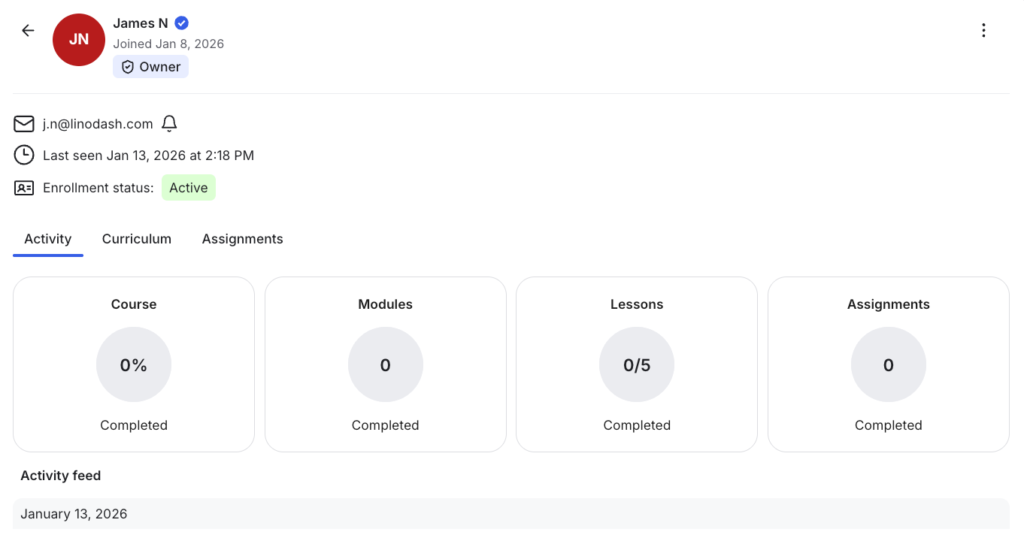
The platform also provides detailed student progress reports, offering data on lesson views, completion rates, and participation levels. You can see who is enrolled, when they joined, and how far they have progressed in real-time.
Clicking on a student’s name reveals a comprehensive report showing their overall completion percentage, specific finished modules, submitted assignments, and an activity timeline of logins which gives you a full picture of their learning journey.
Unlike Circle or Skool, GroupApp allows you to reward learners by automatically issuing branded certificates upon course completion. This is ideal for upskilling or certification programs where you want to accredit learners.

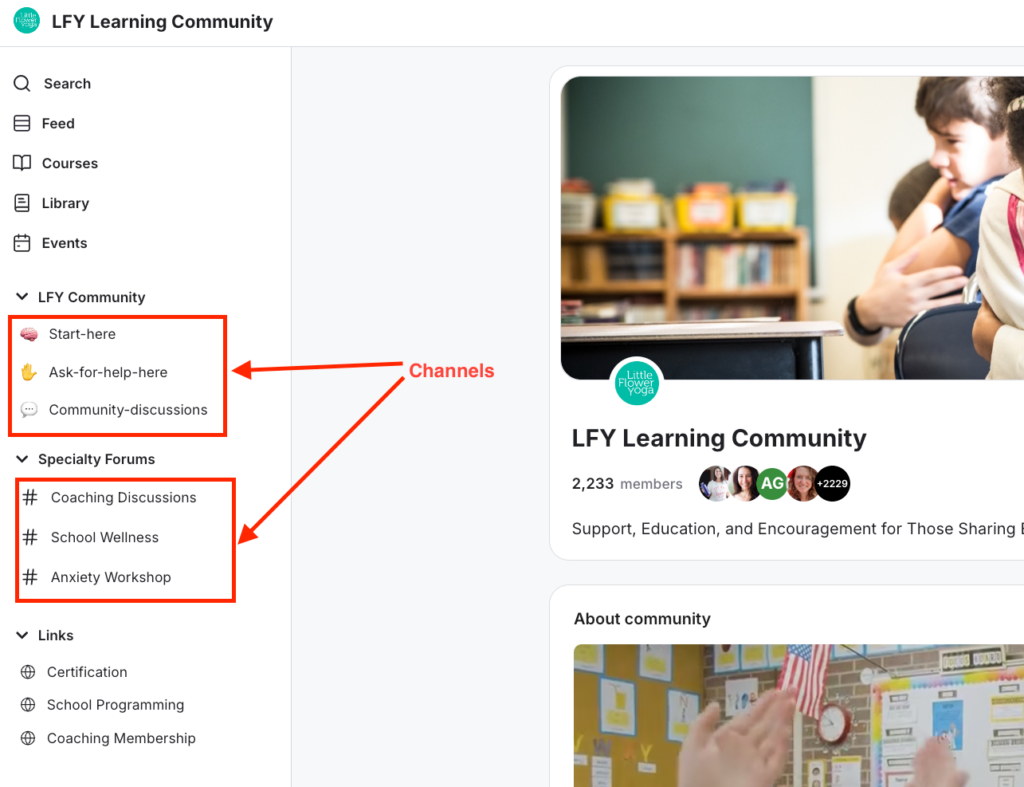
When it comes to community building tools GroupApp’s features are standard but include powerful access control tools. You can organize discussions into “Channels” to group conversations by theme and topics.
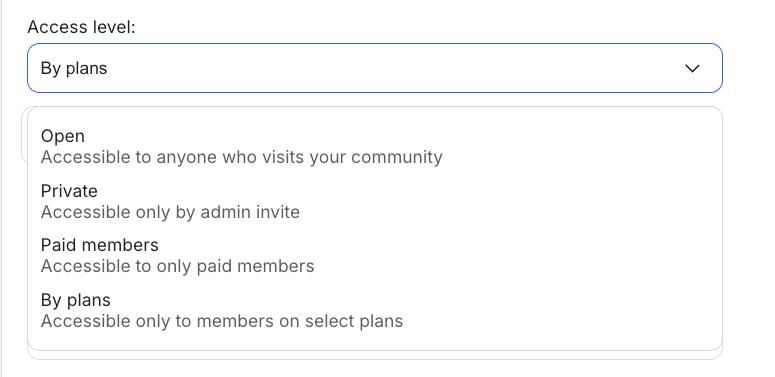
You can set access levels for these channels as:
- Open: Accessible to anyone visiting the community.
- Private: Admin invite only.
- Paid members: Restricted to paying members.
- By plans: Accessible only to members on specific subscription plans.
Within these channels, members can participate in threaded discussions by sharing posts, images, audio, or video.
You also host live events allowing members to RVSP. However, unlike Circle or Mighty Networks, GroupApp does not support native livestreaming. You must use third-party software like Zoom, which means members are directed outside your community to participate.
Regarding branding, GroupApp offers limited customization. You can add a logo, cover image, favicon, and one theme color.
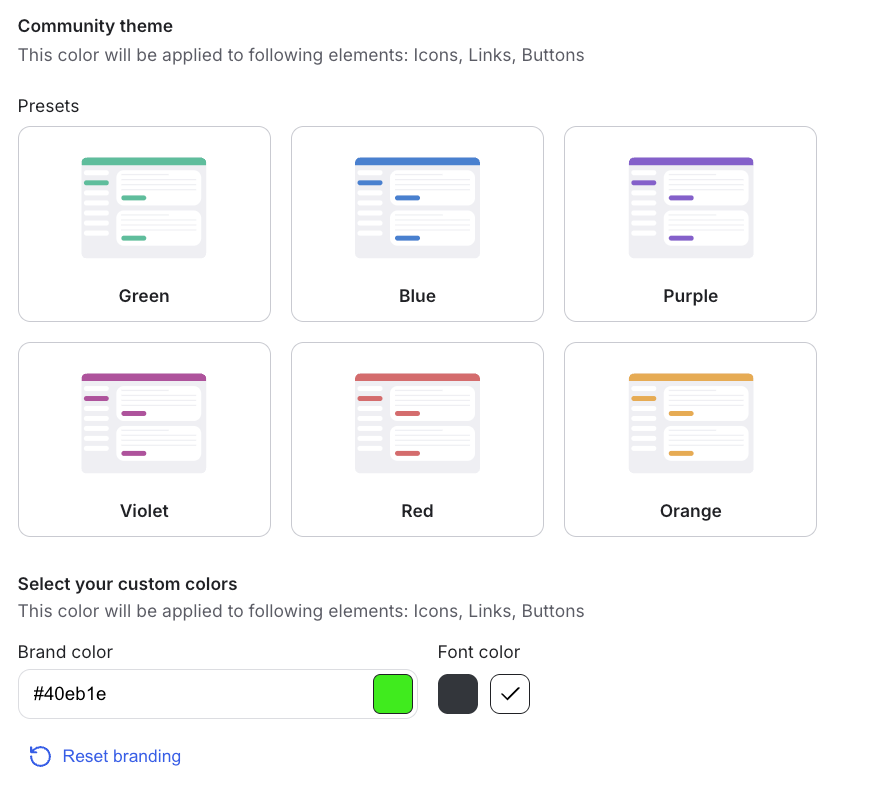
But it does not support customization at the individual channel level. While you can use a custom domain and remove GroupApp branding on the Pro and Business plans, the platform does not offer branded mobile apps like Circle or Mighty Networks.
GroupApp Pricing
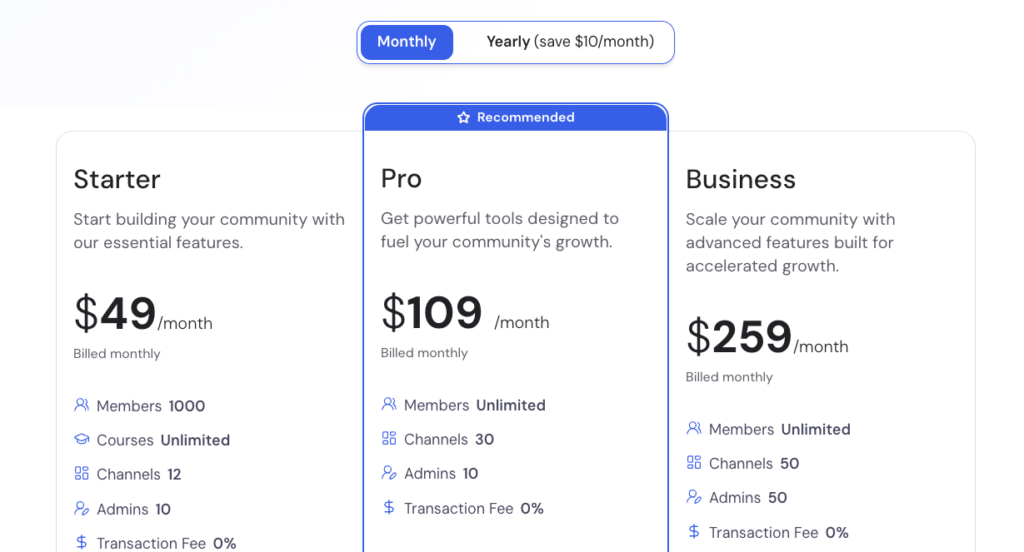
GroupApp offers three paid tiers limiting you based on the number of channels and admins you can have. All plans allow for unlimited courses and have no platform transaction fees.
- Starter: $49 per month for up to 1,000 members, 12 channels, and 10 admins.
- Pro: $109 per month for unlimited members, 30 channels, and 10 admins.
- Business: $259 per month for unlimited members, 50 channels, and 50 admins.
GroupApp Pros and Cons
Pros
Cons
Bottom line: GroupApp is the ideal community software for creators, coaches, and educators who want a platform that supports serious learning with a community. It has the course-building capabilities of specialist platforms like Thinkific while adding a powerful community layer. It is a strong choice for running upskilling programs, cohort-based courses, masterminds, group coaching, and accelerator programs where communities are an essential part of learning.
Explore GroupApp for 14 days for free.
Wrapping Up: What Community Platform or App is Best for You?
I’ve been testing online community software for well over three years now.
During that time, I’ve come across plenty of platforms promising powerful community-building tools. Only to discover, once you get to use them, that much of it is all marketing hype.
However, one thing has remaind clear: there is no single platform that’s best for everyone.
That’s exactly what this buyer’s guide is for. Instead of pushing a one-size-fits-all solution, I did my best to show you where each platform excels, how its pricing fairs, and when to choose one over another.
To bring it all together, here’s a summary of the best community platforms I’ve tested, along with the my recommendations on when each one is the right choice:
- Circle.so: The strongest option for community management, branding, and long-term scalability. Choose Circle if you’re building professional networks, branded creator communities, mastermind groups, or customer support forums.
- Mighty Networks: A highly flexible platform for building social-first communities with strong member engagement. Best suited for creator communities, paid memberships, niche peer groups, interest-based communities, and event-driven networks.
- Heartbeat: An easy-to-use learning-plus-community platform. Ideal for coaching groups, cohort-based courses, and mastermind programs.
- Bettermode: Highly flexible and customizable, with powerful integrations. Best for customer communities, internal teams, developer forums, and knowledge bases.
- Kajabi: Eliminates the cost and complexity of stacking multiple third-party tools. Go with Kajabi if you want an all-in-one membership platform to sell, market, and deliver courses, content, and community from a single place.
- Swarm: A video-first community platform designed for deeper, more personal interactions. Best for intimate group coaching programs and small mastermind communities centered around live conversations.
- GroupApp: Strong LMS-style learning tools combined with a community layer. Choose it for high-end education programs, corporate training, and structured coaching environments.
Also read:
- Best online course platforms of 2026
- Best membership site and management platforms
- Best community platforms for businesses and enterprises.
Best Online Community Platforms: FAQs
What features should I look for in the best community software?
Look for key features such as discussion forums, live chat, member directories, event management, content sharing, live events, branding, integrations, and monetization options. As a plus, choose a platform with native tools for marketing and sales like website building, email marketing and checkout tools as it will save you money in the long run.
Which online community platforms offer the best engagement tools?
Platforms like Circle, Mighty Networks, and Skool provide strong engagement tools such as interactive discussions, live streaming, polls, direct messaging, and gamification. Others like Kajabi lets you create challenges and Swarm has the best video community engagement experience.
Are there free community platforms you can use?
Yes. Discord, Slack, Reddit, Facebook Groups, and Telegram allow you to build and manage communities for free. However, they come with limitations like lack of ownership, monetization capabilities and limited customization.
Which platforms offer the best monetization options for community owners?
Mighty Networks, Circle, GroupApp and Kajabi offer built-in monetization tools, allowing you to sell memberships, courses, and premium content.