

Okay, let’s settle this today.
They’re probably two of the most compared course creation platforms on the internet.
Both let you sell courses, digital downloads, and coaching programs. With either tool, you can also build a website for your online school, launch a mobile learning app, and send emails to nurture your leads.
When you compare their features side by side on their websites, it’s hard to pick between the two. They look like they have exactly the same number of tools.
But once you actually use both for a while, you’ll start to see huge differences between them. And those differences will end up shaping which one you choose.
So I bought both platforms, spent 3 months exploring their tools, tested their product creation workflows, and spent hours scrutinizing their fine print to see whether what they claim you’ll pay is actually what you get.
In this Teachable vs Kajabi review, I’ll go deeper and show you how both platforms compare when it comes to:
- Online course creation and learning experience
- Building other digital products e.g, coaching, downloads, memberships, and communities
- Marketing and sales tools
- Third-party integrations
- Brandability
- Pricing
Kajabi vs. Teachable: quick verdict
Both Kajabi and Teachable let you build and sell digital products like courses, downloadable files, coaching, and memberships.
But after testing both platforms side by side, it’s clear they serve different users.
Kajabi: best for creators, educators, and coaches who want one system to run an entire knowledge business.
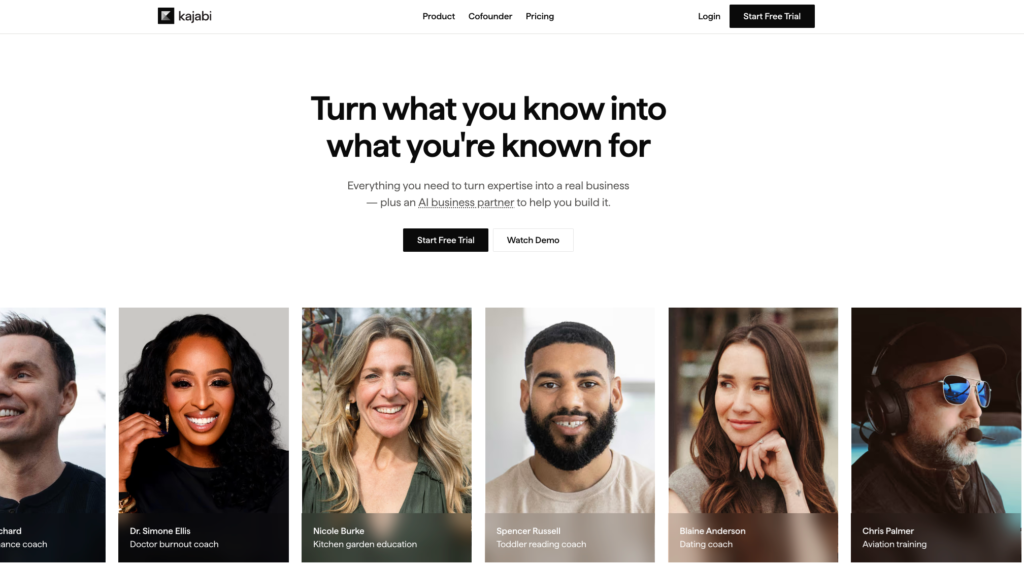
Kajabi is an all-in-one digital business platform.
What this means is that:
It empowers you to create digital products such as courses, coaching, gated newsletters, community members and downloadable files (e.g eBooks and templates).
And on the other hand provide the tools you need to grow and manage your business.
Think of website building, landing pages, email marketing, automations, payment processing, and more.
That way, you don’t need to use separate tools for product creation and the marketing aspects of your knowledge business.
This, in turn, saves you money you’d otherwise spend on multiple subscriptions.
While also simplifying your tech stack as you’ll have one login that lets you access all of your tools. So, no software bundling.
But this all-in-one setup is double-edged sword, as you’ll discover later in this post
Just to touch on it lightly:
Kajabi is expensive for beginners, and due to its extensive toolset, it comes with a bit of a learning curve.
Given that, choose Kajabi if:
- You want marketing tools and course delivery inside one system so you don’t have to invest on third-party apps for that.
- You sell or plan to sell coaching, memberships, communities, or digital downloads alongside courses.
- You want more scalability and branding control as your business grows.
- You want native mobile apps for your students with branded delivery
???? Explore Kajabi.com
Teachable: best for solo creators and educators who want an intuitive platform to build, host, and sell online courses.
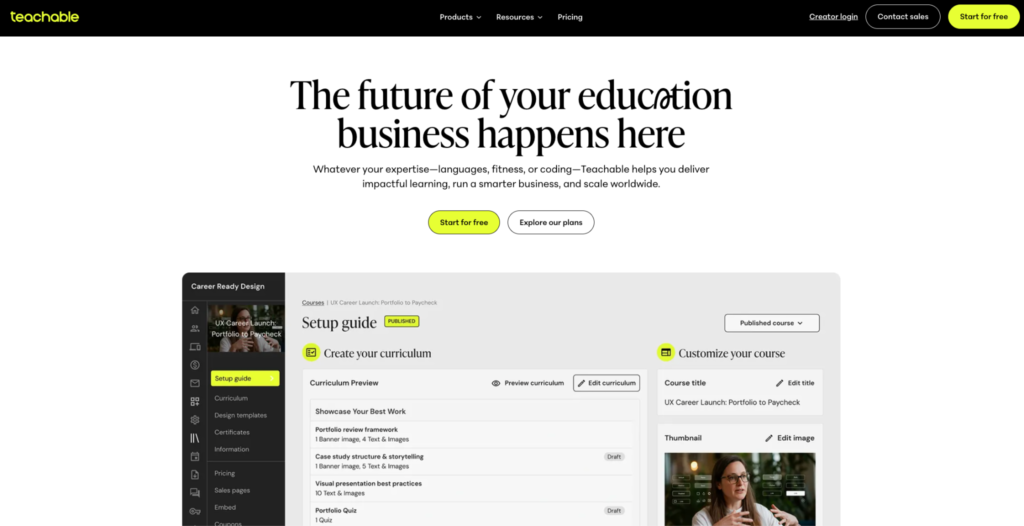
Teachable thrives as a standalone course creation platform. The course builder is intuitive, its native checkout handles global sales tax automatically so you don’t have to, and the student experience on mobile is strong. For a focused course business, it’s more than ideal.
However, Teachable offers basic email, page building, funnels and automation tools: that will finally prompt you to use third-party tools instead.
Like Kajabi, Teachable caps the number of products you can sell per plan. But unlike Kajabi, it also caps the number of students you can enroll, which gets expensive as you scale. The community tool is bare-bones and you’re better off with Circle, Mighty Networks, or Vectore.app.
Choose Teachable if:
- You want to launch your first course fast with minimal setup
- You already have a marketing stack in place
- You need clean, structured course delivery without a complex dashboard
- You’re comfortable managing a few external tools alongside your course platform
Teachable vs Kajabi: comparison summary
| Feature | Teachable | Kajabi |
| Online Courses | Clean course builder with modules, sections, drip content, quizzes, and certificates. Flexible lesson editor supports mixed content types and in-lesson upsells. | Intuitive course builder with modules, drip scheduling, quizzes, assessments, certificates, and AI-powered curriculum creation wired to your product setup. |
| Video Hosting | Native hosting. Up to 2GB per file. Auto-generated subtitles from 7 source languages, translation into 70+ languages. Free unlimited transcription on Growth and Advanced. Usage-based pricing on Starter and Builder. | Native hosting via Wistia. Up to 4GB per file, 4K support, batch upload of up to 20 files. Auto-generated transcripts, translation into 70+ languages from 30+ source languages, and dubbing (Growth and Pro only). |
| Student Limits | Starter: 100 students. Builder: 1,000 students. Growth and Advanced: unlimited students. | No student cap on any plan. Contact limits apply (2,500 on Basic, 25,000 on Growth, 100,000 on Pro). |
| Coaching | Coaching products with intake forms, session packages, and basic scheduling. Integrates with Calendly and Zoom. | Coaching programs with session scheduling, notes, live session hosting for up to 200 students, client management and automation triggers tied to coaching activity. |
| Communities | Basic community with threaded discussions and comments. No gamification, challenges, live events, or member messaging. | Full community product with posts, challenges, badges, live events, gamification, spaces, access control, and member roles. Integrated with course and membership data. |
| Website & Page Builder | Template-based school customization with block-style page editing but less layout freedom. Lets you host your site on a custom domain. | Full website builder with theme options, landing page editor, section-based layout, custom code editor on Pro and custom domain support. |
| Email Marketing | Simple automated emails and basic enrollment/progress notifications. Requires external email tools for anything beyond basics. | Full-featured: broadcasts, automated sequences, list segmentation, behavior-based triggers, and contact management. |
| Sales Funnels | Upsell funnels for order bumps and post-purchase upsells. No lead capture funnel builder or visual campaign editor. | Visual funnel builder with 12 pre-built blueprints for launches, webinars, lead magnets, and coaching. |
| Checkout & Payments | Teachable:pay with automatic US sales tax, EU VAT, and GST handling. 0% transaction fees on Builder plan and above. 7.5% fee on Starter. | Kajabi Payments (US, UK, Canada, Australia, select EU regions). 2.9% + 30¢ transaction fees and reduces on higher tiers. Third-party surcharges apply if using Stripe. Customizable checkout page. |
| Mobile Apps | Native iOS and Android student app with offline content access and clean player. | Native iOS and Android student app. White-label branded app available at no extra cost on the Pro plan. |
| Third-Party Integrations | Limits the number of direct integrations by plan. Supports Webhooks, Zapier, Kit, Mailchimp, ActiveCampaign, Stripe, PayPal. API access and unlimited integrations on Enterprise only. | Zapier, Stripe, PayPal, Kit, webhooks (Growth and Pro only). API access on Pro only. |
| Pricing (Monthly) | Starter: $39/month + 7.5% fee (5 products, 100 students). Builder: $89/month (10 products, 1,000 students). Growth: $189/month (50 products, 5,000 students). Enterprise: custom pricing. | Basic: $179/month (5 products, 2,500 contacts). Growth: $249/month (50 products, 25,000 contacts). Pro: $499/month (unlimited products, 100,000 contacts). |
Kajabi vs Teachable: user interface and experience review
I wanted to see how easy it is to go from a course idea in your drafts to a published product with pricing, a checkout page, and everything a buyer needs to complete a purchase on both platforms. But I also wanted to see how smooth each platform feels while you’re doing it.
Here’s what I found.
Kajabi is faster, and smooth but has a steeper learning curve than Teachable.
Both Kajabi and Teachable have clean interfaces.
But once you move past first impressions and start building, you’ll notice real differences in how each platform organizes its tools and how quickly you can go from an idea to a live, sellable product.
Kajabi keeps its dashboard clutter-free. All your tools sit on the left sidebar, grouped under collapsible menus. Expand a category to see the tools inside it, collapse it when you’re done.
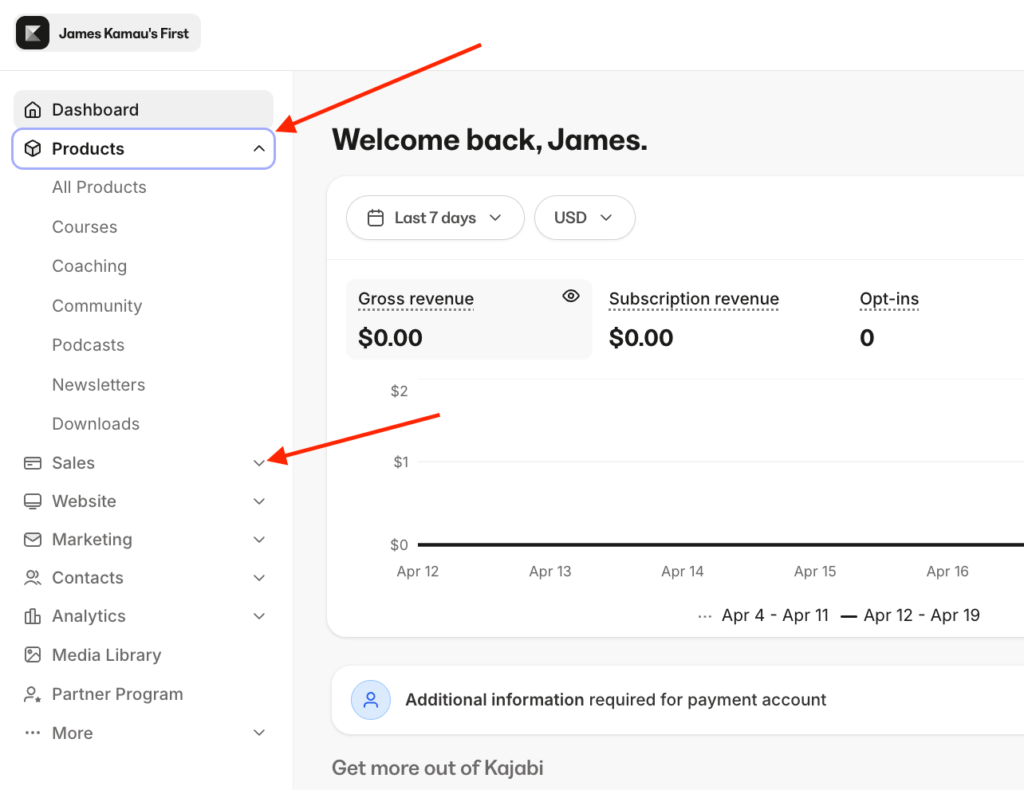
It’s a smart design choice. The interface stays clean no matter how many features you’re using, so you’re never staring at 30 menu items at once.
Teachable follows a similar layout with its tools on the left sidebar, and the interface is just as clean. But the way the tools are ordered in the UI doesn’t make sense design-wise. Teachable places site building, marketing tools, and its app hub above product creation in the navigation.
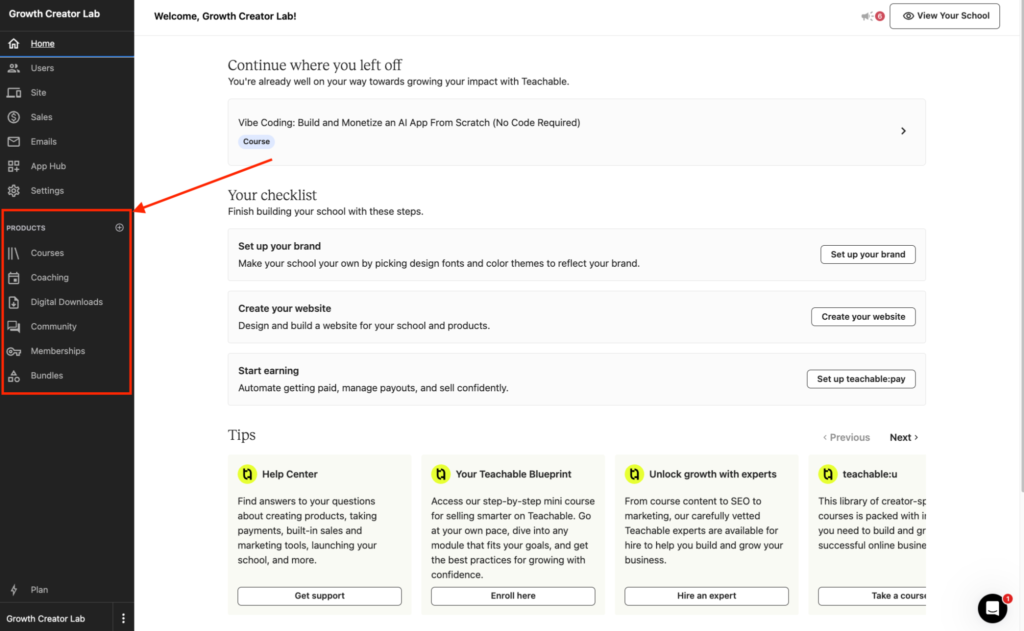
For a platform built around course creation, digital product creation features should be above the marketing tools. The most natural thing you do when you sign up is build a course and not a website.
Both platforms loaded without glitches or bugs during my testing. But Kajabi was noticeably faster. Pages loaded quicker, transitions between sections felt snappier, and the overall experience felt more responsive.
Kajabi was also faster when it came to uploading video materials. I uploaded the same file, just under 1GB, to both platforms on the same network at the same time. And Kajabi finished first.
Teachable, however, was a bit slower across the board. That could come down to server proximity or a rough patch on their end, but across multiple sessions, the difference was consistent. It was also slower when it came to uploading video recordings.
Dashboard aesthetics don’t matter much if the actual course-building workflow is slow. On that measure, Teachable wins.
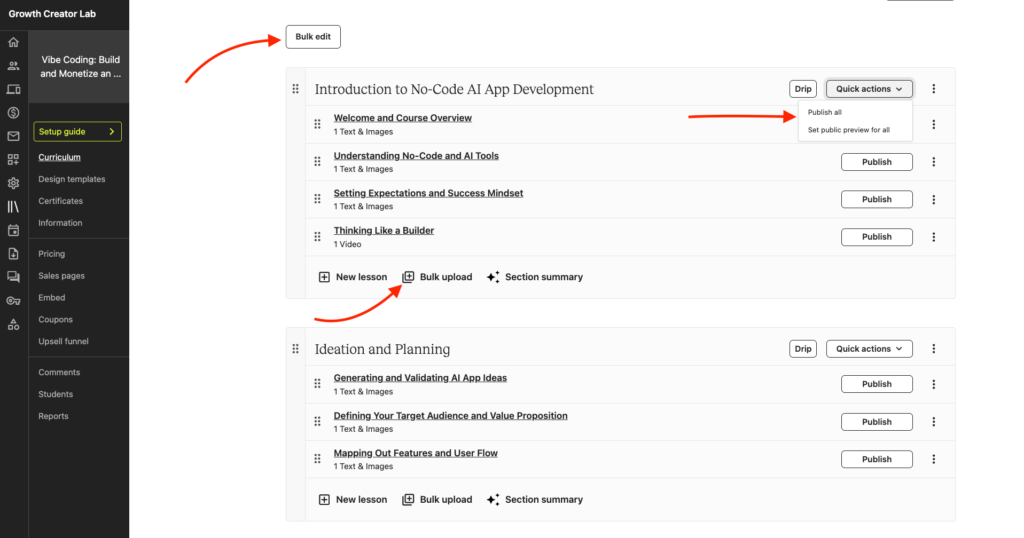
What makes Teachable’s builder stand out are the small workflow tools that save you time. You can bulk upload content directly into your curriculum instead of adding files one lesson at a time. You can also bulk edit lessons and sections and push updates across all of them at once. You can even publish every lesson in a section with one click instead of going through them individually.
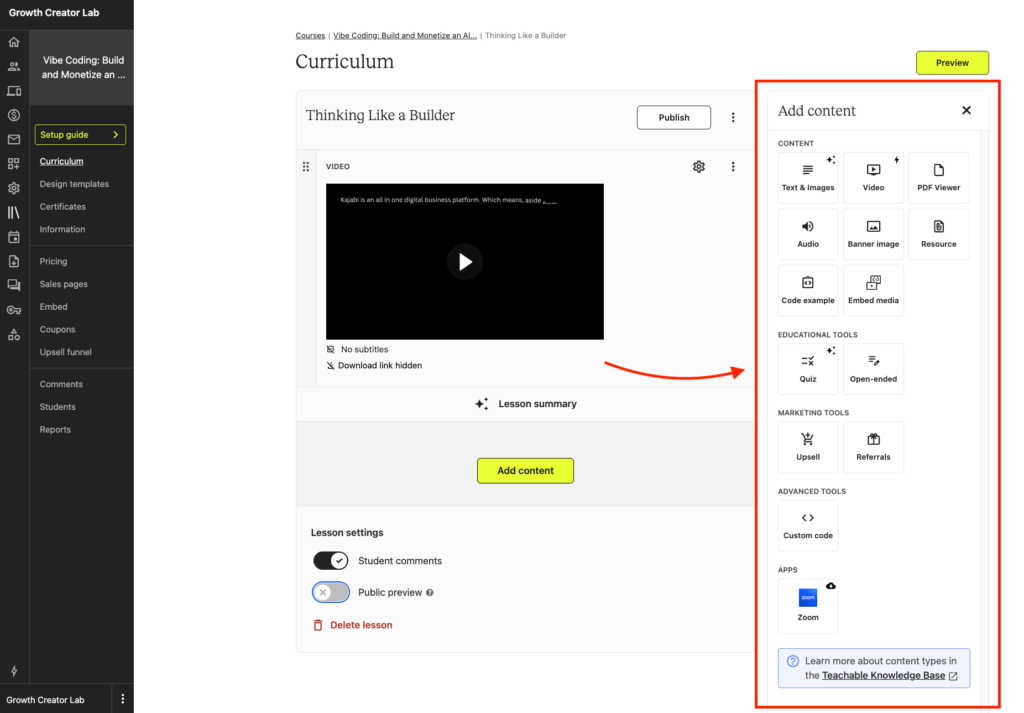
Teachable also lets you draft course content directly inside the interface without bouncing between tabs or editors. Pick a content type from the right sidebar of any lesson, and the block populates in the main editor.
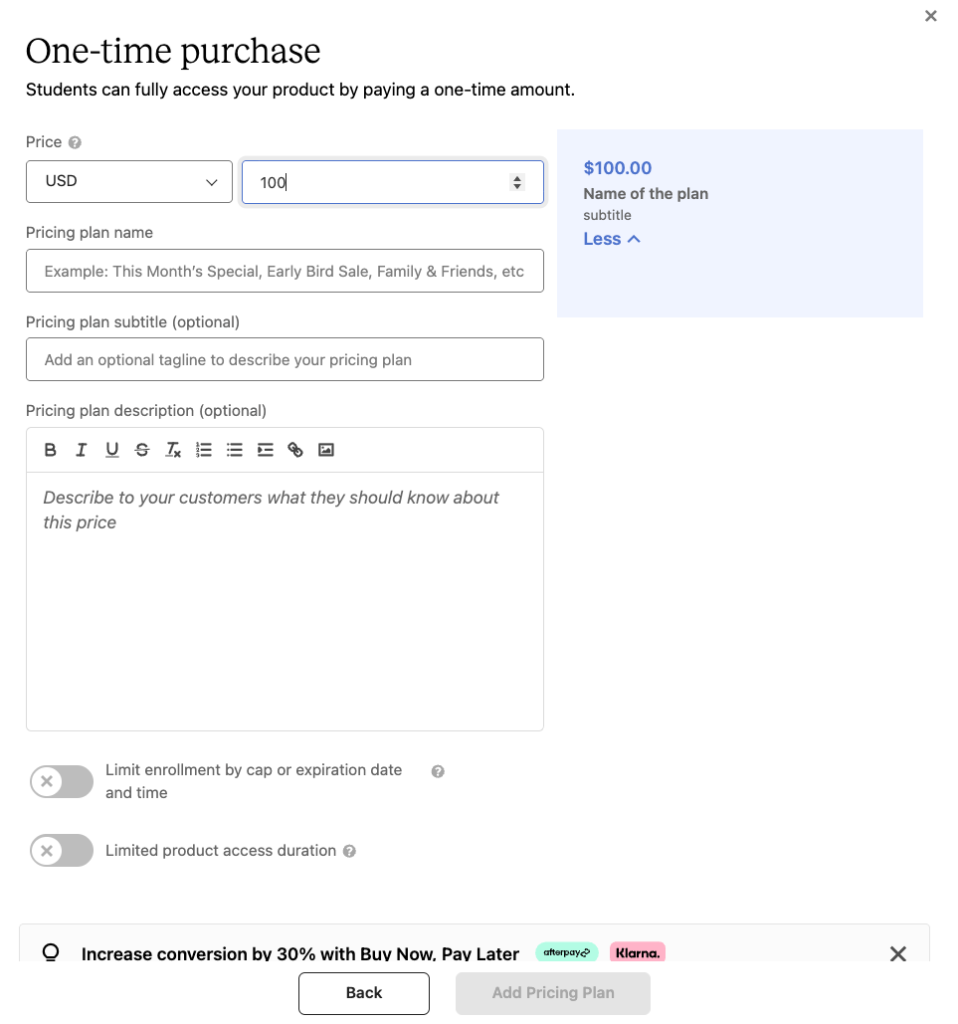
Once you’ve built your course curriculum, you can set pricing and add upsell funnels and if you’ve already connected Teachable:pay, your checkout page auto-populates from your product details without you needing to configure it separately.
Meanwhile Kajabi gives you more control over things Teachable doesn’t let you touch. Multiple course player themes. Advanced checkout customization. More design options across your sales pages, offer pages, and payment flows.
For experienced course creators who know exactly what they want, that control lets you fine-tune the buying experience in ways Teachable can’t match.
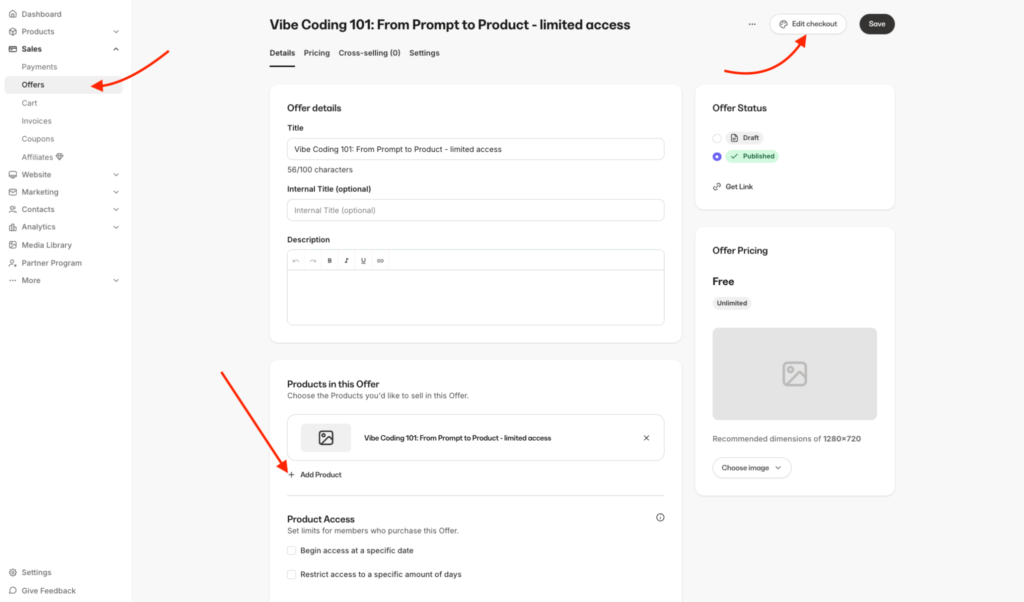
But that control comes with friction. When you create a course in Kajabi, you’re not just building a curriculum. You also have to choose a player theme, create an offer on a separate tab (which is how Kajabi connects a product to a price), and customize your checkout.
My verdict: Teachable is easier to use and navigate. You can go from a course idea to a published, sellable product faster and with fewer steps than Kajabi. Meanwhile Kajabi’s dashboard is faster to load and better organized, and it gives you more control over things like course player themes, checkout design, and sales page layouts. But that added flexibility adds more steps, and complexity which can overwhelm first timers.
Teachable vs Kajabi pricing review: which one offers better value for money?
Before I get into the details, here’s a quick look at what each platform charges and what you get at every tier.
| Tier | Kajabi Price | Teachable Price |
| Entry | Basic: $179/month. 5 products, 2,500 contacts, unlimited emails, 2 admin users. 2.9% + 30¢ processing fee. 2% third-party surcharge. | Starter: $39/month + 7.5% platform fee. 5 products, 100 students, 1 admin user, 0 imported students. Basic tools only. |
| Mid | Growth: $249/month. 50 products, 25,000 contacts, 11 admin users. Advanced automations, affiliate program, webhooks, cohort courses. 2.8% + 30¢ processing. 1% third-party surcharge. | Builder: $89/month. 10 products, 1,000 students, 1 admin user, 0 imported students. 0% platform fee. Affiliate program, course certificates. |
| Upper-mid | — | Growth: $189/month. 50 products, 5,000 students, 5 admin users, 2,000 imported students. White-label branding, custom admin permissions, free unlimited transcription and translation. |
| Top-tier | Pro: $499/month. Unlimited products, 100,000 contacts, 26 admin users, 3 websites, 3 communities. Branded mobile app, API access, custom code editor. 2.7% + 30¢ processing. 0.5% third-party surcharge. | Enterprise: contact sales. Custom product, student, and admin limits. SSO, dedicated success manager, white-glove onboarding, migration assistance. |
After exploring each platform’s pricing, and digging into their fee structures, I found key differences that can influence which one you choose depending on whether you prioritize affordability or long-term value as you scale.
Here’s what I found.
Teachable is more affordable than Kajabi, but Kajabi offers better value for money as you scale.
Teachable has cheaper plans than Kajabi. Its entry level plan costs as low as $39/month. Other plans scale to $89 per month for its Builder plan and $189/month for its Growth plan.
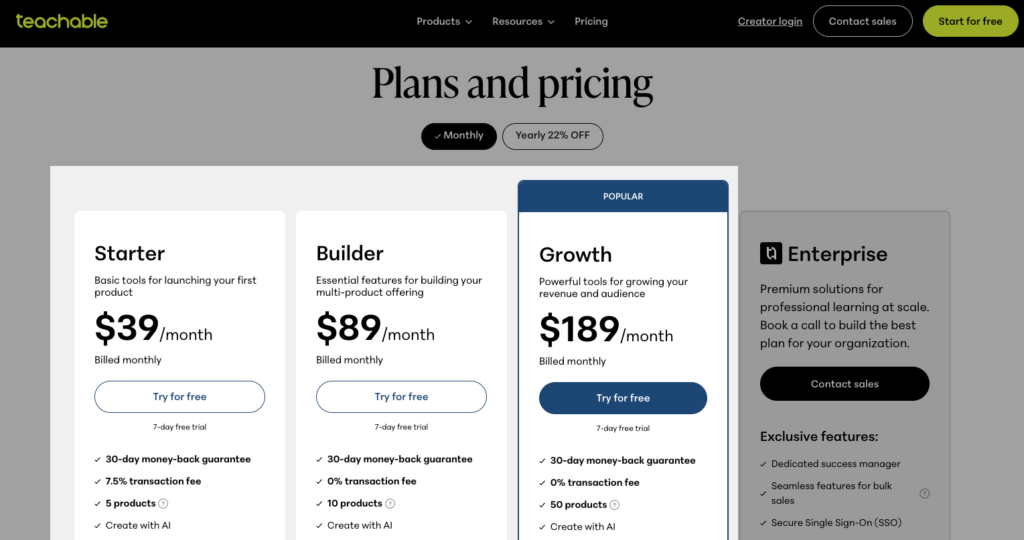
Meanwhile, Kajabi’s cheapest plan starts at $179/month. That’s nearly 5 times Teachable’s entry price, and almost the same as Teachable’s most expensive Growth tier. I broke down every Kajabi plan and fee separately.
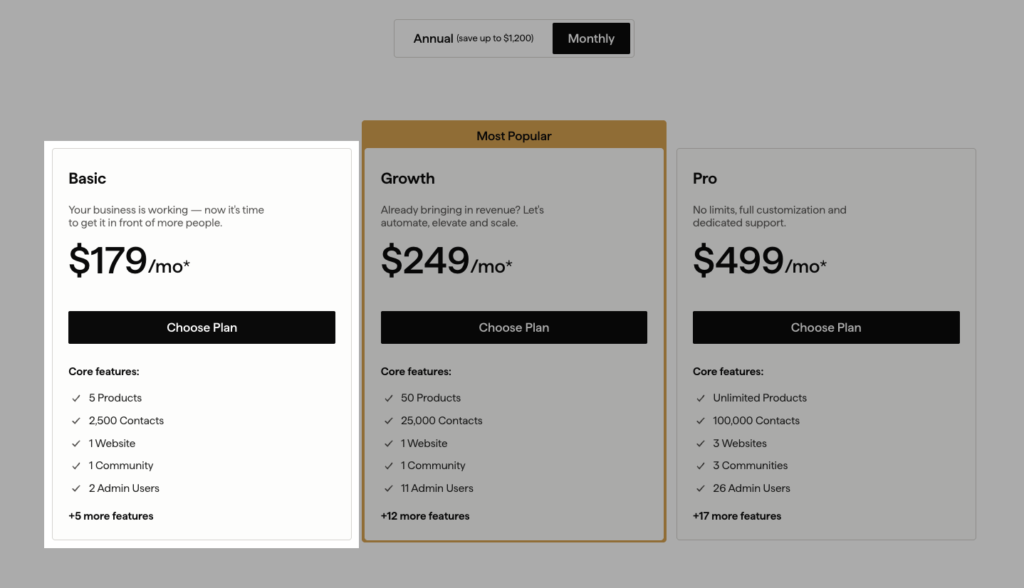
But if you look beyond the headline pricing and compare what each platform actually gives you, you’ll realize that Kajabi offers more value as your education business grows.
Teachable’s cheapest plan charges a 7.5% transaction fee on every sale. Sell a $100 course to 20 students, and $150 goes to Teachable as transaction fees.
As you move up the ladder, Teachable advertises 0% transaction fees on its Builder, Growth, and Enterprise plans.
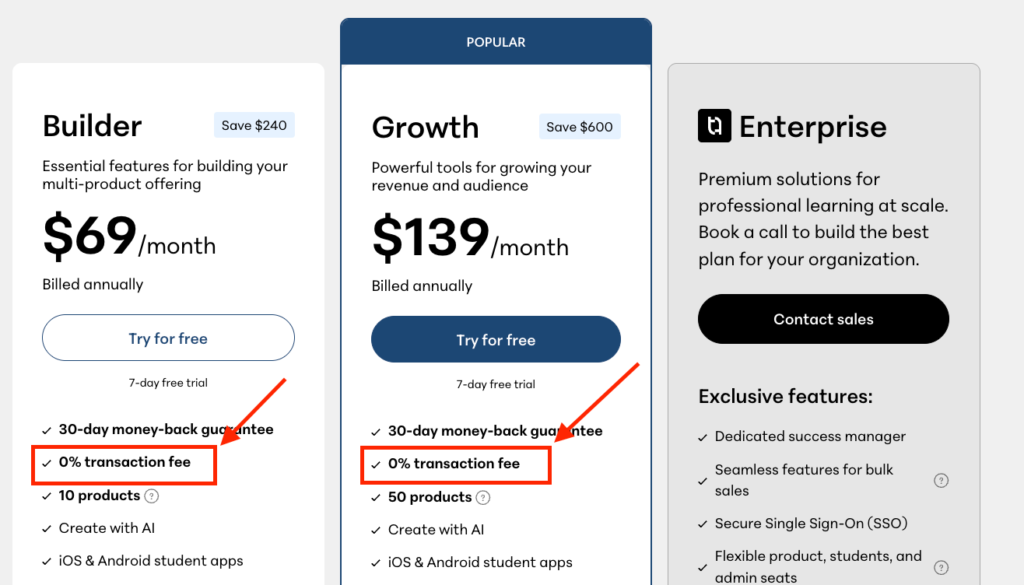
But, after digging into its documentation, I found out that Teachable processes payments through its own Stripe-powered gateway (Teachable:pay): which means you’ll still be paying processing fees on every sale.
Below are the fees.
| Payment type | Processing fee |
| U.S. credit and debit cards | 2.9% + 30¢ |
| International cards | 3.9% + 30¢ |
| U.S. PayPal | 3.49% + 49¢ |
| International PayPal | 4.99% + 49¢ |
| Buy Now Pay Later | 6.99% + 30¢ |
| Custom Stripe gateway | +2% on top |
Teachable’s usage limits are just as tight.
The Starter plan caps you at 5 products, 1 admin user, and 100 students. Move up to Builder and the ceiling barely moves. You get 10 products, still just 1 admin user, and 1,000 students. Growth finally loosens things up with 50 products, 5 admin users, and up to 5,000 students, plus 2,000 imported students.
If you need extra admin seats, you’ll pay $20 per admin seat on top of your subscription.
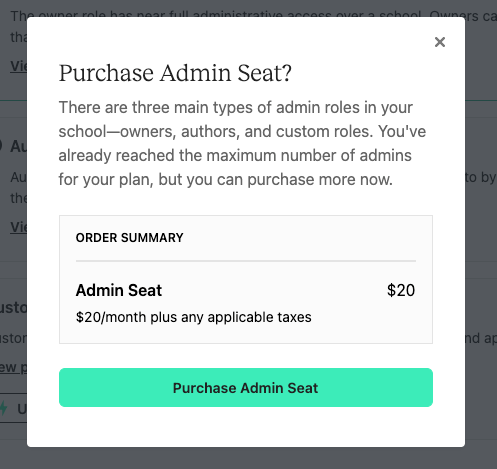
If you think about it, Teachable keeps asking you to pay more to unlock things most course platforms give you at the entry level. That makes it hard to get real value out of the lower and mid-tier plans, and harder still to scale without crossing into Growth or Enterprise pricing.
On the other hand, Kajabi charges transaction fees too, and it limits the number of products you can sell. But unlike Teachable, it doesn’t restrict how many students can enroll in your courses. And its processing rates drop as you move up the pricing ladder.
| Plan | Kajabi Payments | Teachable Processing |
| Entry tier | 2.9% + 30¢ | 2.9% + 30¢ (plus 7.5% platform fee on Starter) |
| Mid tier | 2.8% + 30¢ | 2.9% + 30¢ |
| Top tier | 2.7% + 30¢ | 2.9% + 30¢ |
On usage limits, Kajabi caps products on Basic plan to 5, 50 on Growth and unlimited on the Pro plan.
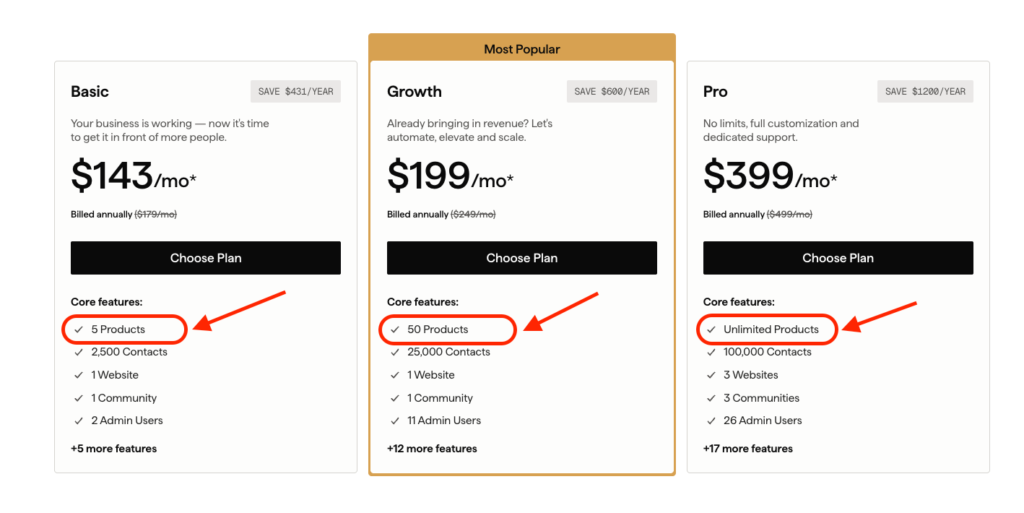
On the Pro plan, you also get a custom branded mobile learning app, up to 100,000 contacts, API access, advanced automations, and up to 26 admin users.
If you factor in what Kajabi gives you on its high-end plan and what Teachable gives you even on its enterprise plan, you’ll see that Kajabi delivers stronger value for your money in the long run.
My verdict: Teachable is cheaper if you’re building your first course or you already have a marketing stack in place. Kajabi offers better value for established creators because it puts every tool you need to grow under one roof and one price tag. If you’re just getting started and want to test your first course idea without committing to a high upfront investment, Teachable’s low entry price gives you room to build, validate, and grow into a bigger platform when your business is ready for one.
Kajabi vs Teachable: digital products
Both Kajabi and Teachable are best known for course creation.
But courses aren’t the only thing you can sell on either platform.
Both let you offer coaching, community memberships, and downloadable files like ebooks, templates, and more.
In this section, I’ll show you how both platforms compare when it comes to building and selling digital products.
Kajabi supports more product types. Teachable is catching up but still has clear gaps.
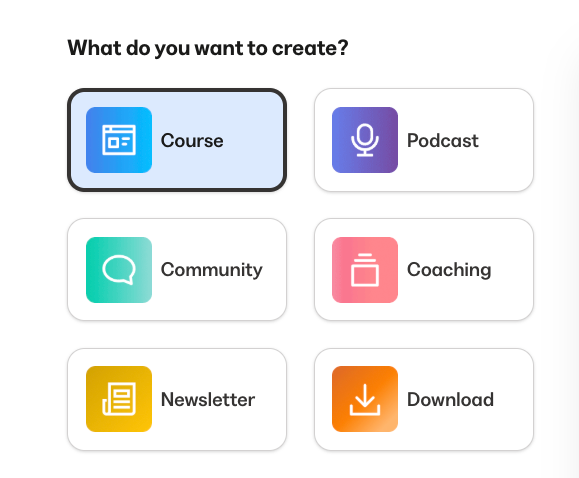
In Kajabi you can build up to 6 digital product types such as: courses, coaching, communities, paid newsletters, podcasts, and downloadable files.
What surprised me is how polished each product feels.
With most all-in-one platforms, you’d expect the core product to work well and everything else to feel like an afterthought.
That’s not the case with Kajabi.
Each product type has its own dedicated builder, its own set of tools, and enough depth that won’t require you to integrate another third-party tool to fill functionality gaps.
For example, its coaching product lets you natively schedule sessions, and host them without integrating Zoom or Calendly.
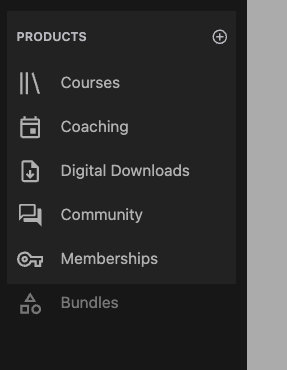
Meanwhile, Teachable lets you sell 5 digital product types including: courses, coaching, communities, memberships, and downloadable files.
However, outside of courses, the rest of the products feel underbaked.
For example, its community feature is clunky and barebones. You can build simple discussion forums with threaded comments but it lacks community engagement tools like gamification, or challenges, member badges, and native live events.
Kajabi offers a more integrated course system. Teachable is more traditional but gives you more flexibility inside each lesson.
With Kajabi, you can create both:
- Evergreen courses: self-paced programs with perpetual access.
- Cohort-based courses: groups of students move through the curriculum together on a shared schedule, which can significantly boost completion rates and engagement.
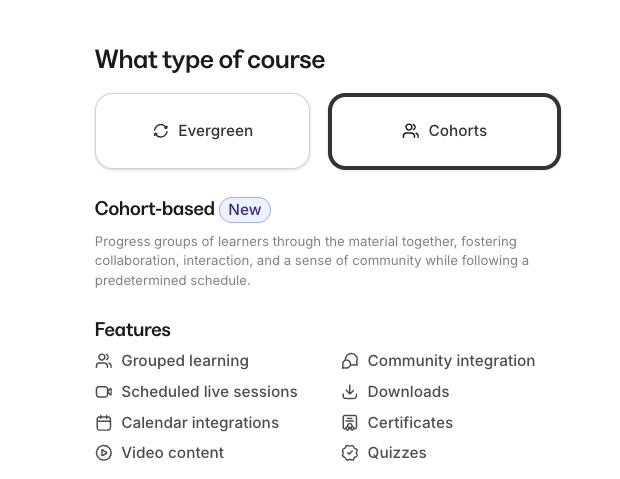
Unfortunately, the ability to create cohort-based courses is only available on the more expensive Growth and Pro plans.
But even on the Basic plan, you still get tools that make your courses more interactive.
You can host live sessions inside your course for up to 200 people, so running a live Q&A or a workshop doesn’t require Zoom or any external tool. You can also connect your community space so students can talk to each other, ask questions, and collaborate between lessons.
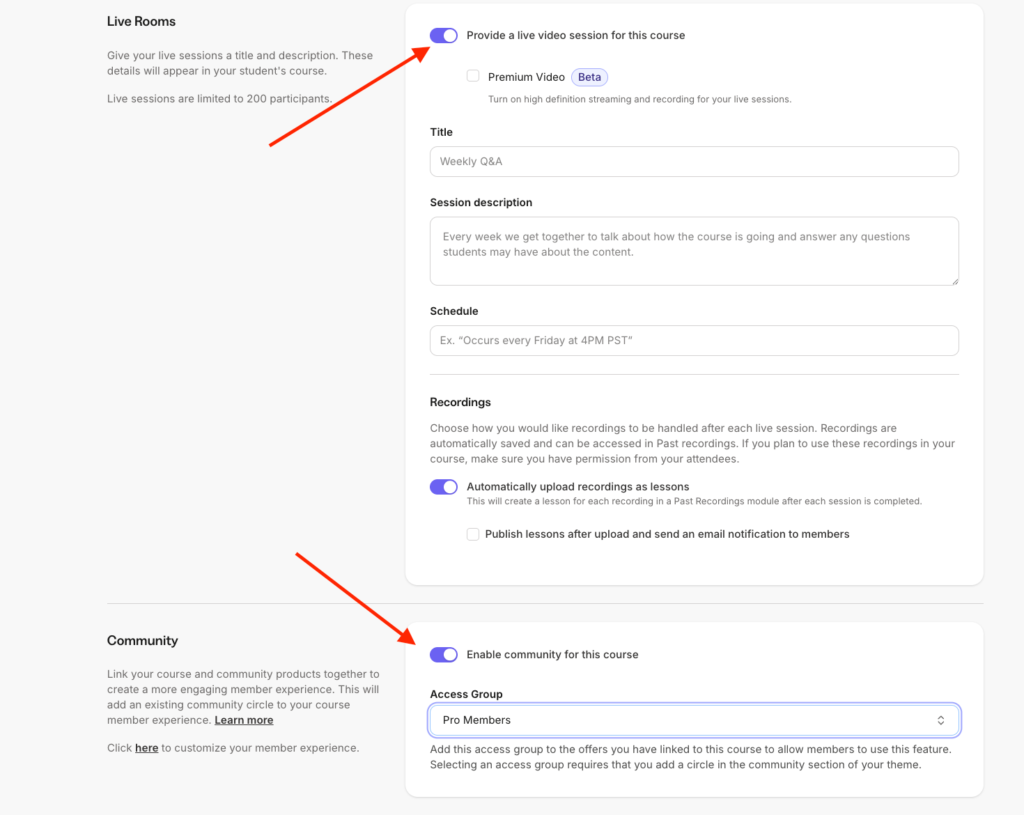
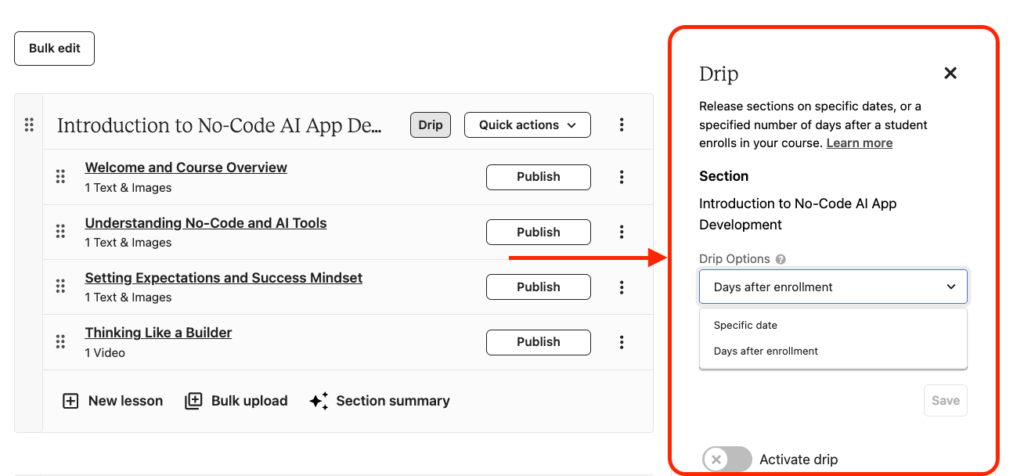
Meanwhile, Teachableonly supports traditional self-paced courses. You can drip schedule content and time-release lessons, but there’s no native equivalent to structured cohort delivery.
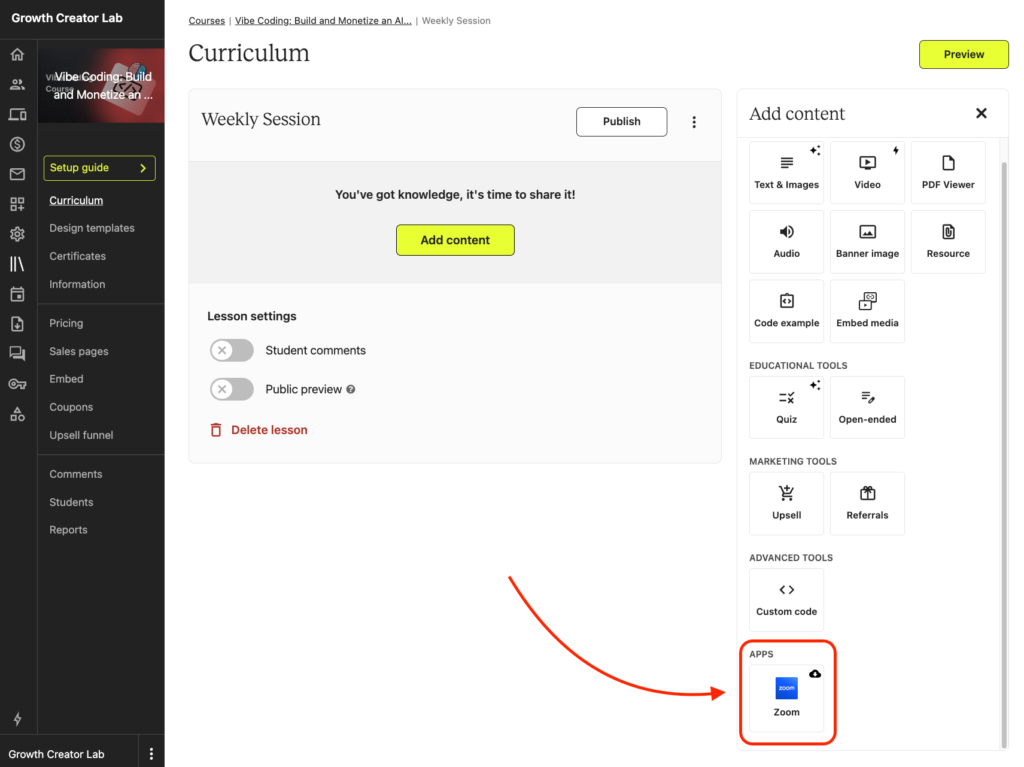
Teachable does let you add a live lesson to your curriculum, but you’ll need to integrate Zoom to host the sessions.
Both platforms feature a drag-and-drop curriculum builder. You can organize your course into sections/modules, and lessons, and within each lesson you can add various content types including:
- Videos
- Images
- Audio
- Downloadable files.
But Teachable lets you do more inside a single lesson. You can stack a video at the top, add text below it, embed a PDF as supplementary material, and drop a quiz at the end. All in one scrollable lesson.
You can also embed videos from YouTube or Vimeo directly inside lessons which display intuitively on the on the course player,
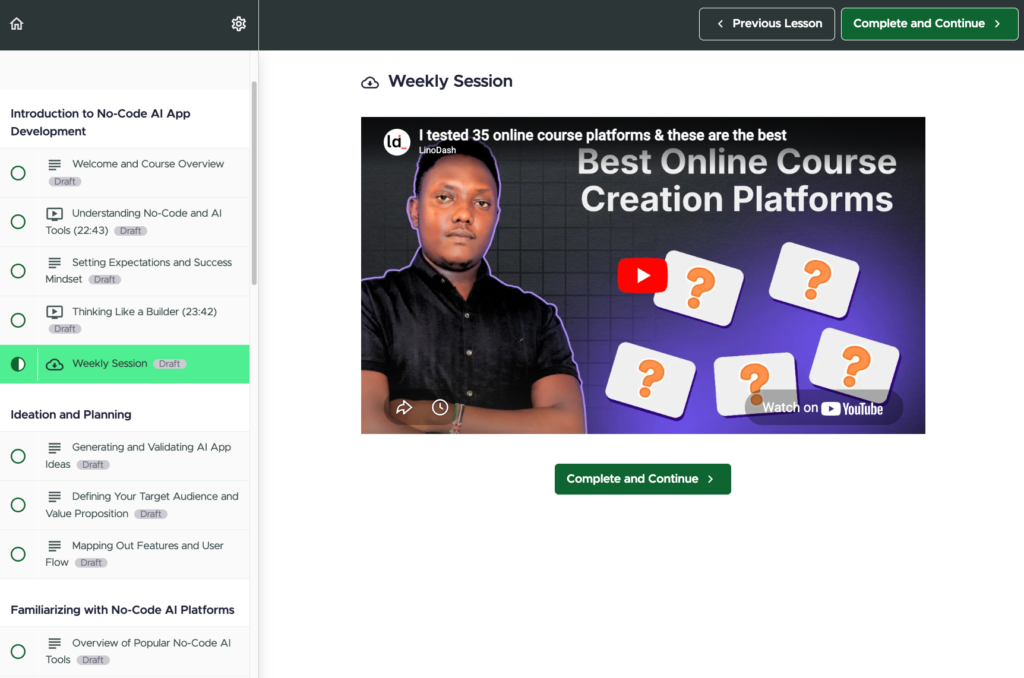
Kajabi lets you mix content types in a lesson too, but you can’t add a quiz or a product upsell inside the same lesson.
Embedding external video is also a pain in Kajabi. Its course player themes don’t handle third-party embeds well, so you’ll end up hosting everything natively to avoid layout breaks.
For example I tried embedding a sample YouTube and the only way I could do it is via an iframe code.
And even after I did so, the video doesn’t display at the prominent section and instead shoved down the player where you’ll end with an empty placeholder for the video at the top.
Kajabi also lets you control how your course player looks. You can choose from 7 templates and customize them to match your branding.
Teachable’s player looks cleaner out of the box, but there’s not much room to make it feel like your brand.
On quizzes and assessments, both platforms cover the basics with auto-grading. Kajabi gives you multiple-choice questions and file upload submissions, so students can submit assignments for your review.
Teachable adds open-ended questions alongside multiple-choice and also supports file uploads in quiz responses.
Neither platform goes deep on assessments though. If you need things like media-based questions, gradebooks, or randomized question banks you’ll want to look elsewhere. Like LearnWorlds which offers LMS level assessment and grading tools for serious learning.
Kajabi has more advanced tools for building coaching programs
Both Kajabi and Teachable let you create and sell coaching as a standalone product. You can set up sessions, manage clients, and connect your coaching to other products you sell. But the depth of what each platform gives you to actually run a coaching business is very different.
Kajabi treats coaching as a full product type with its own dedicated builder. You can create both 1:1 coaching and group coaching programs, set up single-session or multi-session packages, and customize each session with its own agenda, resources, notes, and downloadable files.
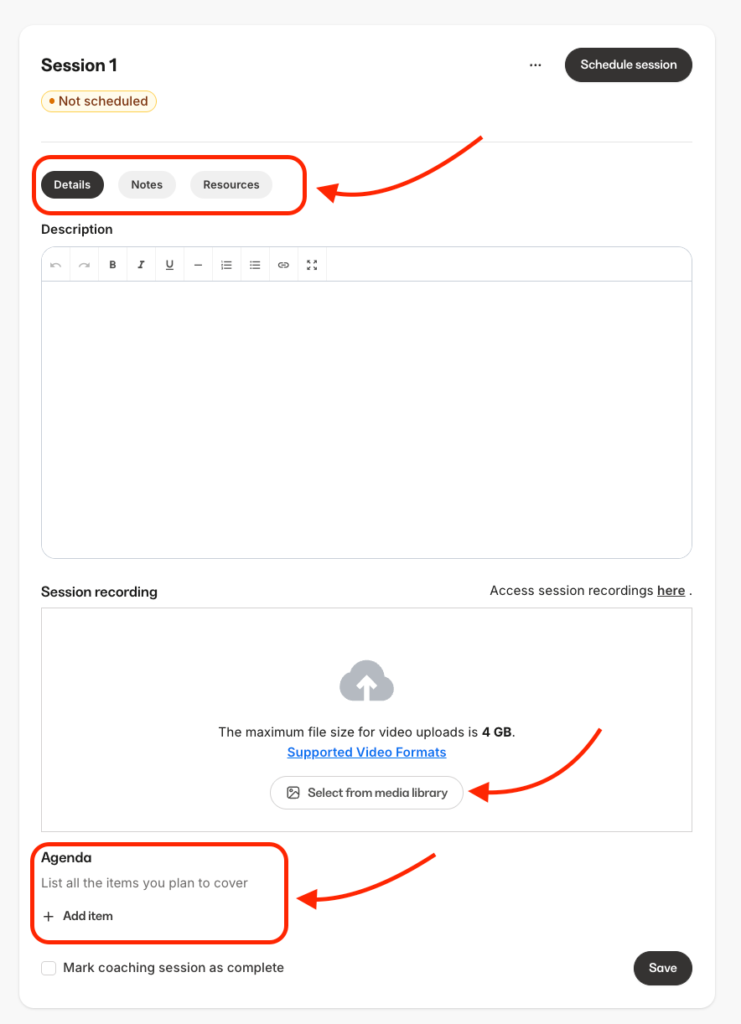
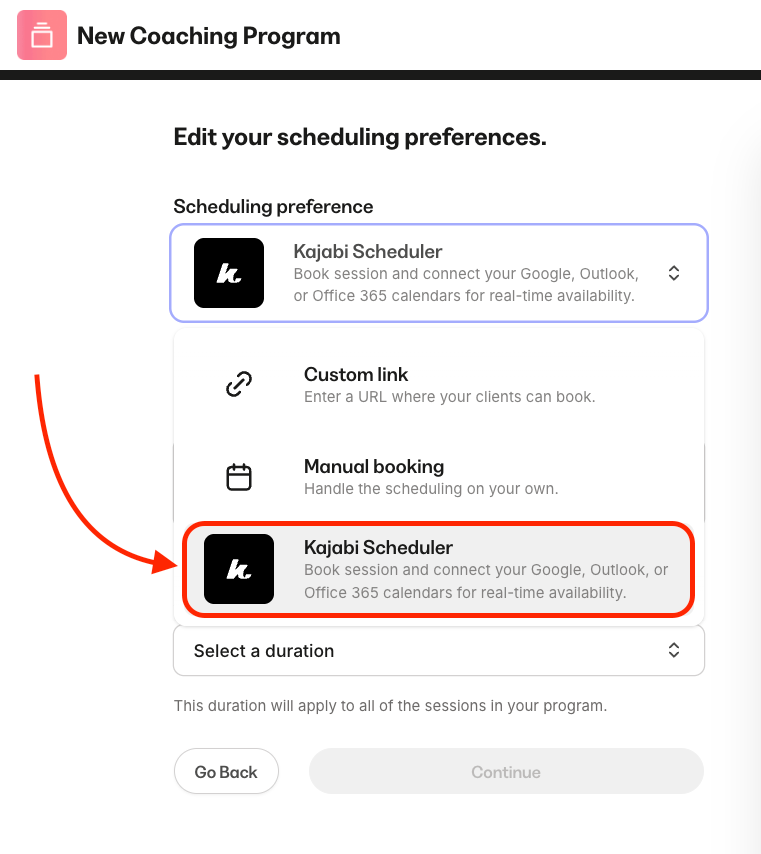
What sets Kajabi apart is that you don’t need any external tools to run your coaching sessions. Kajabi has built-in live video, so you can host coaching calls directly on the platform without integrating Zoom or Google Meet.
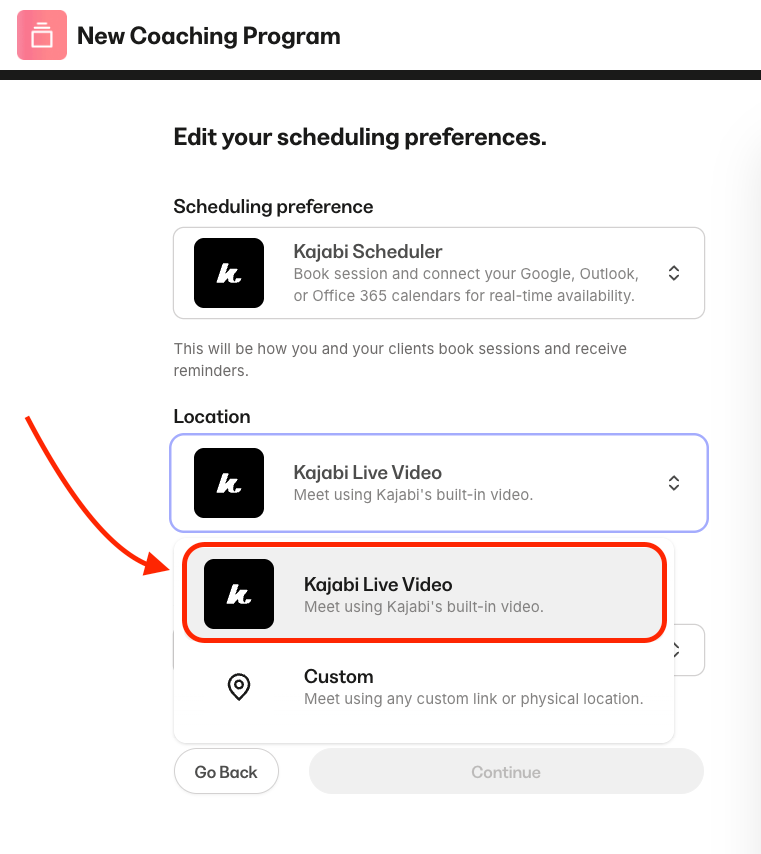
It also has a native scheduler, so your clients can book sessions based on your availability without you paying for Calendly.
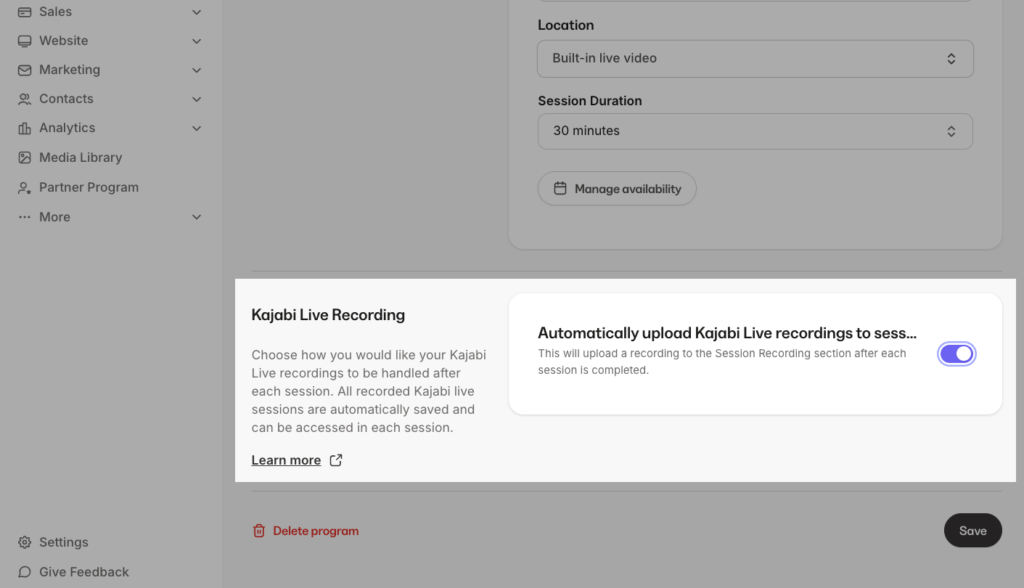
During a session, Kajabi lets you automatically record and upload it to your content library, making replays available to your client without you doing manual work.
You can track each client’s progress from your dashboard, see how many sessions they’ve completed, review their notes, and mark sessions as done.
Teachable’s coaching product takes a simpler approach. You can create a coaching product, set your pricing, and build out your program using milestones.
Milestones are task-based steps that guide your client through the coaching process. Each milestone can include a scheduled call, an assignment, a file upload, text instructions, or a message.
As your client completes one milestone, you add the next, and they get an email notification with a link to their coaching page.
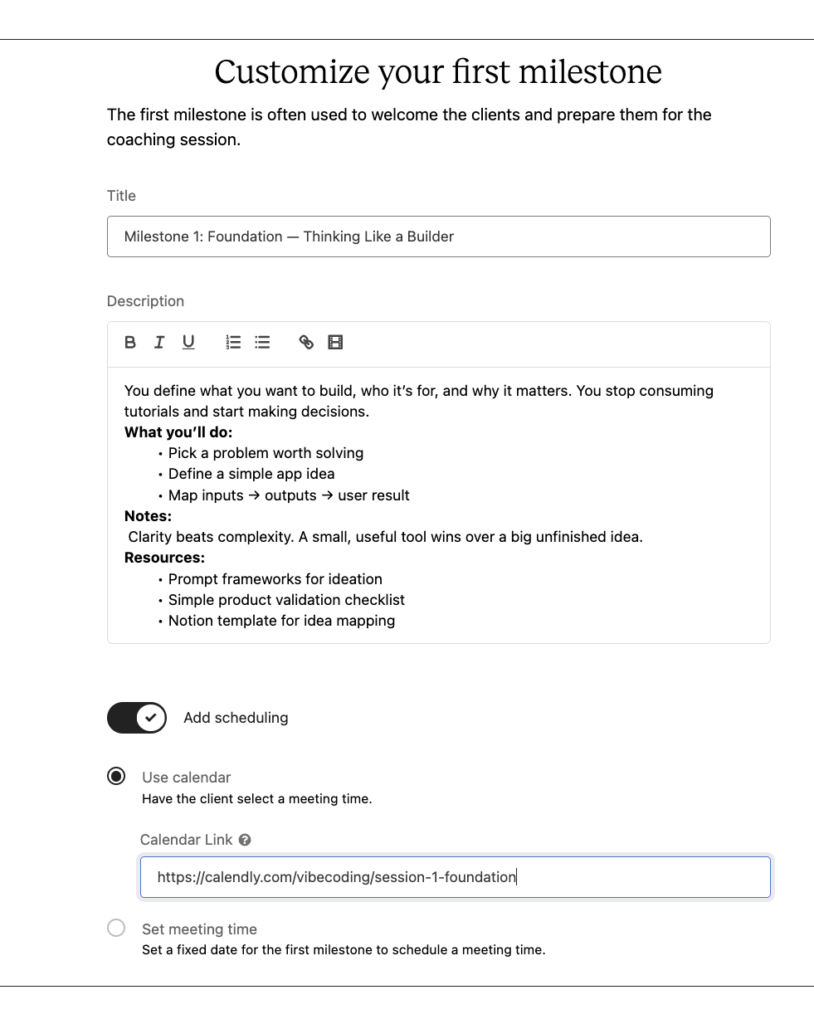
Teachable integrates with Calendly for scheduling, and if you connect your Calendly API key, sessions booked through Calendly sync automatically with your coaching product inside Teachable.
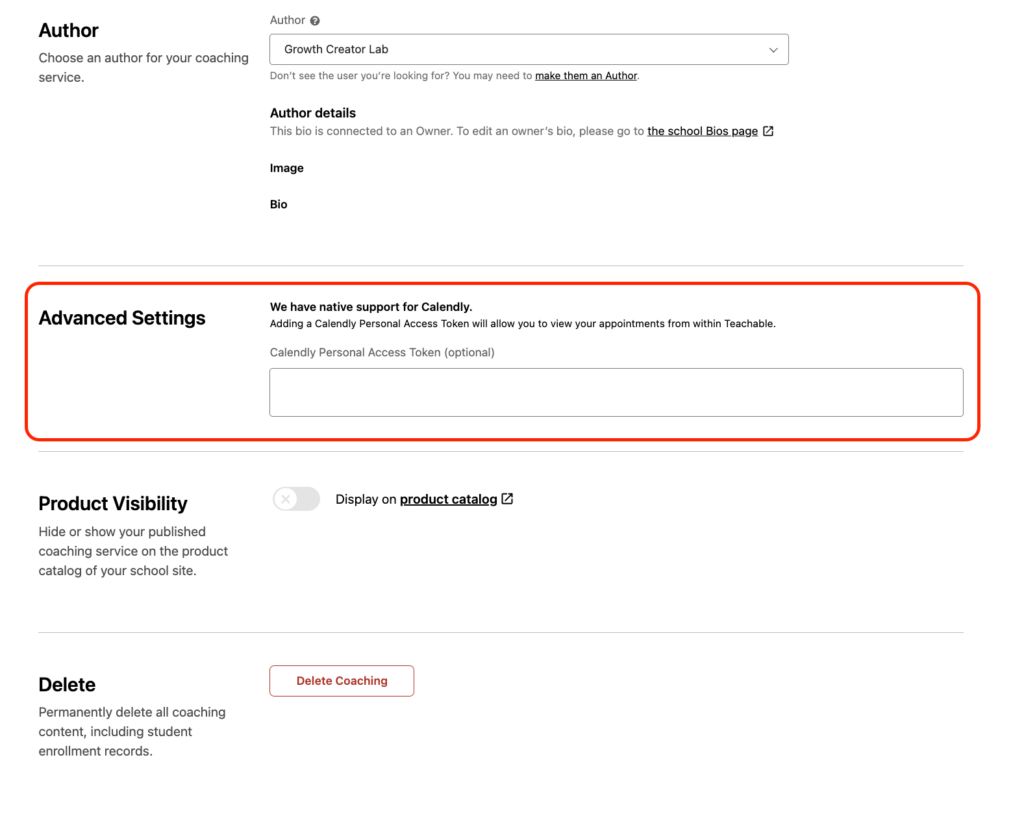
You can also drop in Zoom or Google Meet links for video calls. But neither the scheduler nor the video hosting is native. You’re connecting external tools to fill those gaps, which adds friction and extra subscriptions.
Verdict: Kajabi outclasses Teachable when it comes to building coaching products. It’s more integrated, and well polished allowing you to run your entire coaching from one platform. You don’t need to integrate third-party apps like Zoom or Calendly to run your coaching businesses like in Teachable.
Kajabi’s community can replace Circle or Mighty Networks. Teachable’s community is a discussion forum with threaded comments and not much else.
Both platforms let you create a community alongside your courses. But Kajabi gives you better organization and engagement tools.
Kajabi treats the community as a full product type. As such you get the same level of tooling with depth as its course builder.
To start with, Kajabi has better community organization tools. You can create Access Groups, which work like separate rooms inside a single community space that also let you control access.
Each Access Group can have its own channels, meetups, challenges, and announcements.
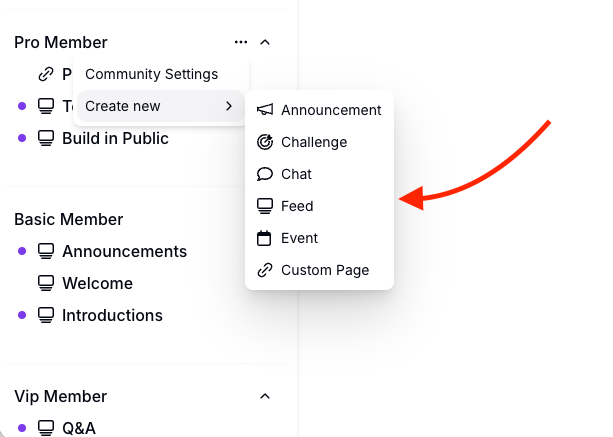
Which is great as it lets you run multiple access levels inside one community and gate specific offers behind specific groups.
For example, you can set up one Access Group for basic members and another for premium members with their own discussion spaces, your weekly live calls, and one of your courses bundled in.
Inside each Access Group, you can set up channels for discussions in either feed or chat format. Create topic-specific channels so conversations don’t all pile into one feed. Pin important posts to the top of any channel so new members find them first. Members can post text, images, video, and polls.
From here Kajabi pushes into territory Teachable doesn’t touch: challenges, gamification, and live events.
You can create challenges, either as one-time or recurring and members can see how far along they are. Kajabi’s gamification system lets you assign points for specific actions like completing a challenge, commenting on a post, participating in a poll, or reacting to someone’s content.
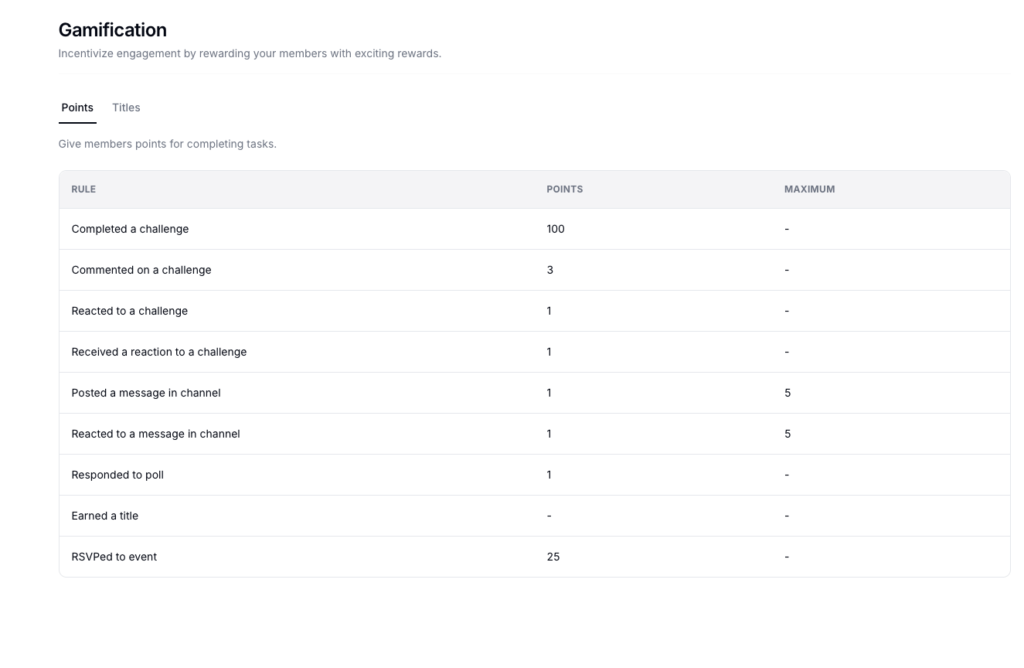
And the more points they accumulate the higher they rank on the leaderboard.
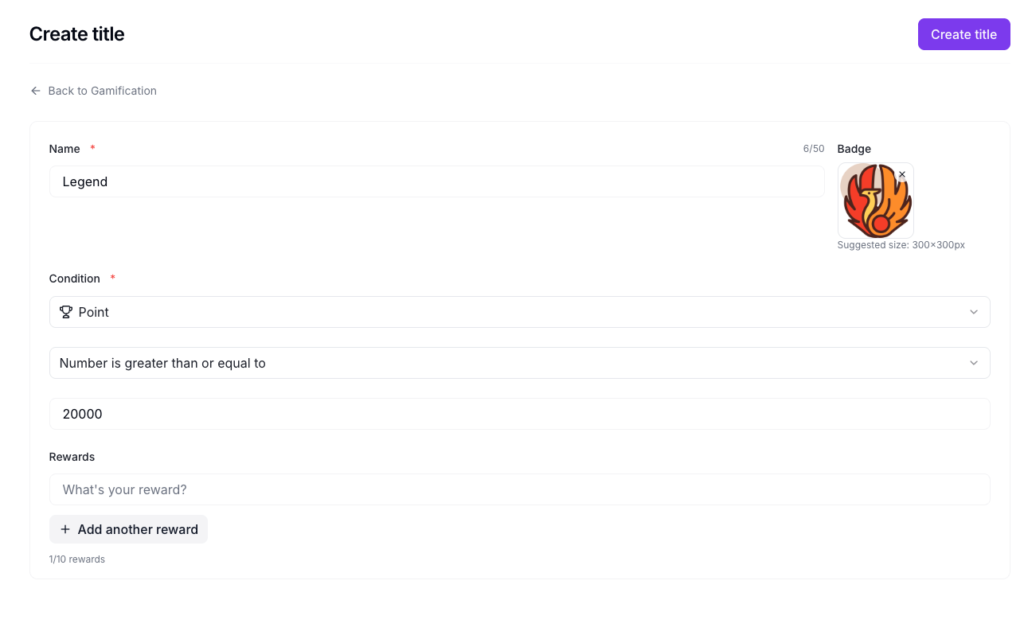
You can even create custom titles and badges that you can award members for reaching a specific milestone like accumulating certain points.
Kajabi also lets you host live events directly inside your community through Live Rooms. You can run live video sessions for up to 200 participants with screen sharing, breakout groups, and in-session chat.
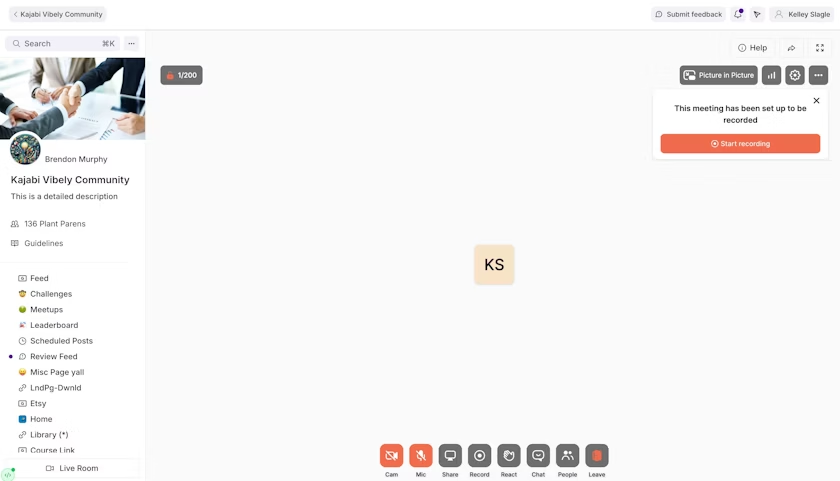
You can automatically record the live sessions, and can assign recordings to specific Access Groups so only the right members see the replay. You can schedule recurring meetups with email and push notification reminders. If you want to run a weekly Q&A, a monthly masterclass, or a live coaching session inside your community, you do it natively without Zoom, without Google Meet,
Teachable’s community is slow, clunky, and barebones.
For example, when I tried to create a community, it took a couple minutes for the community to launch.
I was stuck in this page that told me to wait while Teachable configured the community in the background.
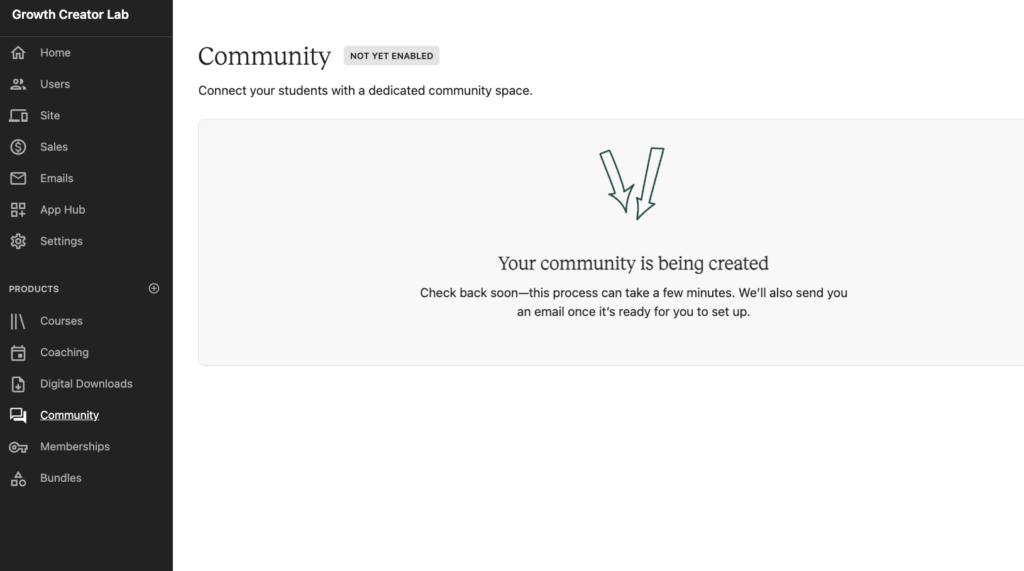
Compare that to Kajabi, where the community is ready to go the moment you access the tool on the left sidebar.
Once Teachable’s community finally loaded and I started clicking around, I knew I wouldn’t want to use it. The interface looks basic and dated and everything loaded super slowly.
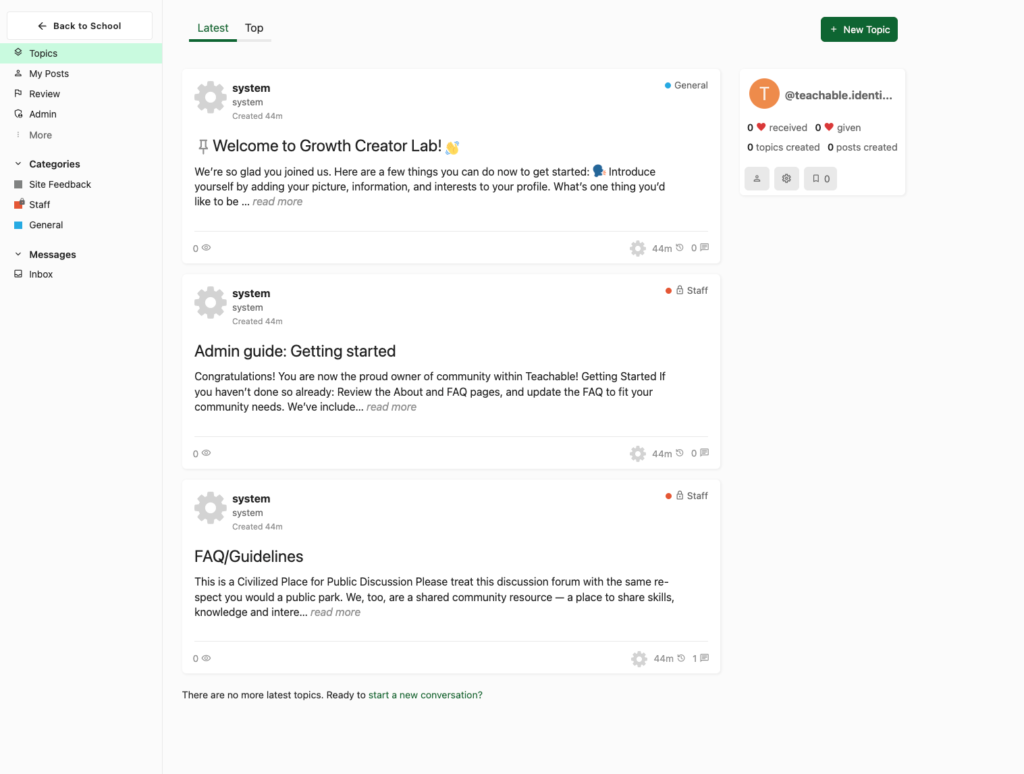
From creating a post, organizing discussion and even setting up the community appearance.
For example when creating a post, a floating rich text editor pops up from the bottom of the screen, and on smaller screens it eats half the viewport and it’s hard to use.
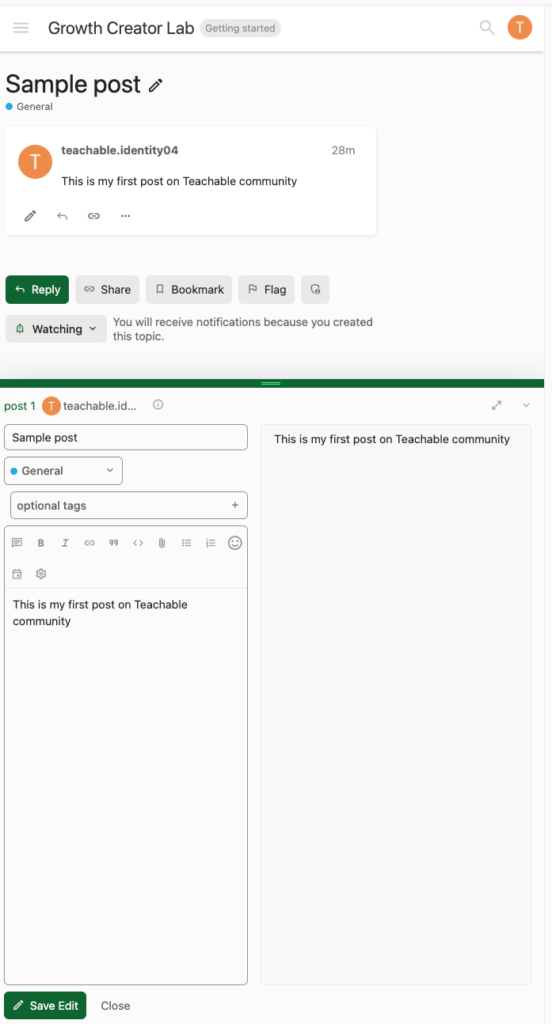
Members can create posts and leave threaded comments. And that’s about it.
You can’t host live events, gamify participation or create separate spaces for different membership tiers.
Verdict: Kajabi wins. It gives you stronger access management and engagement features like, access groups, native live events, challenges, and gamification. Teachable lets you build a simple discussion forum with thin management controls and limited engagement tools.
Kajabi vs Teachable: sales & marketing tools
Every course platform is trying to be an all-in-one solution right now.
They bundle course creation with some basic page building, email tools, and checkout features, and call it a complete digital business platform.
But not all of them back up that claim with real functionality.
This comparison of Kajabi and Teachable’s marketing stacks clearly shows that.
With Kajabi you can build complete marketing campaigns without integrating third-party apps. It lets you build complete websites, end-to-end sales funnels, email campaigns, workflows, process payments and even increase value order during checkout.
Meanwhile, Teachable is trying to invest on its marketing stack yet not aggressively. You can build a simple website for your online school, launch upsell funnels, automated emails and even process payments natively.
So how do both platforms compare?
Kajabi has better themes and a more advanced page builder than Teachable
With Kajab, you can choose from its collection of 17 complete website themes and install them in one click, all free.
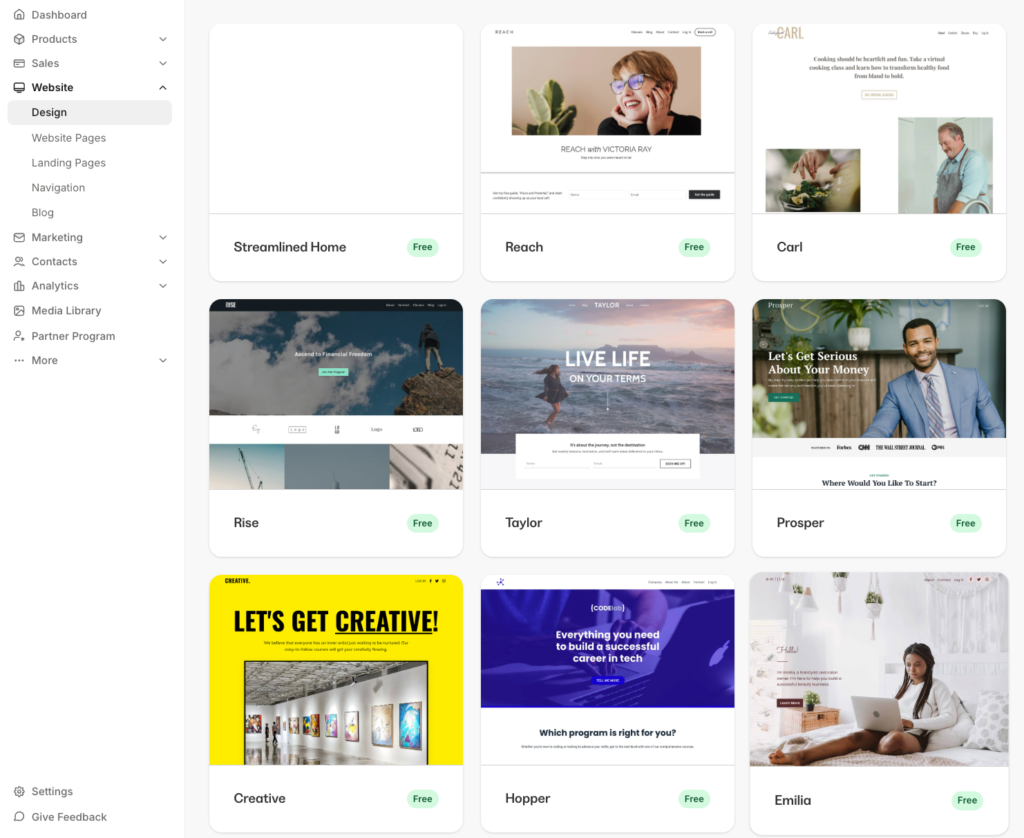
If you want more variety, the Kajabi marketplace has paid themes built by Kajabi Experts, some with end-to-end funnel bundles. But this will require you to pay between $79 – $700.
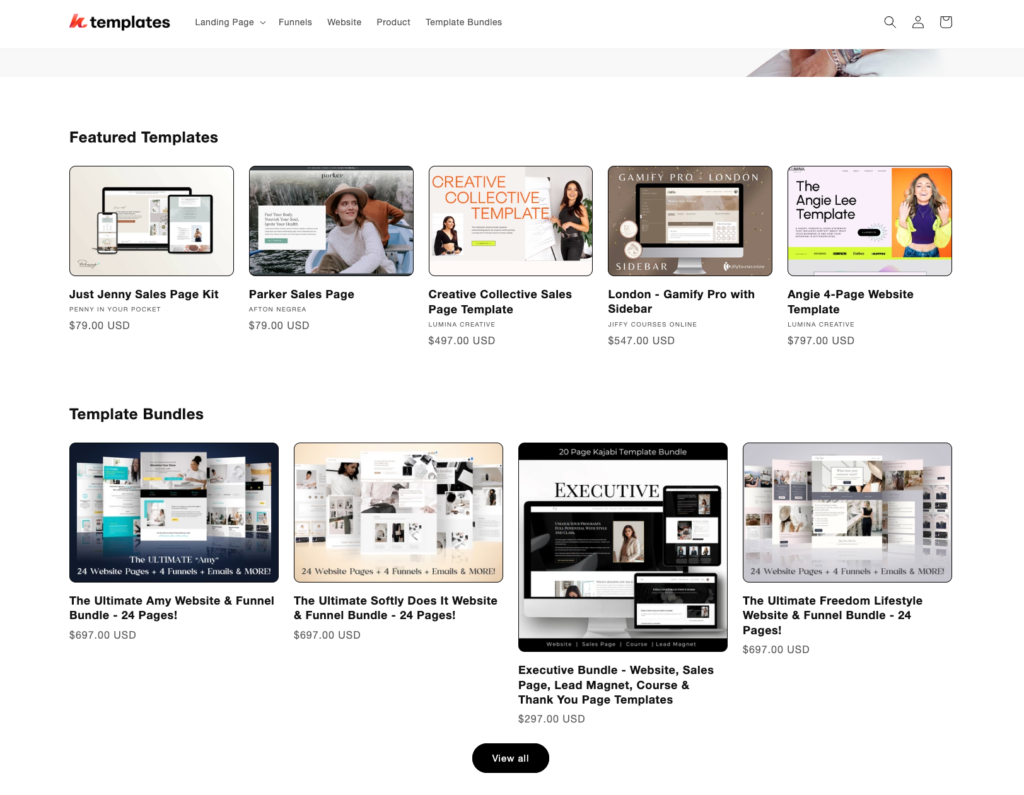
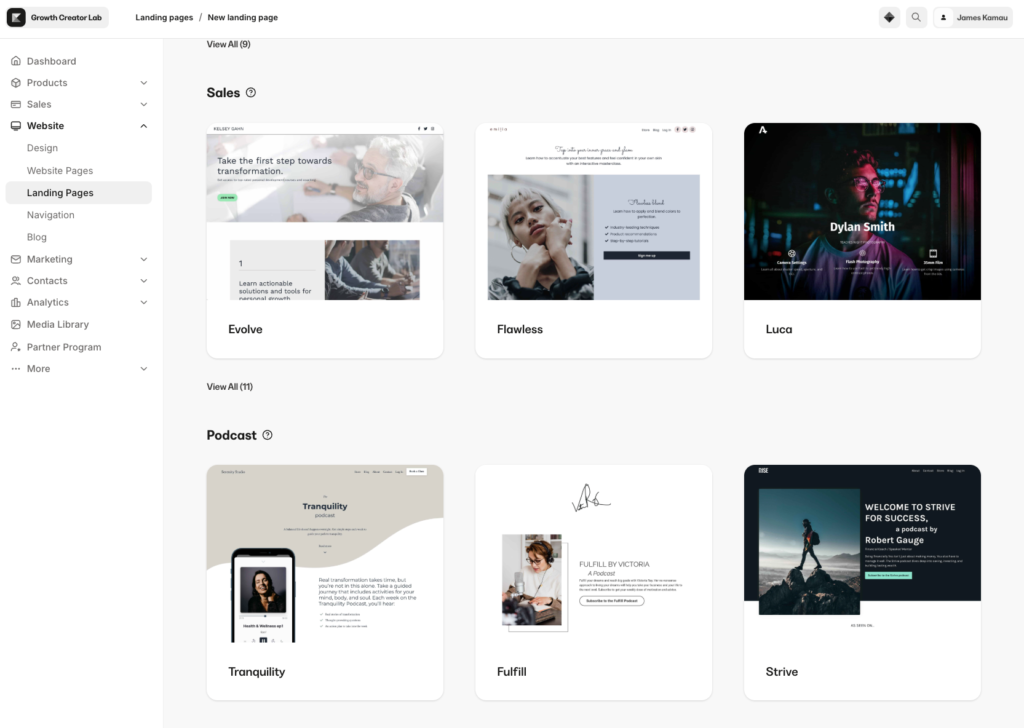
For landing pages, you get over 25 pre-built templates inside the same editor, or you can start from a blank canvas.
Teachable doesn’t have themes in the same sense. You get two course layout templates called Simple and Colossal, plus a Theme tab where you set your logo, fonts, and color palette.
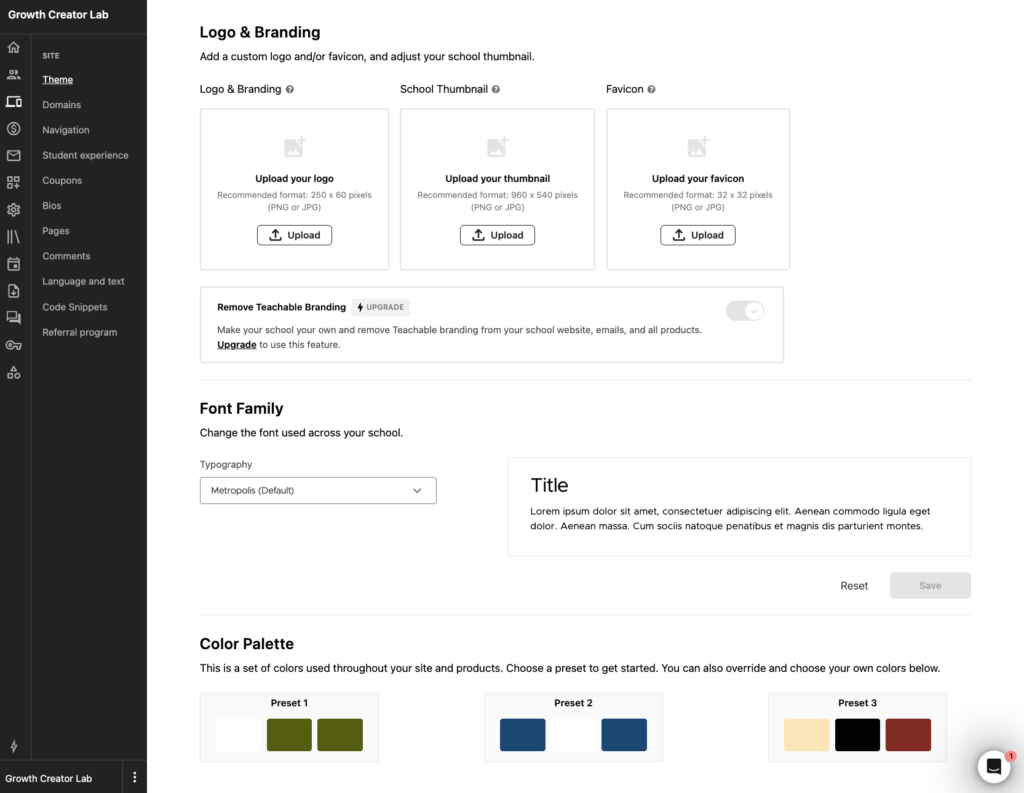
That’s the extent of your visual customization at the template level. That said, your school will end up looking like every other Teachable school with different colors.
Kajabi’s website editor gives you more to work with. You get over 30 preset sections that you can drop to your page design such as (hero, features, carousel, testimonials, offers, FAQs, videos, forms).
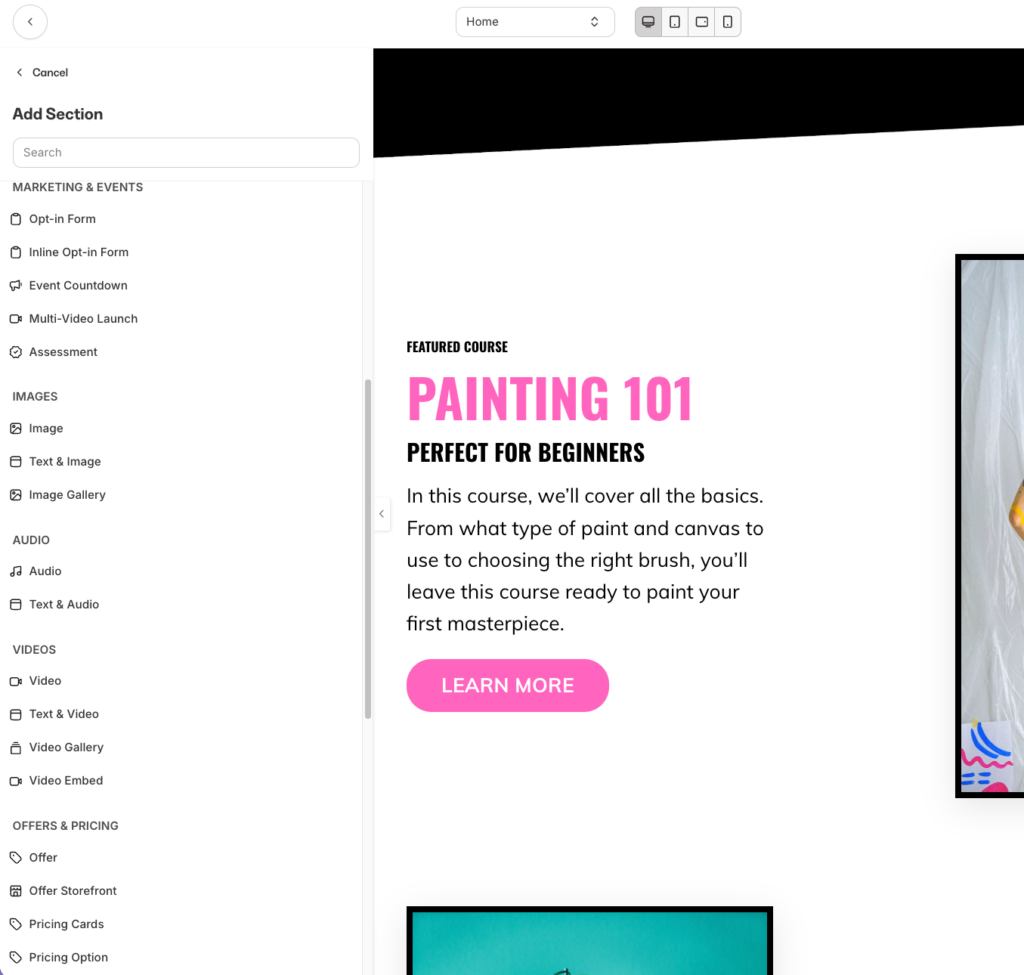
You can customize your design at element level to match your design needs. Aside from that you can customize your layout by modifying sections padding, vertical alignment and setting the background color as color, image or video.
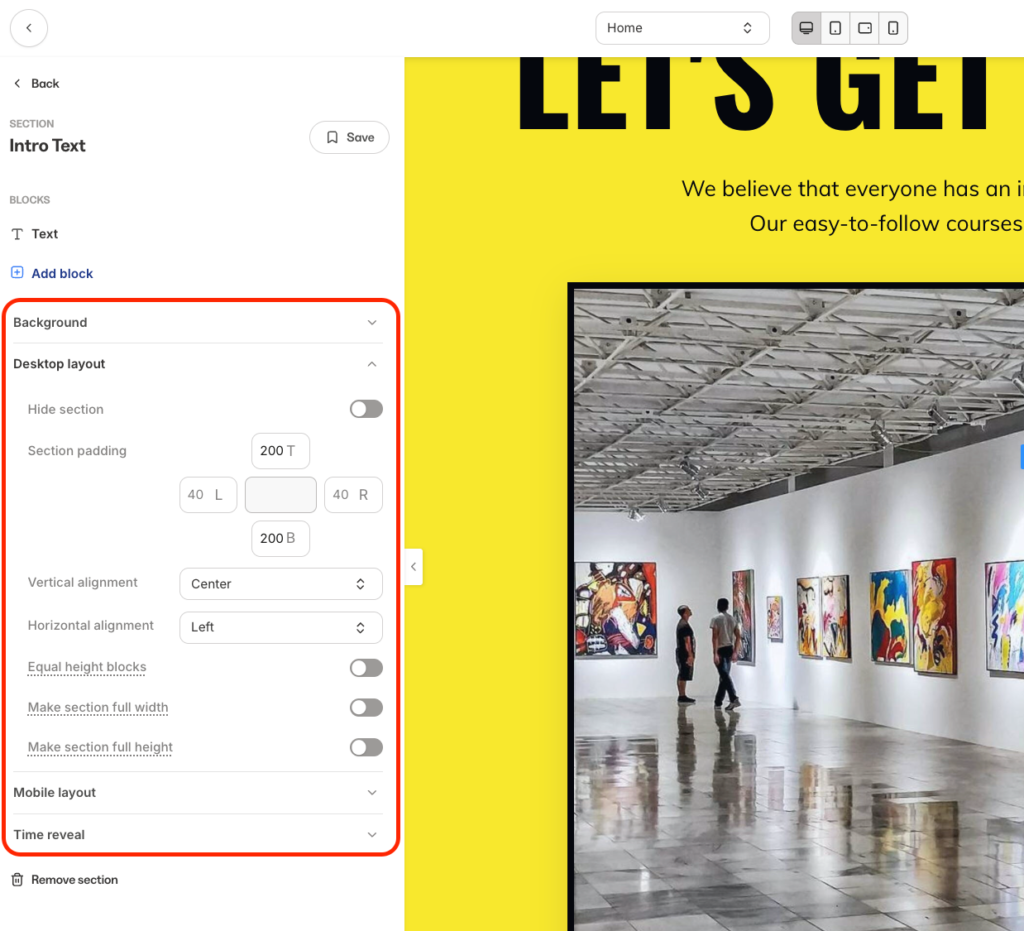
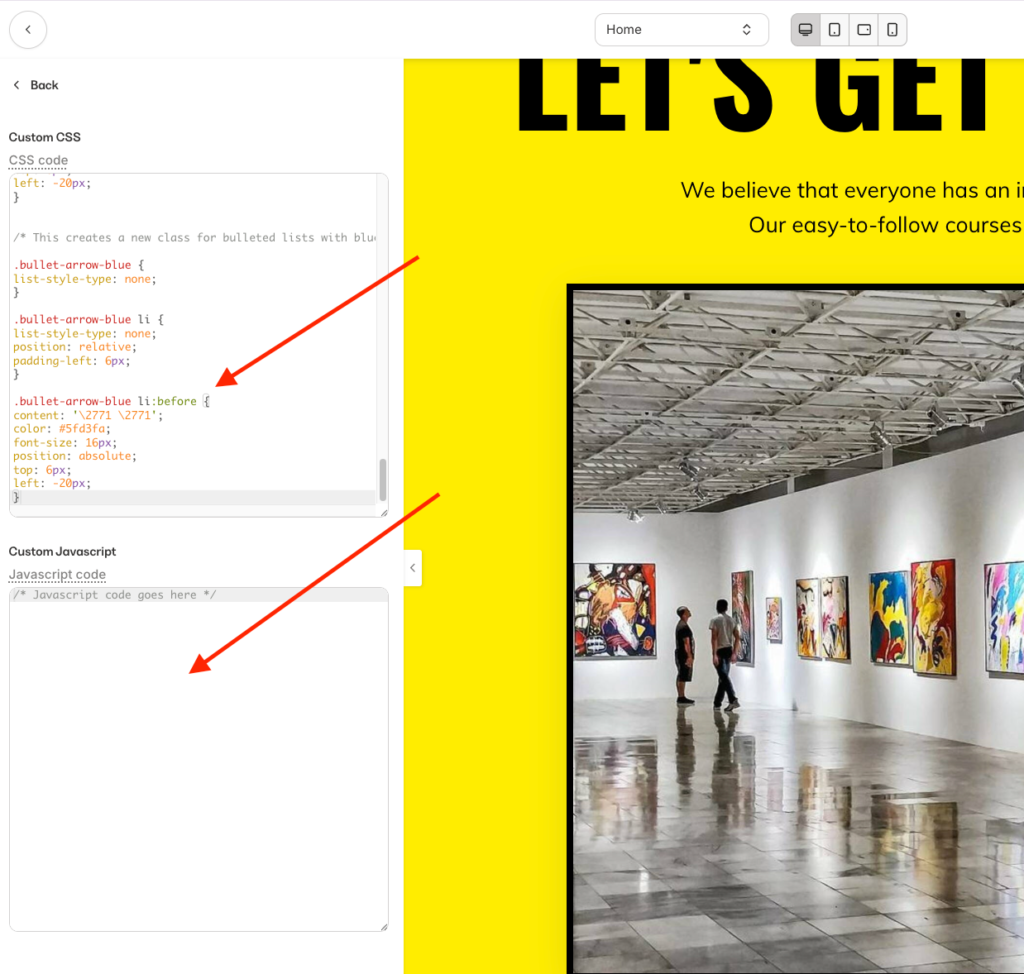
However, the Kajabi website builder still falls short when it comes to granular control. You can’t freely drag any element to any position outside the template’s grid. Padding and margin settings are tied to sections, not individual pixel-level placement. But I also liked that you can add custom CSS and JavaScript to your design to enhance them further.
Kajabi also offers Custom Widgets to elevate your design. You can add prebuilt designs such as coupon popups, comparison tables, animated counters, pricing sliders, and quiz makers.
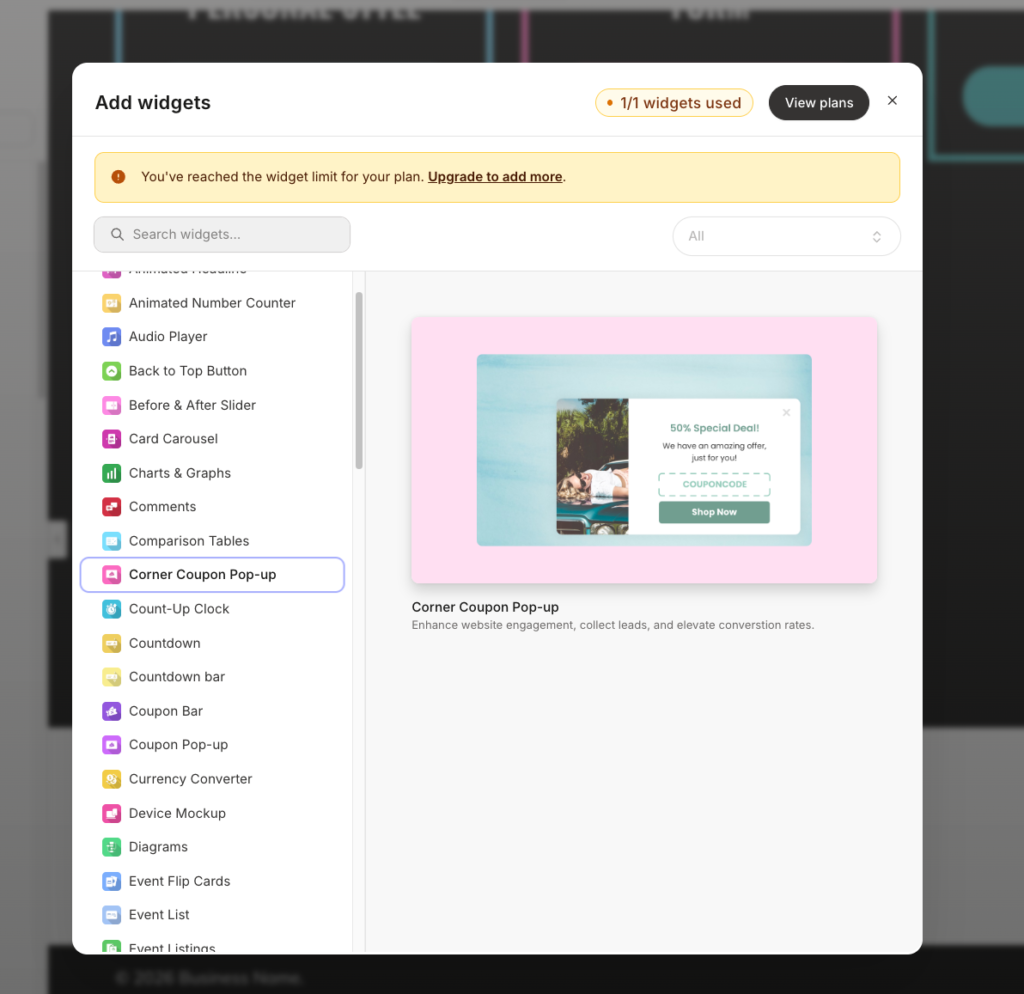
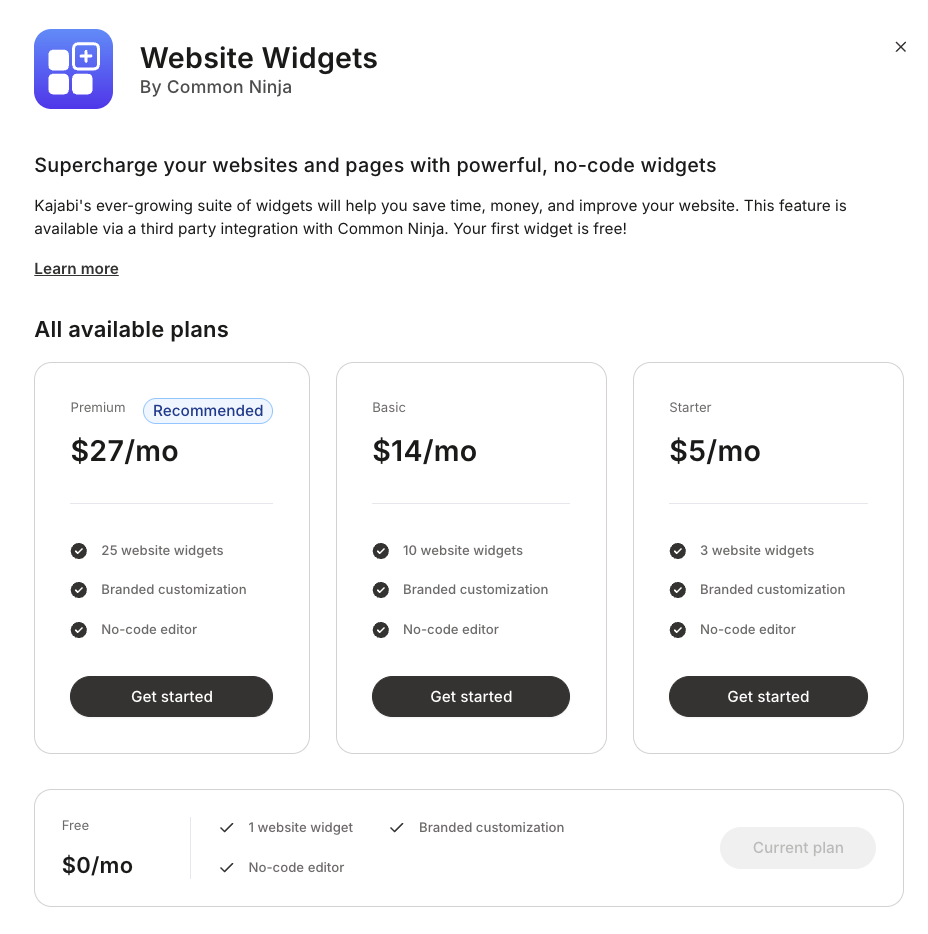
But it’s important to note that Custom Widgets are not included in the base subscription. You’ll need to pay between $5 and $27 per month depending on how many widgets you want to access to (3 widgets at the low end, 25 at the high end).
Meanwhile, Teachable’s Page uses a similar block approach, but with far less depth. You can add blocks like image, text, image with text, video, buttons, and the Featured Products block.
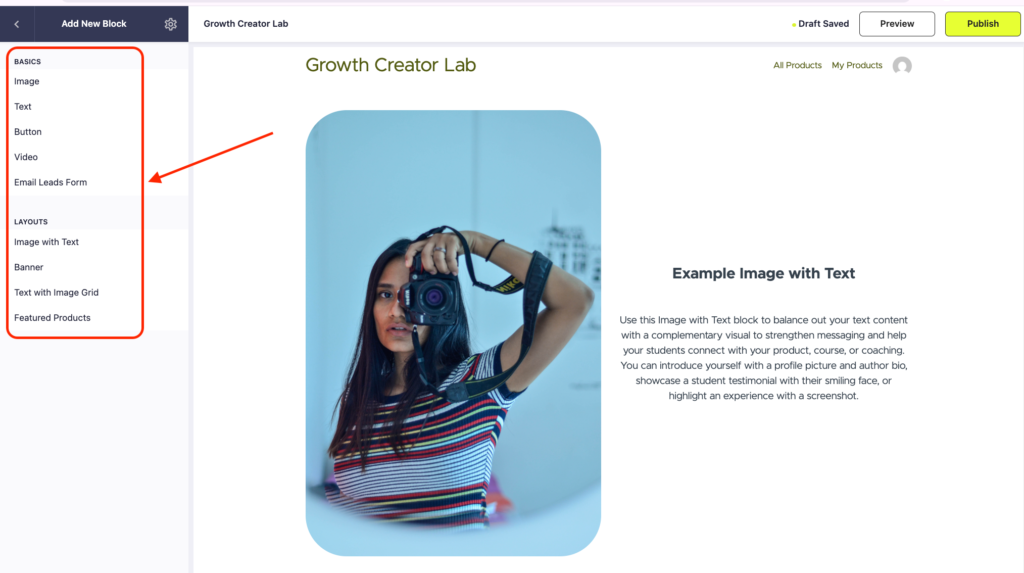
That’s about as much layout control as you get. There are no pre-built section templates or the ability to drag-and-drop so you can rearrange blocks beyond vertical order. No padding or margin controls on individual elements.
Kajabi covers more funnel campaign types with blueprints, Teachable limits you to checkout-based upsells.
With Kajabi you can build end-to-end sales funnels using its visual builder. So that you don’t have to start from scratch, Kajabi provides 12 pre-built blueprints (which isn’t an enticing number) covering common use cases including: product launches, webinar registrations, lead magnet opt-ins, and coaching offers.
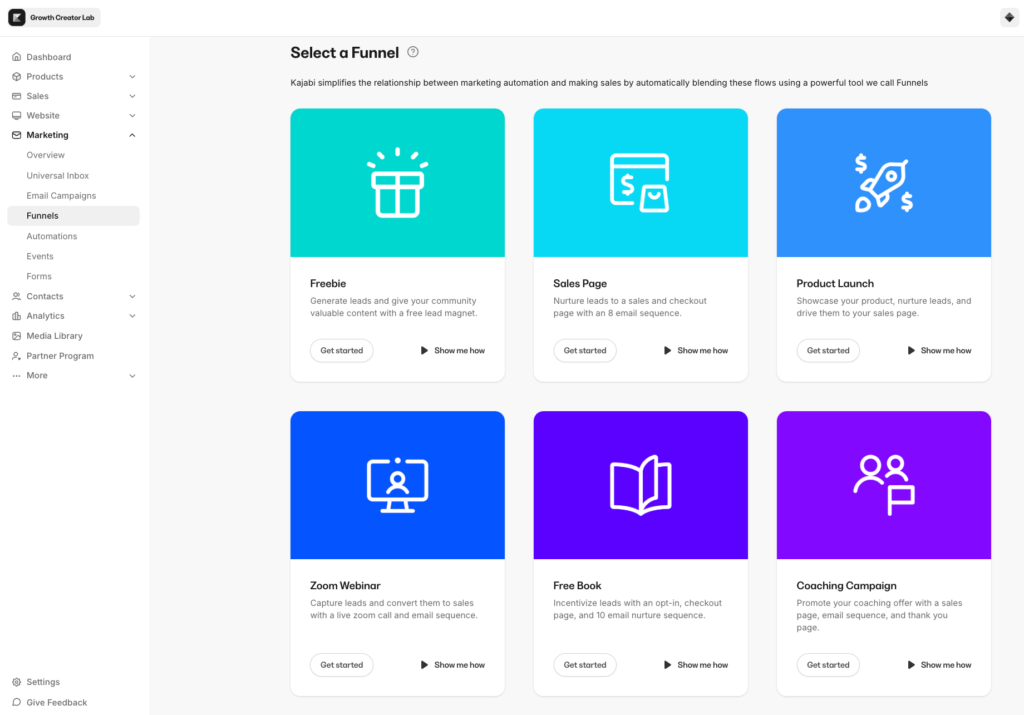
Simply pick your ideal blueprint and Kajabi will generate essential steps and elements in your funnel such as:
- landing pages
- forms
- checkout page
- email sequence
That you can easily modify as you like.
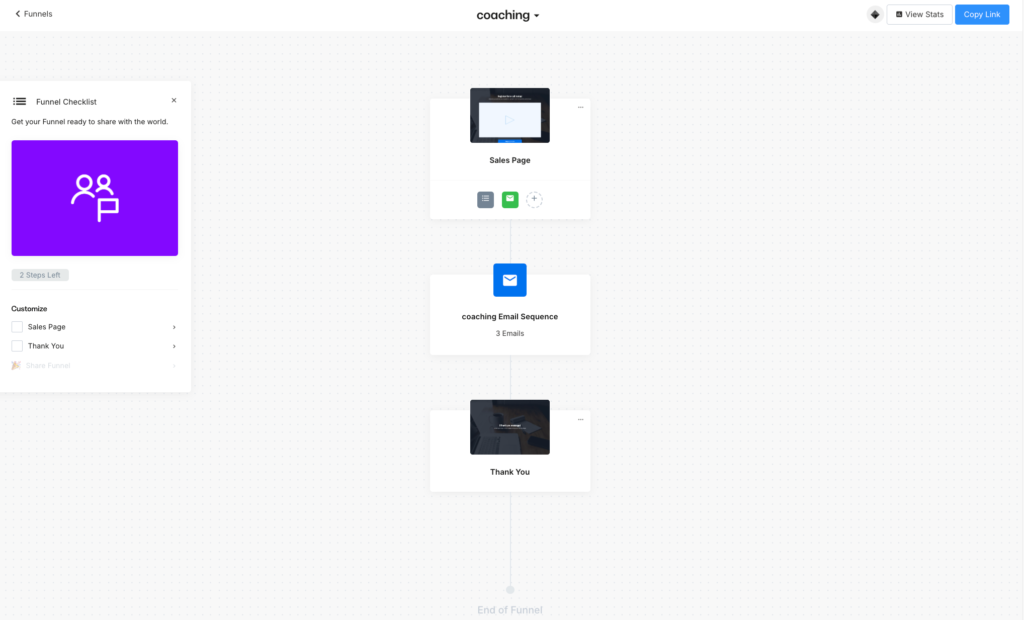
Still when you compare Kajabi funnel builder with platforms like Kartra and ClickFunnels you’ll see that it misses a bunch of useful features.
Features like:
- Branching logic
- Funnel simulations
- Deadline funnels
Speaking of A/B testing, Kajabi does let you test different variations of your landing pages to see which converts more.
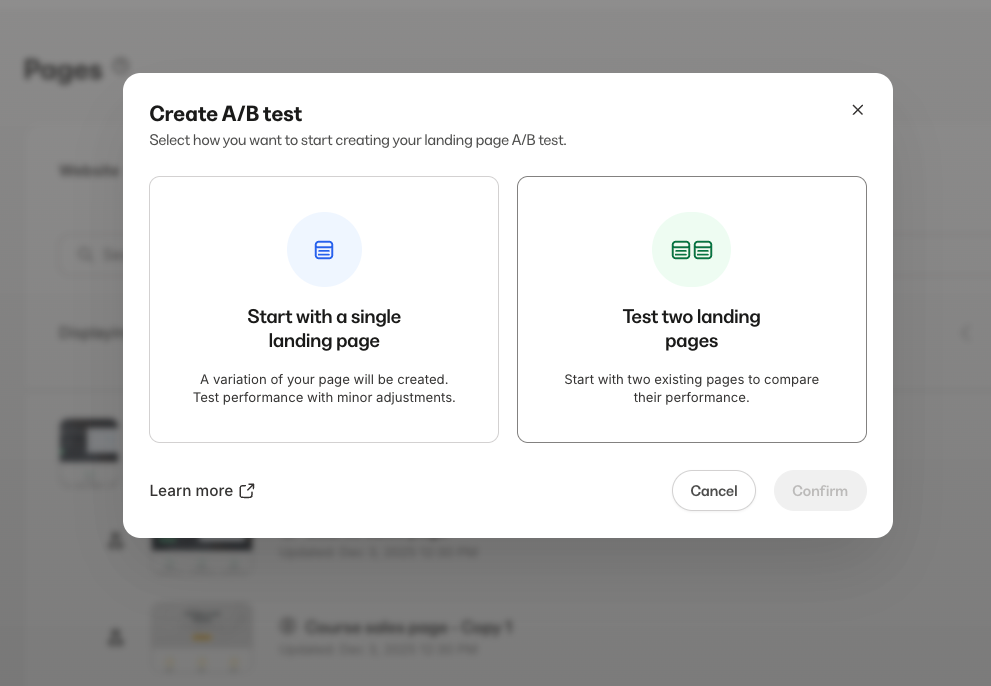
But it’s limited to page-level experiments and isn’t built directly into the funnel logic, so you can’t test entire funnel flows or customer journeys.
Meanwhile, Teachable doesn’t have a sales funnel builder.
What they have instead is a collection of isolated upsell moments built around the checkout experience.
Inside Upsell Funnels, you get 4 tools:
- Order bumps at checkout.
- Post-purchase upsells
- One-click upsells on the thank you page
- Course lesson upsells
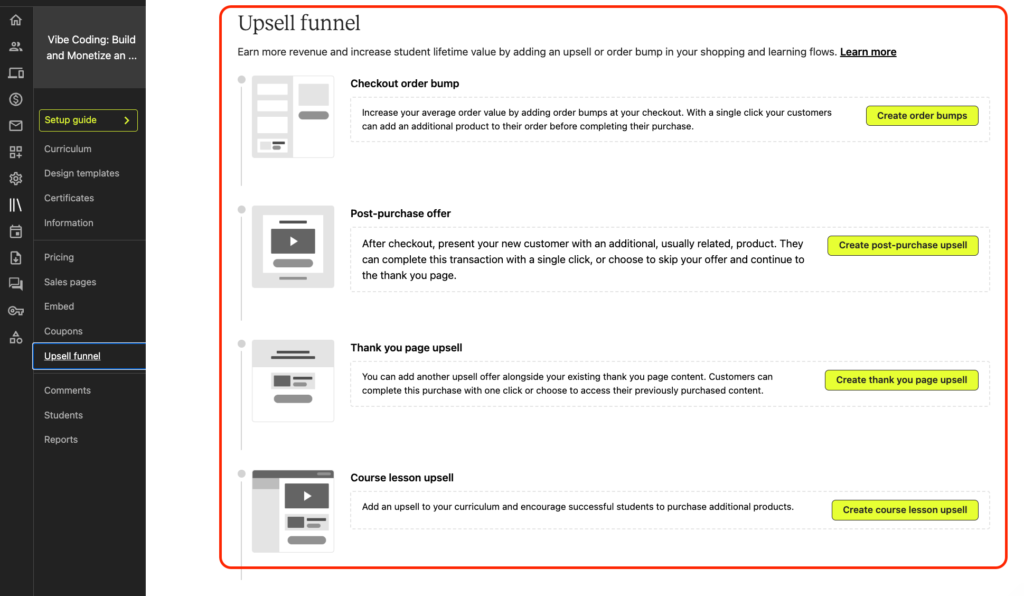
That’s the extent of Teachable’s funnel functionality. If you want to build a proper marketing funnel with an opt-in page, email sequence, sales page, and checkout, you’ll need to build each piece separately inside Teachable and link them manually..
Kajabi’s email marketing tools can replace Kit and MailerLite. With Teachable, you’ll still need them.
Kajabi gives you a full email marketing system without additional costs.
You can choose to create either email broadcasts or automated email sequences.
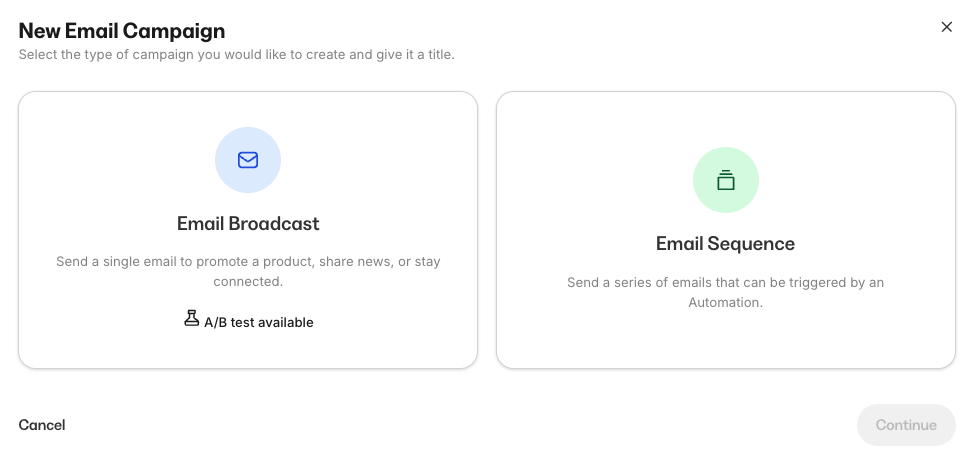
But only broadcasts come with the ability to A/B test your emails.
Speaking of automated emails: you get a simple sequence builder that allows you to trigger emails on a handful of events such as form submission, event registration, offer purchases and more.
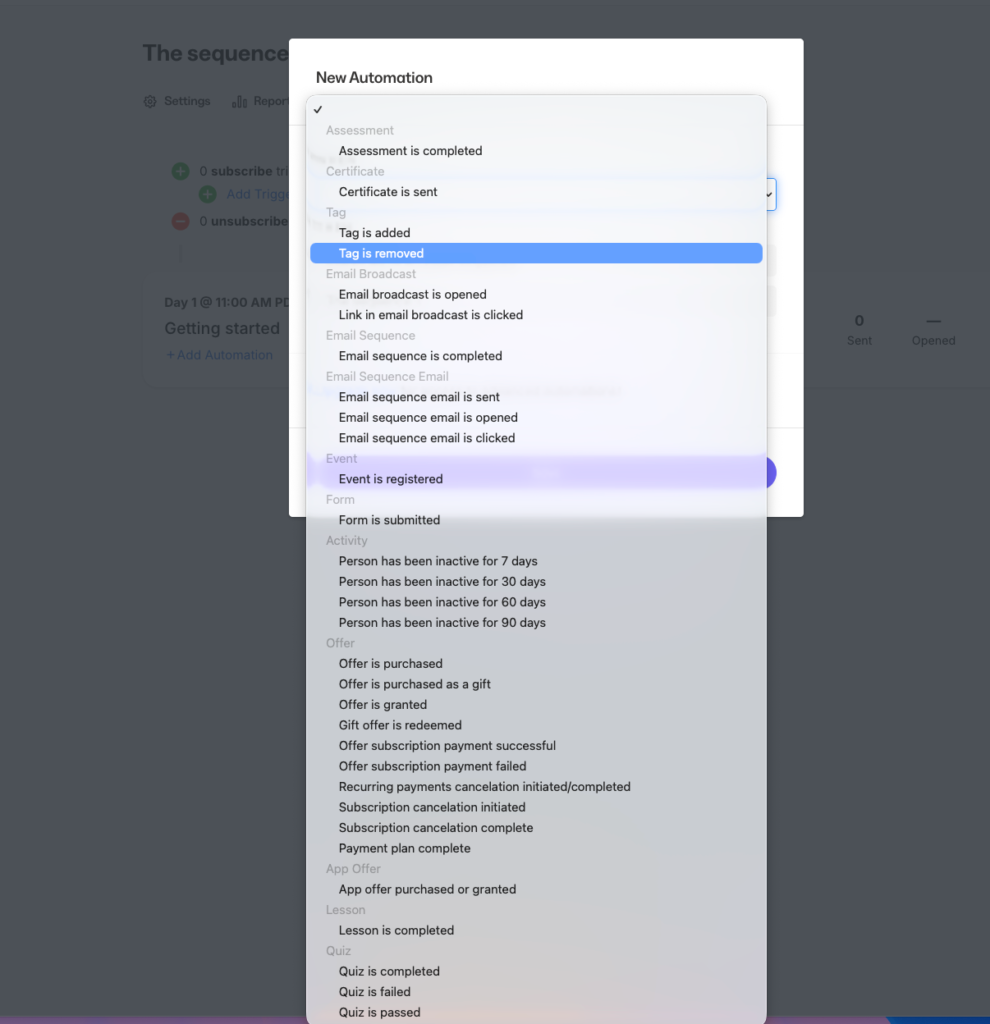
Where Kajabi separates itself from Teachable (and starts to rival dedicated tools like ActiveCampaign or Kit) is automation.
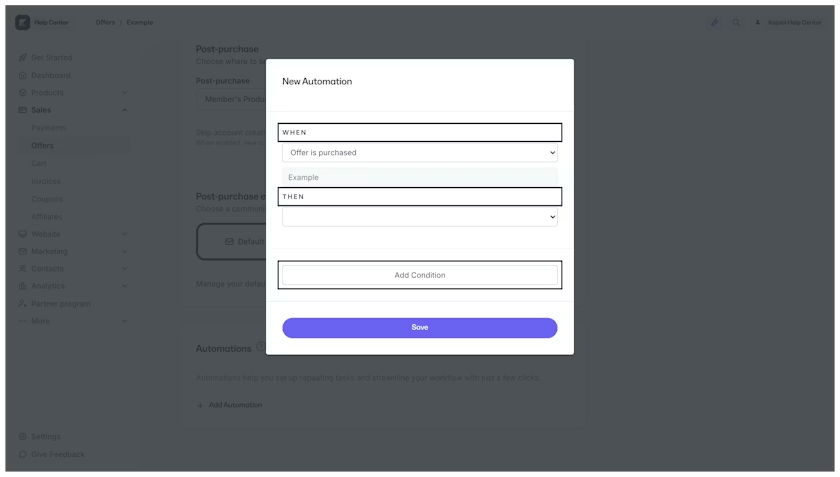
Kajabi’s system runs on “when X, then Y” logic. You can set a trigger such as (offer purchased, lesson completed, event registered), and pick an action (grant an offer, revoke access, add a tag, subscribe to a sequence, send an email).
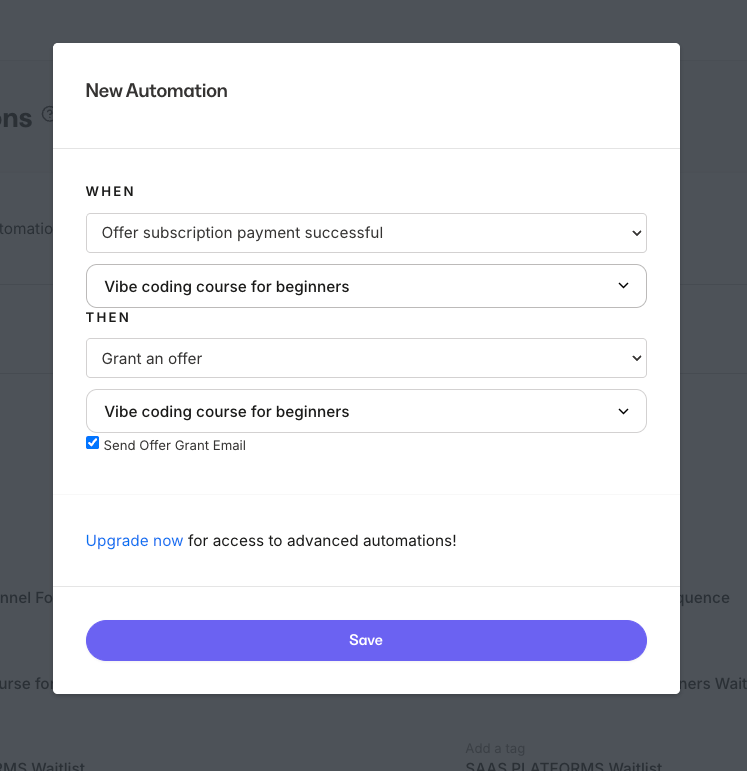
But if you’re on the Growth and Pro plans you can implement conditional filters which takes your automations a step further.
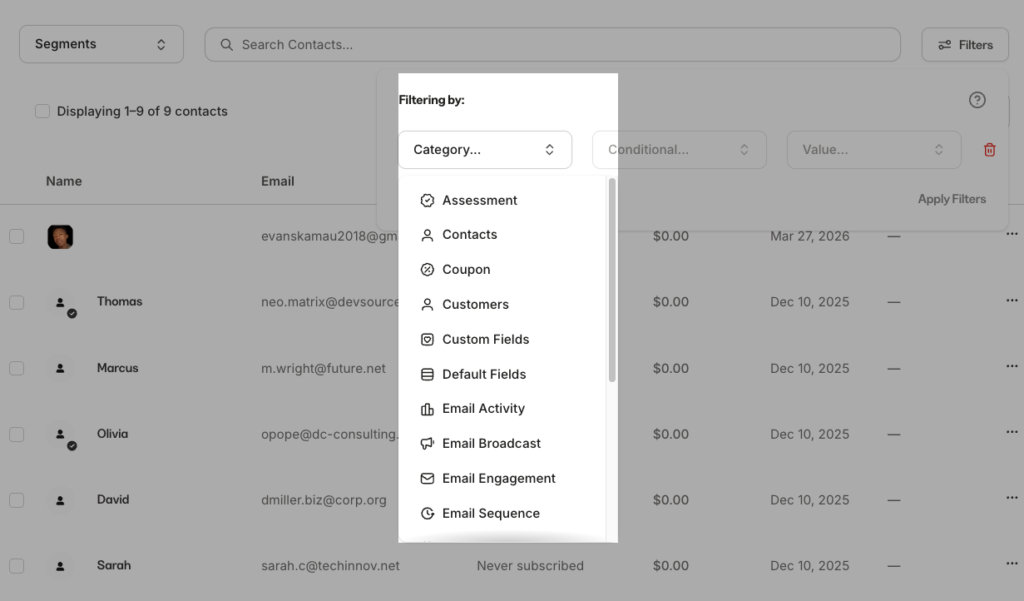
Kajabi also has a built-in contact management feature. You can add tags to organize them and filter your list using conditions or categories like custom fields, email activity, sequence name and so on.
You can further click on individual contacts to view their lifecycle, add notes and manually add them to a tag or grant them access to an offer.
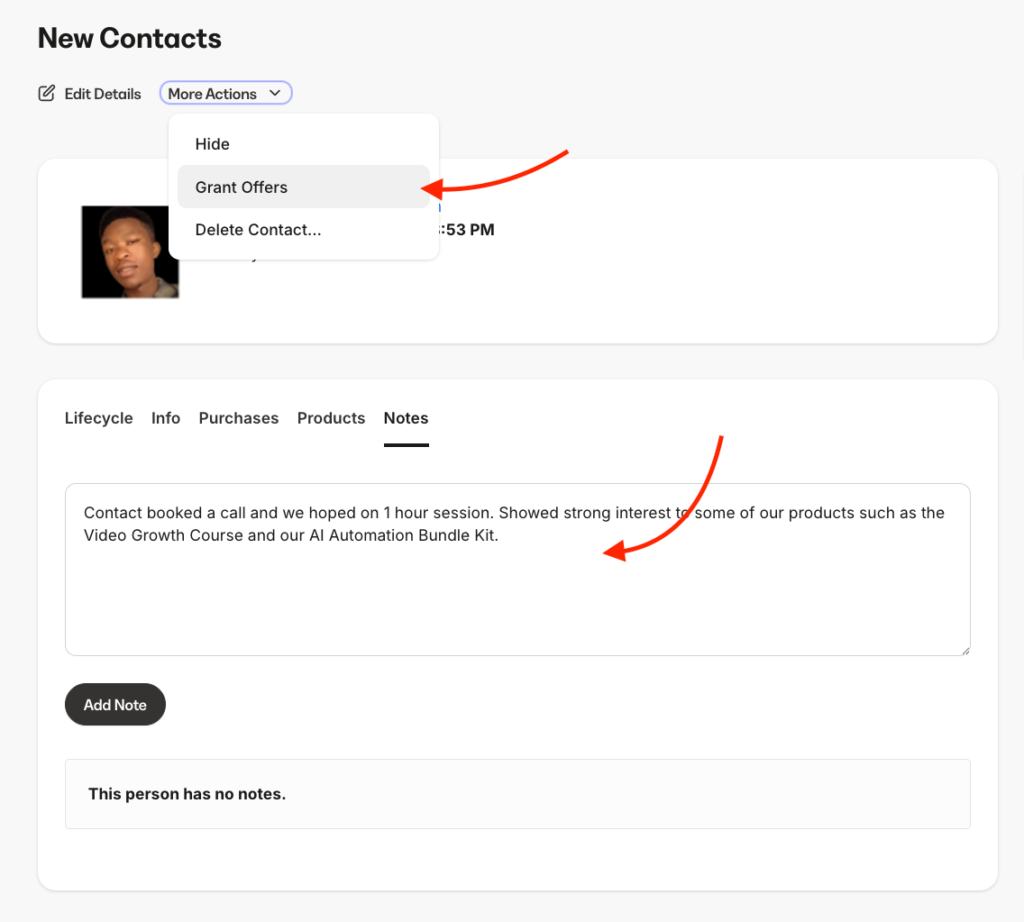
But unlike a more sophisticated CRM software like HubSpot or even one of its counterparts like Systeme lacks a pipeline management where you can view and track your leads.
Still, it’s a decent enough contact management tool for small teams and if you don’t want to pay for an external email marketing solution.
On the other hand, Teachable email tools are fairly basic. It’s limited to sending transactional emails and student communication. You can send automated emails such as cart abandonment, subscription renewal and drip content release. These run automatically when the triggering event happens.
You can edit the content, but editing means writing HTML inside Teachable’s template editor. There’s no visual email builder that lets you drag-and-drop blocks to match your branding.
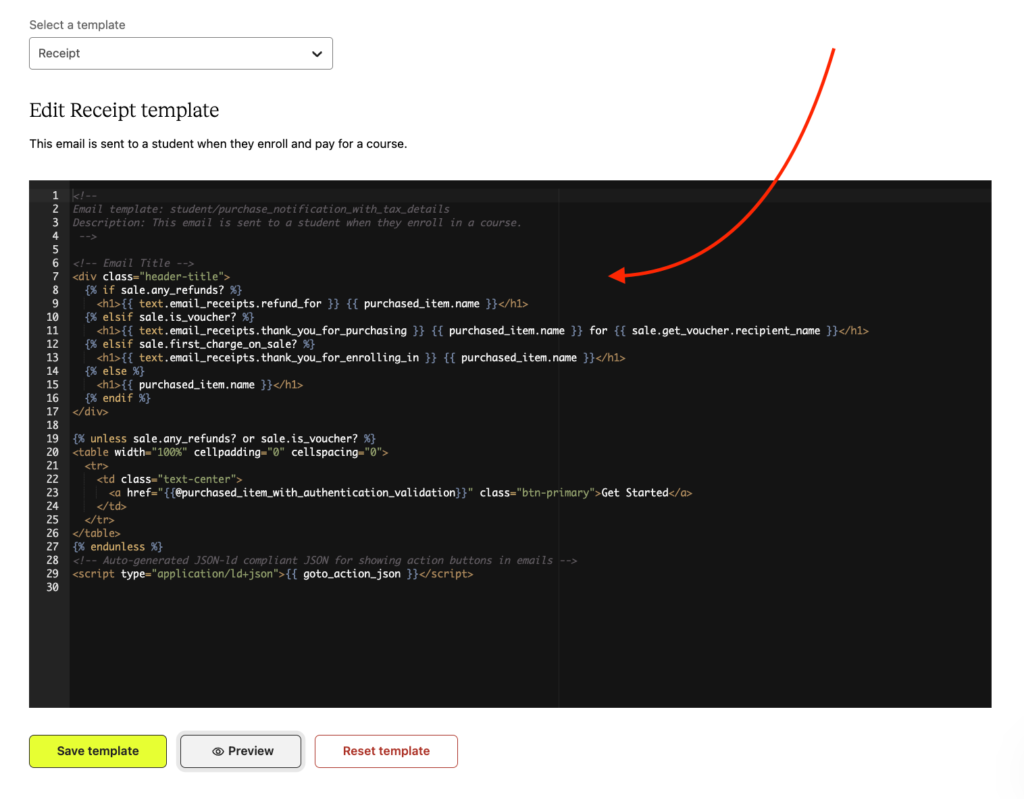
Teachable also lets you create email capture forms and embed them on your school landing pages. You can view your contacts and add a tag to organize your list. But for more sophisticated actions like adding them to a sequence or a segment will require you to integrate a standalone email marketing software like Kit or ActiveCampaign which of course will cost you extra.
Both let you natively process payments but Teachables handles global payments and tax compliance more seamlessly.
Both Kajabi and Teachable use Stripe to power their payment infrastructure.
As such, both support payment methods like:
- Card payments (credit and debit cards).
- Mobile wallets ( Apple Pay, Google Pay)
- PayPal
- Buy Now Pay Later through Klarna and Afterpay.
But teachable:pay is more diverse as it supports payments in 80 countries, including regions where Stripe isn’t directly available.
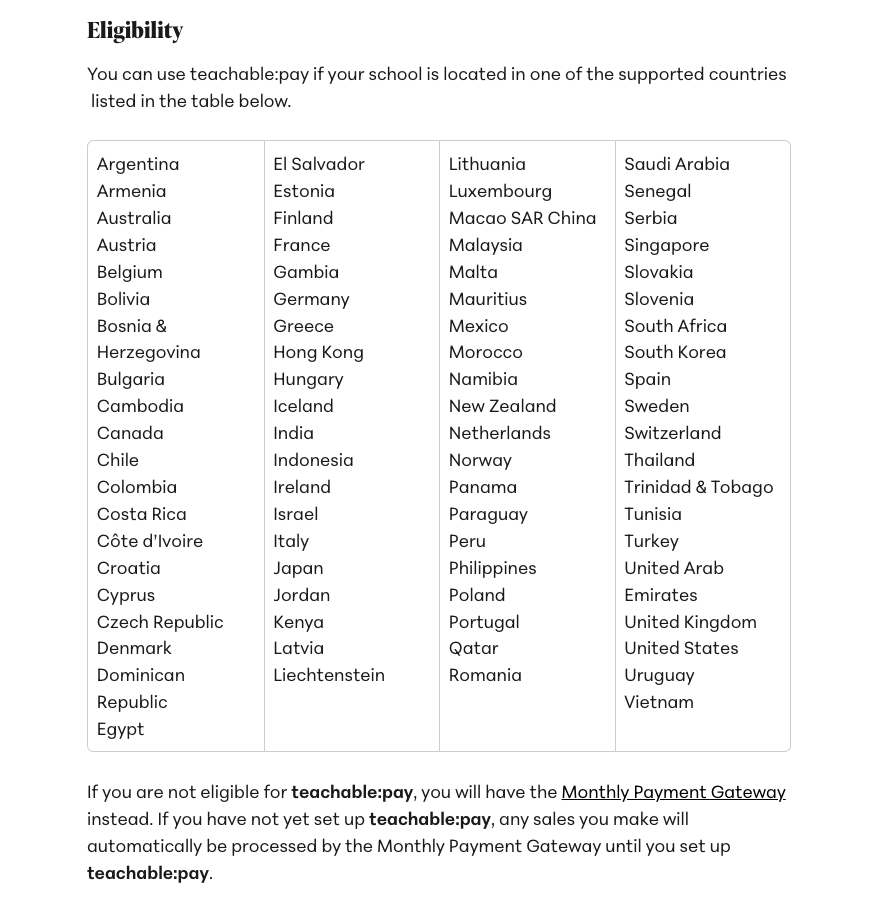
On top of that Teachable’s native payment gateway automatically calculates and remits sales tax for US transactions, EU VAT, and GST in applicable regions such as Canada and Australia.
Kajabi Payments on the other hand supports fewer countries including the US, Canada, UK, Australia, UAE and some selected EU countries.
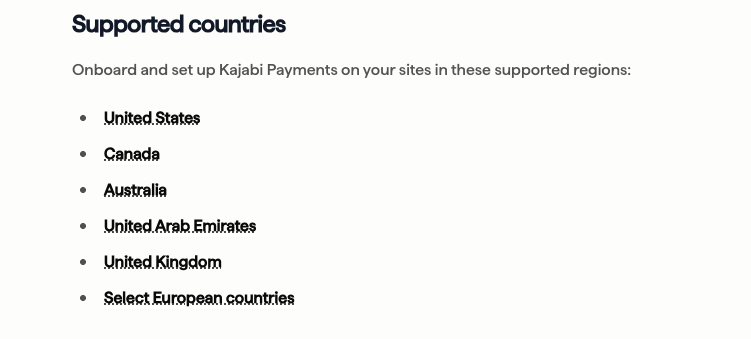
Kajabi offers tax compliance too, but only in select markets such as: the US, UK, Canada, Australia, and parts of Europe. If you’re selling outside those regions, you’ll need a third-party tool like Quaderno to calculate and remit taxes correctly.
But although both platforms’ integrated payments come with significant benefits, there are real downsides to using both Teachable:pay and Kajabi Payments.
Kajabi, for example, is notorious for locking its users into its payment processor. If you decide to move to your own Stripe account, you can connect it alongside Kajabi Payments and route new offers through it. But subscriptions already running on Kajabi Payments stay there. You can’t move that data out. Those subscribers will need to re-purchase through your new Stripe setup once their current billing cycle lapses.
Kajabi also charges an additional surcharge if you choose to use your own Stripe account instead of Kajabi Payments. On the Basic plan that’s 2% per transaction, on Growth it’s 1%, on Pro it’s 0.5%.
Teachable:pay too has its own tradeoffs. Switching to your own Stripe account is only available on the Growth plan and above.
When you do switch, payouts for transactions already processed through Teachable:pay still settle through that system. And if you’re a US-based school, Teachable charges a 2% integration fee on every transaction through your own Stripe, plus standard Stripe fees on top of that.
Kajabi’s checkout is more customizable and supports multi-product carts. Teachable’s checkout is simpler out of the box.
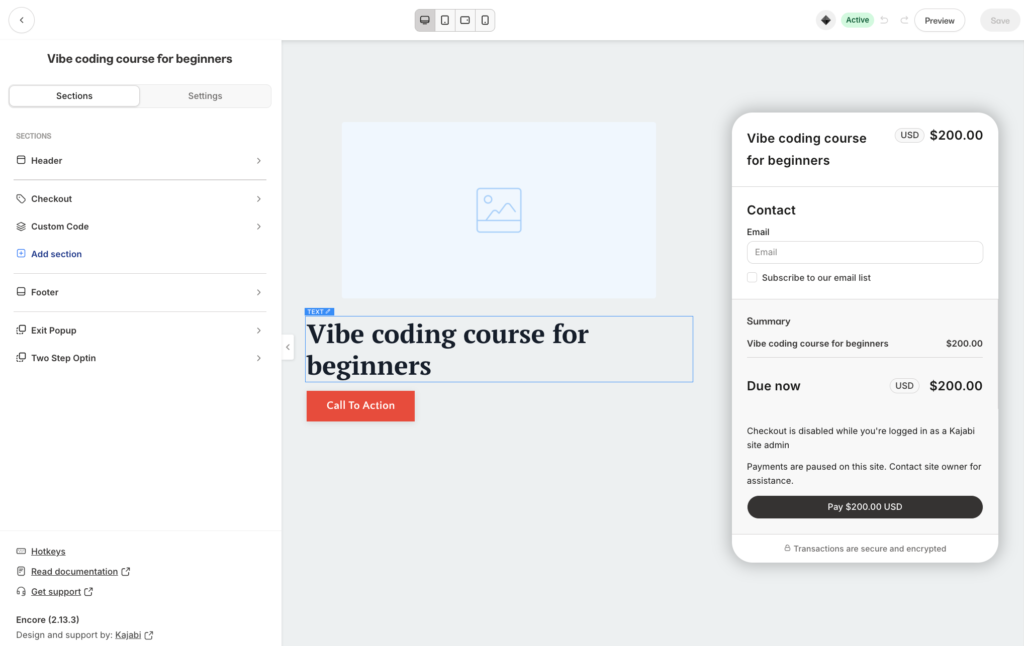
Kajabi’s checkout builder works almost exactly like its landing page builder. You get sections and content blocks like headers, footers, testimonials, countdown timers, course outlines, FAQs, and custom code. You can drop any of these onto your checkout the same way you’d build any other page on the platform.
Teachable takes a different approach. You get one checkout page per pricing option, auto-generated from your product details. You can edit a description area, add bullet points for value props, drop in testimonials, enable a money-back guarantee badge, and customize the Buy Now button text.
That’s most of the editable surface. You can’t add custom sections, rearrange the layout, drop in a countdown timer, or build anything beyond the default structure.
The default checkout does look good though. It’s clean, mobile-optimized, with the order summary pinned to the right column while the buyer fills out the left.
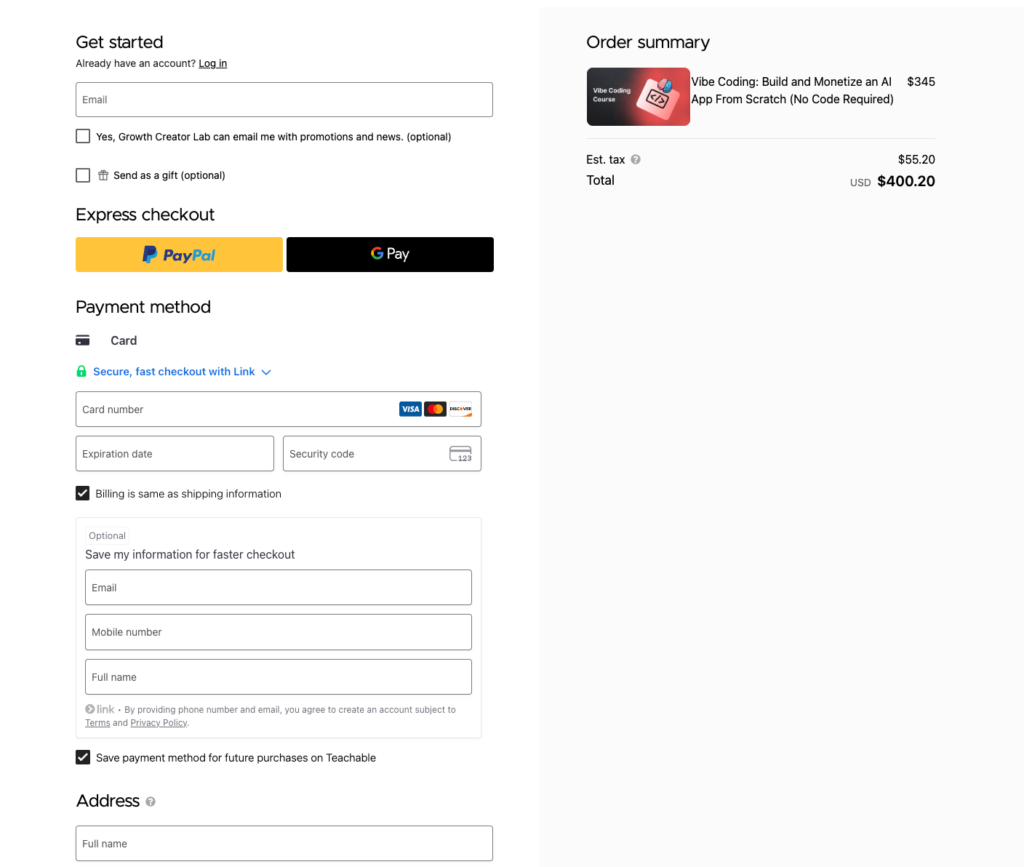
Teachable:pay also has an edge as it supports Express Checkout and Link checkouts.
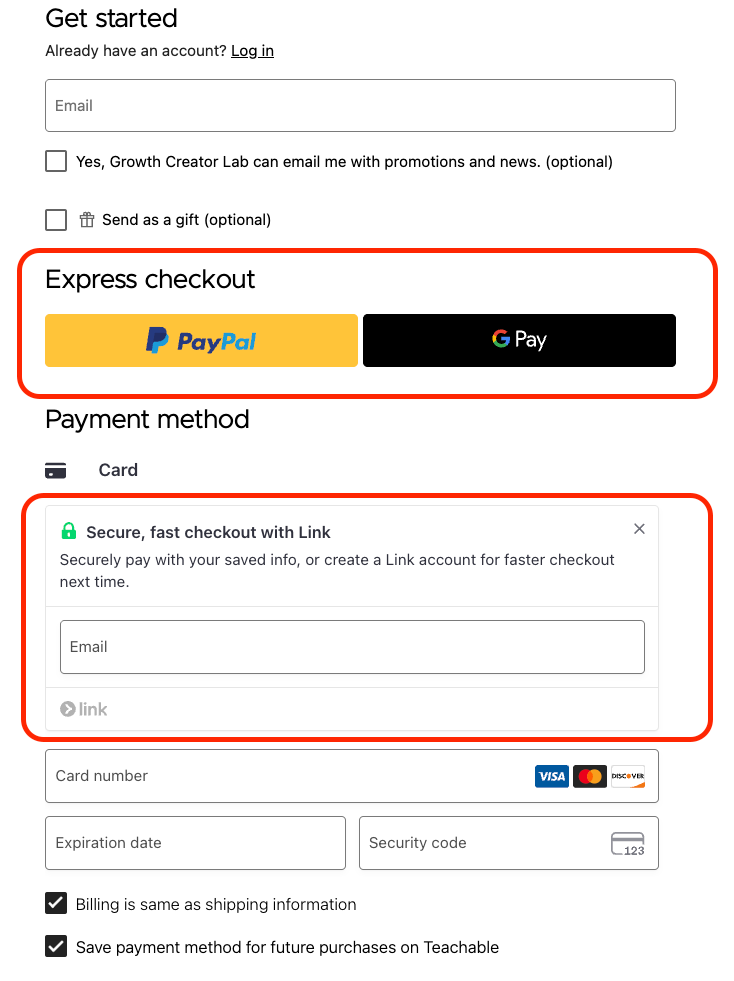
A decisive buyer can click through without entering card details or personal information.
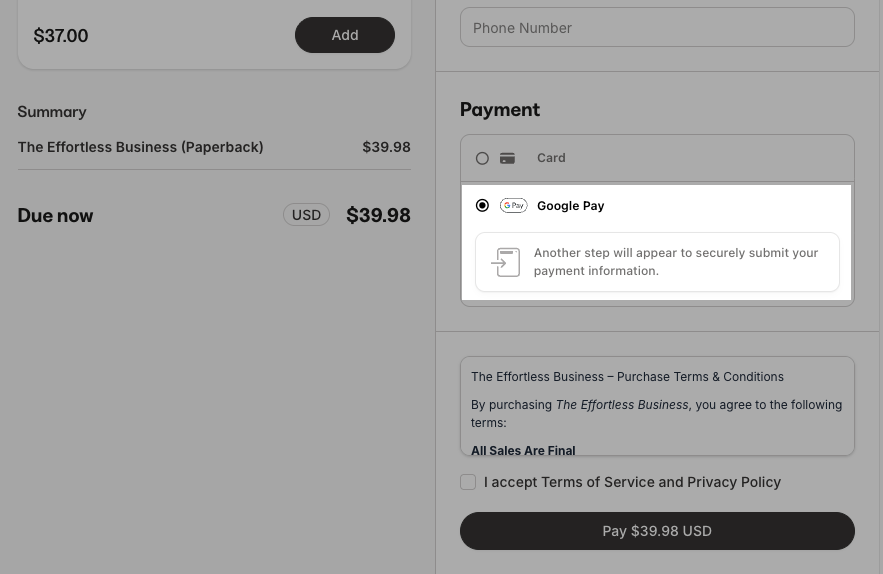
Kajabi supports the same payment methods but doesn’t have a dedicated Express Checkout row. The options sit mixed in with the rest of the payment method selector further down the page.
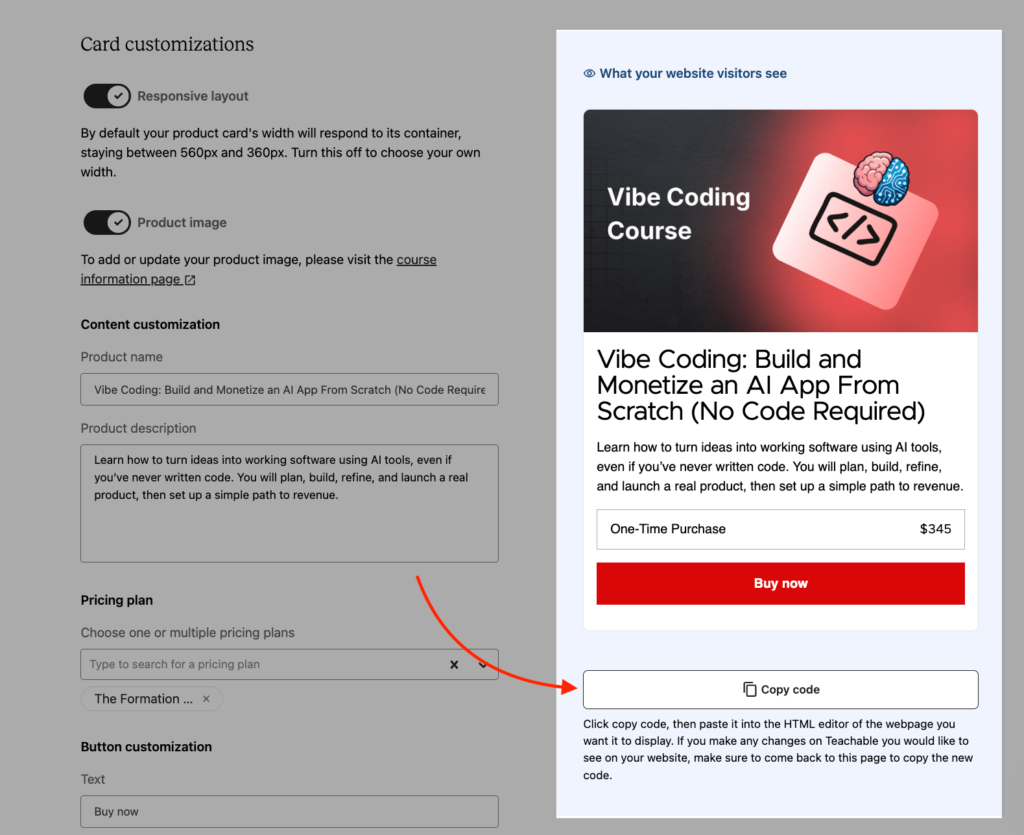
Teachable also gives you an Embed Buy Button. You add an HTML snippet onto any external website, whether that’s a WordPress blog, a Squarespace site, a Medium post, or anything that accepts HTML embeds. It renders an inline product card with your title, description, and pricing. When a buyer clicks it, they’re routed to your Teachable checkout.
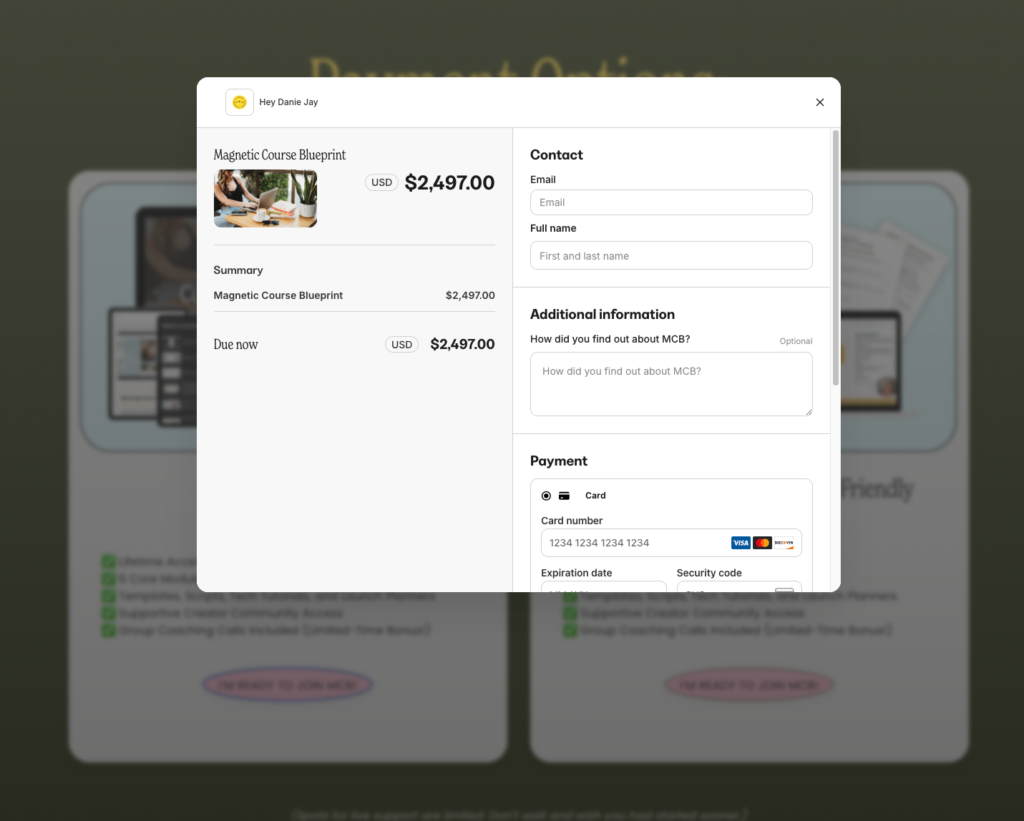
Kajabi makes up ground with Popup Checkout, which opens a modal overlay from any page without a full reload. For one-click CTAs inside an email or buy buttons on a product detail page, Popup Checkout is meaningfully faster than routing people to a separate checkout URL.
Kajabi also has a cart system that enables a multi-offer shopping cart flow where customers can add several products to a cart and pay for all of them in one transaction, like any e-commerce site.
Kajabi vs. Teachable: Pros and Cons
Kajabi pros and cons
Pros
Cons
Teachable pros and cons
Pros
Cons
Kajabi vs Teachable: Which One’s Best?
Both Kajabi and Teachable are solid course creation platforms. But not without their own shortcomings.
After spending serious time testing both, it’s clear each one wins in different areas.
Kajabi costs more upfront. But at that price, you get a complete system to build and grow your knowledge business.
And as you scale, the value compounds, especially on the Pro plan, because you’re not paying for five separate tools anymore.
On the other hand, Teachable is cheaper to get started.
You get to pick your own marketing stack instead of relying on one platform’s built-in tools.
Want Webflow for your site and Kit for email? Sure.
But over time, those standalone subscriptions quickly add up.
The all-in-one platform you avoided starts looking cheaper than the five-tool stack you assembled.
So which one should you choose?
Choose Kajabi if you:
- Want to sell products beyond courses like: communities, coaching, podcasts, and paid newsletters
- Need built-in email marketing, funnels, and automations without using 3 different external tools
- Are an established creator looking to consolidate your tech stack and spend less as you grow
- Want one platform that scales with your business
???? Explore Kajabi.com
Choose Teachable if you:
- Are building your first course and want a lower entry price while you validate your idea
- Want a clean, simple course builder that also handles digital downloads and coaching
- Already have a marketing stack you trust and don’t want to replace it
Also read how Kajabi compares with other platforms:
- Kajabi vs. Thinkific
- Kajabi vs. Kartra
- Kajabi vs. Circle
- Kajabi vs. ClickFunnels
- Kajabi vs. Skool
- Best Kajabi alternatives
Kajabi vs. Teachable: Top Alternatives
Maybe neither Kajabi nor Teachable is the right fit for you. That’s fine.
The course platform market has matured enough that you don’t have to choose exactly between two options.
Here are the platforms that I recommend over Kajabi and Teachable.
If you want structured course creation without Kajabi’s price tag or Teachable’s gaps:
Then choose LearnWorlds. It offers stronger assessment tools, unlimited courses, decent marketing tools and is affordable.
If you want better marketing and automation tools then:
Kartra is the best platform to go with. Its funnel builder and automation logic are more sophisticated than Kajabi’s. If you’re running webinar funnels, multi-step launch sequences, or complex lead nurturing flows and courses are just one piece of what you sell, Kartra fits that model better than either Kajabi or Teachable.
Systeme.io costs a fraction of what both platforms charge and bundles funnels, email marketing, and basic course hosting together. The course tools aren’t as deep, but if you’re early in your business and need the whole stack at the lowest possible cost, it gets the job done while you figure out what your business actually needs.
If community is your core product, not courses the:
Mighty Networks is one of the few software that best fit the model. Instead of courses being the main product with a community bolted on, the community is the product and learning happens inside it. If you’re running a membership business where people are paying for access to each other as much as access to your content, Mighty Networks is built for that model.
Circle.so is the most feature-complete standalone community platform available right now. It’s modern, offers strong community engagement and management features like AI agents and native automation.
