12 Best Online Course Platforms in 2026 (I Tested 30 Tools)


I spent the last 3 months testing 30 course software to find the best solutions for creators, educators, coaches and learning instuitions. And these are the best online course platforms to choose in 2026:
- FreshLearn: Best course creation tool for creators and academies.
- Kajabi: Best all-in-one digital business platform for creators and knowledge entrepreneurs.
- Circle: Best for building community-first learning experiences.
- Systeme: Most cost-effective digital business solution.
- Stan Store: The simplest solution for creators and coaches.
- LearnWorlds: Unrivalled interactivity and student assessment tools.
In this guide, I’ll show you:
- Where each platform thrives and falls short.
- How they fair when it comes to pricing and value for money.
- Which tool is right for your specific business model.
So, let’s get right into it, shall we?
Best Online Course Platforms: Executive Summary
Platform |
Bottom Line Upfront |
Pricing/mon |
|---|---|---|
Best standalone online course software for creators, educators and online coaches. Easy to use, strong assessment features and great value for money. |
$49 – $149 per month Free plan available |
|
Best solution if you want course creation, and marketing tools in one place. You can also sell other digital products like: coaching, digital newsletters and communities. |
$179 – $499 per month |
|
The premier choice for creators and businesses that want to build a community-first education brands. Unlike standard course platforms, Circle places discussions, events, and member connections at the center of the student experience. |
$129 – $219 per month |
|
The most budget-friendly, all-in-one business platform. It handles everything from email marketing and sales funnels to course hosting and affiliate management for a fraction of the cost of its competitors. |
$17 – $97 per month Free plan available |
|
The best “link-in-bio” storefront for social media creators. It eliminates the need for a complex website by allowing you to sell courses, coaching, and digital downloads directly from a single, mobile-optimized link. |
$29 – $99 per month |
|
A high-end, interactive LMS for professional educators. It stands out for its advanced course player which allows for interactive videos, synchronized transcripts, and high-level student assessments. |
$29 – $299 per month |
My Detailed Review of The Best Online Course Creation Tools

In this section, I will provide my personal review of each course platform. I’ll show you what each platform does best, and where it falls short. I’ll also compare them with their competitors to explain their value for money and what you can expect if you choose them.
#1: FreshLearn
Best online course platform for simplicity and value for money.
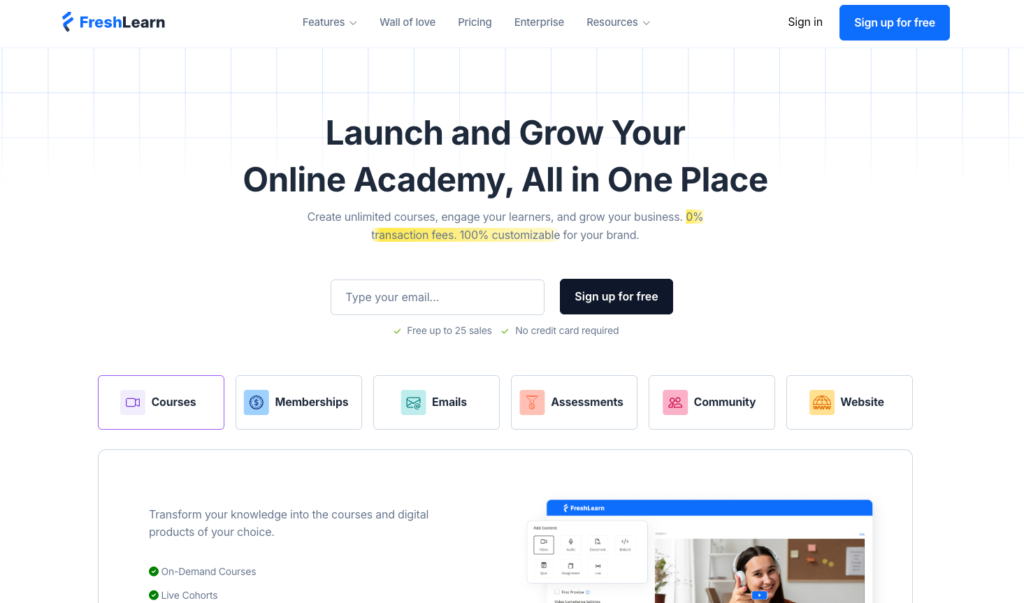
FreshLearn is the best online course building platform if you want professional-grade education tools without the complex interfaces and enterprise price tag.
The platform is easy to use, with a clean, and uncluttered dashboard…
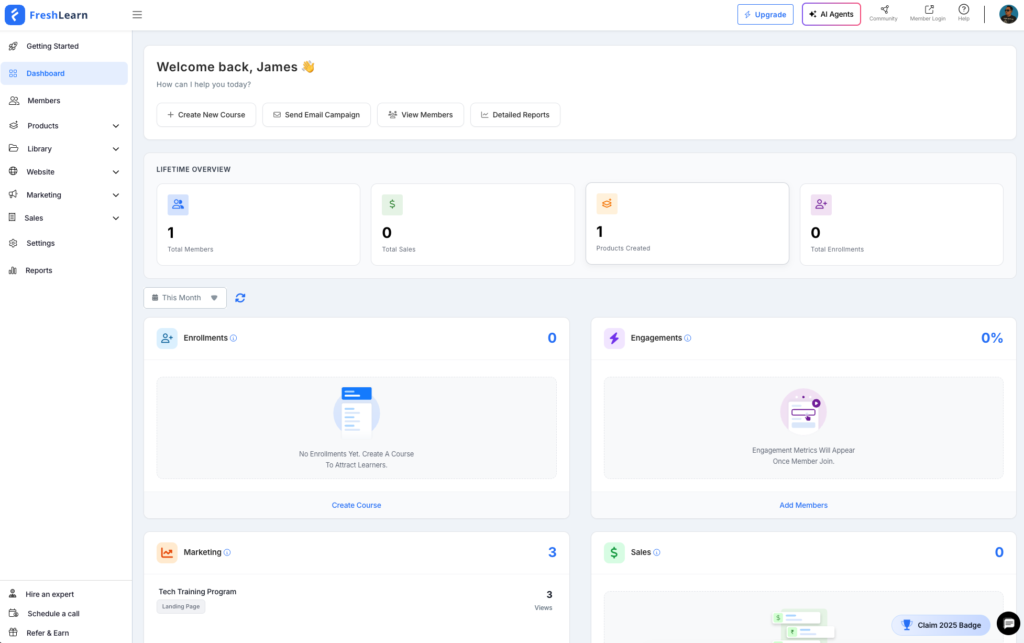
…and has affordable plans with no limit on the number of courses or digital products you can host.
With FreshLearn, you can create everything from simple self-paced courses to high-stakes professional training programs. For self-paced courses, you can natively host video lessons or embed content from third-party platforms like Wistia, Vimeo, and YouTube.
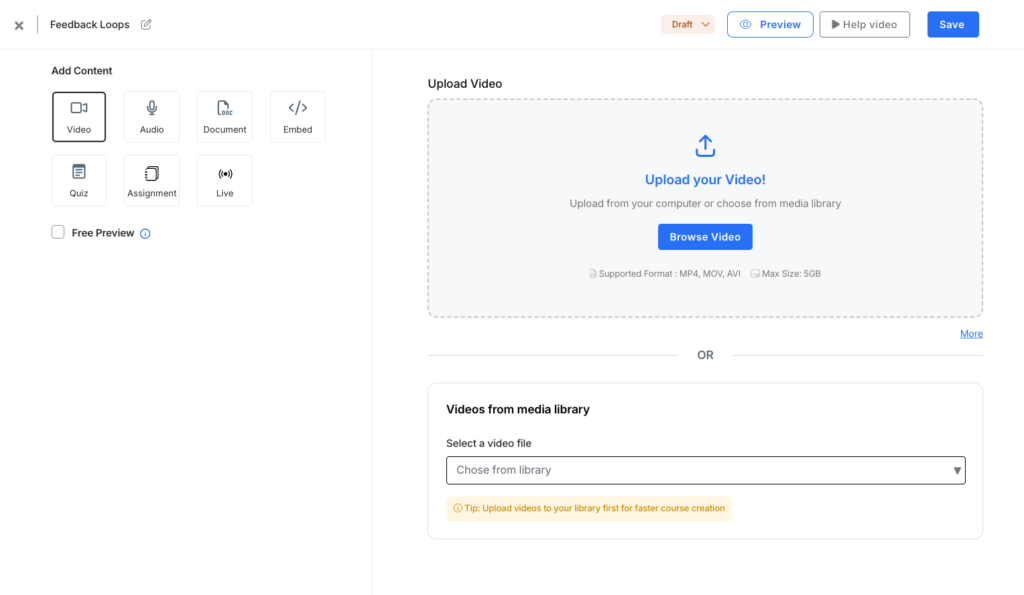
It also includes a robust content library that lets you organize media assets, assessments, and reusable question banks.

For professional training programs, FreshLearn supports SCORM standards, enabling detailed learner tracking that meets the requirements of corporate clients and government agencies.
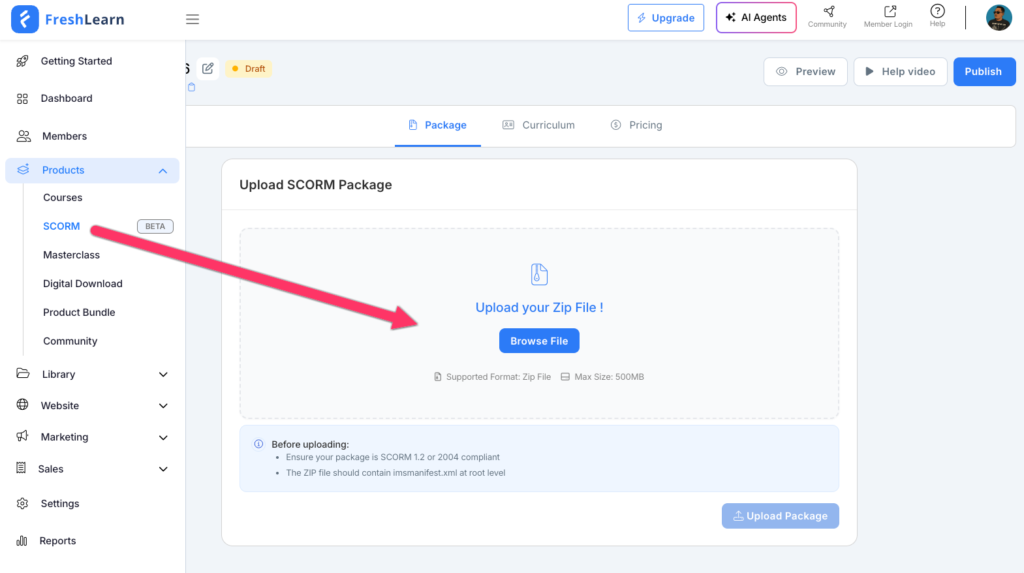
This level of compliance is rarely available at FreshLearn’s price point and is typically limited to enterprise LMS platforms like Docebo or iSpring, which can cost thousands of dollars per year.
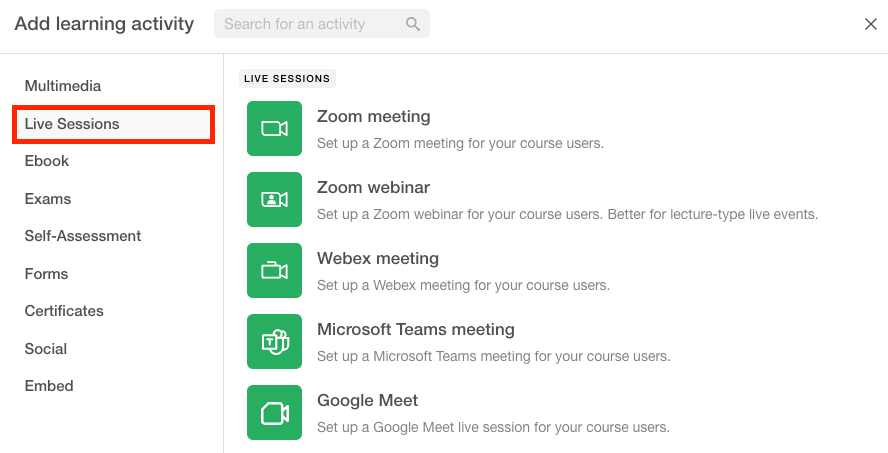
To boost learner engagement, FreshLearn offers live sessions through Zoom integrations, gamification features, and a built-in community forum.

However, compared to platforms like Kajabi or Circle.so, the community builder is fairly basic with limited branding options, organization, member managent, and moderation tools.
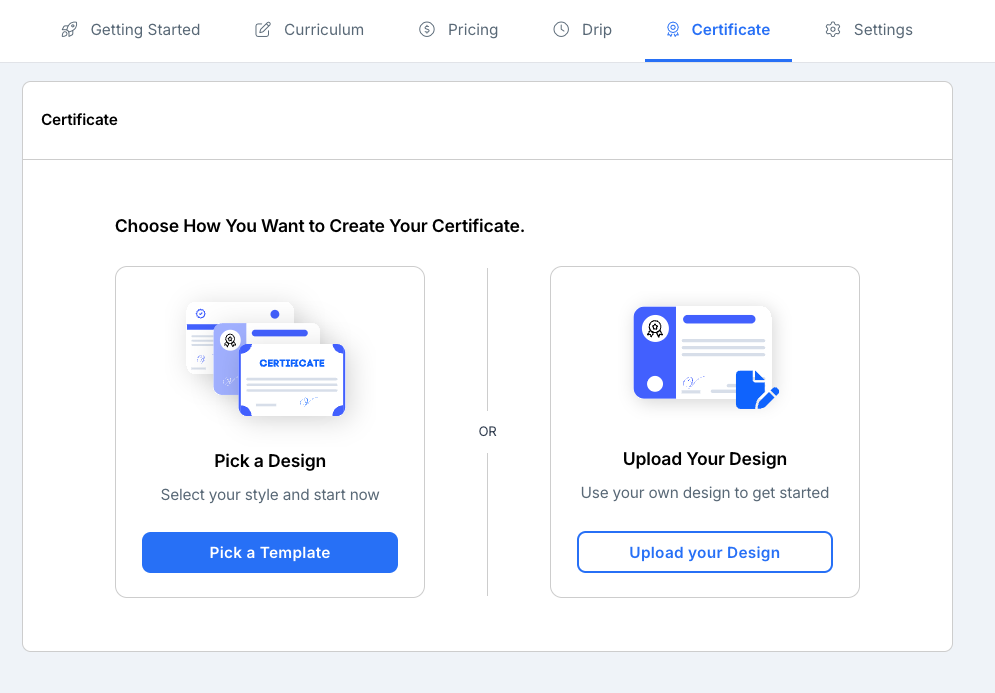
You can assess learners through quizzes and assignments, and upon completion, issue branded certificates of completion.
Beyond courses, FreshLearn allows you to sell a variety of digital products, including:
- Masterclasses with fixed start and end dates,
- Live classes,
- Digital downloads (PDFs, ebooks, templates),
- Video playlists,
- Community memberships,
Key FreshLearn Features
- Diverse education delivery models: FreshLearn supports various learning formats beyond standard video courses. You can launch live cohorts (requires Zoom integration), host masterclasses, or curate on-demand video playlists in a Netflix-style library for subscription models. To guide the learner’s journey, you can drip-feed content by locking modules until specific dates or until students complete required assignments and quizzes.
- Product bundling: FreshLearn allows you to group courses, masterclasses, community access, and digital downloads into a single package. This strategy increases your average order value and provides a frictionless checkout experience for students who want comprehensive access to your expertise.
- Advanced student assessments: FreshLearn offers more robust assessment tools than competitors like Teachable or Thinkific. You can create quizzes and assignments that incorporate multimedia content, such as video and audio prompts, to accommodate diverse learning styles. For high-stakes certification programs, built-in security features like randomized question banks and limited attempt settings ensure academic integrity.
- Comprehensive library: The platform serves as a unified repository for all your educational assets. You can store videos, documents, and question banks in one location, making it simple to reuse assessments and assignments across different programs. For large-scale setups, you can bulk upload quizzes via CSV files directly into your question bank.
- Detailed analytics and reporting: FreshLearn provides 17 pre-made reports that track business and student performance. These cover revenue, enrollment by product, student progress, and learner feedback. You can also analyze deep engagement metrics, such as session durations, video drop-off points, and form submissions, to identify exactly where students lose interest.
- SCORM Compliance: FreshLearn supports industry-standard SCORM content. This allows you to migrate high-quality, interactive modules created in external authoring tools like Articulate Storyline or Adobe Captivate without losing functionality or tracking capabilities.
- Engagement and gamification: To combat low completion rates, FreshLearn includes a native community tool for peer-to-peer discussions, eliminating the need for external groups on Facebook or Slack. While specialized platforms like Circle or Mighty Networks offer deeper community features, FreshLearn’s built-in option keeps the experience centralized. You can further motivate students through gamification, awarding points and badges for hitting specific milestones or finishing courses.
FreshLearn Pricing
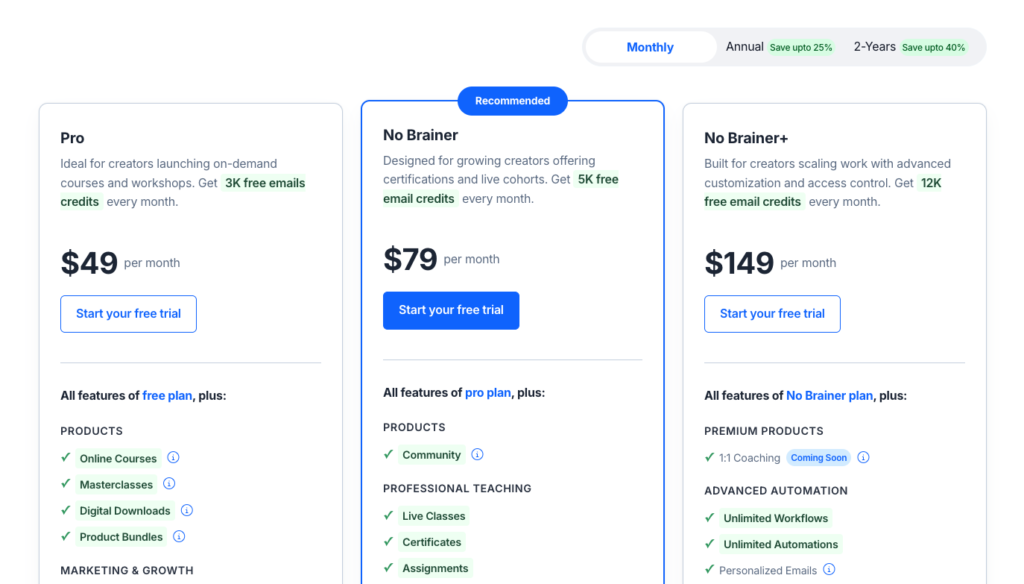
FreshLearn is significantly more affordable than many of its competitors like Kajabi. Unlike many other platforms, it allows you to create unlimited products on every paid plan and charges 0% transaction fees (minus standard payment processor fees like Stripe or PayPal) on your sales.
Below are FreshLearn paid tiers:
- Pro: $49 per month.
- No Brainer: $79 per month
- No Brainer+: $149 per month
- Enterprise: $249 per month
Note: FreshLearn also offers a Free plan (with a 10% transaction fee) and discounted rates for annual billing.
FreshLearn Pros and Cons
Pros
Cons
Bottom Line: FreshLearn delivers high-end education tools that rival comprehensive LMS platforms without the high price tag. It is easy to use, affordable, and imposes no product limits or transaction fees. It is the best choice for solo educators, coaches, and small businesses who want an intuitive, and cost-effective solution to run professional online learning programs.
#2: Kajabi
Best all-in-one online course and coaching platform with robust sales & marketing features.
Kajabi is the best choice if you want a course building platform with tools that let you grow and scale your education business. While standalone platforms like Teachable and FreshLearn focus primarily on course delivery, Kajabi has built-in well-polished sales and marketing tools.
You can build end-to-end sales funnels, full-blown websites, launch automated email workflows and create high-conversion checkout pages.
Because Kajabi serves as an all-in-one platform, you can eliminate third-party apps for email marketing, website building, sales funnel builders, automations and payments. This consolidation simplifies your tech stack and reduces costs, as purchasing these tools individually is expensive.
Kajabi course creation is its bread and butter. But it also supports other digital product types such as coaching, downloads, memberships, newsletters, and podcasts, allowing you to diversify your offerings.
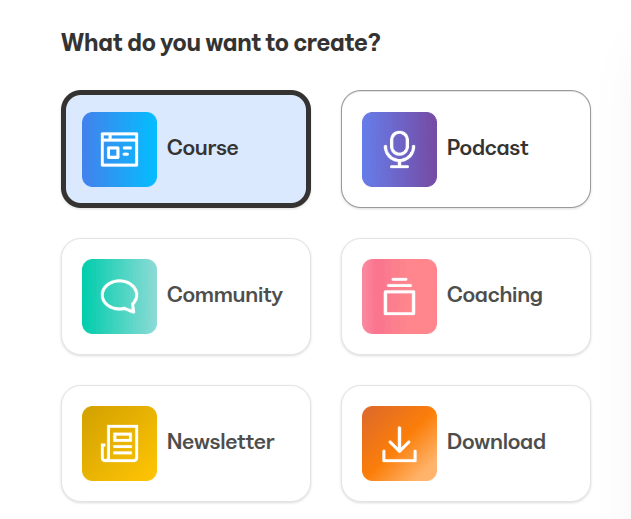
When building a course, you can choose between evergreen courses or cohort-based models.
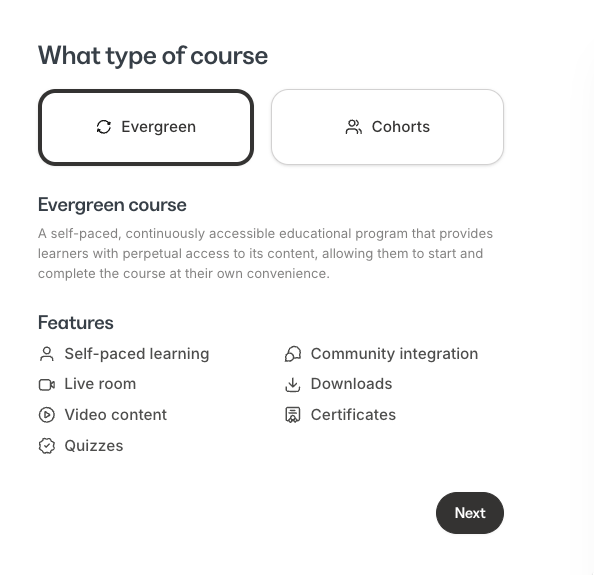
Evergreen courses are self-paced programs where learners access content perpetually and proceed at their own speed.
Meanwhile, cohorts allow a group of learners to move through materials together on a predetermined schedule. This format fosters community and accountability, though cohort-based courses are restricted to the Growth and Pro plans.
Since self-paced learning is a core feature, Kajabi provides native video hosting and supports audio, text, and downloadable supplements like ebooks or templates. You can schedule you modules to be available at a specific date or drip-feed them so as to release your materials at a more manageable pace.

To track progress, you can add quizzes that support various submissions like multiple choice, checkboxes, short answers and file uploads.
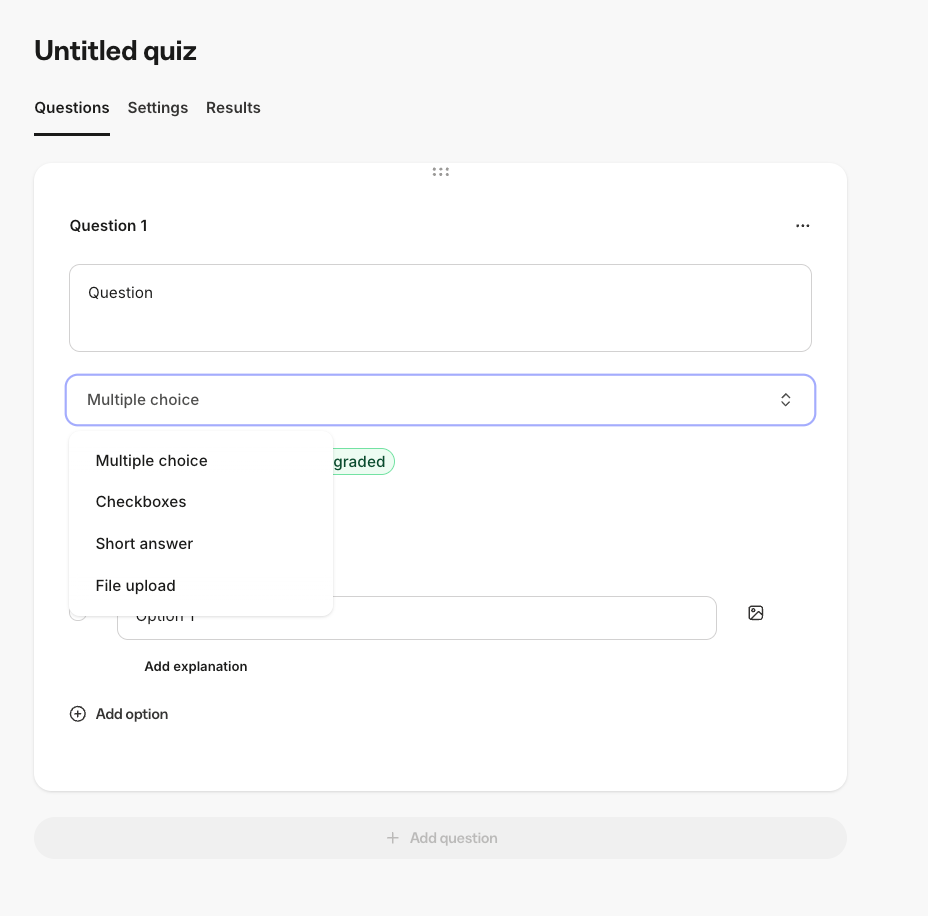
And also create assessments which can come in handy in creating standardized tests, questionnaires, and surveys that provide insight on your students’ learning experience.
However, Kajabi’s assessment and pedagogy tools are intentionally lightweight. It does not support randomized question banks, advanced grading logic, native assignment submissions, or robust gradebooks found in education-focused platforms like LearnWorlds or FreshLearn. As a result, it is not well suited for programs that require formal academic evaluation, compliance-driven training, or complex learner performance analysis.
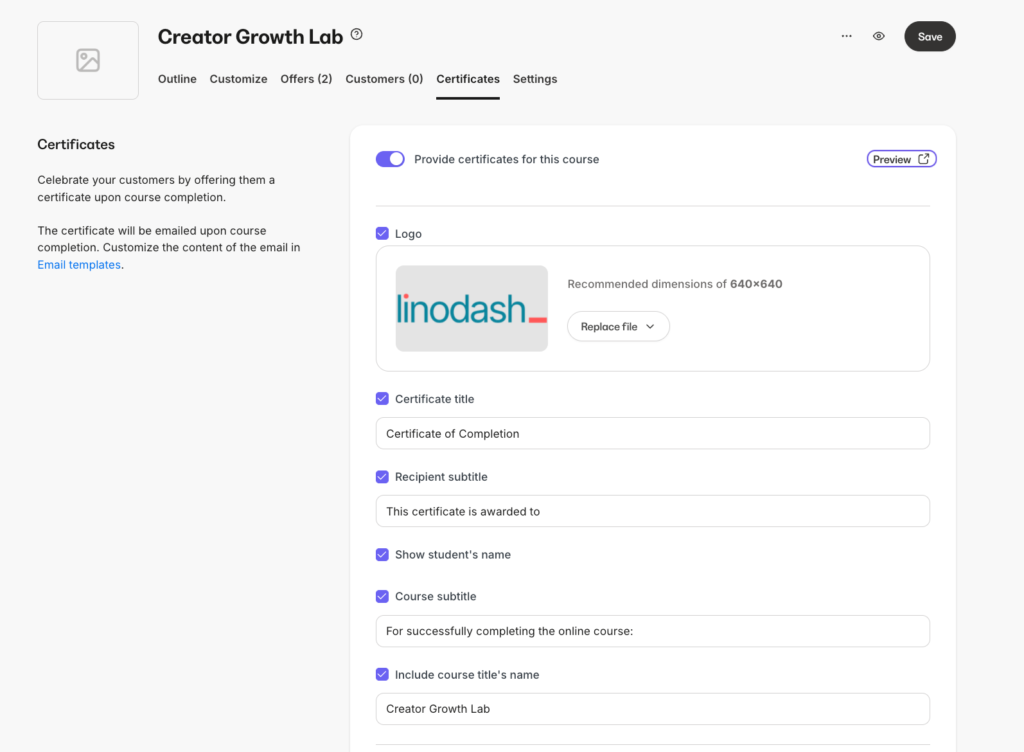
Once a student completes the course you can issue a branded certificate to acknowledge their achievement.
Aside from hosting prerecorded video, Kajabi also lets you add live lessons into your course curriculum.
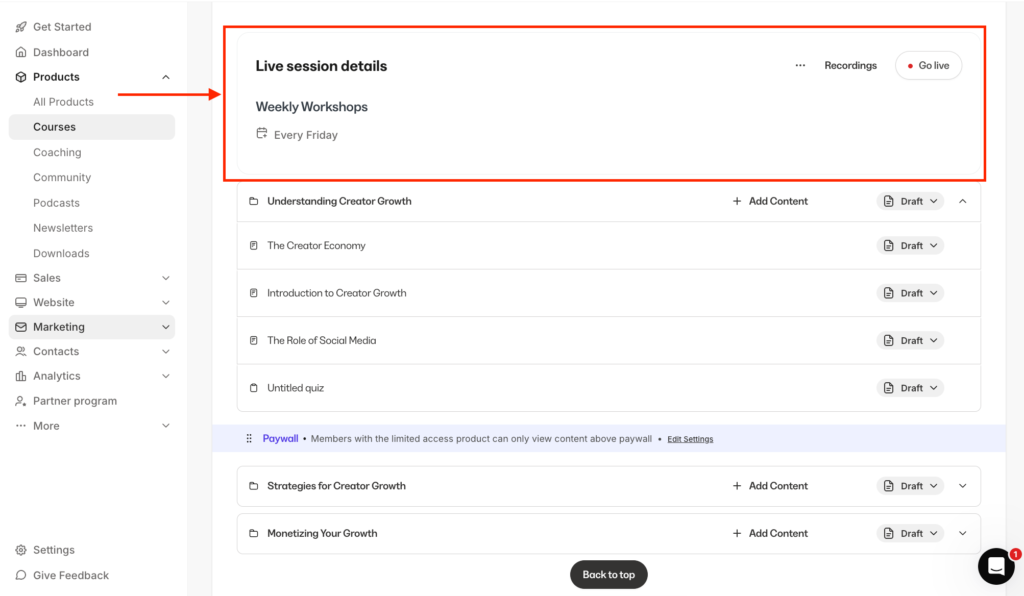
But unlike FreshLearn, Thinkific and Teachable, which rely on Zoom integrations, Kajabi has a built-in livestreaming tool for up to 200 participants.
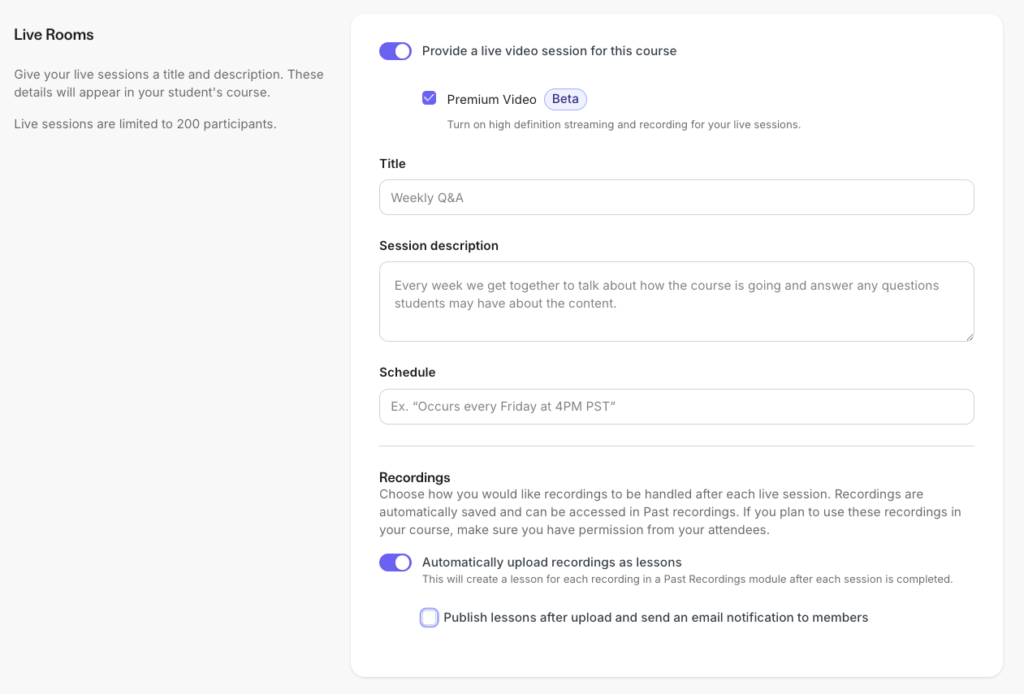
You can record these sessions and have them automatically uploaded to your curriculum, removing the hassle of manual file management.
Once your content is ready, you can preview lessons to see exactly what students see. The course player is intuitive and sleek, featuring a prominent video player and a right sidebar with individual lessons and modules.
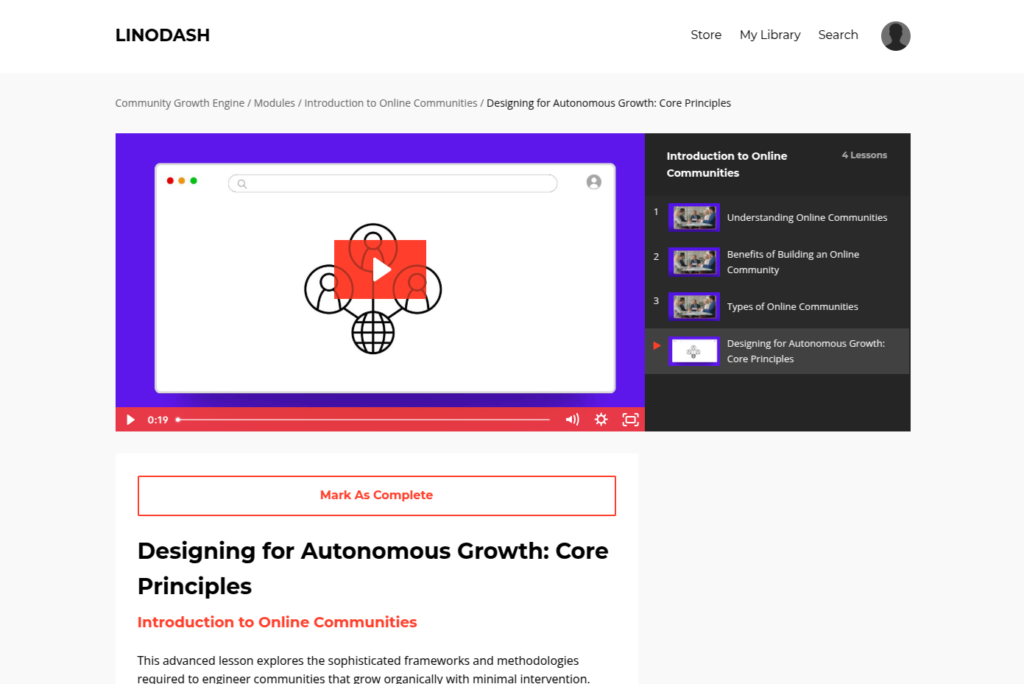
Many course creation tools I’ve come across offer limited design flexibility for your course player.
But Kajabi provides 7 player templates that you can customize to match your branding.

Kajabi Features
- Course Creation: The platform allows you to structure content into modules, sub-modules, and lessons. You can host videos natively without needing external accounts like Vimeo or Wistia, and you can include downloads, text, and audio directly within your curriculum. The course player features auto-generated transcriptions and translations to improve accessibility for your students. You can evaluate students through quizzes and formal assessments, monitor their progress, and automatically issue certificates upon completion. The system supports both self-paced learning and scheduled, cohort-based delivery.
- Integrated coaching and live rooms: Unlike platforms that require a separate Zoom or Calendly link, Kajabi includes a dedicated coaching tool. You can schedule 1-on-1 or group sessions, track progress with collaborative notes, and process payments within the same interface.
- Funnel blueprints: These are pre-built sales funnels that connect your landing pages, email sequences, and checkouts. You can launch a webinar funnel or a product launch funnel with one click, and the platform automatically maps out every step for you.
- Advanced email marketing and automations: Kajabi replaces the need for dedicated email marketing software like Kit with built-in email broadcasts and sequences. The “when-then” automation system allows you to create triggers based on user behavior—for example, if a student completes a lesson, then automatically sends them a congratulatory email with completion certificate download link.
- Native community platform: You can add a community into your learning programs to engage students and encourage peer-to-peer learning instead of creating separate Facebook groups or Slack. The community building tool includes features like real-time chats, topic-based feeds, live meetups with a calendar view, and member challenges.
- Branded mobile app: Your students can access your content through the Kajabi mobile app (iOS and Android) at no extra cost. Higher-tier plans allow for a “white-label” experience where the app reflects your own branding in the app stores.
- Affiliate management system: Turn your successful students into a sales force. This feature manages affiliate registrations, tracks conversions via unique links or coupons, and provides a dashboard for your partners to see their earned commissions.
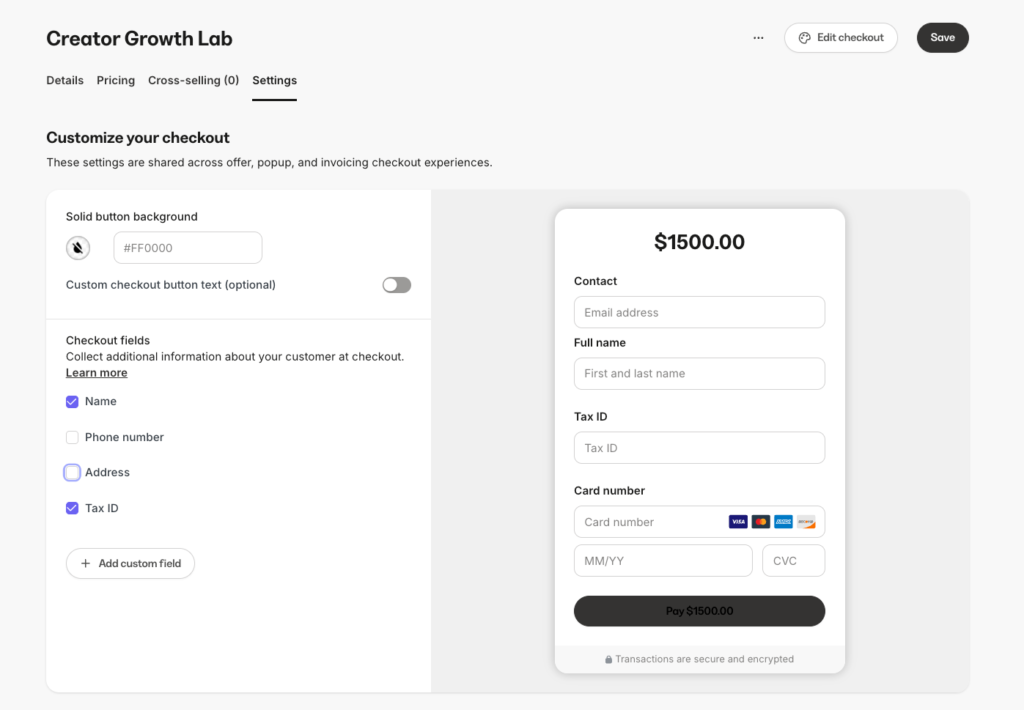
- Comprehensive checkout tools: Kajabi eliminates the need for third-party carts with its native checkout suite. Using its Enhanced Checkout builder you can design your payment pages the way you want by adding more field forms, social proof and FAQs directly. You can increase the average order value by adding one-click upsells, downsells, and order bumps to the payment page. The system also handles sales tax calculations, abandoned cart recovery, and mobile payment options like Apple Pay.
Kajabi Pricing
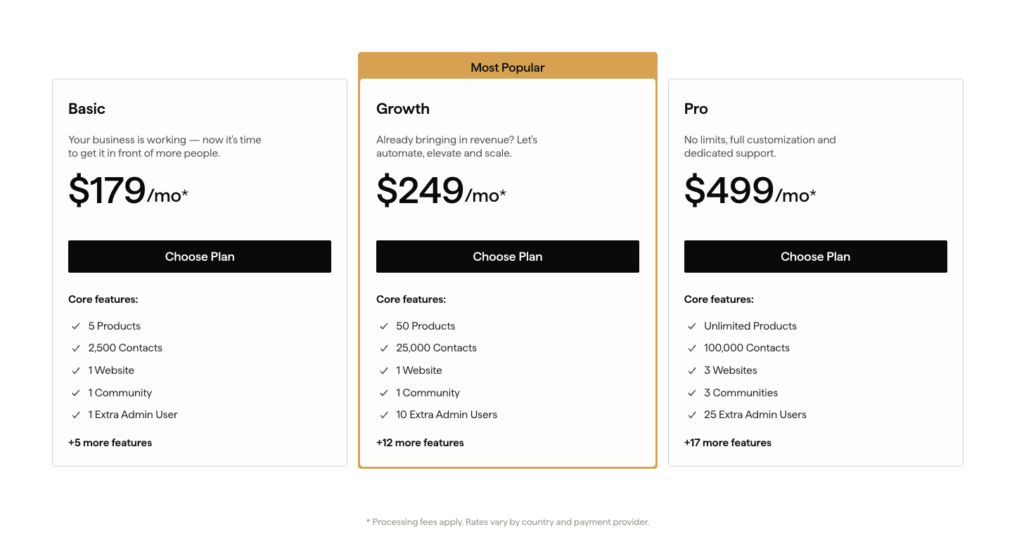
Kajabi is a premium investment, but its comprehensive toolset justifies the price point. While platforms like Thinkific, Teachable, or FreshLearn claim to provide all-in-one solutions, their marketing tools often lack the depth of Kajabi’s native functionality. Using Kajabi eliminates the need for separate subscriptions for email marketing, visual automations, website building, and sales funnels, creating a frictionless ecosystem for your business.
Pricing tiers limit you based on the number of products, contacts, and admin users you need. Below is a simple breakdown:
| Basic | Growth | Pro | |
| Monthly Price | $179 | $249 | $499 |
| Annual Price (Avg/mo) | $143 | $199 | $399 |
| Products | 5 | 50 | Unlimited |
| Contacts | 2,500 | 25,000 | 100,000 |
| Websites | 1 | 1 | 3 |
| Admin Users | 1 Extra | 10 Extra | 25 Extra |
Kajabi also applies transaction fees based on your selected payment processor and subscription plan.
| Fee Category | Basic Plan | Growth Plan | Pro Plan |
| Kajabi Payments Rate | 2.9% + $0.30 | 2.8% + $0.30 | 2.7% + $0.30 |
| 3rd Party Provider Fee | 2.0% | 1.0% | 0.5% |
Kajabi Pros and Cons
Pros
Cons
Bottom Line: Kajabi excels at business-driven learning products like creator-led courses, coaching, memberships, and masterminds, but it’s not designed for academically rigorous or compliance-heavy training. It’s the best solution if you want an all-in-one platform that combines course creation with powerful built-in sales and marketing tools.
You can (test Kajabi for 30 days at no cost) or read my (in-depth Kajabi review) to see if it fits your business model. If you are still deciding, see how it stacks up in my direct comparisons: (Kajabi vs Kartra), (Kajabi vs Thinkific), or (Kajabi vs Circle).
#3: Circle.so
Best for building community-based online learning experiences.
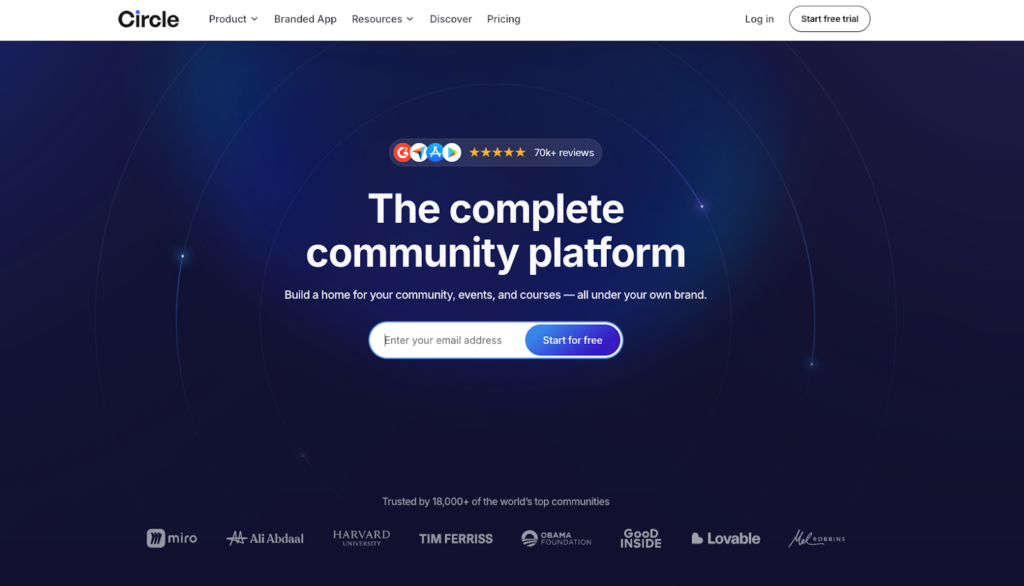
Circle is the best software for building courses and communities in one place. It lets you set up private online spaces for your learning programs where you can engage your students through discussion boards, group chats, and live events without needing to integrate third-party apps like Thinkific for course creation or Discord for communities.
Of all the community building tools I tested, few came close to Circle when it comes community-powered learning and operational growth. It features:
- An intuitive course builder that lets you natively host your materials and assess learners with quizzes.
- Built-in livestreaming tools to host interactive live workshops or 1:1 sessions.
- AI-filters to simplify moderation.
- Spaces that let you organize your community content and discussions into separate sections.
- Access Groups to bundle access management and offer tiered membership
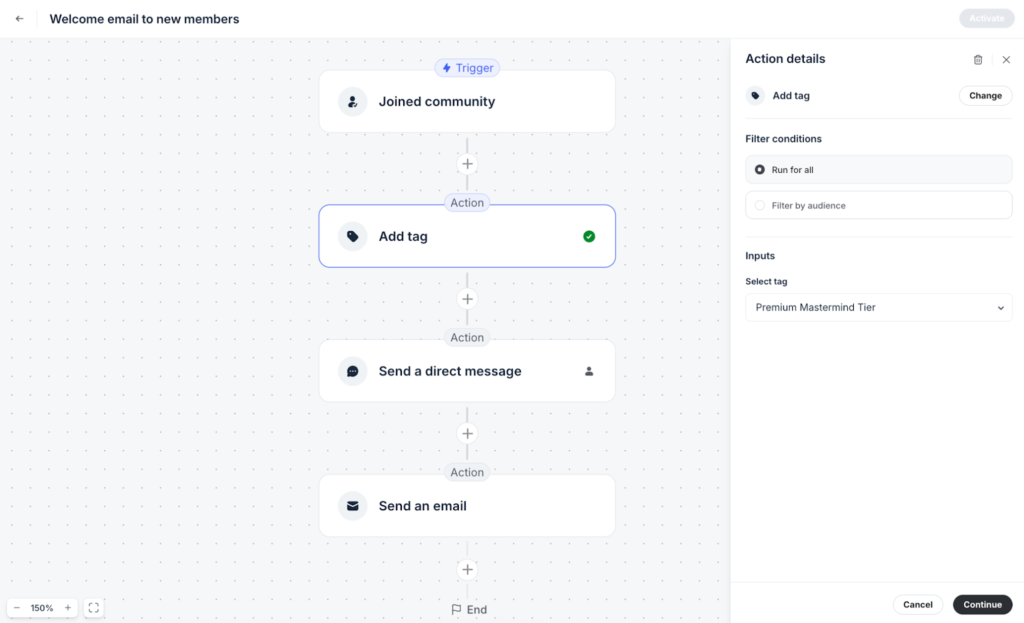
- And Workflows to automate repetitive tasks such as: sending welcome messages or tagging members upon joining your community.
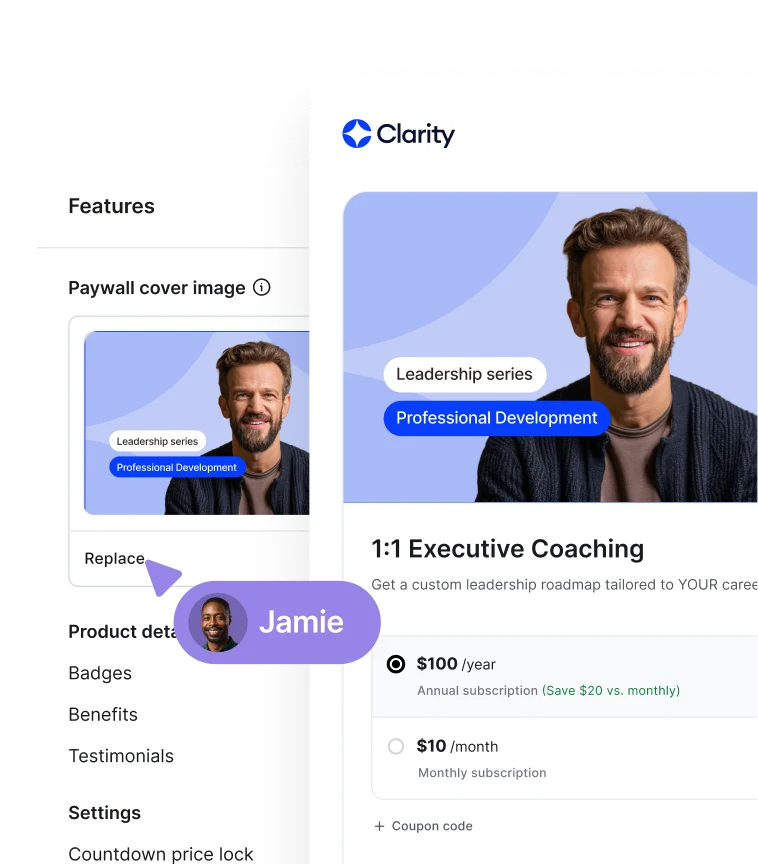
Beyond community management tools, Circle lets you build professional landing pages, send email campaigns, and natively process payments. You can also launch fully branded mobile apps that members can access your learning programs, events, and community discussions on the go on their mobile devices.
Courses in Circle are designed to be inherently social. Instead of existing as isolated products, each course lives as its own “Space” within a broader community ecosystem, reinforcing interaction and ongoing engagement.
You can choose between three primary course formats depending on how you want students to move through the material.
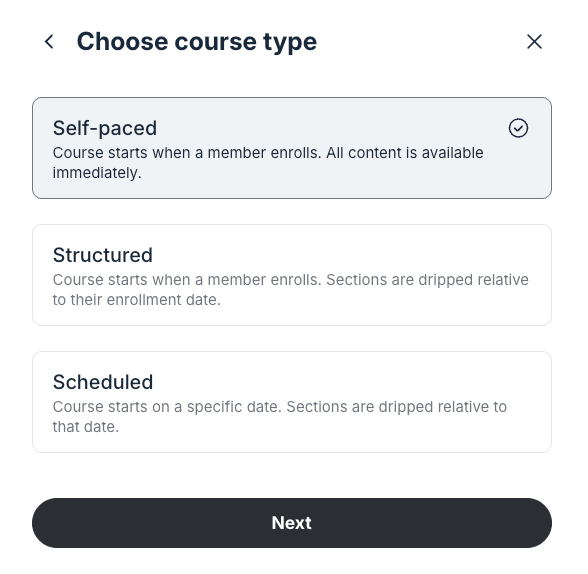
- Self-paced: to grant immediate access to all content with no fixed timeline.
- Structured: to release content progressively based on each student’s enrollment date.
- Scheduled: to release content on fixed dates for all students then dripped relative at that date.
Once you’ve selected your course structure, you can design your course curriculum using Sections and Lessons.

Within each lesson, you can upload video files up to 4GB or embed externally hosted content from platforms like YouTube, Vimeo, and Wistia.
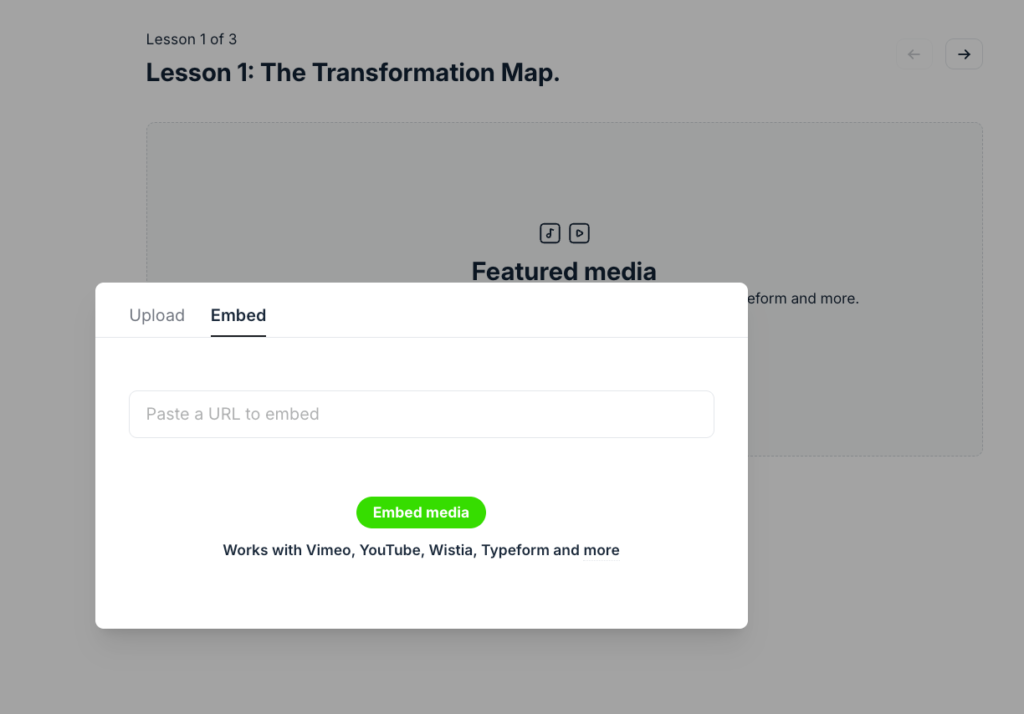
You can also include downloadable resources such as PDFs and templates, allowing you to reinforce learning and support practical applications.
When it comes to assessments, Circle supports simple quizzes with multiple answers and ability to embed videos and images into your questions.
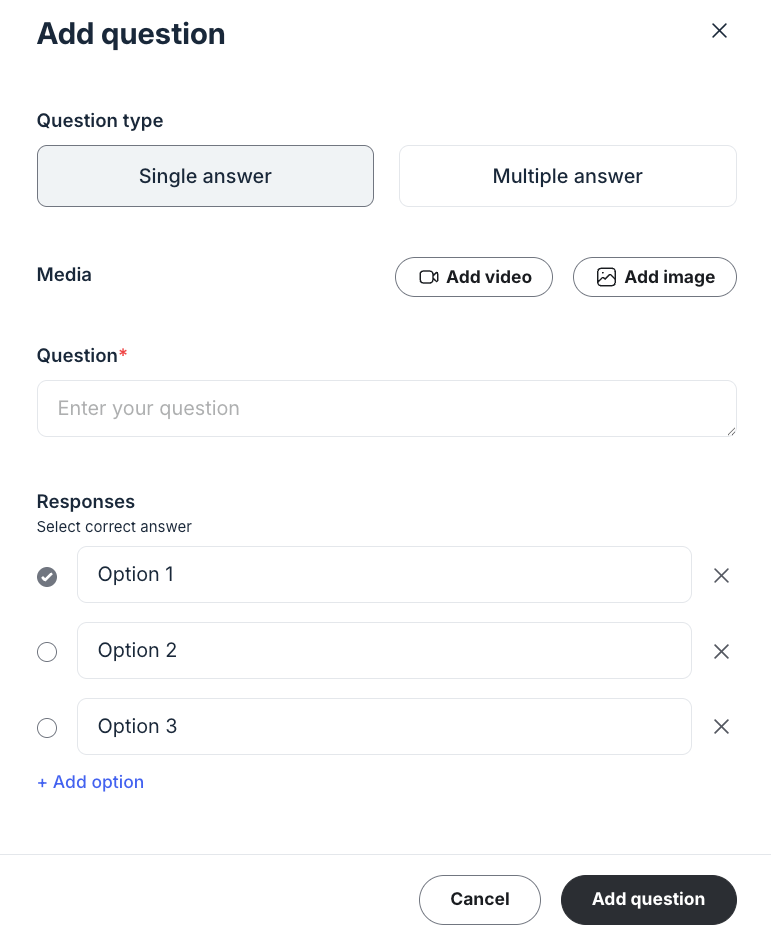
You can set passing scores, and randomize question order. Students receive immediate feedback on their performance, and you can track completion rates and scores through the admin dashboard.
However, Circle doesn’t support comprehensive assessment tools such as assignments that allow learners to submit and upload files. It also doesn’t allow you to issue completion certificates.
That said, Circle’s course builder is best suited for professional upskill courses, practice-based learning, cohort-based programs, or masterminds that heavily rely on collaborative learning, peer-to-peer knowledge sharing, and professional networking.
To learn more about Circle, read my (detailed Circle.so guide) or my (in-depth Circle review) to see if it fits your community goals. If you are still deciding, see how it stacks up in my direct comparisons: (Circle vs Mighty Networks) or(Circle vs Skool).
Circle Features
- Flexible community spaces: These are the building blocks of your community. You can create separate spaces for long-form posts, real-time chat, event calendars, structured courses, or resource libraries to keep content organized.
- Native live streaming & events: Circle has integrated video streaming tools that replace third-party apps like Zoom. Using Live Streams you can host large events and webinars of over 100 attendees. And with Live Rooms you can host interactive, meeting-style sessions for up to 30–50 participants.
- Access groups: These act as “digital passes” that manage member permissions at scale. Instead of updating individual space settings, you add members to an Access Group that automatically grants them entry to specific spaces or space groups.
- Course quizzes: Located within course spaces, quizzes allow you to test member knowledge with single or multiple-choice questions. You can set passing grades, provide video explanations for questions, and track student progress.
- Searchable members directory: Circle lets you create a centralized database where members can find and connect with peers. It is searchable by name, bio, or custom profile fields, and allows admins to filter members by role, join date, or activity level.
- Workflow automations: A “if-this-then-that” engine using triggers (like a member joining a space) and actions (like sending an automated DM or adding a tag). These workflows reduce manual admin tasks and streamline onboarding.
- AI agents: Generative AI assistants that you can train using your community’s “Knowledge Engine” (posts, files, or course content). You can create up to 10 specialized agents to handle tasks like member onboarding or course tutoring.
- Paywalls: An integrated payment system that gates access to the community or specific spaces. It supports recurring subscriptions, one-time fees, and installments, and handles secure transactions via Stripe.
- Built-in website and landing page builder: This is a full-scale, no-code site builder that allows you to build multi-page websites, including homepages, sales pages, and blogs. It features 10+ blocks and templates that you can add to your design replacing external tools like WordPress and LeadPages.
- Mobile learning apps: Circle provides native iOS and Android apps for members to access courses, live streams, and discussions on the go. With Circle Plus plan you can launch a branded mobile app for your community and courses.
Circle Pricing

Circle currently offers three pricing tiers: two standard paid plans and one custom plan.
On Circle’s website, they advertise pricing that “starts at $89 to $199 per month,” but those rates only apply when you choose annual billing—which isn’t made very clear upfront.
In reality, Circle’s month-to-month pricing looks like this:
- Professional: $129 per month
- Business: $219 per month
- Circle Plus: Custom pricing
Circle Pros and Cons
Pros
Cons
Bottom line: Circle is the best online course platform for creators, educators, and coaches who want to build learning programs that benefit from a community-driven experience. Think of cohort-based courses, mastermind groups, group coaching and peer-driven workshops. This allows you to establish a peer learning environment which can improve knowledge comprehension, collaboration and course completion rates.
Also read: Circle vs Kajabi.
#4: Systeme.io
Affordable all-in-one digital business platform.
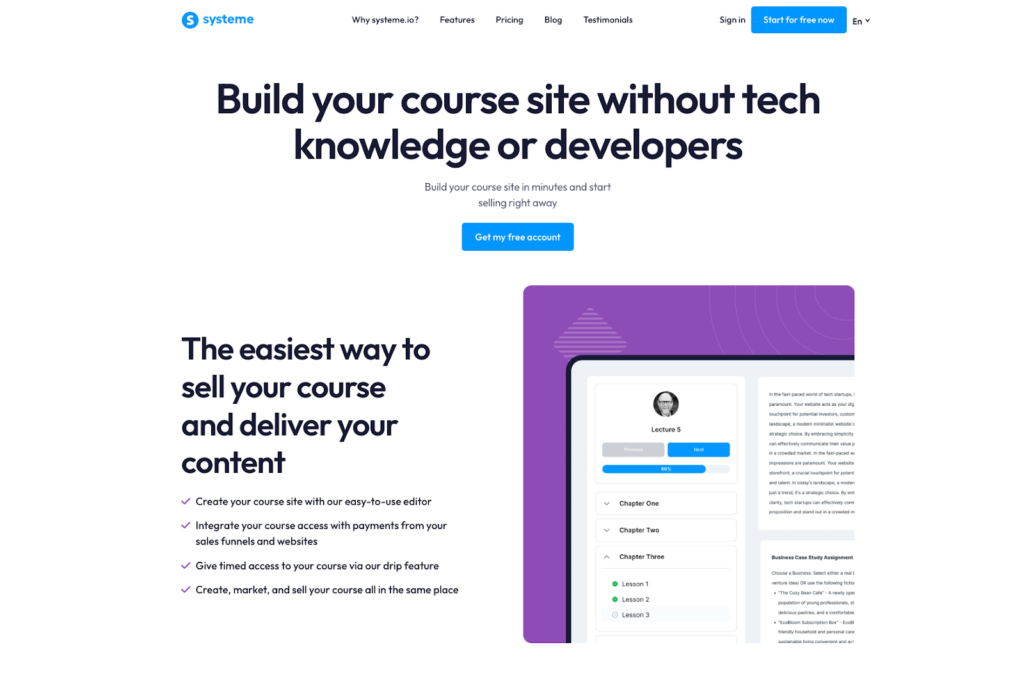
Systeme is the best online course platform if you want an affordable and comprehensive marketing suite without the premium price of all-in-one tools like Kajabi or Kartra.
It includes:
- email marketing
- sales funnels
- landing pages & websites
- webinar hosting
But for as low as $17 per month which is a fraction of the price of what you’ll pay with platforms like Kajabi and Kartra.
Infact, if you’re looking for an affordable Kajabi alternative to run your knowledge business, Systeme is an excellent choice. Best of all, you can get started for free, creating one course and host upto 2000 contacts.
Systeme’s course builder is solid. You can add videos, images, audio, and downloadable files into your course lessons. You can also include quizzes in your course modules to assess learners and issue completion certificates to accredit them.
But unlike platforms like Teachable, Thinkific and FreshLearn with limited course design options, Systeme lets you customize your course player the way you want.
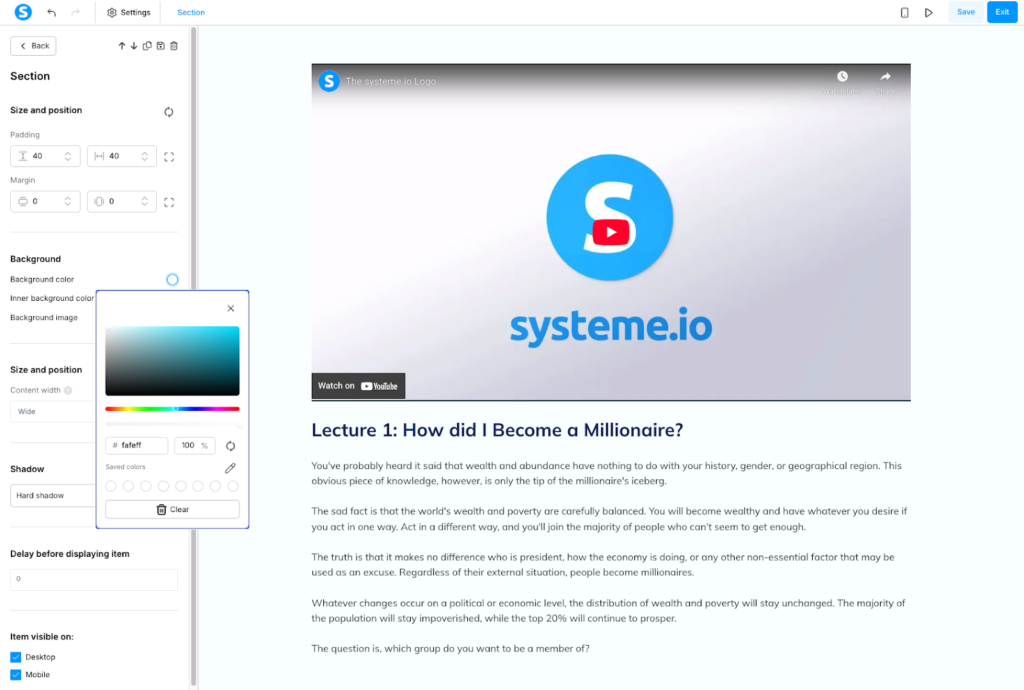
You can start by selecting from its 6+ course design templates.
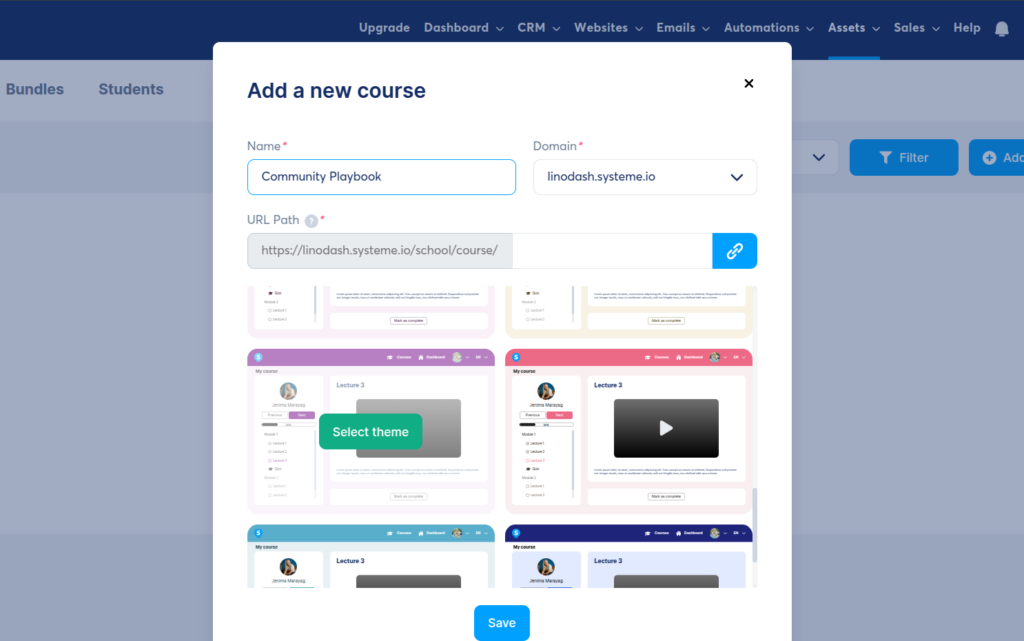
After which you can you drag and drop essential elements like videos, audio, text, columns, sections, and rows into your layout. You can adjust margins, padding, and background colors to match your brand.
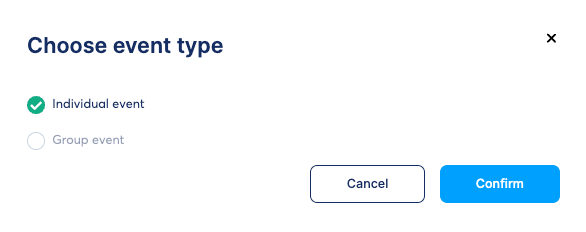
Beyond courses, Systeme supports 1:1 coaching sessions and group calls.
It has a built-in scheduler that lets you set availability, buffer times, and sync with Google Calendar to avoid double bookings.
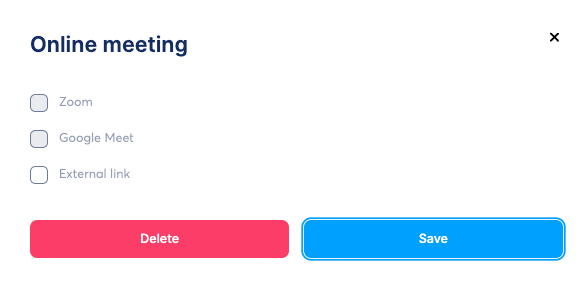
However, you’ll need to integrate Zoom or Google Meet for live conferencing since Systeme doesn’t host calls natively like Kajabi does.
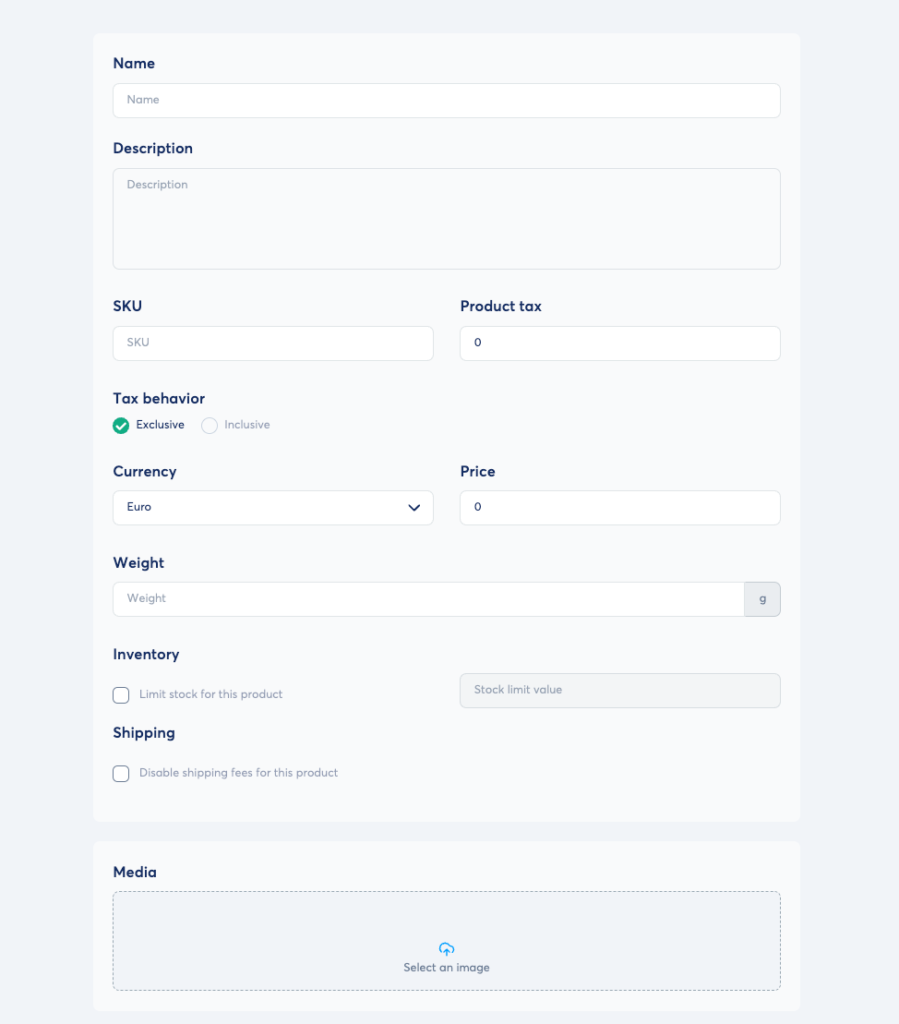
You can also sell other products like downloadable files, memberships, and physical products.
But what sets Systeme.io apart from many course building tools is its extensive payment gateway support. For example, Circle only supports Stripe. Kajabi supports Stripe, PayPal, and its native payment processor.
But these options are largely limited to North America and parts of Europe. If you’re from Asia, say India or Africa like Kenya you have no way to accept payments without some hard workarounds using Zapier. And don’t get me started with PayPal, because it’s a mess and unreliable.
However, Systeme integrates additional gateways like Paystack, Flutterwave, Xendit, Razorpay, e.t.c.
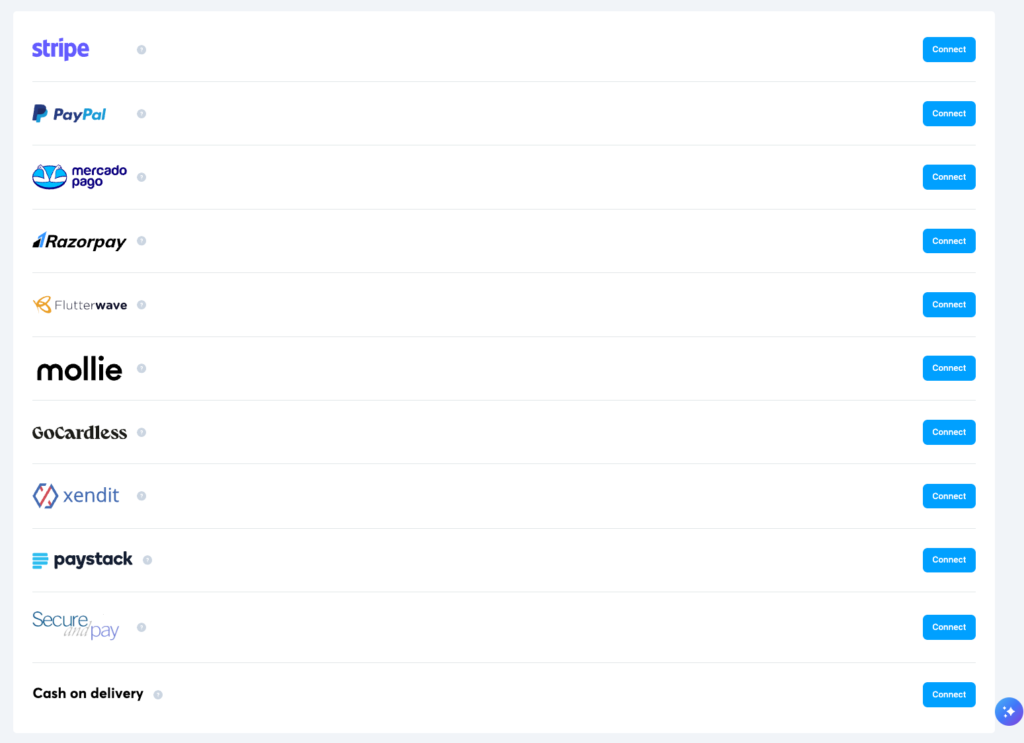
That way, you can choose the provider available in your region and start selling without unnecessary friction.
Systeme.io Features
- Drip content scheduling: Instead of giving everything away at once, you can release lessons over time based on when a student enrolled. This keeps students from feeling overwhelmed and increases long-term engagement.
- Drag-and-drop lesson editor: Systeme’s course editor uses the same visual interface as their website builder. You can easily embed videos, add text blocks, and include file downloads within any lesson allowing you to design your course lesson to match your branding.
- Integrated sales funnel builder: With Systeme you build end to end sales funnels all without needing to integrate a thirdparty app like ClickFunnels. You can configure automation rules based on users behaviors, A/B test variation of your landing pages and even set up deadline settings.
- One-click upsells & order bumps: During the checkout process, you can offer additional courses or digital products with a single click increasing the Average Order Value (AOV) of every student who joins hence more revenue.
- Visual CRM pipelines: This is a vital tool for managing high-ticket course sales or coaching enrollments. It provides a kanban-style board where you can visually track prospects as they move through stages like “Lead,” “Discovery Call,” and “Student.” You can drag and drop contacts between stages and trigger automated emails the moment they move.
- Unlimited email marketing: Unlike many platforms that charge based on the number of emails sent, Systeme.io allows you to send unlimited emails to your students. You can automate newsletters, course announcements, and feedback requests.
Behavior-based automations: You can set workflows that trigger based on student actions. For example, if a student completes a specific module, you can automatically tag them and send a congratulatory email with a discount for your next course. - Evergreen webinar funnels: On higher plans, you can host automated webinars that run on a loop. These webinars can act as a 24/7 sales machine, teaching a topic and then automatically enrolling attendees into your paid course.
- Native affiliate management: You can turn your students into a sales force. The platform tracks who referred whom and handles the commission calculations, allowing you to pay affiliates for every new student they bring to your course.
- Online community spaces: With Systeme you build a community for your learning programs allowing students to discuss lessons, ask questions, and interact with you without leaving the platform.. Its community builder is simple but still has room for improvement as it has few engagement features and members management tools.
- 0% transaction fees: Systeme.io does not take a percentage of your sales (unlike Teachable, Kajabi or Udemy). You only pay your standard Stripe or PayPal processing fees, meaning you keep more of the profit from every enrollment.
Systeme.io Pricing
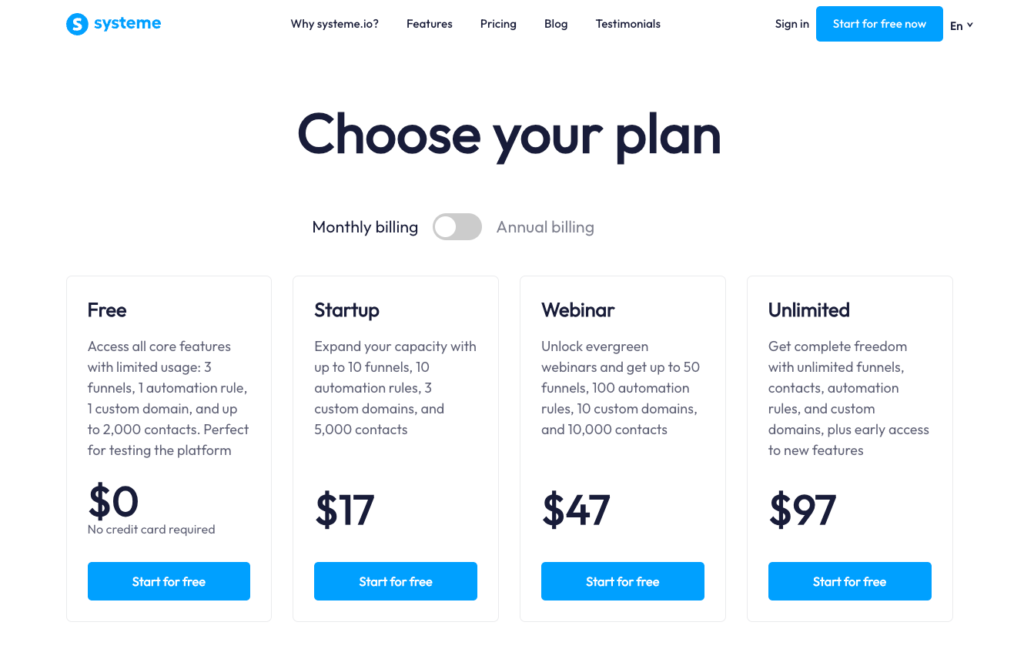
Systeme.io offers strong value for money, especially considering the wide range of tools it includes. Beyond creating and selling courses, you can also build websites, run email campaigns, create sales funnels, and track leads using its native CRM pipelines.
All plans include access to every tool, which sets Systeme.io apart from many course platforms that lock key features behind higher-priced tiers. Instead, plans are limited by usage factors such as the number of contacts, CRM pipelines, automation rules, sales funnels, and courses.
- Free: 1 course and up to 2,000 contacts
- Startup: $17/month – 5 courses and up to 5,000 contacts
- Webinar: $47/month – 20 courses and up to 10,000 contacts
- Unlimited: $97/month – unlimited courses and contacts
Systeme Pros and Cons
Pros
Cons
Bottom line: Systeme.io is the ideal solution for creators, coaches, and entrepreneurs seeking an all-in-one platform to build, market, and sell digital products without the high upfront costs of platforms like Kajabi. It offers a robust marketing toolkit including: sales funnels, email marketing, pipelines, and automations. Choose Systeme.io if you want a reliable, affordable alternative to Kajabi or Kartra.
#5: Stan Store
Simplest and most mobile-friendly online course software for creators and coaches.
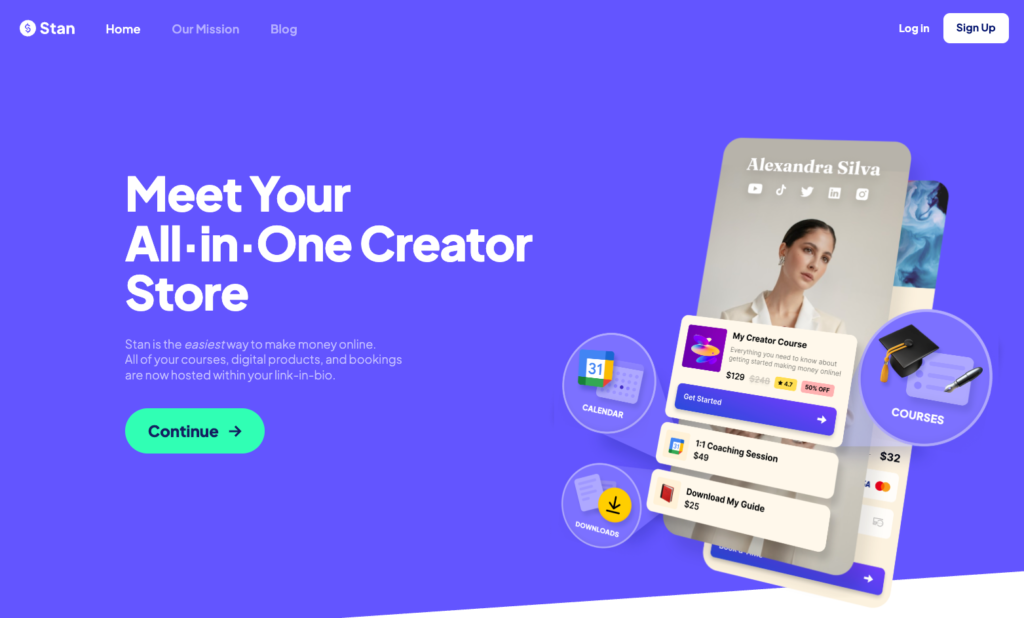
Many of the online course creation tools I’ve used have a bit of a learning curve. Even intuitive interfaces require time to explore before you launch your first product. Stan Store is different. It’s easy to create and sell courses.
Stan Store is more of a storefront tool that lets creators sell digital products like courses, coaching, downloads, events, and memberships from a single page.

It combines the aspects of product creation with link-in-bio functionality to simplify selling.
With Stan Store, you can launch your first paid course without the hoops and loops that I faced with many LMS platforms like Kajabi and iSpring LMS.
Simply head over to the dashboard, hover over the left sidebar, click the My Store menu item, and then select Add Product.
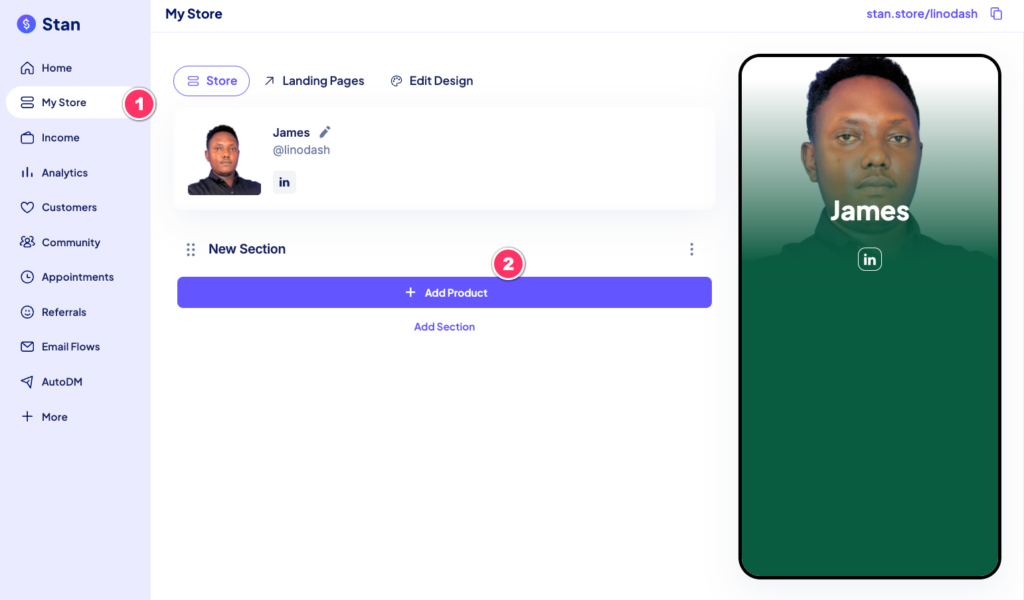
Next, choose eCourse and proceed to the Course tab.
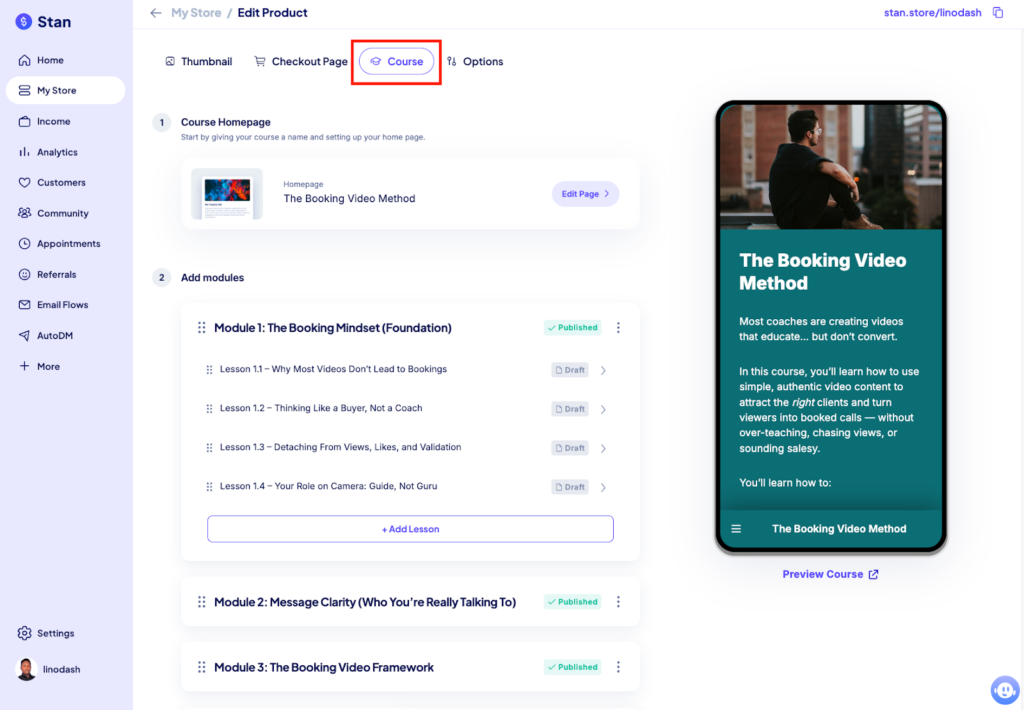
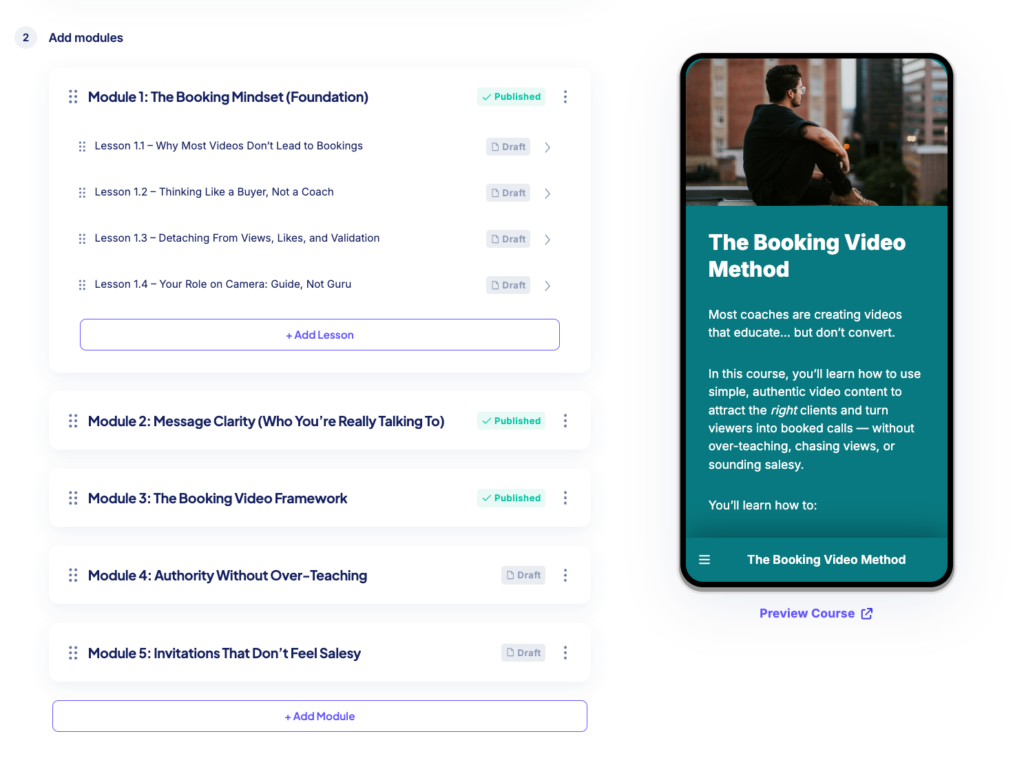
From there, you can structure your course using modules and lessons. On the right side of the builder, you’ll see a real-time mobile preview of how your course will look. You can also click Preview Course to view the full learner experience.
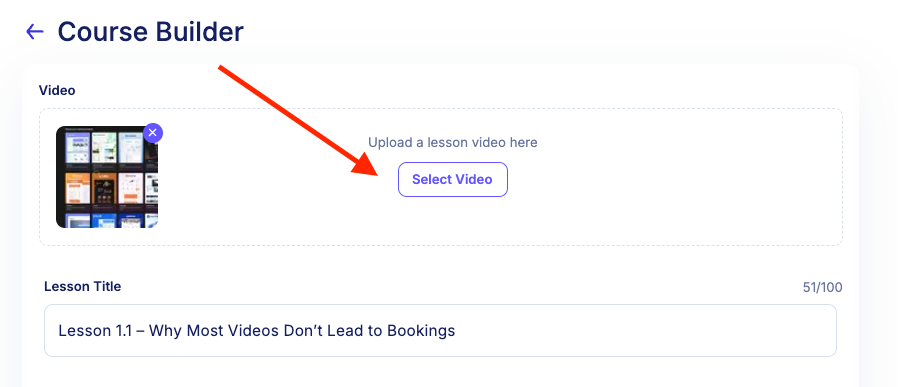
Within each lesson, you can upload and host your video content directly on the platform.
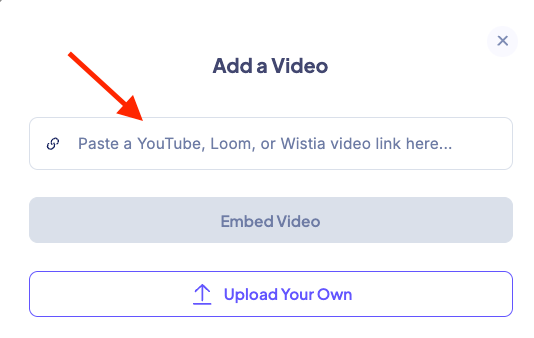
If your videos are hosted elsewhere—such as Wistia, Loom, or YouTube—you can quickly embed them using Stan Store’s one-click embed tool.
You can also include supporting materials like PDFs and templates within your lessons.
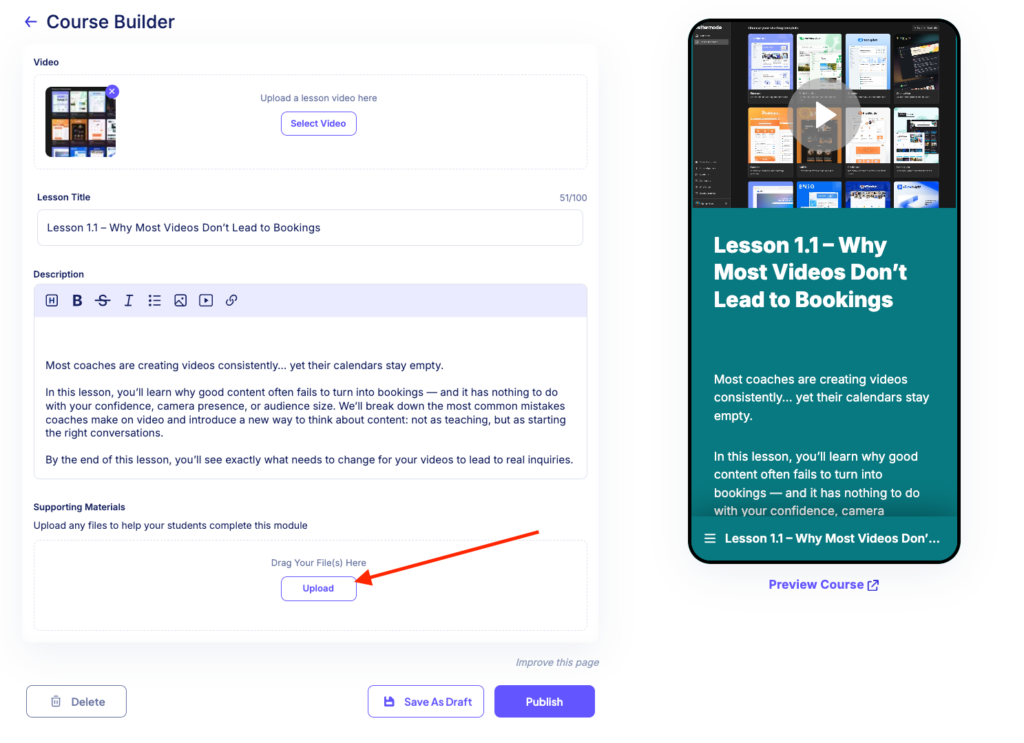
Stan Store also allows you to drip-schedule content relative to a student’s enrollment date. However, unlike platforms such as Kajabi and FreshLearn, it doesn’t support quizzes, assignments, or native course completion certificates. This means you’ll need workarounds if learner assessments or certifications are important to you.
Stan Store also comes with growth tools like simple landing pages and email workflows that lets you send drip email campaigns relative to user’s optin date.
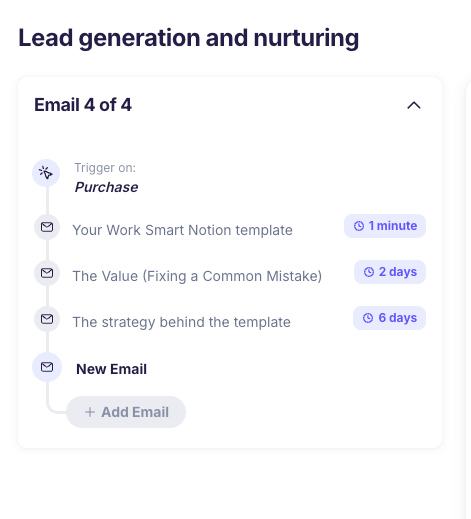
However you can’t trigger emails based on user behavior—like joining a segment, clicking a link, or updating a field. The automations are mostly linear with no split logic and paths like platforms such as Kajabi or Circle or Kartra.
It also has a decent checkout builder with orderbumps, payment plans and discounts.
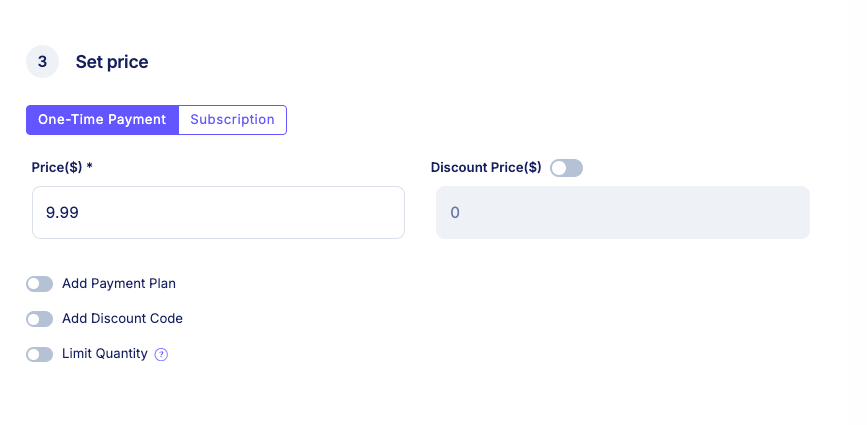
From my experience, Stan Store is best suited for creators who want to sell courses, coaching, or downloadable files without a complicated setup. Its link-in-bio tool lets you showcase all your products on a single page that you can easily link in your social media accounts. This removes the need for followers to navigate a multi-page website to find what you’ve promoted, reducing friction and drop-off. Think of Stan Store as a course-creation and sales tool designed for high conversions, especially on mobile.
Stan Store Pricing
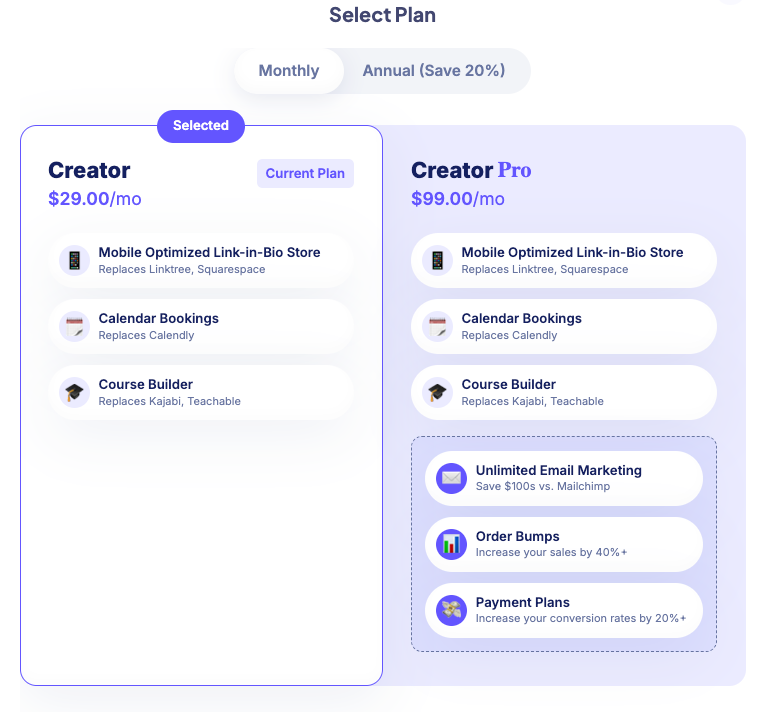
Stan Store offers two fixed-price plans, both including essential tools such as course creation, link-in-bio stores, calendar bookings, and Auto DM. However, advanced features like email workflows, order bumps, and payment plans are only available on the higher-tier plan.
- Creator: $29 per month
- Creator Pro: $99 per month
Stan Store Pros and Cons
Pros
Cons
Bottom line: Stan Store is best for creators and influencers who want a fast, no-friction way to sell courses and other digital products like guides, ebooks, templates and coaching calls. It’s easy to use and you don’t need to set up websites or funnels to begin selling.
- Read my recent Stan Store review.
#6: LearnWorlds
Best LMS platform for building interactive and SCORM Compliant courses.

It’s surprisingly hard to find a genuinely full-scale LMS without enterprise-level pricing. Many platforms charge based on the number of learners or active users, which can get expensive fast once you’re running programs with a few hundred students. While some corporate LMS tools like Docebo and iSpring can feel wildly overkill—and wildly overpriced—for independent educators and growing training businesses.
LearnWorlds stands out because it delivers most of what you’d expect from a traditional LMS at a fraction of the cost. It combines structured course creation, learner management, assessments, analytics, and certificates into a single platform, without aggressively pricing you out as your audience grows.
With LearnWorlds you can create interactive learning—not just hosting videos behind a paywall. The course builder lets you create structured programs with modules, activities, and assessments, but where it stands out is its interactive video player.
Instead of treating video lessons as passive content, LearnWorlds lets you add overlays directly inside your videos, including text prompts, clickable buttons, quizzes, images, and pop-ups.

These elements help you turn prerecorded lessons into active learning experiences.
For professional training and corporate use cases, LearnWorlds also supports SCORM and HTML5 content. That makes it a strong option if you need standards-compliant courses for internal training, certifications, or regulated industries: something many creator-focused platforms like Thinkific and Teachable don’t handle particularly well.
You can also host live sessions to keep your learning engaging. But unlike Circle and Kajabi, LearnWorlds doesn’t include built-in livestreaming. As such you’ll need to integrate tools like Zoom, Google Meet and Webex to host your live workshops, or 1:1 coaching calls. So you’ll need to integrate tools like Zoom, Google Meet, or Webex for live workshops, coaching calls, or cohort sessions.
But perhaps, where LearnWorlds really differentiates itself is assessment and feedback. Rather than limiting you to basic multiple-choice quizzes, the assessment builder supports a wide range of question types, including text-based, image-based, video-based, true/false, dropdowns, matching, ordering, fill-in-the-blanks, and written assignments.
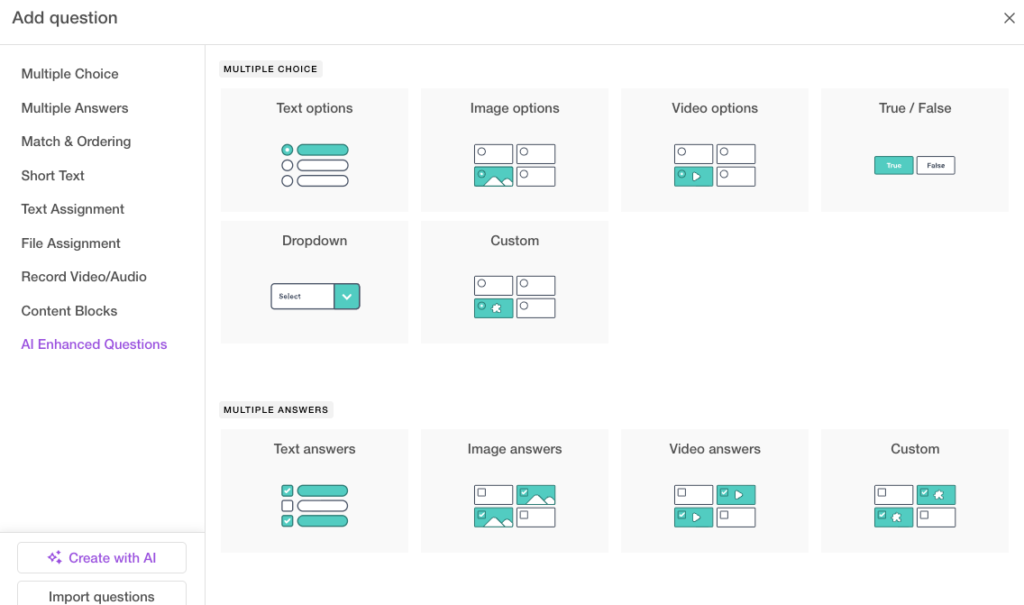
You can add explanations to answers, assign points, automate grading, and even use AI-assisted feedback to speed up responses.
For more advanced use cases, learners can submit file uploads, video recordings, or audio assignments. You can set passing grades, limit attempts, add countdown timers, randomize questions, and create reusable question banks. Questions can also be uploaded in bulk via Excel files using LearnWorlds’ templates, which is especially useful for large exams or certification programs.
LearnWorlds also supports self-assessments, where students can evaluate their own progress. These can include ungraded questions, allowing students to reflect on their knowledge gaps.
You can track students’ progress and assessment performance through a dashboard that offers insights into activity completion, exam scores, and engagement which helps you tailor follow-up content or interventions for learners who may be struggling.

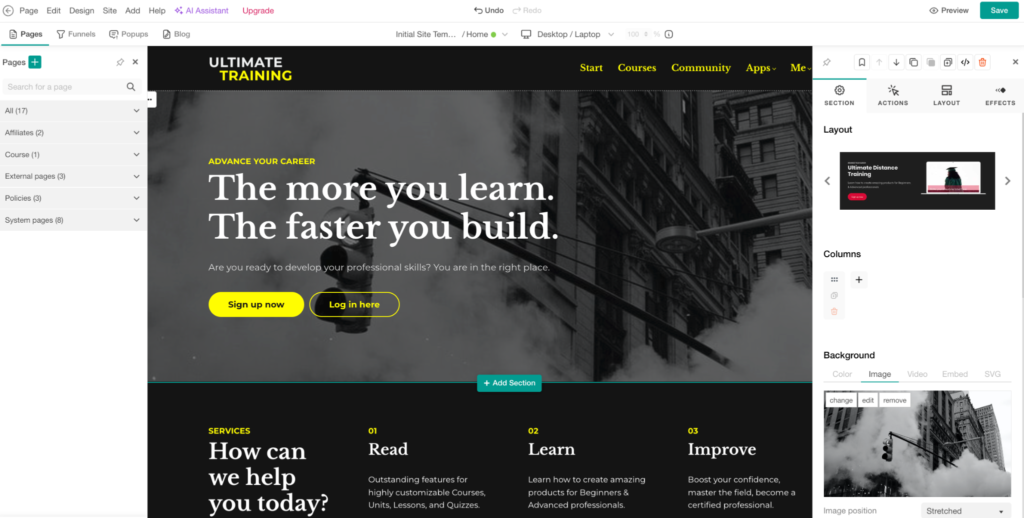
Beyond courses, LearnWorlds lets you build a branded website for your online school or coaching business. It includes more than 15 pre-designed templates and section layouts to help you get up and running quickly.
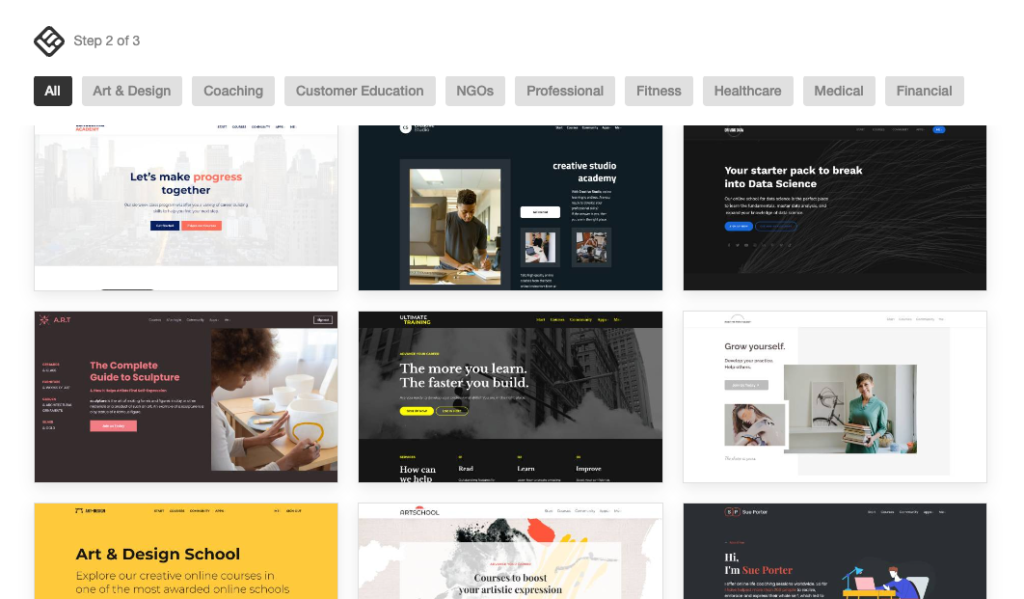
While the site builder doesn’t feel quite as sleek or modern as tools like Kajabi or Circle, it’s flexible enough to create professional-looking sites with thoughtful layout controls and reusable sections.
From my experience, LearnWorlds is a strong choice if you need a serious learning management system especially for interactive, assessment-heavy, or standards-compliant training—without stepping into enterprise pricing territory.
LearnWorlds Pricing
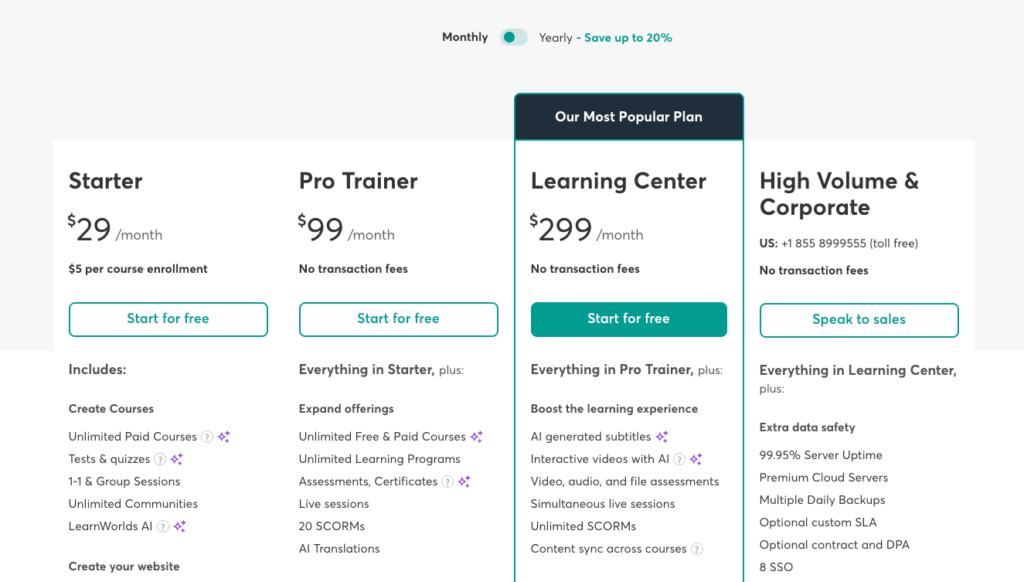
LearnWorlds is an affordable LMS platform that does not limit the number of courses you can create on any plan. However, while LearnWorlds claims to have zero transaction fees, this is only partially true. If you’re on the Starter plan, the platform charges a $5 fee per course enrollment.
Below is an overview of LearnWorlds’ pricing plans:
- Starter: $29/month, includes basic course creation, one admin, and limited customization
- Pro Trainer: $99/month, offers unlimited courses, advanced assessments, support for up to 20 SCORM files, and up to 5 admins
- Learning Center: $299/month, includes unlimited SCORM support and unlimited admins
- High Volume & Corporate: Custom pricing with enterprise-grade security and advanced learning management tools
LearnWorlds Pros and Cons
Pros
Cons
Bottom line: LearnWorlds is the best online course platform for creators, educators, corporate trainers, and learning institutions that need a fully featured LMS without enterprise-level pricing. It has strong online learning tools such as interactive video, advanced assessments, SCORM support, and detailed learner analytics.
Final Thoughts: Which is The Best Online Course Platforms to Choose in 2026
The online course platform market is crowded. And frankly, a bit chaotic.
Nearly every tool claims to be all-in-one or built for creators. But once you actually use them, the limitations start to show. Hard product limits, hidden costs, or tools that try to do everything and end up doing very little well.
In this guide, I spent time digging into some of the top-rated course creation platforms individually to understand where they genuinely excel and where they fall short.
Rather than pointing to a single “best” platform, I’ve grouped the strongest options into clear categories based on how they’re actually used. Thay way, you can choose your best solution based on how you plan to build, deliver, and scale your course business.
Below are the best online course platforms to consider in 2026 ranked by category, and what they do best.
All-in-one platforms
Best for creators who want courses, marketing, payments, and automation under one roof.
- Kajabi – The most polished all-in-one platform, with strong marketing tools and a premium feel.
- Systeme – A more affordable alternative that covers the basics for funnels, courses, and email marketing.
Specialist course creation and LMS platforms
Best for structured learning, professional training, and advanced assessments.
- FreshLearn – A solid option for educators who want focused course delivery without enterprise complexity.
- LearnWorlds – The strongest choice for interactive, SCORM-compliant, and assessment-driven learning experiences.
Community-driven course creation tools
Best for creators building engagement-first products around discussions, cohorts, and memberships.
- Circle – Clean, flexible, and ideal for premium communities paired with courses.
- Mighty Networks – Strong community features with native events and member interaction.
- Skool – Simple, engagement-focused, and optimized for cohort-style learning.
WordPress-based LMS and course building platforms
Best for full ownership, customization, and long-term flexibility.
- LearnDash – A powerful LMS for structured courses on WordPress.
- LifterLMS – Flexible and modular, with strong support for memberships and certifications.
- AccessAlly – Ideal for advanced automation and coaching-based programs.
Simple storefront platforms
Best for selling lightweight courses, digital products, and creator-led offers.
- Stan Store – Best for creators who want an simple and easy to setup course platform.
- Podia – Easy to use and well suited for selling courses alongside downloads and memberships.
Also read: