
I spent the last 6 months testing over 35 course software to find the best solutions for creators, educators, coaches and knowledge enterprenuers. And these are the top 8 online course platforms to choose in 2026:
- Kajabi: best all-in-one solution that makes it easy to grow your education business
- Teachable: best dedicated course software for creators and educators
- FreshLearn: well-rounded e-learning tools without the high costs and complicated setups
- Circle.so: best for building community-first learning experiences.
- Systeme.io: most cost-effective digital business solution for knowledge creators and coaches.
- LearnWorlds: unrivalled interactivity, student assessment tools and comprehensive LMS features (best solution for teams)
- Stan Store: most intuitive digital storefront for selling knowledge products.
- Skool: simplest solution for building paid learning communities
In this guide, I’ll show you see how each platform measure up in key areas such as:
- Ease of use
- Student management
- Learning engagement tools
- Payment processing
- Analytics and reporting
- Pricing transparency
- Overall value for money
- Data ownership
- Customer support
So, let’s get right into it, shall we?
Best online course platforms: my review summary
|
Platform |
Why choose it |
Pricing |
|---|---|---|
|
The most complete all-in-one course platform for creators, and coaches. It allows you to build courses, coaching programs, and communities while also enabling you to run end-to-end marketing campaigns all from a single platform. |
$179 – $499 per month. No free plan available. 2.9% + $0.30 transaction fees. |
|
|
A clean, and easy to use course platform. Best suited for creators and coaches who already have marketing tools in place and want a simple, familiar system for hosting and selling courses. Strong checkout tools, solid global payment solution, and EU VAT handling. |
$39 – $189 per month. No free plan. 7.5% transaction fees on the Starter plan. 0% transaction fees on other plans. |
|
|
Easy to use and comprehensive course creation features. Strong assessment tools, content library, customizable certificates, and 0% transaction fees on every paid plan. |
$49 – $249 per month. Free plan available (unlimited students, 0% fees). |
|
|
The strongest platform for community-first course businesses. Polished member spaces, AI-driven community management, native live events, automation workflows, and marketing features built for high-value learning communities and masterminds. |
$89 – $199 per month. No free plan. |
|
|
The most budget-friendly all-in-one platform for new creators. Covers course hosting, email marketing, funnels, and affiliate management with 0% transaction fees on every plan including the free tier. The most honest starting point if you want to validate an idea before spending anything. |
$17 – $97 per month. Free plan available. |
|
|
The strongest platform for interactive and certified courses. Features clickable video overlays, an advanced assessment builder, and full SCORM compliance for educators, businesses and trainers building professional development or compliance training programs. |
$29 – $598 per month. Additional $5 per course enrollment on the Starter plan. No free plan. |
|
|
A single link-in-bio storefront that lets you sell courses, coaching, and digital downloads without building a website. Best for creators who already have an audience and want to start monetizing in a day. |
$29 – $99 per month. No free plan. |
|
|
The simplest way to run a paid community and a course from one place without managing two separate tools. A clean, familiar interface, built-in gamification, native live sessions, and unlimited courses and members on all plans make it the lowest-friction starting point for community-driven teaching. |
$9 – $99 per month. 10% transaction fee on the Hobby plan. 2.9% + $0.30 on Pro. |
My detailed review of the best online course creation platforms
In this section, I will provide my personal review of each course platform. I’ll show you what each platform does best, and where it falls short. I’ll also compare them with their competitors to explain their value for money and what you can expect if you choose them.
#1: Kajabi
The best all-in-one course platform for creators and coaches looking to grow & scale their education business without complicated setups.

I ranked Kajabi as the best online course platform overall because it gives you the essential infrastructure you need to build and scale a knowledge business without complex setups.
Many platforms I’ve used focus primarily on course creation and online learning experience.
While these are important, what most people don’t realize about building a successful education business is that a huge part of it is due to good marketing.
And to market your digital education business you’ll need tools that empower you to do so.
That’s where Kajabi stands out.
Instead of only helping you host courses, Kajabi provides a complete ecosystem of business tools to help you grow and scale.
You can:
- Create end-to-end sales funnels
- Build websites
- Launch automated email marketing workflows
- Process payments natively
- And track your business performance
Since these tools are built into the platform, you don’t have to integrate third-party apps for things like landing page building, email marketing and automation. This in turn simplifies your tech stack and reduces the cost and complexity associated with using multiple third-party software to run your online course business.
Kajabi is synonymous with online course creation. But it also supports other digital product types such as coaching programs, memberships, downloads, newsletters, and podcasts: allowing you to diversify your revenue streams and offers.
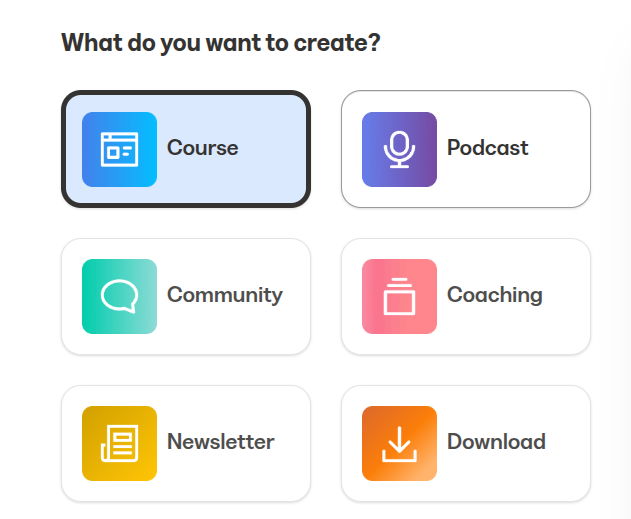
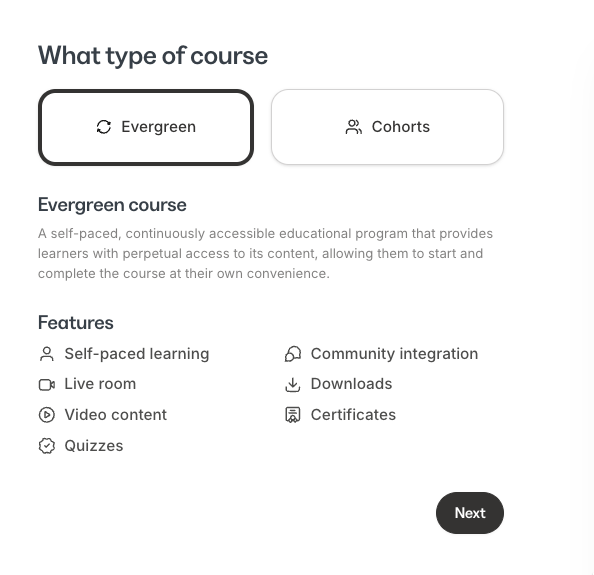
With its course builder, you can choose to create an evergreen course (self-paced learning) or a cohort-based program.
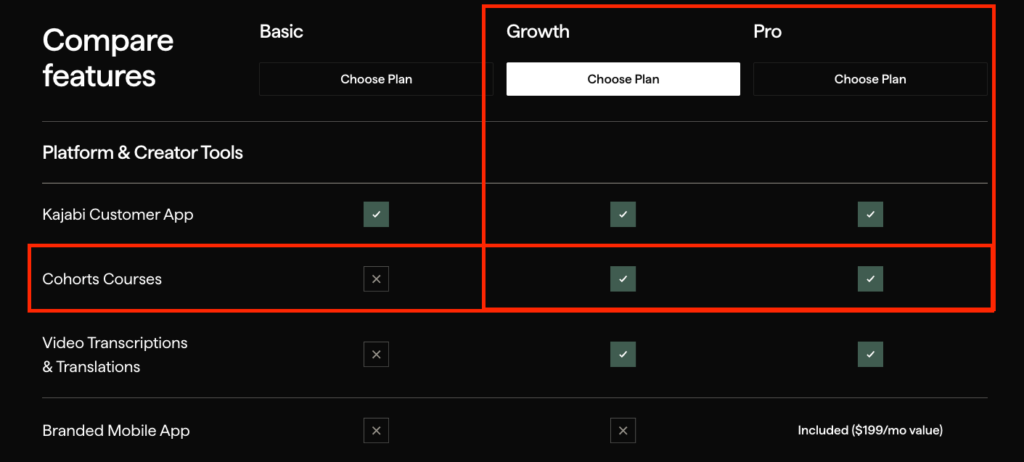
However, cohort courses are only available on the Growth and Pro plans.
With self-paced learning, Kajabi offers native video hosting and supports multiple lesson formats including video, audio and text.
You can also drip-schedule modules, releasing lessons gradually based on a student’s enrollment date to prevent content overload and keep learners engaged.
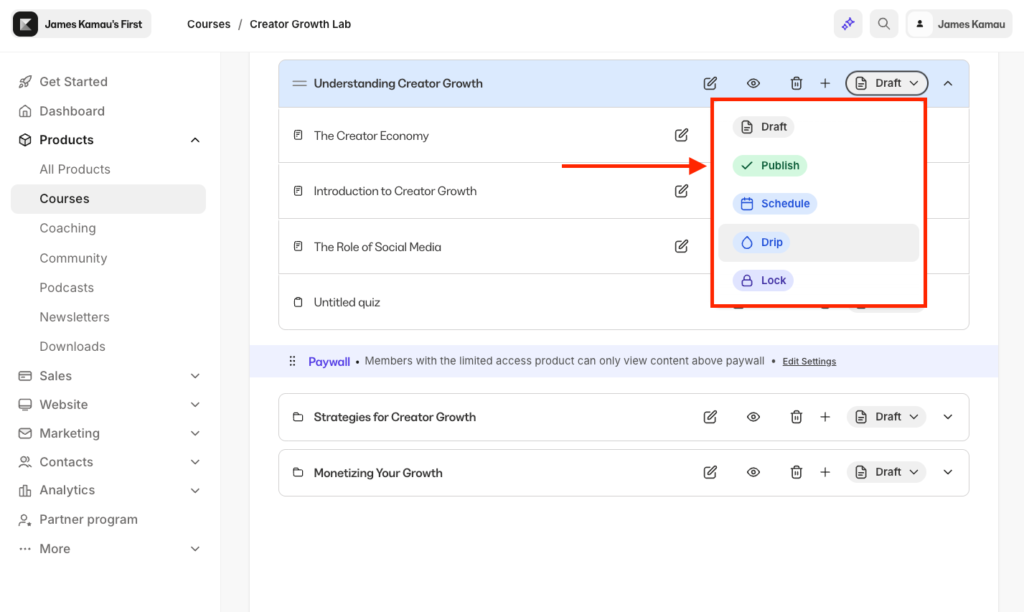
To track progress and evaluate learners, you can add quizzes with different submission formats such as:
- Multiple choice
- Checkboxes
- Short answers
- File uploads
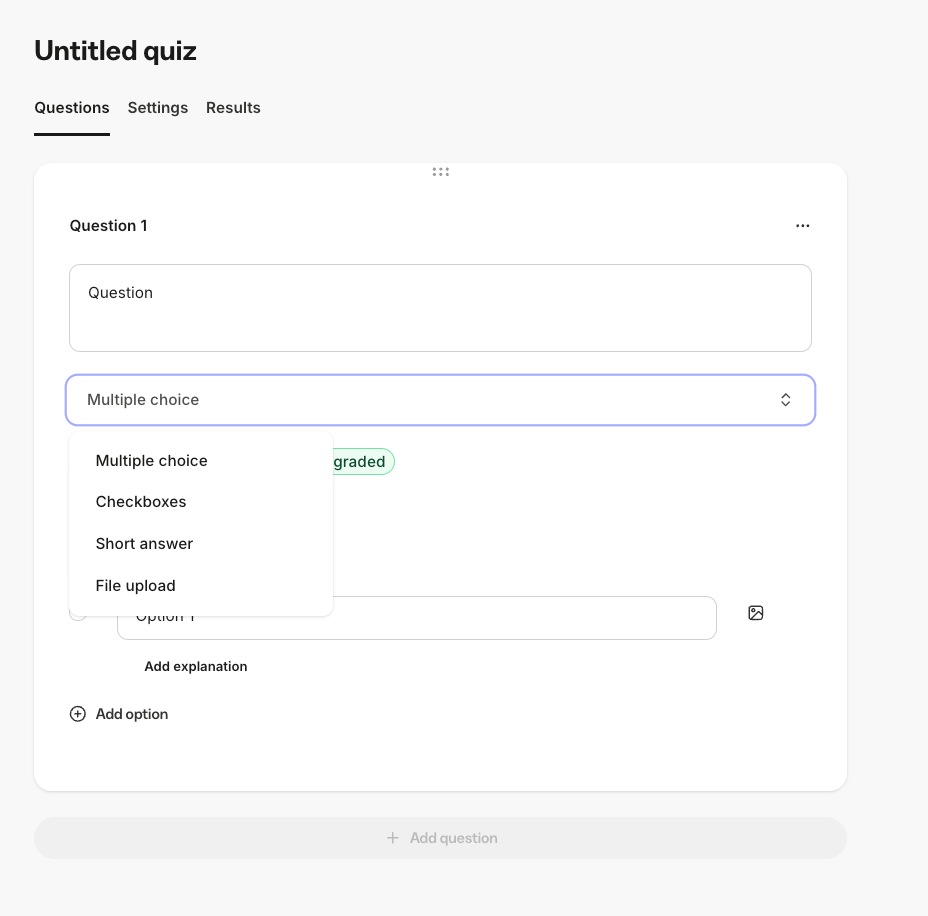
However, I found Kajabi’s assessment tools intentionally lightweight since it doesn’t include features such as randomized question banks, advanced grading logic, and native assignment submissions.
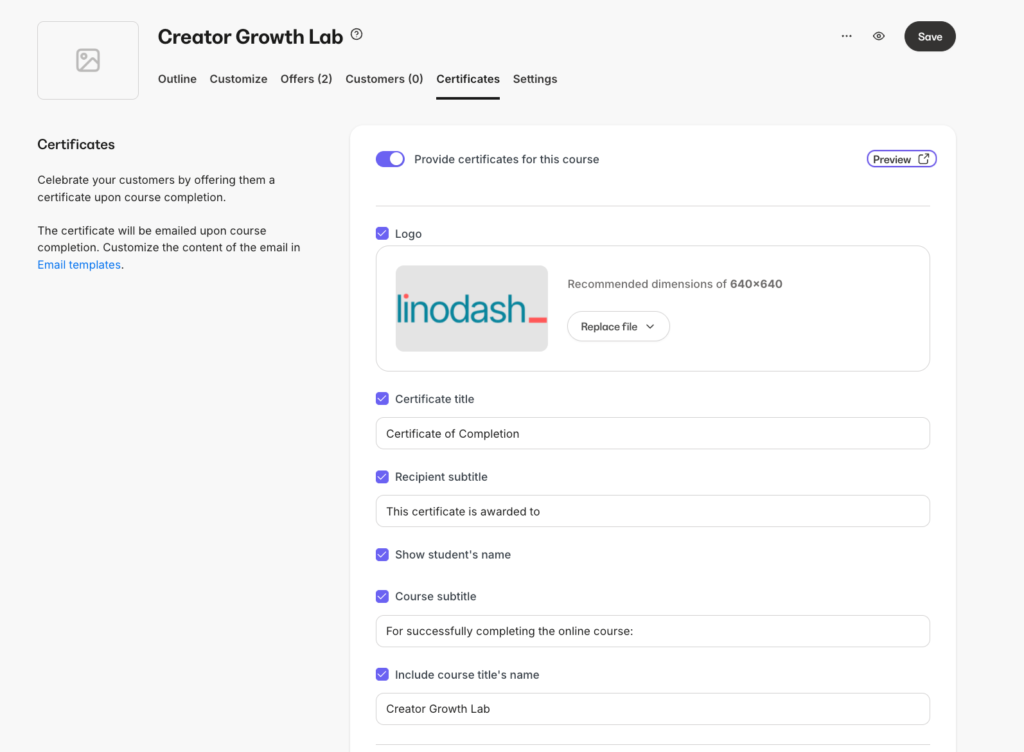
Once students complete a course, Kajabi lets you issue branded certificates that they can share on their resumes or LinkedIn profiles.
In addition to hosting pre-recorded lessons, with Kajabi you can add live sessions directly to your course curriculum.
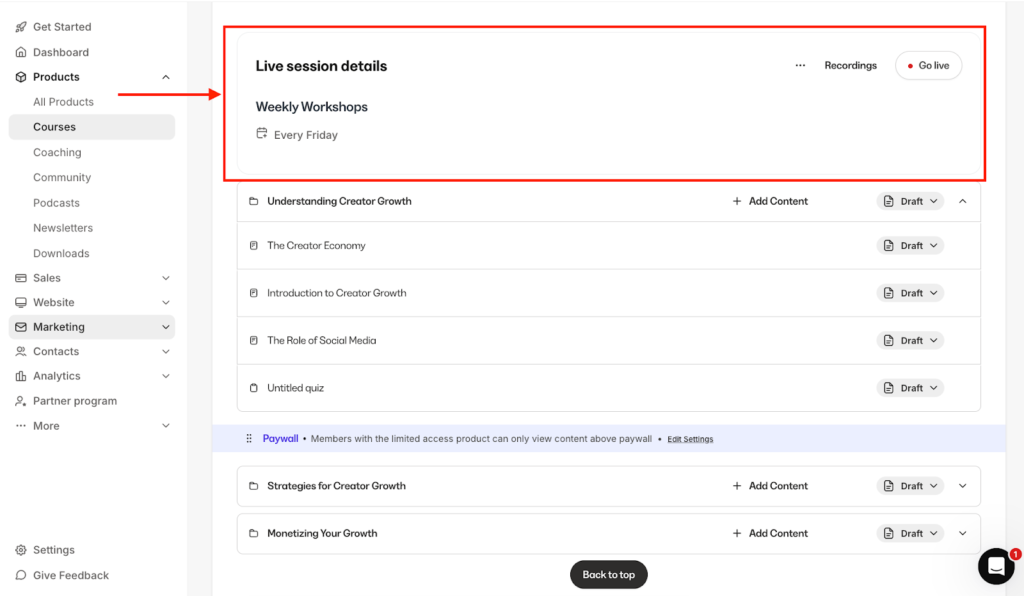
But unlike FreshLearn, Thinkific and Teachable, which rely on Zoom integrations, Kajabi has a built-in livestreaming tool for up to 200 participants which can come in handy if you’re planning on hosting live workshops inside your course program and don’t want to manage your sessions outside the platform.
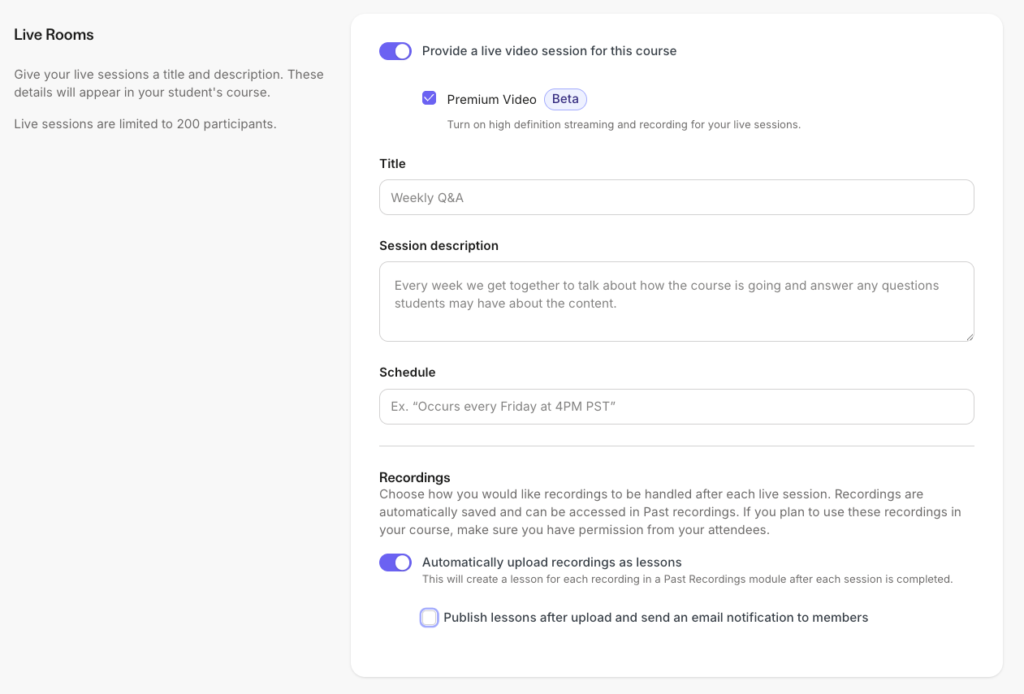
You can record these live sessions and automatically upload them to your curriculum, removing the hassle of manual file management.
With Kajabi, you can also create a community and link it to your course programs. This can cultivate a social learning environment, and improve accountability thereby boosting course completion.
Below are some additional Kajabi features that stood out to me.
- Integrated coaching and live rooms: Kajabi includes built-in coaching tools, eliminating the need for external scheduling or video platforms. You can schedule 1-on-1 or group coaching sessions, manage bookings, track client progress with collaborative notes, and collect payments within the same interface. This makes it easier to run coaching programs alongside your courses without juggling tools like separate video or scheduling apps.
- Funnel blueprints: These are pre-built sales funnels that connect your landing pages, email sequences, and checkouts. For example you can launch a webinar funnel or a product launch funnel with one click, and the platform automatically maps out every step for you. That way, you don’t have to build funnels from scratch or figure out the structure yourself which not only saves you time but also helps you follow proven marketing frameworks that are designed to convert visitors into customers.
- Advanced email marketing and automations: Kajabi replaces the need for dedicated email marketing software like Kit in your tech stack. You can send email broadcasts, build automated sequences, and use the platform’s “when–then” automation engine to trigger actions based on user behavior.
- Affiliate management system: with Kajabi you can turn your successful students into a sales force. This feature manages affiliate registrations, tracks conversions via unique links or coupons, and provides a dashboard for your partners to see their earned commissions.
- Comprehensive checkout tools: Kajabi also eliminates the need for third-party checkout software with its native checkout suite. Using the Enhanced Checkout builder, you can customize your payment pages by adding elements like additional form fields, testimonials, and FAQs. To increase average order value, Kajabi supports one-click upsells, downsells, and order bumps directly on the checkout page. The system also handles sales tax calculations, abandoned cart recovery, and mobile payments such as Apple Pay, Google Pay, Afterpay and Klarna.
- Branded mobile apps: Many platforms charge thousands of dollars to build a custom app for your learning programs. With Kajabi, it’s much simpler. If you’re on the Pro plan ($499/month), the Branded App is included at no extra cost. Kajabi handles the building, maintenance, and even the submissions to the Apple App Store and Google Play Store for you. If you’re not on the Pro plan, you can still access the Branded App as an add-on for $199/month on the Basic or Growth plans.
Kajabi pricing review
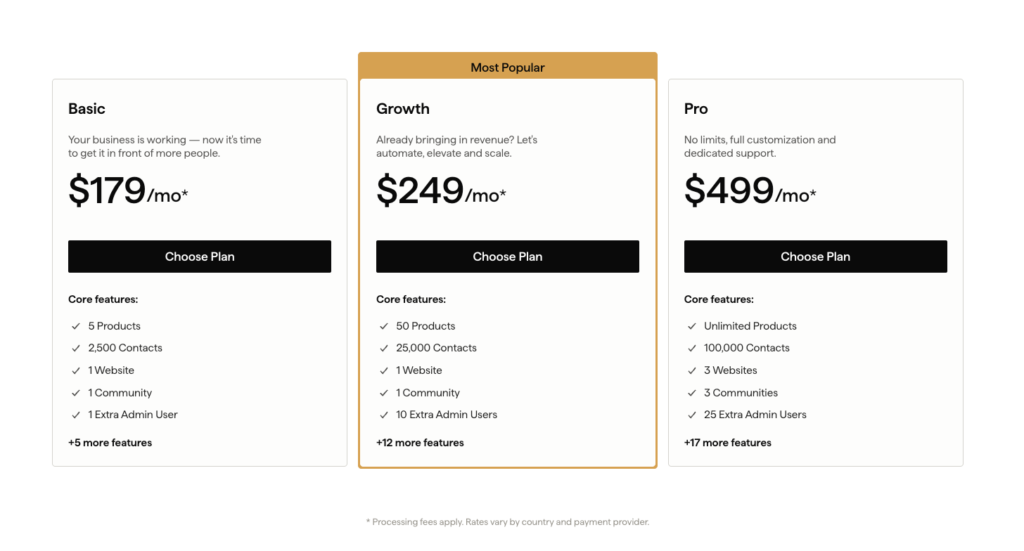
I won’t sugarcoat it, Kajabi is expensive.
Costing as low as $179 per month, this is a significant investment, especially for beginners.
Not considering you’re limited to:
- up to 5 digital products,
- up to 2500 contacts,
- 1 extra admin user (essentially 2 admin users).
But pricing only tells part of the story.
When you step back and look at what Kajabi actually offers, the cost starts to make more sense.
Kajabi is an all-in-one platform. Instead of integrating multiple tools to run your online course business, it provides native solutions for that. Think of:
- email marketing and automation,
- funnel building,
- website creation,
- checkouts,
- communities,
- and livestreaming tools.
If you were to pay for these tools separately, your total monthly costs will definitely exceed Kajabi’s pricing.
In that sense, Kajabi’s higher upfront cost is less about expense and more about consolidation. It simplifies your tech stack, reduces integration headaches, and eliminates the need for multiple subscriptions.
Below is a simple price breakdown of Kajabi’s up-to-date plans.
Below is a simple price breakdown of Kajabi’s up-to-date plans.
| Basic | Growth | Pro | |
| Monthly Price | $179 | $249 | $499 |
| Annual Price (Avg/mo) | $143 | $199 | $399 |
| Products | 5 | 50 | Unlimited |
| Contacts | 2,500 | 25,000 | 100,000 |
| Communities | 1 | 1 | 3 |
| Websites | 1 | 1 | 3 |
| Admin Users | 1 Extra | 10 Extra | 25 Extra |
Kajabi pros and cons
Pros
Cons
Bottom line: Kajabi offers the strongest value for money for growing creators and knowledge entrepreneurs who want an all-in-one platform to grow their business. While some platforms such as Thinkific and LearnWorlds claim to provide a similar ecosystem without the tight limits on the number of courses you can create, their built-in marketing tools have some functionality gaps that will eventually force you to integrate additional third-party apps. Kajabi, on the other hand, delivers a more polished and tightly integrated set of tools, which eliminates the need for external software.
You can (test Kajabi for 30 days at no cost) or read my (in-depth Kajabi review) to see if it fits your business model. If you are still deciding, see how it stacks up in my direct comparisons: (Kajabi vs Kartra), (Kajabi vs Thinkific), or (Kajabi vs Circle).
#2: Teachable
Best standalone online course software for creators and educators (intuitive and easy to use)
Teachable is one of the oldest names and still one of the most recognizable online course platforms.
At the end of last year they rebranded. Which felt like a signal that bigger changes were coming.
I was rooting for them, actually. Hoping they’d roll out new tools like a more advanced landing page builder, stronger automations, and better community features.
But that didn’t happen.
Under the surface, it’s still the same Teachable. Just with a new logo and brand colors.
That said, what I still like about Teachable is that it excels at what it’s always been known for: online course creation.
Unlike platforms like Thinkific and FreshLearn, which now market themselves as all-in-one solutions but fail to effectively deliver on that promise, Teachable has stayed focused as an online education platform.
This allows you to use Teachable as the core engine of your courses—handling content delivery and payments—while pairing it with best-in-class external tools like ActiveCampaign for email marketing, Zapier for Workflows or WordPress for your website.
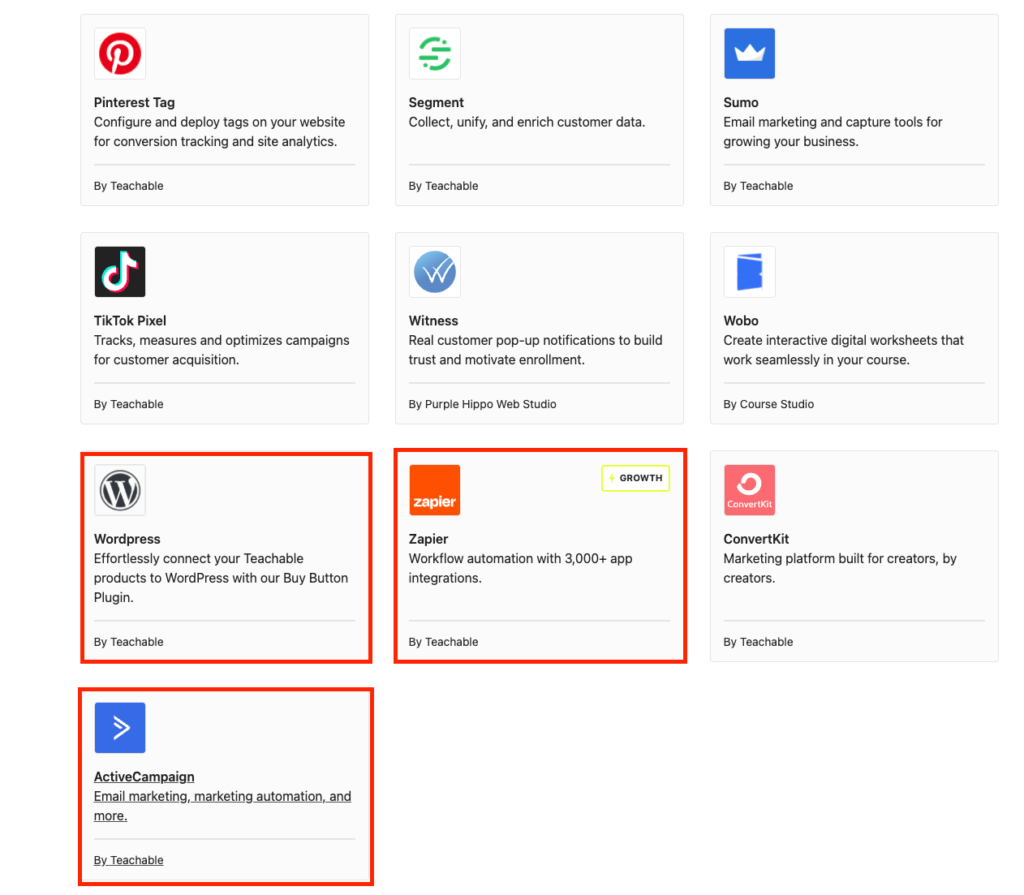
But how good is Teachable’s course creation and hosting platform, really?
The course builder is straightforward and easy to navigate. You get an intuitive drag-and-drop curriculum builder where you can add sections and lessons, then attach video, audio, text, PDFs, or even live sessions via Zoom.
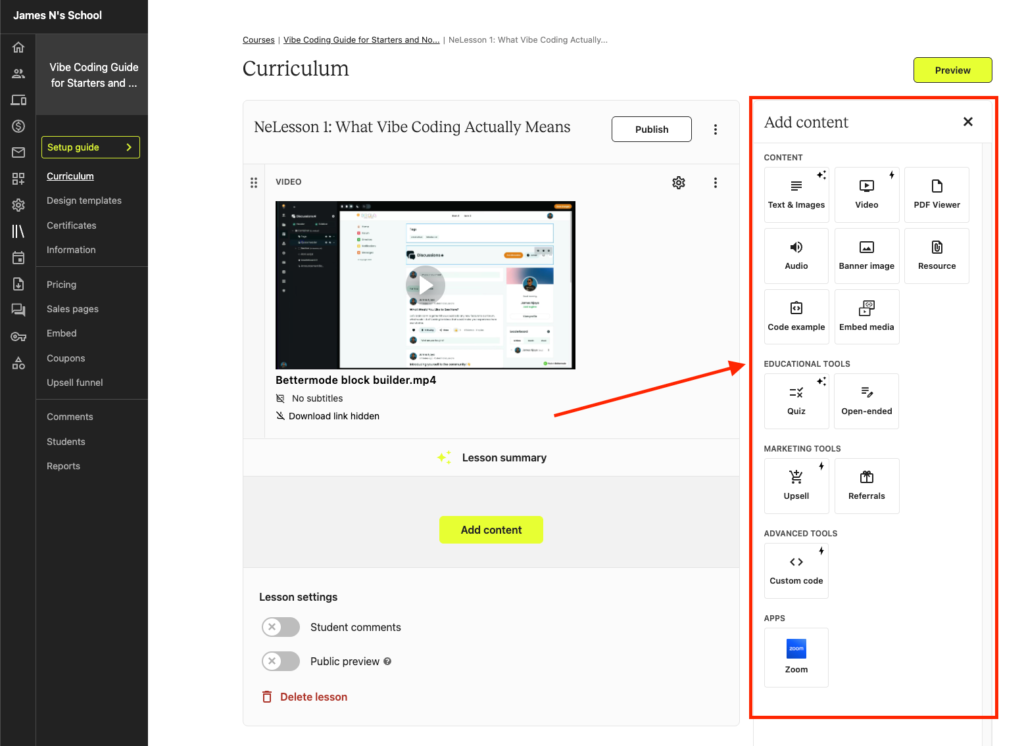
Like Thinkific and most competitors at this level, Teachable also includes an AI tool that generates a course outline based on your topic. It’s a helpful starting point for structuring your content more quickly.
But I wouldn’t rely on it for the substance of what I teach.
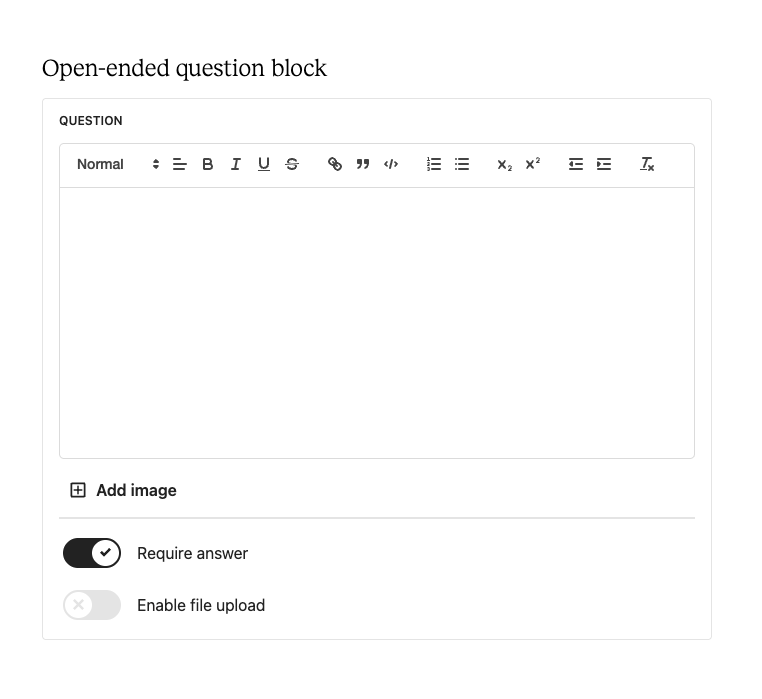
You can also assess learners using quizzes or open-ended questions, with file upload supported. So if you want to include assignments and have students submit their work for review, Teachable handles that well.
Where everything starts to fall apart is in course design flexibility. Unlike Kajabi, Teachable gives you very limited control here. You’re limited to two course templates, with basic customization options like fonts and colors.
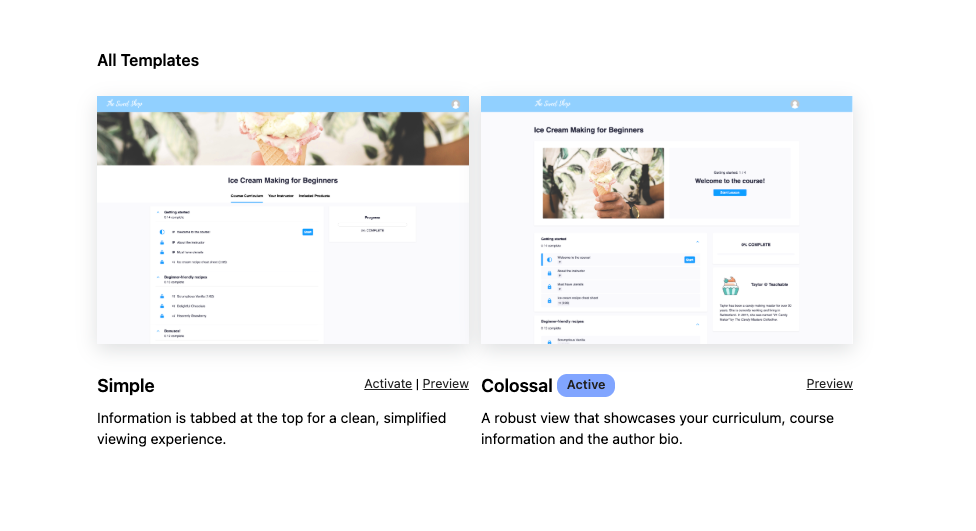
That said, the course player itself still looks clean and modern.
Beyond courses, Teachable lets you expand into other types of products including: coaching, digital downloads, memberships, communities, and bundles.
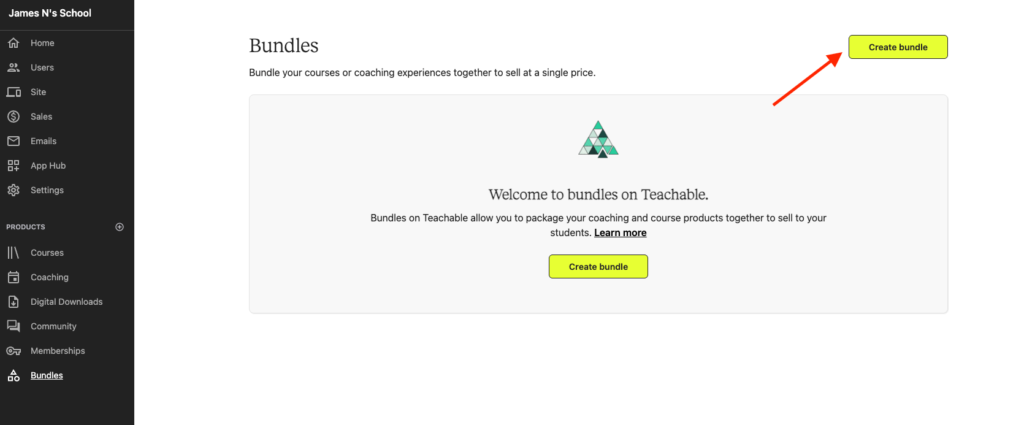
I spent some time testing these additional tools, and honestly, I wasn’t impressed. The community feature is clunky and barebones, missing things like proper organization, content tools, and well-integrated events.
The coaching tools are a breath of fresh air. You get a client management portal and milestone tracking, which is useful. But something as simple as session scheduling isn’t built. You’ll need to integrate a third-party tool like Calendly or Cal.com to allow your clients book a session with you. And speaking of live sessions, you’ll have to use Zoom.
On the sales and marketing side of it, Teachable includes a basic page builder and email automation. But there’s not much depth either. The page builder has limited design control and feels outdated.
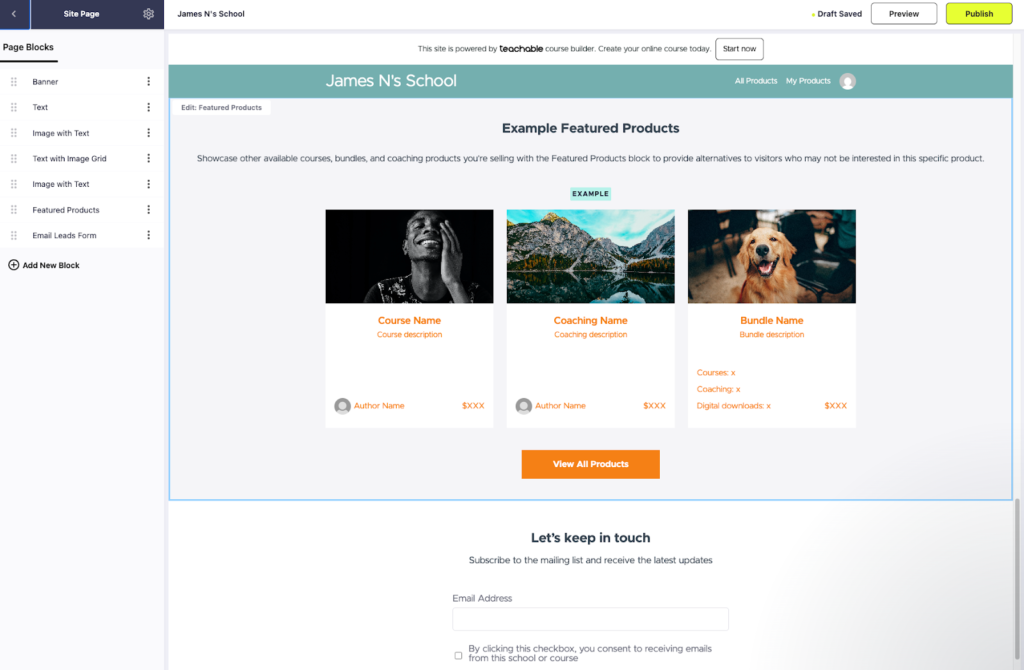
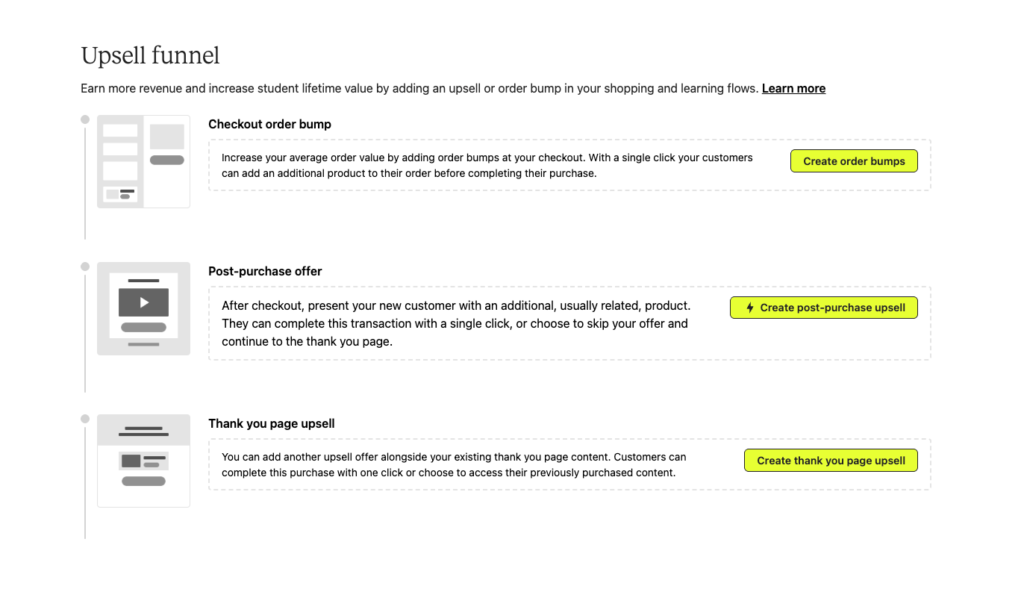
But still, the checkout experience is solid. You get useful conversion tools like order bumps, post-purchase offers, product bundles, coupons, and free trials all of which can help increase average order value.
Teachable also supports global payment processing and VAT handling across 16 different countries, which is one of the big reasons why many international creators still use it.
Teachable pricing review
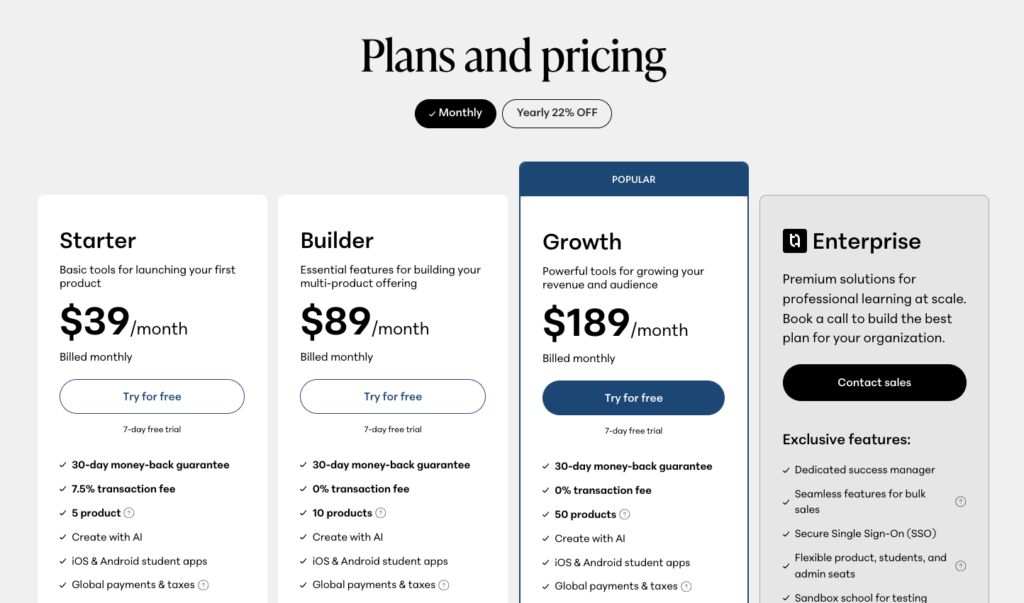
Teachable doesn’t offer the best value for money especially on its two low tier plans. Each plan comes with hard limits on the number of products or courses you can create. And on the Starter plan, there’s also a 7.5% transaction fee.
That said, there are a few things it gets right.
Teachable includes a mobile learning app and strong global payment handling: with built-in tax calculation and remittance across all plans.
It’s one of the most underrated features, but incredibly useful, especially if you’re selling in the US and EU.
In terms of value, the Growth plans are where things start to make more sense.
Here’s a simple breakdown of Teachable’s pricing:
- Starter – $39/month: Up to 5 products + 7.5% transaction fee
- Builder – $89/month: Up to 10 products
- Growth – $189/month: Up to 50 products
- Enterprise – Custom pricing
Teachable pros and cons
Pros
Cons
Bottom line: Teachable is still lagging behind when it comes to launching new features and innovation. But still, it gets the fundamentals right. And those are the things that matter most for many creators and knowledge businesses. Ease of use. Solid admin tools. Reliable payments. Built-in tax handling. Upsells. Abandoned cart recovery. Instead of trying to be an all-in-one platform, Teachable has stayed focused on doing one job well: making it easier to sell your knowledge. That said, choose Teachable if you already have your marketing stack in place and want a reliable and strong platform to host and sell your courses.
#3: FreshLearn
Great value for creators and educators who want solid online learning features.
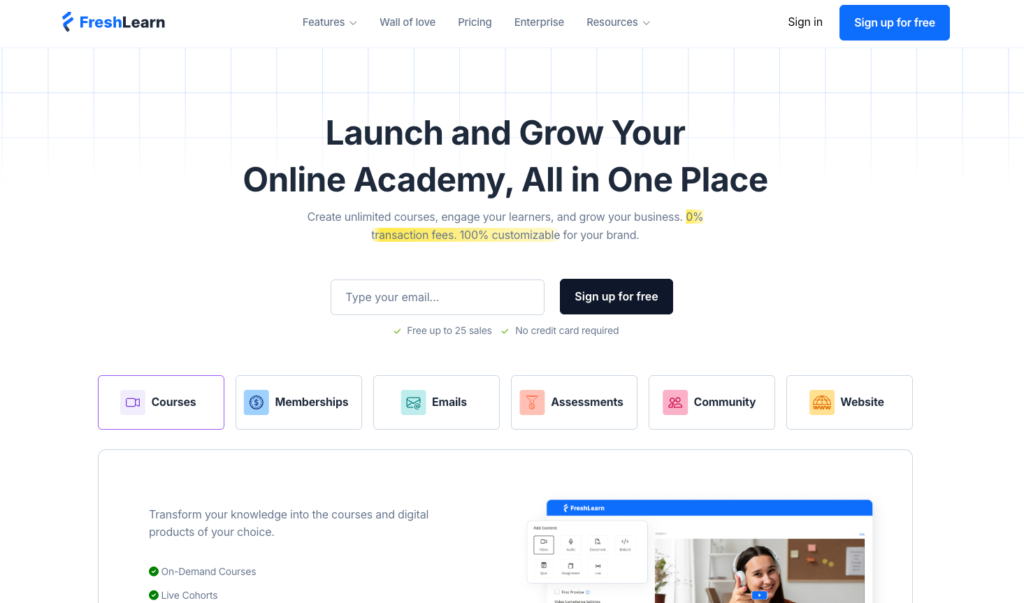
If you’re just getting started with online courses or moving away from marketplaces like Udemy: FreshLearn is one of the few platforms I consistently recommend.
Here’s why.
It’s easy to use, and affordable starting as low as $49/month with no limits on the number of courses or digital products you can sell.
Though, under its fair use policy, I discovered that it does place limits on things like video watch hours and storage, across all its plans.
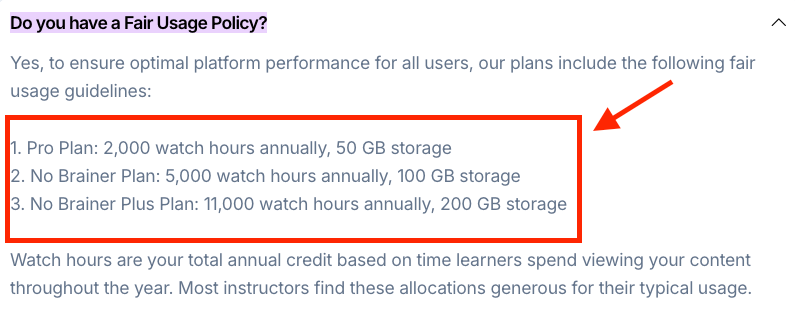
For most beginners looking to launch their first course this won’t be an issue early on. But as your audience grows and especially if you’re hosting longer video content you’re going to hit those limits fast.
Even with these caveats, FreshLearn still delivers strong value if you want a simple, affordable and reliable course platform with no transaction fees.
More importantly, that simplicity carries through to how you build and deliver your courses.
FreshLearn gives you a clean, curriculum builder that’s easy to navigate, even if you’re not tech-savvy. Within your lessons (or what FreshLearn calls chapters), you can:
- Upload videos and host them natively, or embed from platforms like YouTube and Vimeo
- Add downloadable resources like templates and worksheets to support learning
- Create assignments and quizzes to assess learners and track progress
- Run live sessions using third-party tools like Zoom
- Introduce gamification by rewarding students with points for completing lessons
Compared to platforms like Thinkific, Teachable, and Kajabi, it offers slightly stronger built-in learning features.
Beyond quizzes and assignments, it allows you to create a reusable library of questions, assessments, and assignments that can be used across multiple programs.
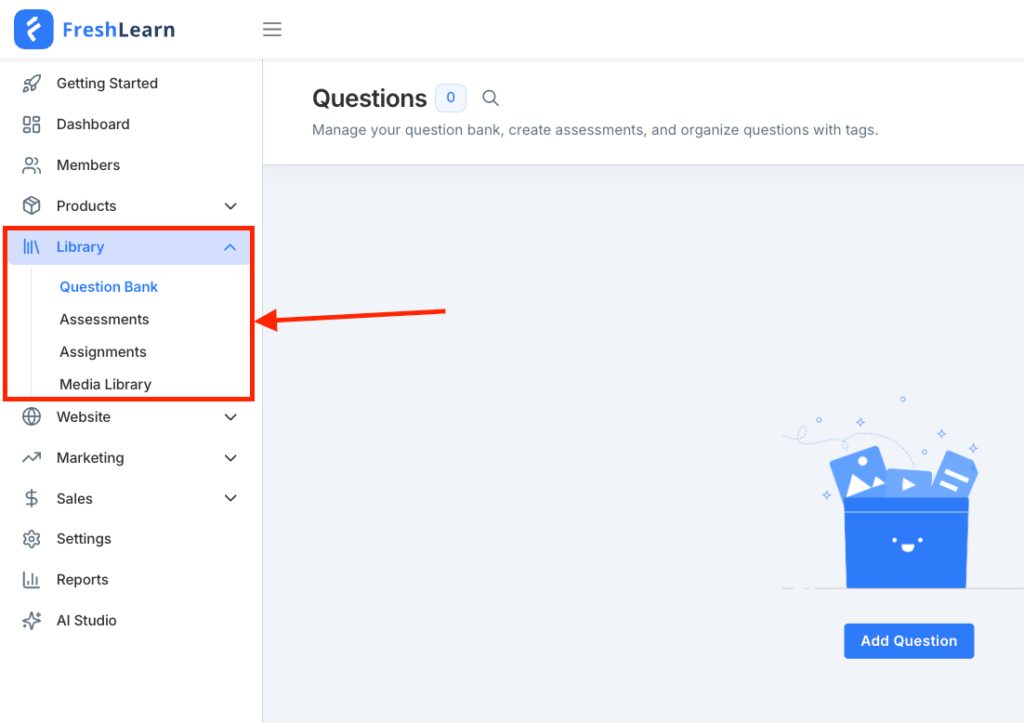
It also supports SCORM-compliant materials and lets you host live masterclasses and coaching sessions though you’ll still need to use third-party video conferencing tools like Zoom and Google Meet for delivery.
FreshLearn also offers a native community building tool. But still not quite to par, functionality-wise.
It’s basic, clunky, and still missing key functionality like private spaces, stronger engagement tools, native events calendar and more robust member management features.
Another area FreshLearn is investing in is AI.
Like many modern course platforms, it’s starting to layer in AI-powered tools through its AI Studio. But the implementation is still evolving.
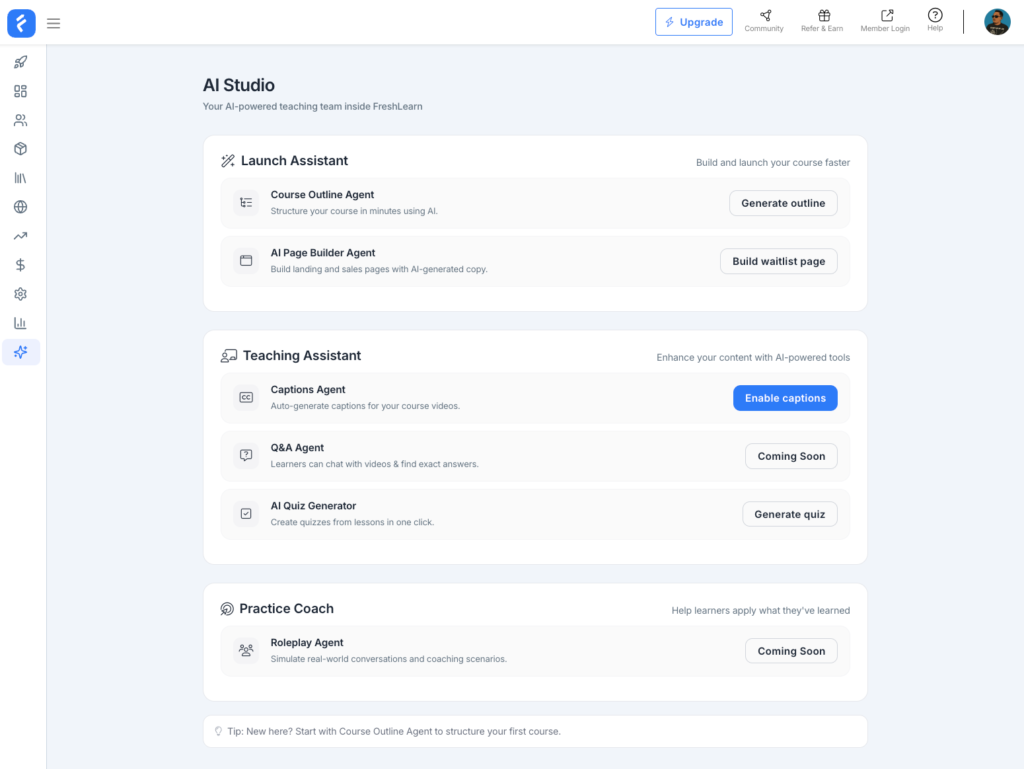
Right now, that includes:
- A launch assistant to help structure your course outline and build a waitlist landing page
- Teaching assistant agents for tasks like video captioning and quiz generation
- Basic landing page generation
These tools can speed up early setup, but they’re not yet a core differentiator.
Similar to platforms like Thinkific and EzyCourse, FreshLearn is leaning into the all-in-one approach aiming to let you run your entire course business from a single platform. That includes a suite of built-in sales and marketing tools.
But how do they measure up? Well, let’s see.
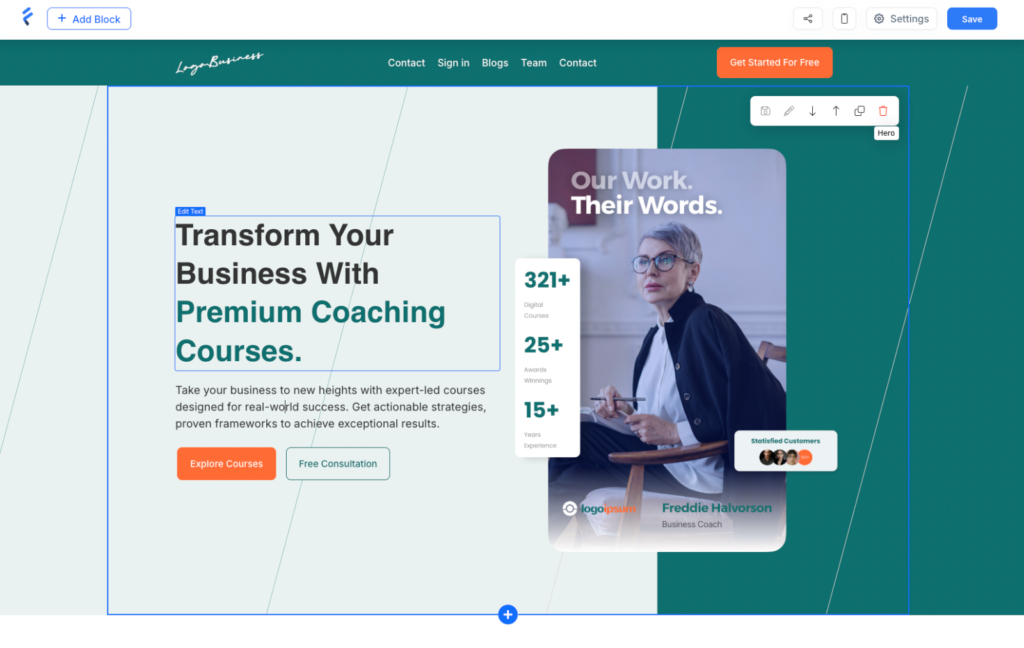
Its website and landing page builder covers the fundamentals, offering around 24 templates. However, many of these templates feel visually similar, which limits how distinct your pages can look without additional customization.
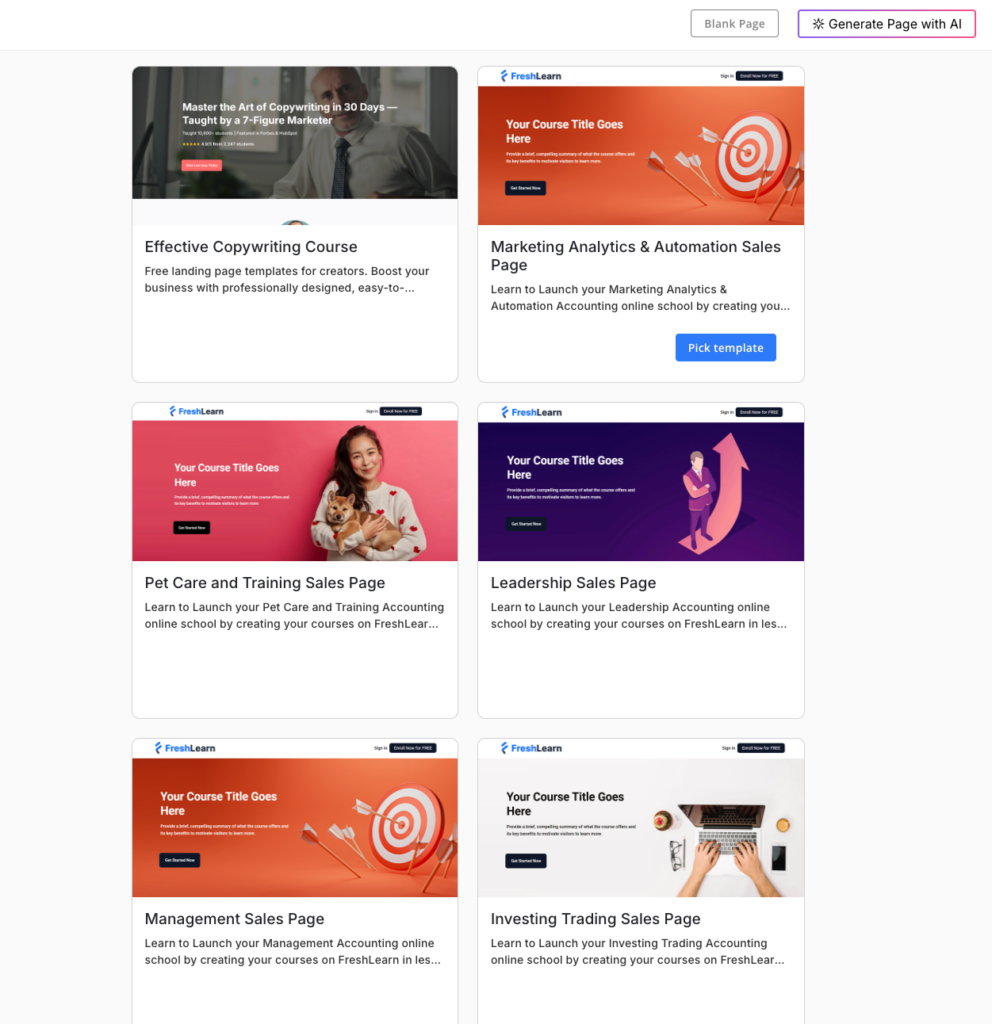
The builder uses a WYSIWYG approach, allowing you to design and preview pages in real time. This makes the experience intuitive, especially for beginners who want to move quickly without a steep learning curve.
But that simplicity comes at the cost of flexibility.
You can’t freely drag and rearrange blocks, fine-tune spacing (like margins and padding), or fully customize sections beyond the constraints of the predefined grid and layouts. There’s also no version history, which means you can’t easily roll back changes in your designs.
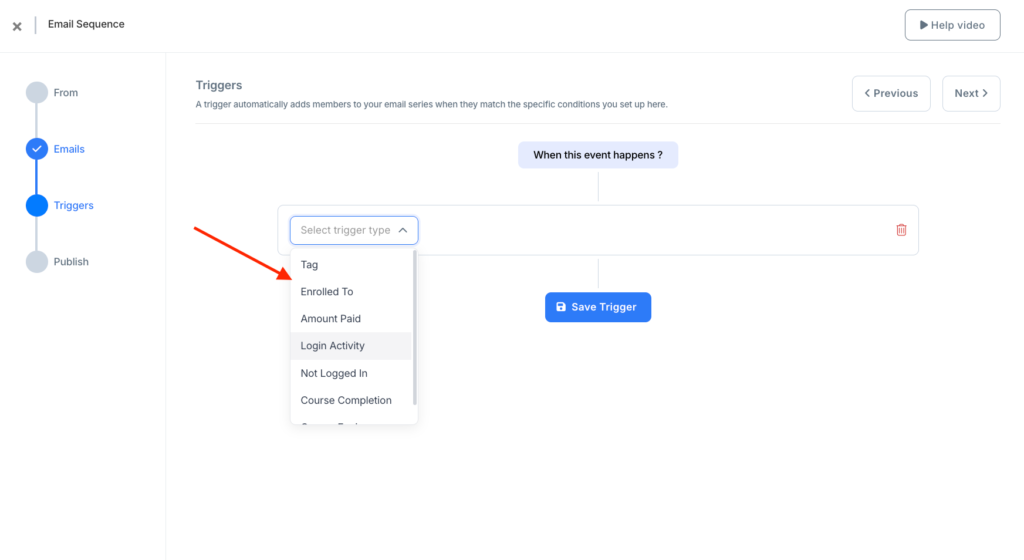
FreshLearn also includes built-in email marketing tools. You can send broadcast emails and set up automated sequences without needing a separate email marketing tool.
These sequences can be triggered by user behavior such as: tag changes, activity logs, or course completion.
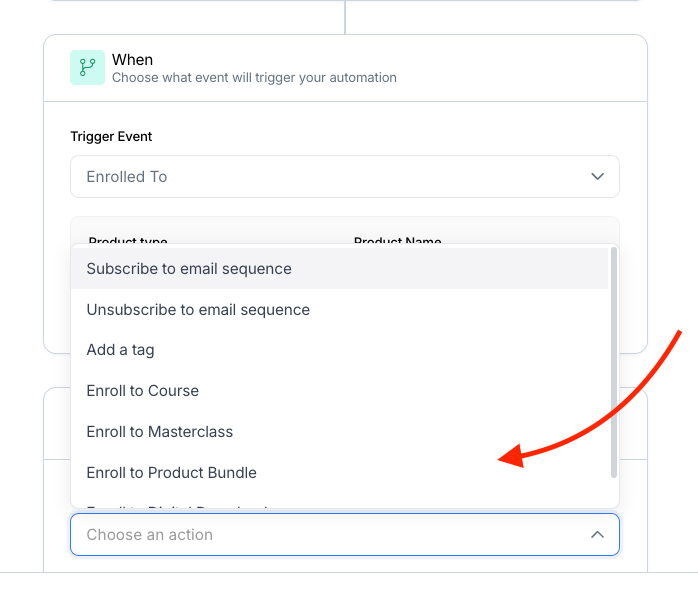
Its automation builder extends this further. You can create workflows that perform actions like adding tags, enrolling users into products, or subscribing and unsubscribing contacts from email sequences.
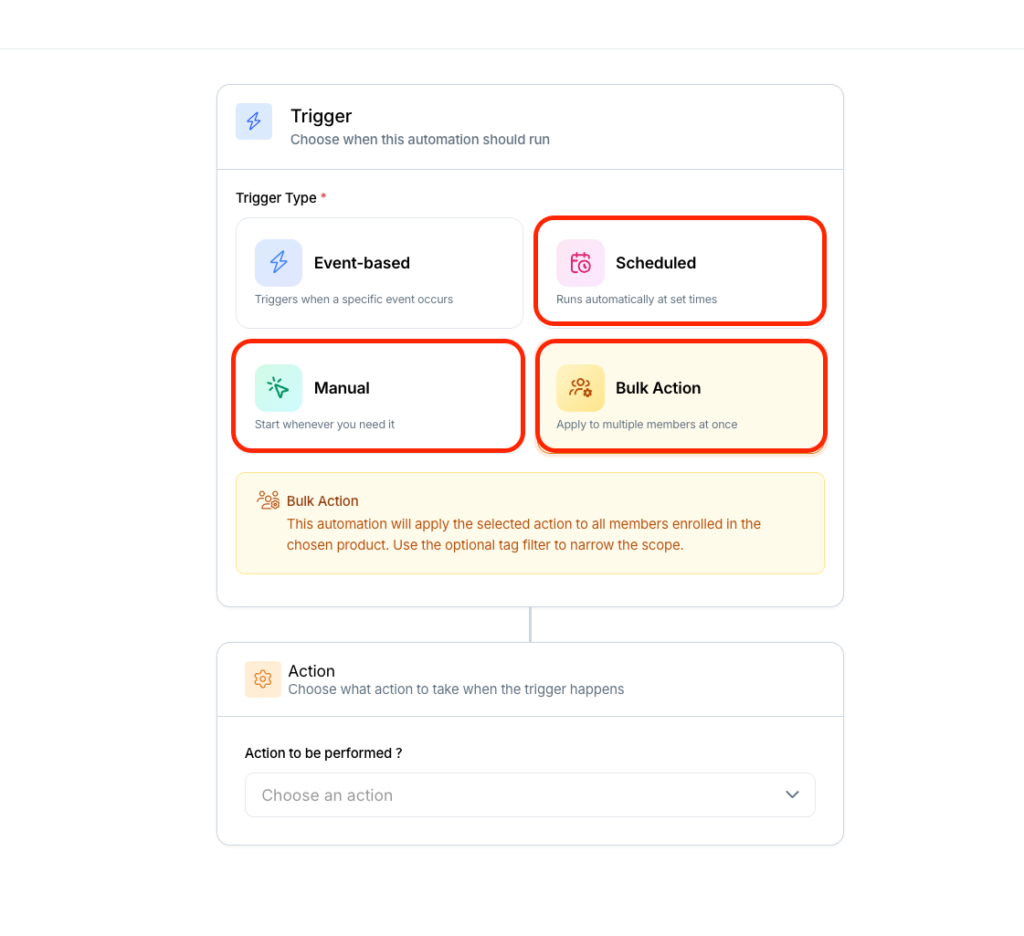
But aside from that you can perform more automations types like:
- Scheduled: allow you to run automations at a specific date or time.
- Bulk action: let you update large segments of your audience at once.
- Manually: gives you control when you need it, like instantly enrolling a specific user, granting access, or kicking off a workflow based on a one-off decision.
While this covers common use cases, the automation system still lacks the depth and conditional logic you’d expect from more advanced marketing platforms like Kartra.
When it comes to selling you products, FreshLearn integrates with three gateways including: Stripe, PayPal, and Razorpay giving you more options to process payments off the bat.
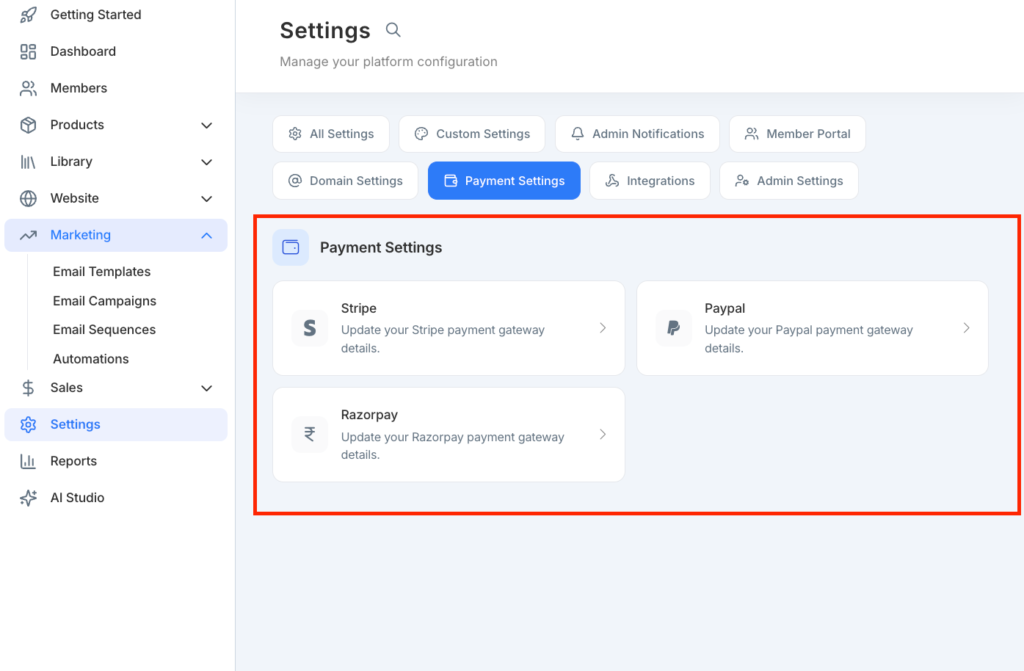
You can offer one-time payments, payment plans, and free trials, which gives you flexibility in how you structure your pricing.
However, as with other parts of the platform, FreshLearn covers the essentials and hardly pushes into advanced territory. Sure its marketing tools are good enough for many starters but they’re not robust enough to fully replace a dedicated marketing stack.
FreshLearn pricing review
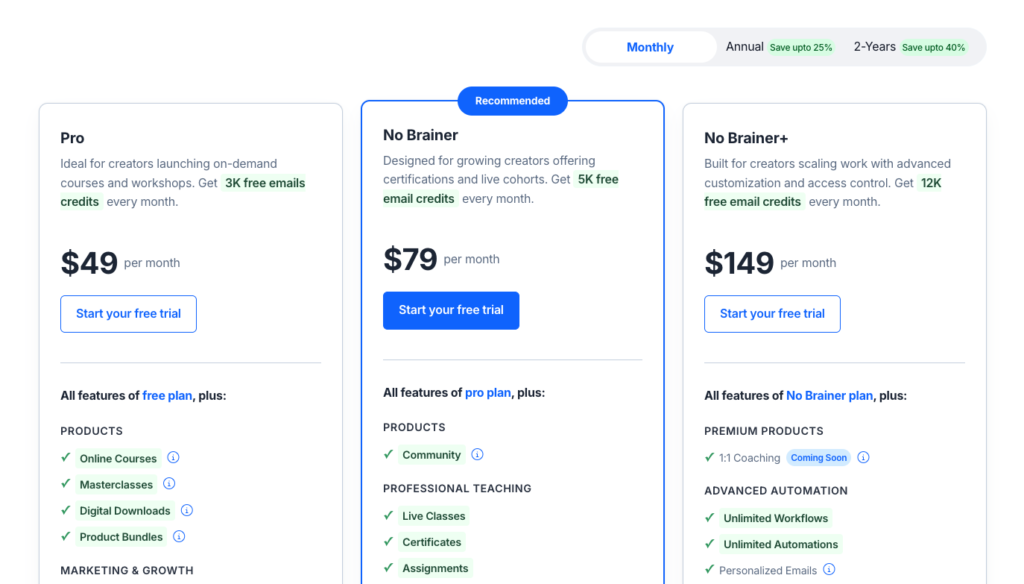
FreshLearn is significantly more affordable than many of its competitors like Kajabi. Unlike many other platforms, it allows you to create unlimited products on every paid plan and charges 0% transaction fees (minus standard payment processor fees like Stripe or PayPal) on your sales.
Below are FreshLearn paid tiers:
- Pro: $49 per month.
- No Brainer: $79 per month
- No Brainer+: $149 per month
- Enterprise: $249 per month
Note: FreshLearn also offers a Free plan (with a 10% transaction fee) and discounted rates for annual billing.
FreshLearn pros and cons
Pros
Cons
Bottom Line: FreshLearn delivers great online learning tools that make it easy to learn your education business and coaching programs. It is easy to use, affordable, and imposes no product limits or transaction fees. It is the best choice for solo educators, coaches, and small businesses who want an intuitive, and cost-effective solution to run professional online training programs.
#4: Circle.so
Best for building community-based online learning experiences.
Circle.so is the best software for building courses and communities in one place. It lets you set up private online spaces for your learning programs where you can engage your students through discussion boards, group chats, and live events without needing to integrate third-party apps like Thinkific for course creation or Discord for communities.
Of all the community building tools I tested, few came close to Circle when it comes community-powered learning and operational growth. It features:
- An intuitive course builder that lets you natively host your materials and assess learners with quizzes.
- Built-in livestreaming tools to host interactive live workshops or 1:1 sessions.
- AI-filters to simplify moderation.
- Spaces that let you organize your community content and discussions into dedicated containers.
- Access Groups to bundle and simplify access management.
- And Workflows to automate repetitive tasks such as: sending welcome messages or tagging members upon joining your community.
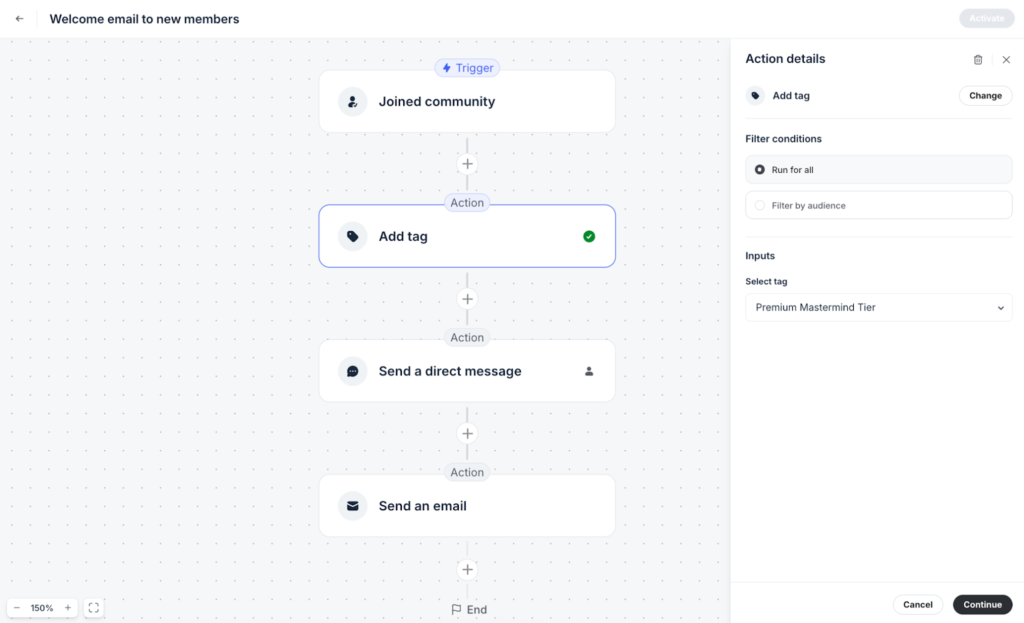
Beyond community management tools, Circle lets you build professional landing pages, send email campaigns, and natively process payments. You can also launch fully branded mobile apps where members can access your learning programs, events, and community discussions on the go on their mobile devices.
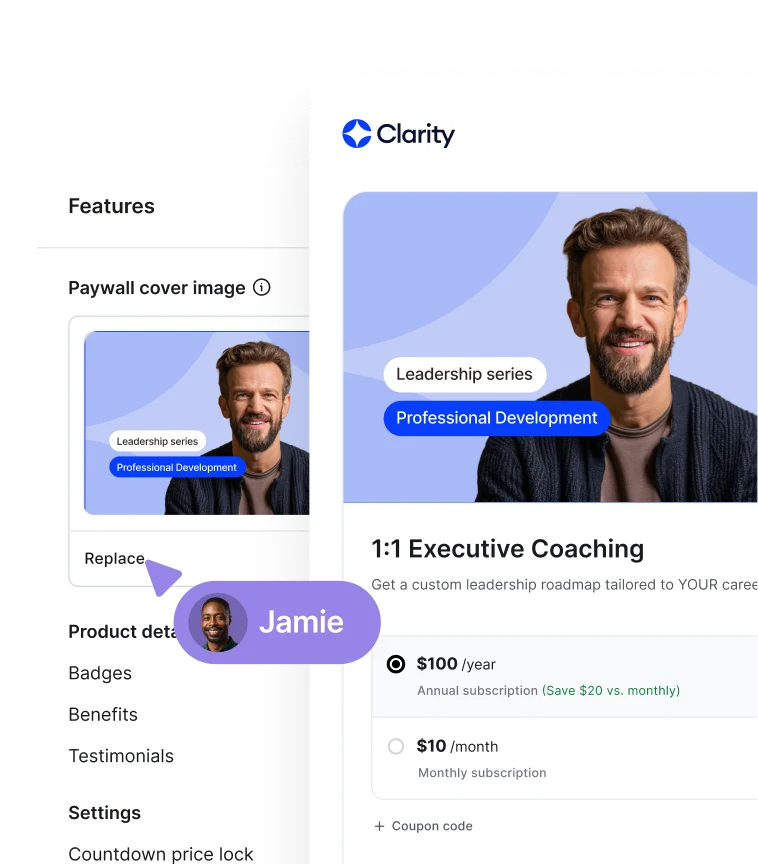
Courses in Circle are designed to be inherently social. Instead of existing as isolated products, each course lives as its own “Space” within a broader community ecosystem, reinforcing interaction and ongoing engagement.
You can choose between three primary course formats depending on how you want students to move through the material.
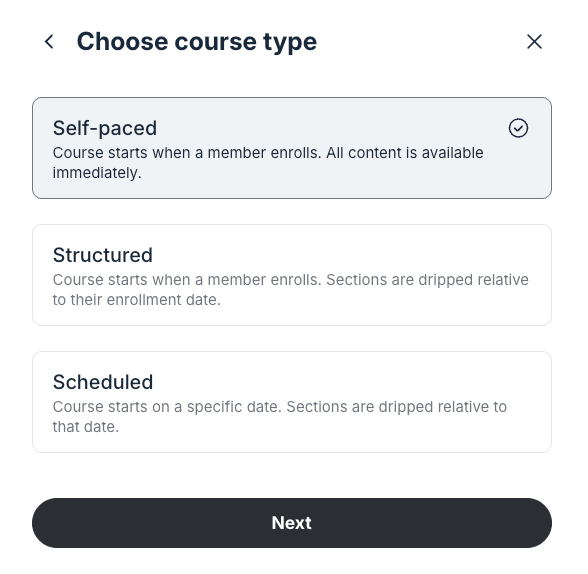
- Self-paced: to grant immediate access to all content with no fixed timeline.
- Structured: to release content progressively based on each student’s enrollment date.
- Scheduled: to release content on fixed dates for all students then dripped relative at that date.
Once you’ve selected your course structure, you can design your course curriculum using Sections and Lessons.

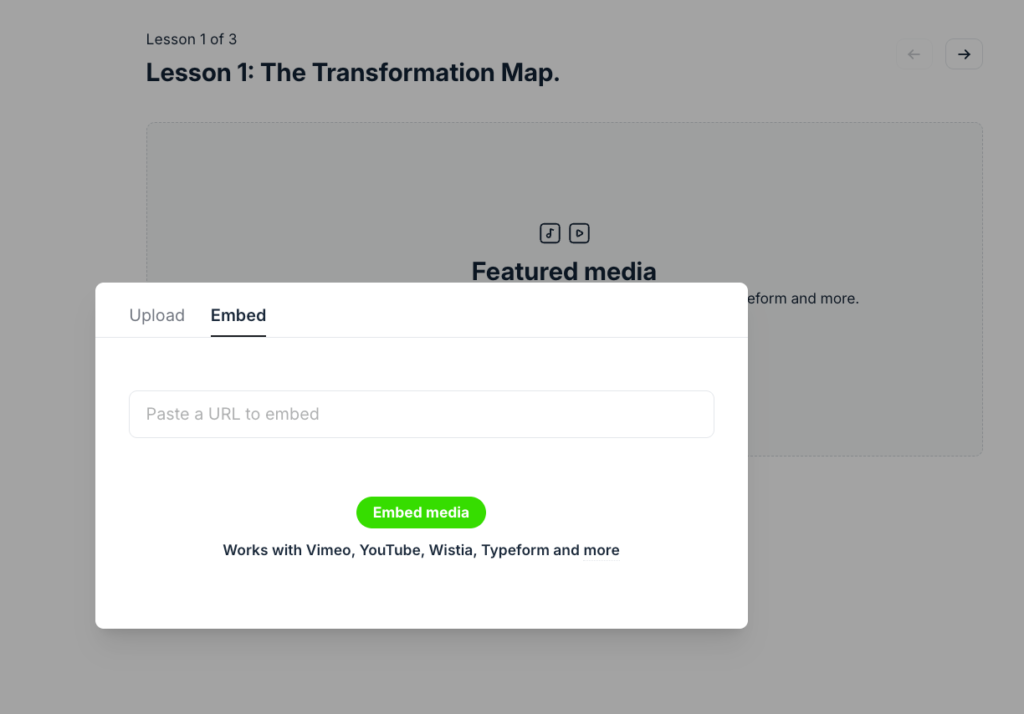
Within each lesson, you can upload video files up to 4GB or embed externally hosted content from platforms like YouTube, Vimeo, and Wistia.
You can also include downloadable resources such as PDFs and templates, allowing you to reinforce learning and support practical applications.
When it comes to assessments, Circle supports simple quizzes with multiple answers and ability to embed videos and images into your questions.
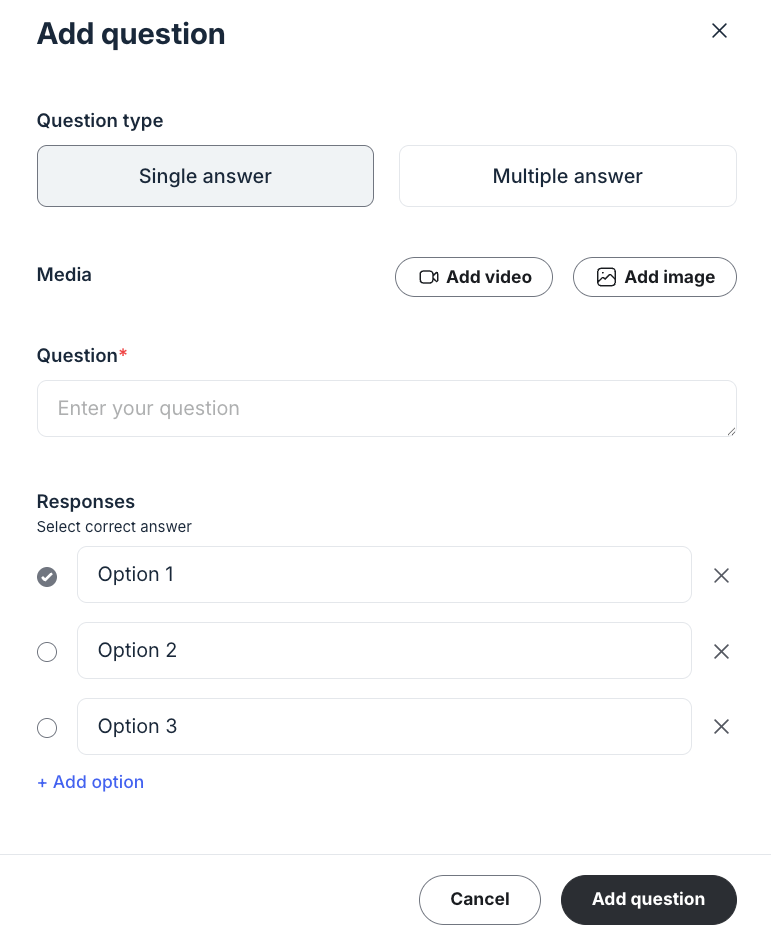
You can set passing scores, and randomize question order. Students receive immediate feedback on their performance, and you can track completion rates and scores through the admin dashboard.
However, Circle doesn’t support comprehensive assessment tools such as assignments that allow learners to submit and upload files. It also doesn’t allow you to issue completion certificates.
That said, Circle’s course builder is best suited for professional upskill courses, practice-based learning, cohort-based programs, or masterminds that heavily rely on collaborative learning, peer-to-peer knowledge sharing, and professional networking.
Circle.so pricing review

Circle currently offers three pricing tiers: two standard paid plans and one custom plan.
On Circle’s website, they advertise pricing that “starts at $89 to $199 per month,” but those rates only apply when you choose annual billing—which isn’t made very clear upfront.
In reality, Circle’s month-to-month pricing looks like this:
- Professional: $129 per month
- Business: $219 per month
- Circle Plus: Custom pricing
Circle.so pros and cons
Pros
Cons
Bottom line: Circle is the best online course platform for creators, educators, and coaches who want to build learning programs that will benefit from a community-driven online learning experience. Think of cohort-based courses, mastermind groups, group coaching and peer-driven workshops. This allows you to establish a peer learning environment which can improve knowledge comprehension, collaboration and course completion rates.
To learn more about Circle, read my (detailed Circle.so guide) or my (in-depth Circle review) to see if it fits your community goals. If you are still deciding, see how it stacks up in my direct comparisons: (Circle vs Mighty Networks) or (Circle vs Skool).
#5: Systeme.io
Affordable all-in-one marketing platform with online course creation tools built-in
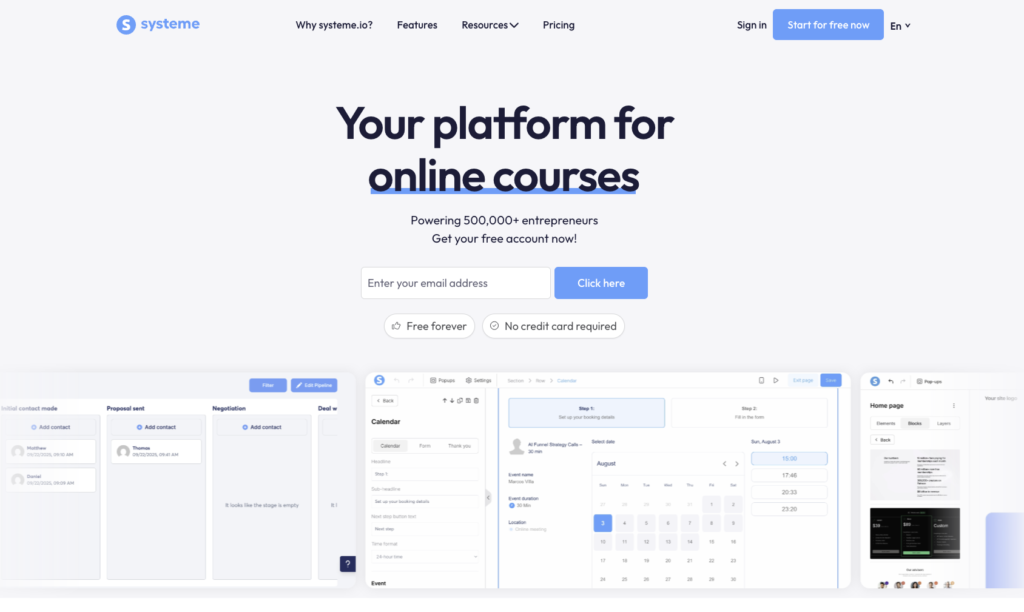
Systeme is the best online course platform if you want an affordable and comprehensive marketing suite without the premium price of all-in-one tools like Kajabi or Kartra.
It includes:
- email marketing
- sales funnels
- landing pages & websites
- automation
- webinar hosting
But for as low as $17 per month which is a fraction of the price of what you’ll pay with platforms like Kajabi and Kartra.
Infact, if you’re looking for an affordable Kajabi alternative to run your knowledge business, Systeme is an excellent choice. Best of all, you can get started for free, creating one course and host upto 2000 contacts.
Systeme’s course builder is solid. You can add videos, images, audio, and downloadable files into your course lessons. You can also include quizzes in your course modules to assess learners and issue completion certificates to accredit them.
But unlike platforms like Teachable, Thinkific and FreshLearn with limited course design options, Systeme lets you customize your course player the way you want.
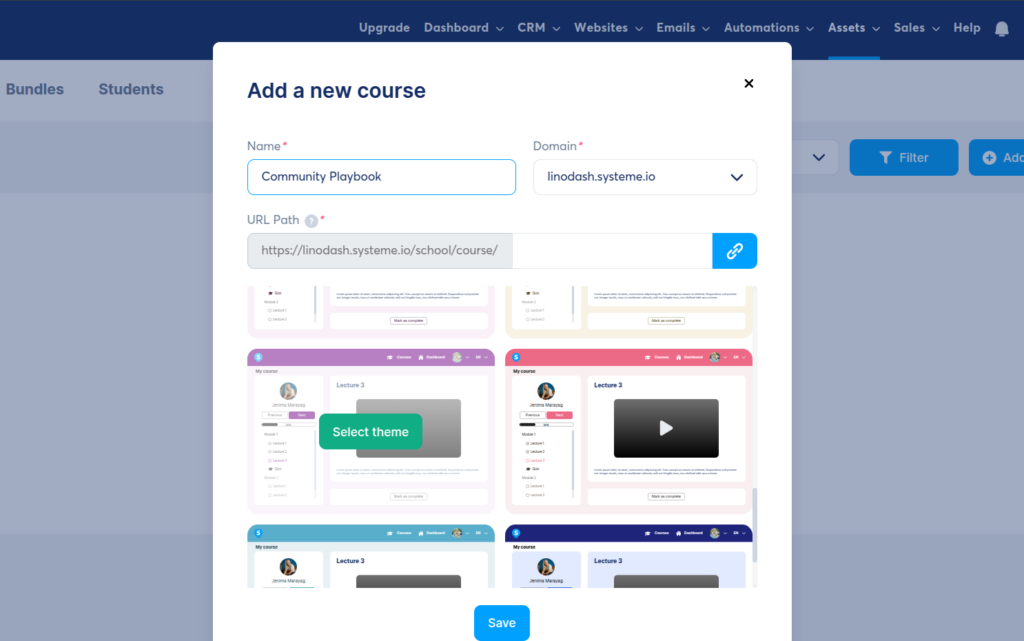
You can start by selecting from its 6+ course design templates.
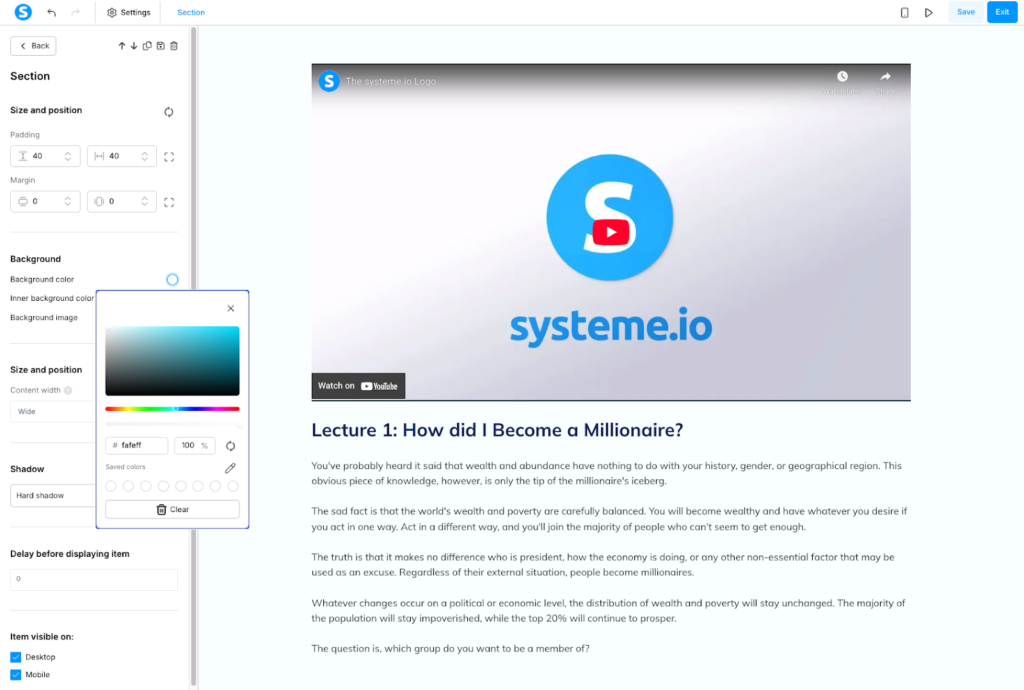
After which you can you drag and drop essential elements like videos, audio, text, columns, sections, and rows into your layout. You can adjust margins, padding, and background colors to match your brand.
Beyond courses, Systeme supports 1:1 coaching sessions and group calls.
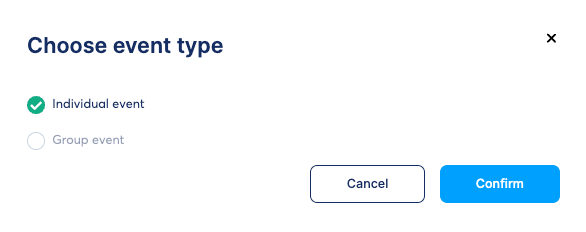
It has a built-in scheduler that lets you set availability, buffer times, and sync with Google Calendar to avoid double bookings.
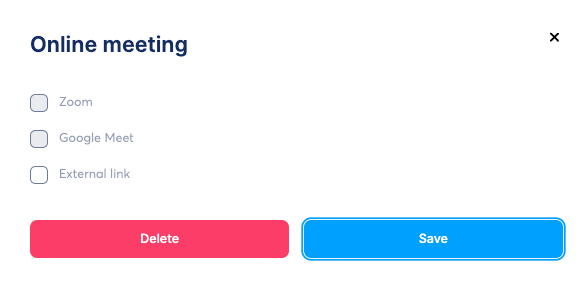
However, you’ll need to integrate Zoom or Google Meet for live conferencing since Systeme doesn’t host calls natively like Kajabi does.
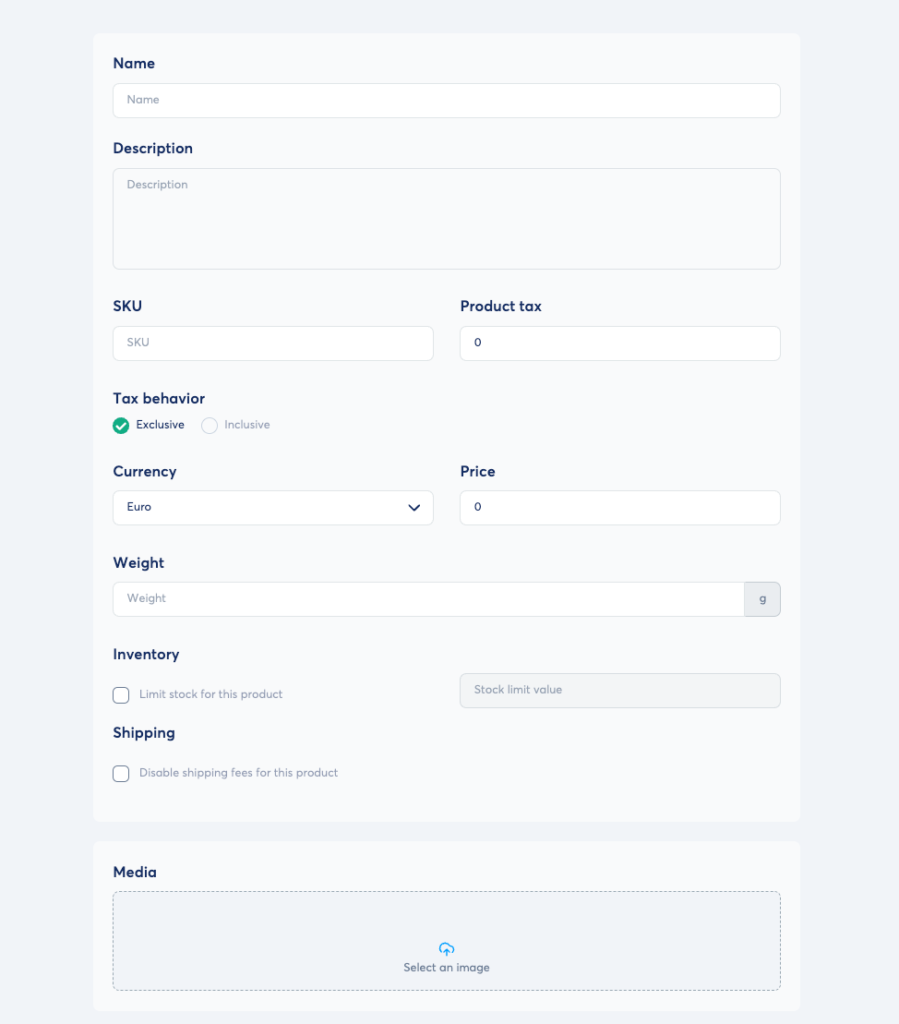
You can also sell other products like downloadable files, memberships, and physical products.
But what sets Systeme.io apart from many course building tools is its extensive payment gateway support. For example, Circle only supports Stripe. Kajabi supports Stripe, PayPal, and its native payment processor.
But these options are largely limited to North America and parts of Europe. If you’re from Asia, say India or Africa like Kenya you have no way to accept payments without some hard workarounds using Zapier. And don’t get me started with PayPal, because it’s a mess and unreliable.
However, Systeme integrates additional gateways like Flutterwave, Xendit, Razorpay, e.t.c.
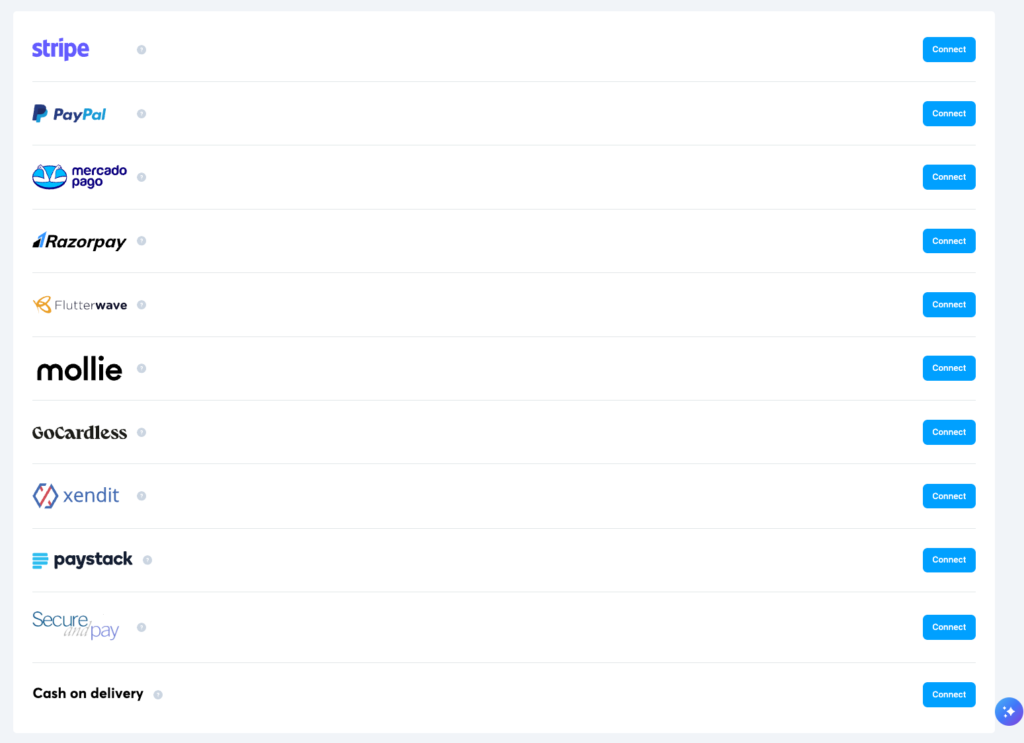
That way, you can choose the provider available in your region and start selling without unnecessary friction.
Systeme.io pricing review
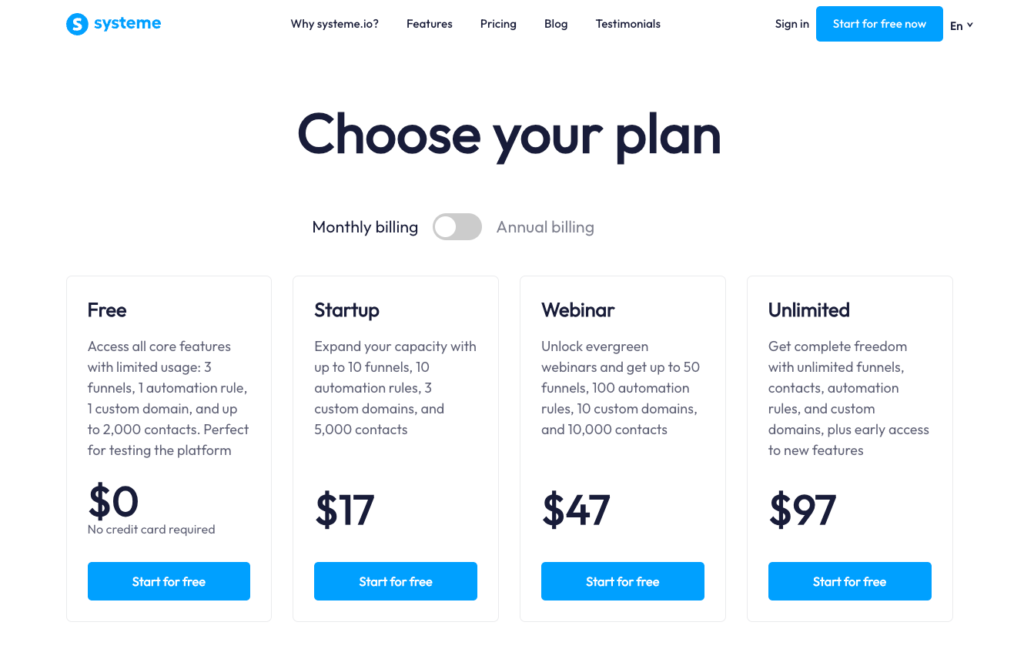
Systeme.io offers strong value for money, especially considering the wide range of tools it includes. Beyond creating and selling courses, you can also build websites, run email campaigns, create sales funnels, and track leads using its native CRM pipelines.
All plans include access to every tool, which sets Systeme.io apart from many course platforms that lock key features behind higher-priced tiers. Instead, plans are limited by usage factors such as the number of contacts, CRM pipelines, automation rules, sales funnels, and courses.
- Free: 1 course and up to 2,000 contacts
- Startup: $17/month – 5 courses and up to 5,000 contacts
- Webinar: $47/month – 20 courses and up to 10,000 contacts
- Unlimited: $97/month – unlimited courses and contacts
Systeme.io pros and cons
Pros
Cons
Bottom line: Systeme.io is the ideal solution for creators, coaches, and entrepreneurs seeking an all-in-one platform to build, market, and sell digital products without the high upfront costs of platforms like Kajabi. It offers a robust marketing toolkit including: sales funnels, email marketing, pipelines, and automations. Choose Systeme.io if you want a reliable, affordable alternative to Kajabi or Kartra.
#6: LearnWorlds
Best LMS platform for building interactive and SCORM Compliant courses.

It’s surprisingly hard to find a genuinely full-scale LMS without enterprise-level pricing. Many platforms charge based on the number of learners or active users, which can get expensive fast once you’re running programs with a few hundred students. .
LearnWorlds delivers most of what you’d expect from a high-end LMS at a fraction of the cost. It combines structured course creation, learner management, assessments, analytics, and certificates into a single platform, without aggressively pricing you out as your audience grows.
With LearnWorlds you can create interactive learning and not just hosting videos behind a paywall. The course builder lets you create structured programs with modules, activities, and assessments, but where it stands out is its interactive video player.
Instead of treating video lessons as passive content, LearnWorlds lets you add overlays directly inside your videos, including text prompts, clickable buttons, quizzes, images, and pop-ups.

These elements help you turn prerecorded lessons into active learning experiences.
For professional training and corporate use cases, LearnWorlds also supports SCORM and HTML5 content. That makes it a strong option if you need standards-compliant courses for internal training, certifications, or regulated industries: something many creator-focused platforms like Thinkific and Teachable don’t handle particularly well.
You can also host live sessions to keep your learning engaging. But unlike Circle and Kajabi, LearnWorlds doesn’t include built-in livestreaming. As such you’ll need to integrate tools like Zoom, Google Meet and Webex to host your live workshops, or 1:1 coaching calls. So you’ll need to integrate tools like Zoom, Google Meet, or Webex for live workshops, coaching calls, or cohort sessions.
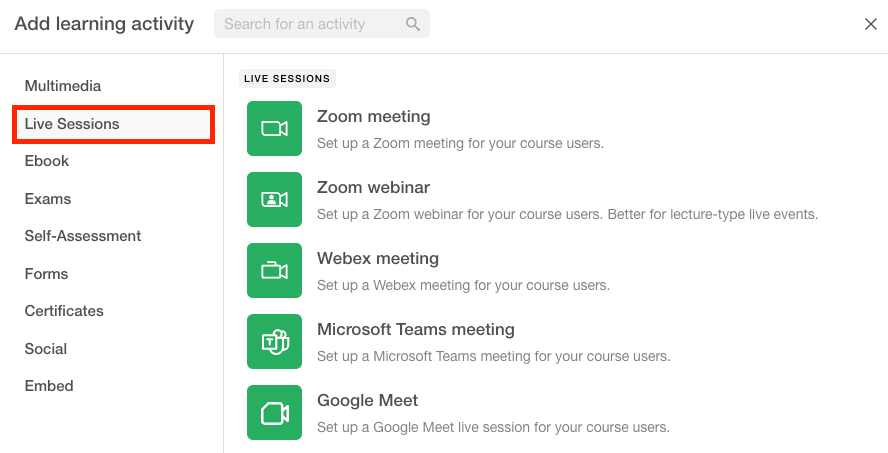
But perhaps, where LearnWorlds really differentiates itself is assessment and feedback. Rather than limiting you to basic multiple-choice quizzes, the assessment builder supports a wide range of question types, including text-based, image-based, video-based, true/false, dropdowns, matching, ordering, fill-in-the-blanks, and written assignments.
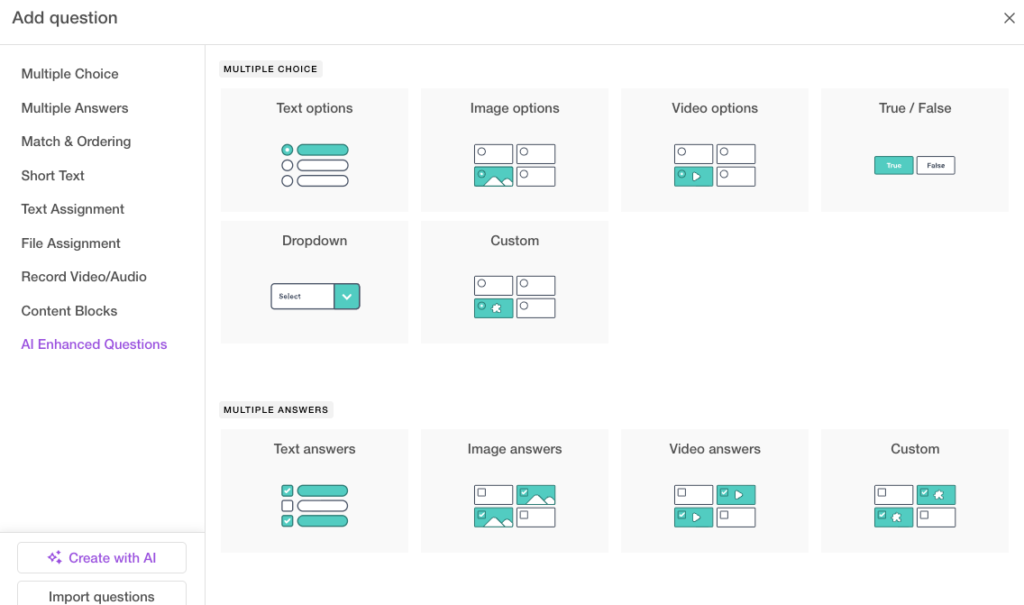
You can add explanations to answers, assign points, automate grading, and even use AI-assisted feedback to speed up responses.
For more advanced use cases, learners can submit file uploads, video recordings, or audio assignments. You can set passing grades, limit attempts, add countdown timers, randomize questions, and create reusable question banks. Questions can also be uploaded in bulk via Excel files using LearnWorlds’ templates, which is especially useful for large exams or certification programs.
LearnWorlds also supports self-assessments, where students can evaluate their own progress. These can include ungraded questions, allowing students to reflect on their knowledge gaps.
You can track students’ progress and assessment performance through a dashboard that offers insights into activity completion, exam scores, and engagement which helps you tailor follow-up content or interventions for learners who may be struggling.

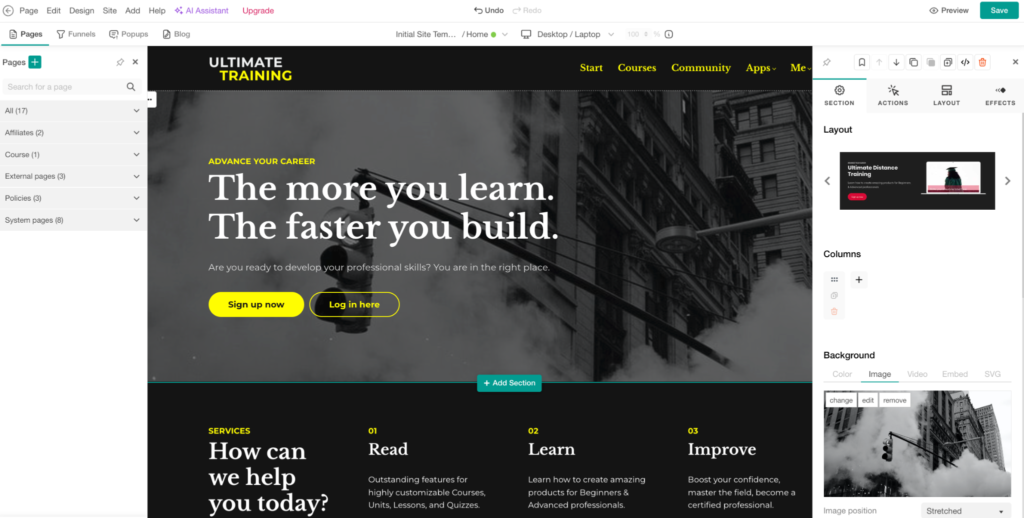
Beyond courses, LearnWorlds lets you build a branded website for your online school or coaching business. It includes more than 15 pre-designed templates and section layouts to help you get up and running quickly.
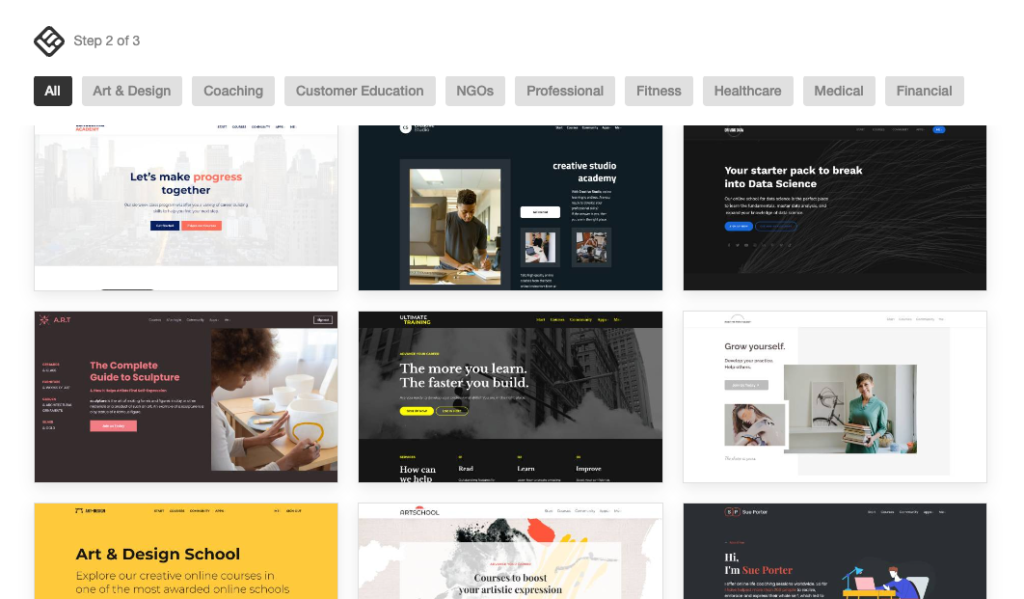
While the site builder doesn’t feel quite as sleek or modern as tools like Kajabi or Circle, it’s flexible enough to create professional-looking sites with thoughtful layout controls and reusable sections.
From my experience, LearnWorlds is a strong choice if you need a serious learning management system especially for interactive, assessment-heavy, or standards-compliant training—without stepping into enterprise pricing territory.
LearnWorlds pricing review
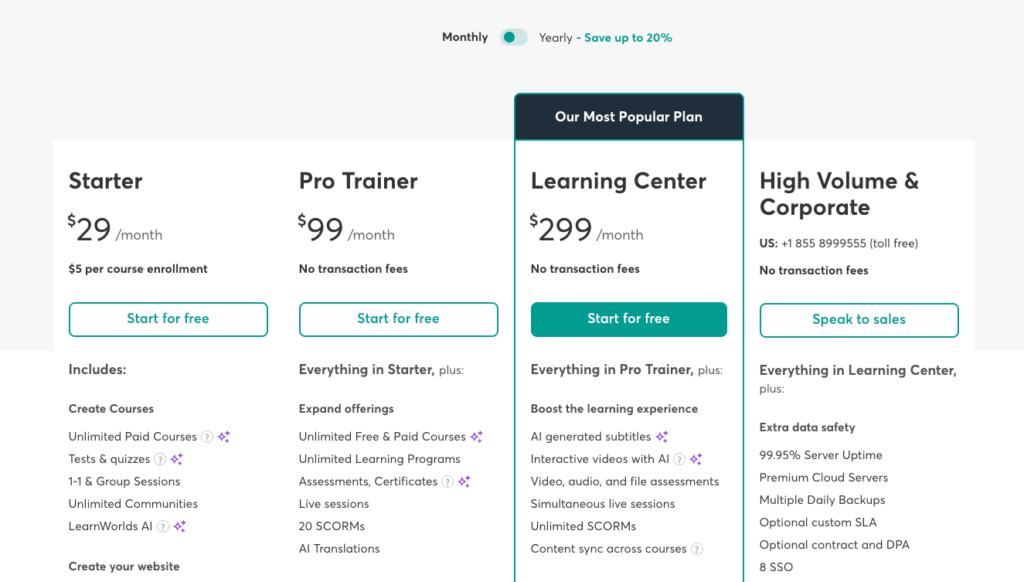
LearnWorlds is an affordable LMS platform that does not limit the number of courses you can create on any plan. However, while LearnWorlds claims to have zero transaction fees, this is only partially true. If you’re on the Starter plan, the platform charges a $5 fee per course enrollment.
Below is an overview of LearnWorlds’ pricing plans:
- Starter: $29/month, includes basic course creation, one admin, and limited customization
- Pro Trainer: $99/month, offers unlimited courses, advanced assessments, support for up to 20 SCORM files, and up to 5 admins
- Learning Center: $299/month, includes unlimited SCORM support and unlimited admins
- High Volume & Corporate: Custom pricing with enterprise-grade security and advanced learning management tools
LearnWorlds pros and cons
Pros
Cons
Bottom line: LearnWorlds is the best online course platform for creators, educators, corporate trainers, and learning institutions that need a fully featured LMS without enterprise-level pricing. It has strong online learning tools such as interactive video, advanced assessments, SCORM support, and detailed learner analytics.
#7: Stan Store
Simplest and most mobile-friendly online course software for creators and coaches.
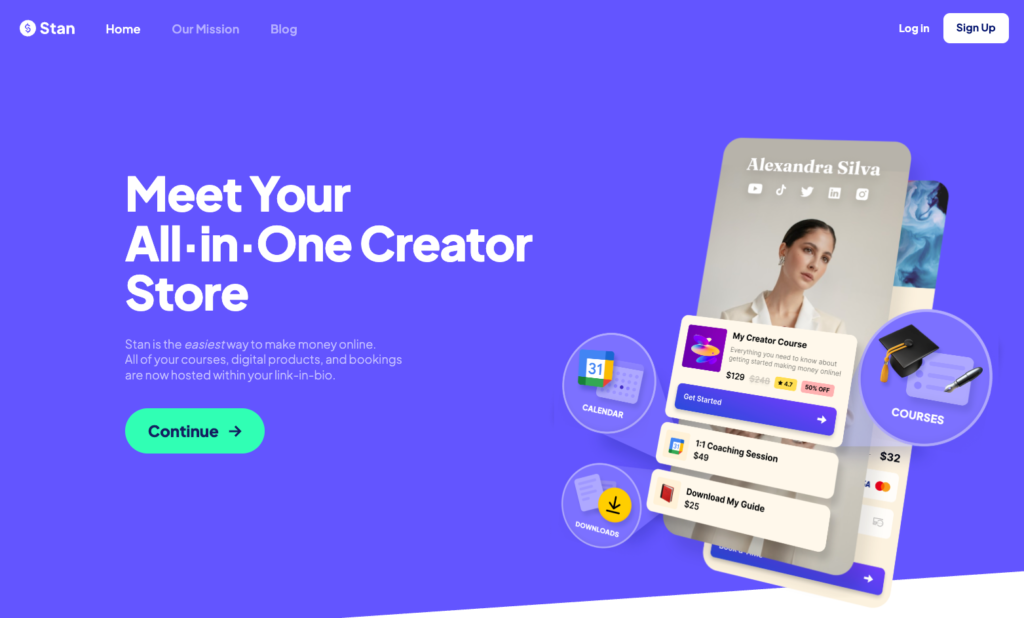
Many of the online course creation tools I’ve used have a bit of a learning curve. Even intuitive interfaces require time to explore before you launch your first product. Stan Store is different. It’s easy to create and sell courses.
Stan Store is more of a storefront tool that lets creators sell digital products like courses, coaching, downloads, events, and memberships from a single page.

It combines the aspects of product creation with link-in-bio functionality to simplify selling.
With Stan Store, you can launch your first paid course without the hoops and loops that I faced with many LMS platforms like Kajabi and iSpring LMS.
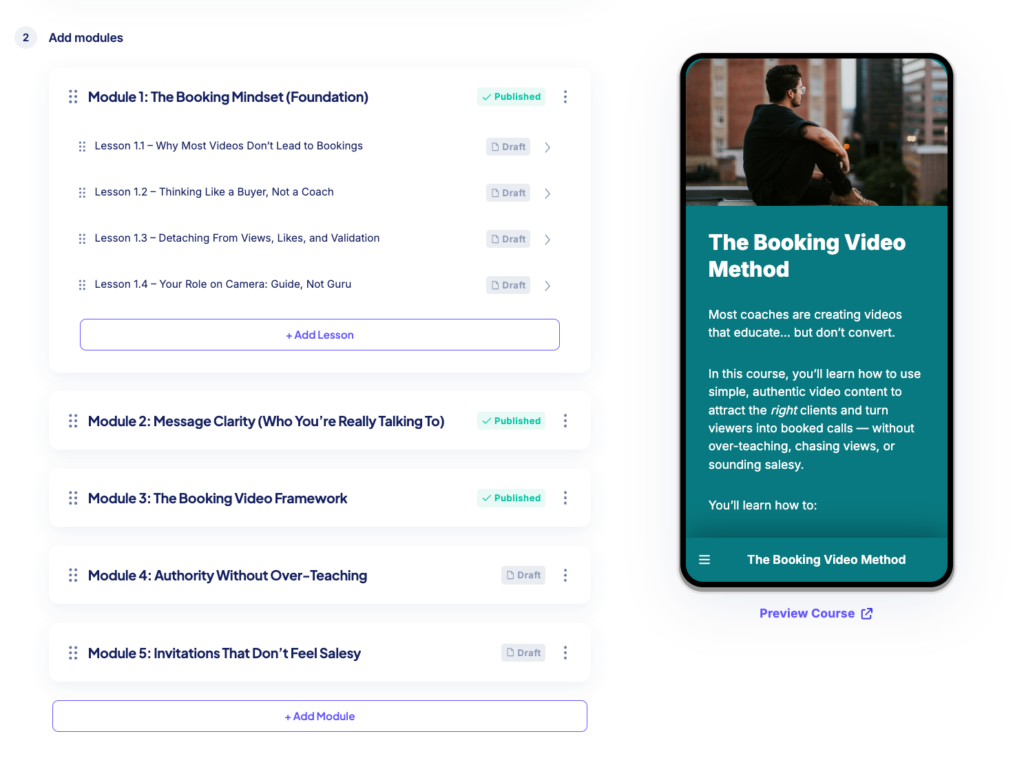
Simply head over to the dashboard, hover over the left sidebar, click the My Store menu item, and then select Add Product.
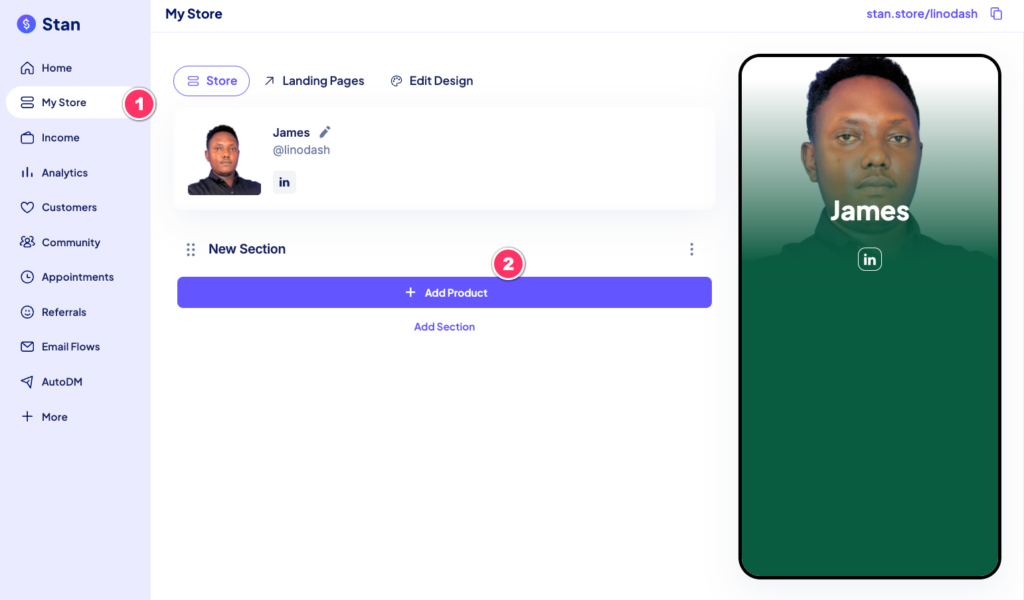
Next, choose eCourse and proceed to the Course tab.
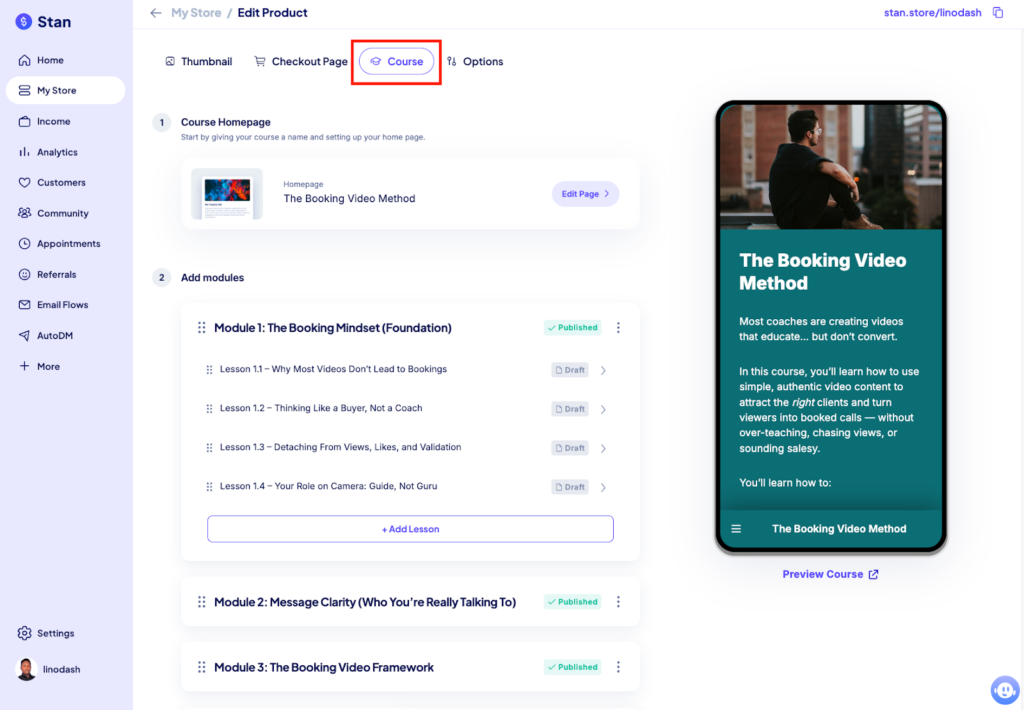
From there, you can structure your course using modules and lessons. On the right side of the builder, you’ll see a real-time mobile preview of how your course will look. You can also click Preview Course to view the full learner experience.
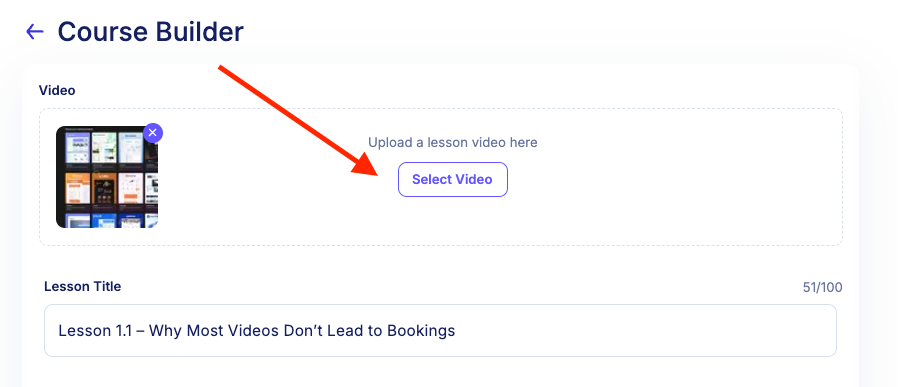
Within each lesson, you can upload and host your video content directly on the platform.
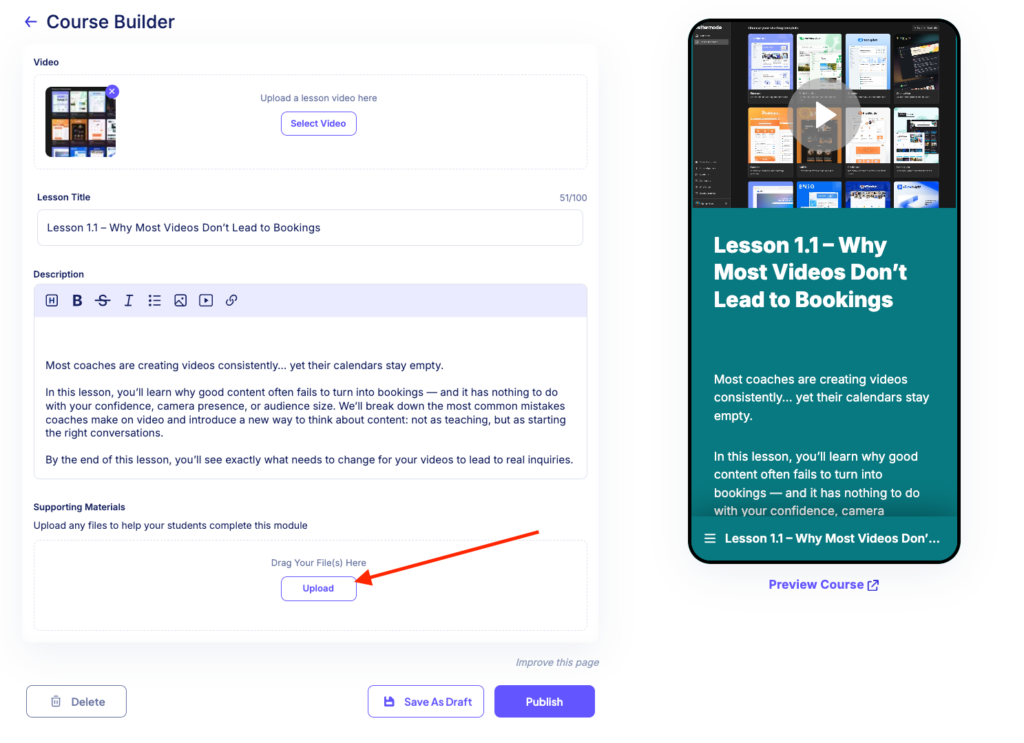
If your videos are hosted elsewhere—such as Wistia, Loom, or YouTube—you can quickly embed them using Stan Store’s one-click embed tool.

You can also include supporting materials like PDFs and templates within your lessons.
Stan Store also allows you to drip-schedule content relative to a student’s enrollment date. However, unlike platforms such as Kajabi and FreshLearn, it doesn’t support quizzes, assignments, or native course completion certificates. This means you’ll need workarounds if learner assessments or certifications are important to you.
Stan Store also comes with growth tools like simple landing pages and email workflows that lets you send drip email campaigns relative to user’s optin date.
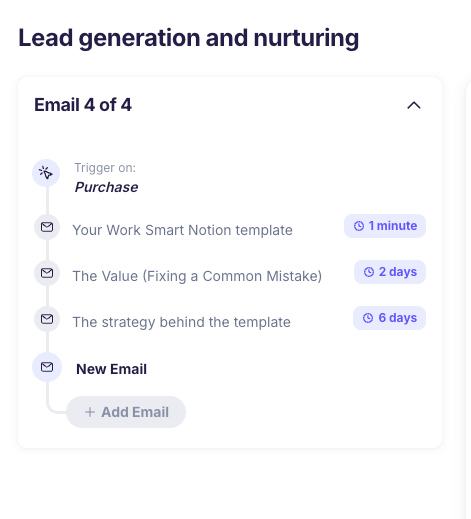
However you can’t trigger emails based on user behavior—like joining a segment, clicking a link, or updating a field. The automations are mostly linear with no split logic and paths like platforms such as Kajabi or Circle or Kartra.
It also has a decent checkout builder with orderbumps, payment plans and discounts.
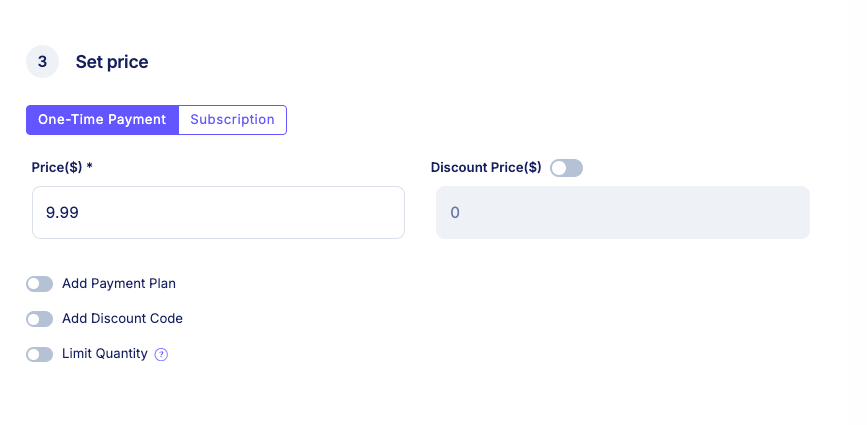
From my experience, Stan Store is best suited for creators who want to sell courses, coaching, or downloadable files without a complicated setup. Its link-in-bio tool lets you showcase all your products on a single page that you can easily link in your social media accounts. This removes the need for followers to navigate a multi-page website to find what you’ve promoted, reducing friction and drop-off. Think of Stan Store as a course-creation and sales tool designed for high conversions, especially on mobile.
Stan Store pricing review
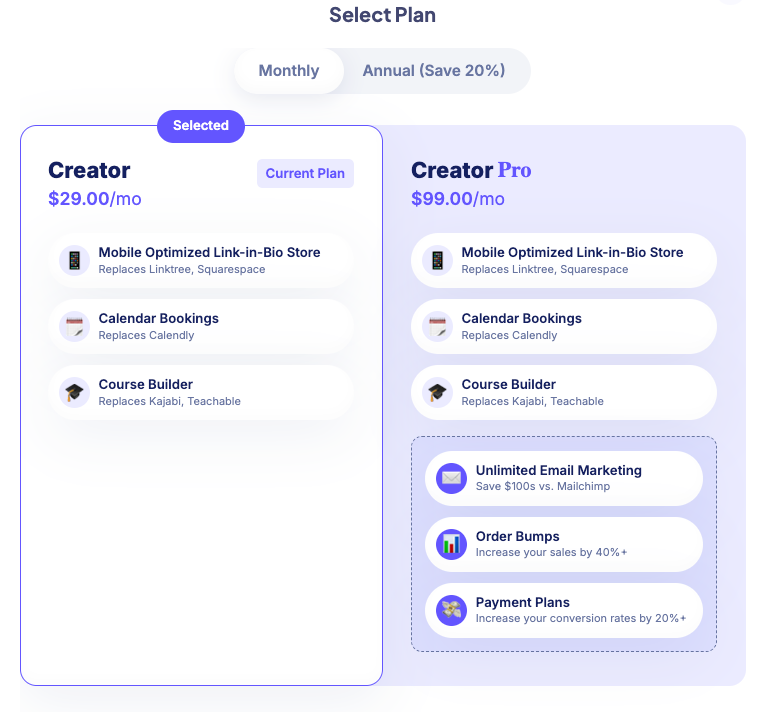
Stan Store offers two fixed-price plans, both including essential tools such as course creation, link-in-bio stores, calendar bookings, and Auto DM. However, advanced features like email workflows, order bumps, and payment plans are only available on the higher-tier plan.
- Creator: $29 per month
- Creator Pro: $99 per month
Stan Store pros and cons
Pros
Cons
Bottom line: Stan Store is best for creators and influencers who want a fast, no-friction way to sell courses and other digital products like guides, ebooks, templates and coaching calls. It’s easy to use and you don’t need to set up websites or funnels to begin selling.
- Read my recent Stan Store review.
#8: Skool
The most lightweight community-based online course platform for beginner creators and coaches.

Skool is one of the simplest ways to run a paid course and a community in one place without paying for multiple tools, learning separate interfaces, or spending days on setup.
Platforms like Circle and Mighty Networks often require you to build your community around “spaces” and “space groups.”
While flexible, this structure can quickly become complex. You have to decide how everything fits together, organize groups, manage access levels, and configure pricing for different tiers, all of which can overwhelm new users.
Skool takes a different approach. Instead of multiple layers of structure, it offers a single, unified system featuring: one discussion feed, built-in course creation tools, live sessions, events, and an integrated payment system.
This way you don’t need to worry about creating and managing multiple spaces or figuring out space hierarchies.
On top of that, Skool’s interface closely resembles traditional forums and familiar social platforms like Facebook Groups. This makes it intuitive and easy to navigate, especially for beginners who want to get up and running quickly.

But simplicity isn’t everything.
With Skool you can create unlimited courses and add various content formats into your lessons including videos, PDFs, file attachments, images and text.
For video, you can upload them directly to Skool, which supports HD quality, playback speed controls, auto captioning and a thumbnail picker.
Alternatively you can embed from YouTube, Vimeo, or Wistia if your content is already hosted there.
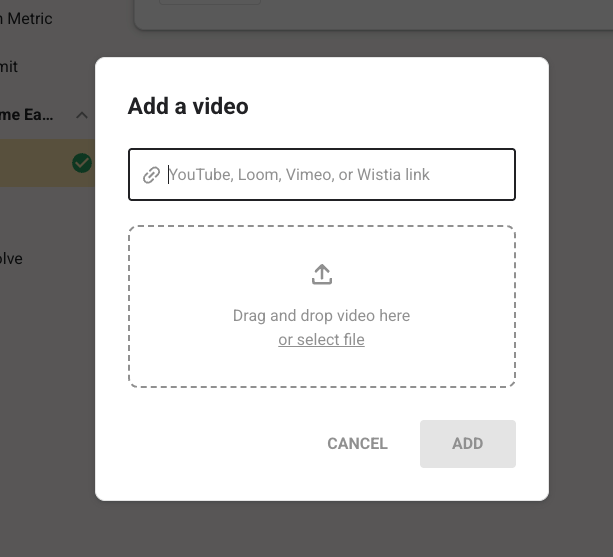
However, the course creation tools are still basic; as they lack other useful features like drip scheduling modules, a quiz builder, graded assignments, and completion certificates.
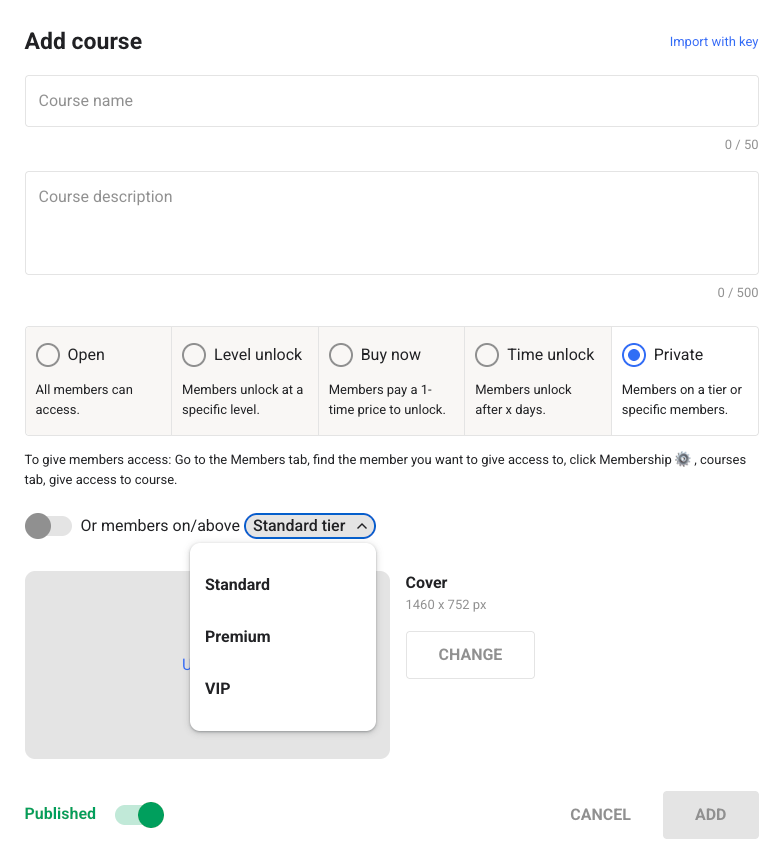
Where Skool does stand out though, is in its approach to access control. It offers a simple yet flexible system that allows you control access to your content as:
- Open to all members
- Locked behind gamification levels
- Available as a one-time purchase
- Time-restricted
- Exclusive to specific membership tiers (e.g., standard, premium, or VIP)
Community building is Skool’s bread and butter. It lets you run a threaded discussion forum where members can post, comment, and reply to conversations.
On top of that Skool allows you to layer in gamification to your community experience. Members can earn points when other members like their posts or comments which progresses them through nine levels, with their current level showing next to their name across the platform.

However, the gamification system is still shallow compared to Mighty Networks or Circle. You cannot award custom badges, offer automated perks like a discount code, or automatically send members a reward when they hit a milestone.
Speaking of events, Skool includes a built-in calendar allowing you to schedule and manage upcoming sessions in one place. It also lets you natively livestream your sessions through its Skool Call feature which can be ideal for holding 1-on-1 coaching sessions or tightknit live workshops. For larger, one-to-many interactions, you can host webinars just as seamlessly with its Skool Webinar tool.
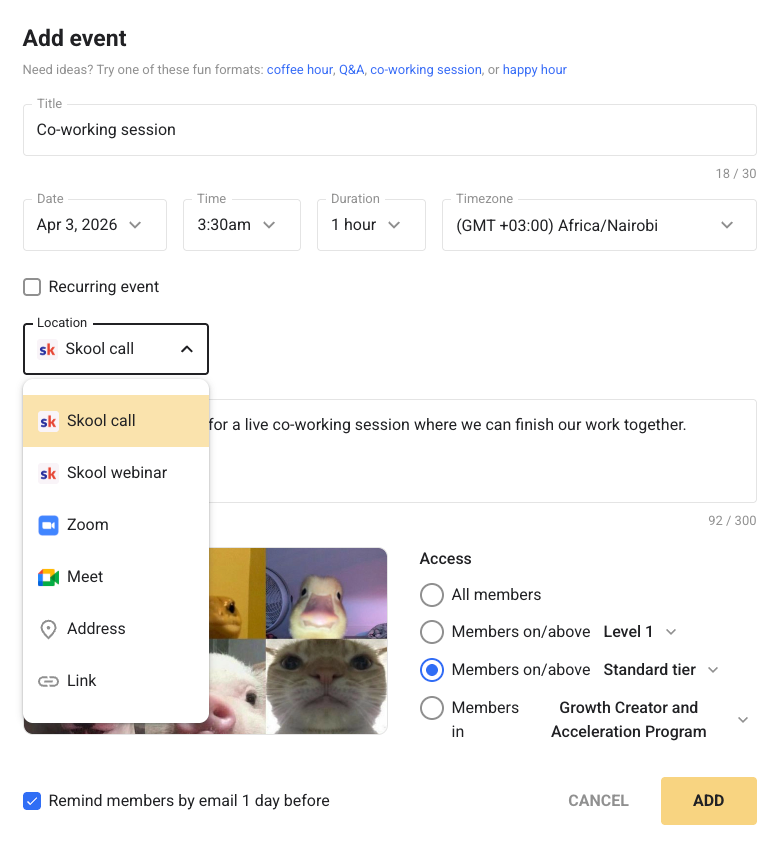
However, Skool doesn’t lock you into its native system. If you already have an established workflow in place, you can still run your live sessions through third-party platforms like Zoom or Google Meet.
Skool excels at delivering a simple, intuitive, and community-first online learning experience. But branding and marketing tools are areas it falls flat on its face.
Across all its plans, Skool doesn’t allow you to host your community on a custom domain. Instead your community is hosted under a Skool-branded URL, which limits how “owned” and professional your brands appear.
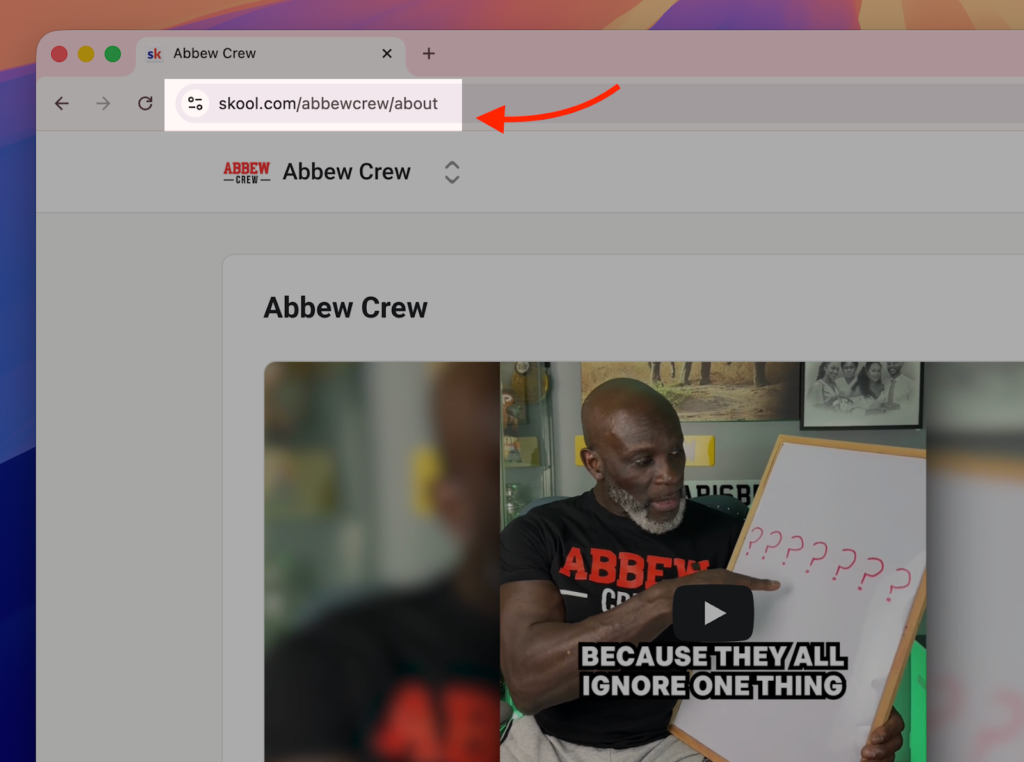
Customization is equally limited. You can upload a logo but there are no options to apply brand colors, adjust layouts, or meaningfully tailor the visual experience. As a result, most Skool communities end up looking nearly identical.
On the marketing side, the gaps are even more significant. Skool does not include built-in tools for email marketing, landing pages, or funnel building. There’s no native way to capture leads, nurture prospects, or run campaigns within the platform.
As a result, everything else in the customer acquisition and conversion journey will require you to use third party software.
Skool pricing review
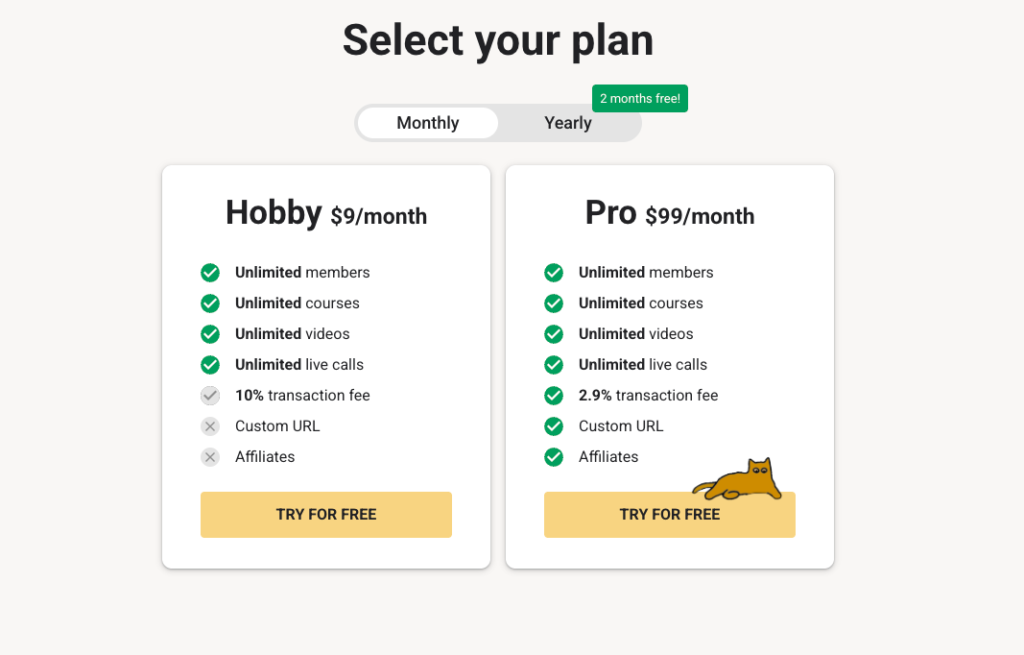
Skool keeps its pricing deliberately simple, offering just two plans:
- Hobby: $9 per month
- Pro: $99 per month
Both plans include the same core feature set—unlimited courses, unlimited members, native video hosting, a community feed, Classroom, live sessions, gamification, and access to iOS and Android apps.
At first glance, this looks like strong value for money.
But there’s something that many starting creators miss: transaction fees.
The Hobby plan charges a 10% transaction fee, which is notably high compared to most platforms in this category and increasingly expensive as your revenue grows.
For example, imagine you run a 100-member learning community charging $20 per month. That’s $2,000 in monthly revenue out of which $200 goes to Skool in transaction fees alone. At this point, the “low-cost” Hobby plan quickly becomes one of the more expensive options.
In other words, Skool’s pricing is simple on the surface, but not necessarily cost-efficient at scale.To learn more about Skool, its features, and a full pricing breakdown, read my detailed Skool review here.
Skool pros and cons
Pros
Cons
Bottom line: Choose Skool if you are a coach, educator, or creator who wants to combine a community and a course in one place without a complicated setup, and your teaching style centers on discussion, group calls, and peer accountability rather than structured assessments.
Also read:
Final thoughts: which is the best online course platforms to choose in 2026
Nearly every tool claims to be all-in-one course platform nowadays. But once you actually use them, the limitations start to show. Hard product limits, hidden costs, or tools that try to do everything and end up doing very little well.
In this guide, I spent time digging into some of the top-rated course creation platforms individually to understand where they genuinely excel and where they fall short.
Rather than pointing to a single “best” platform, I’ve grouped the strongest options into clear categories based on how they’re actually used. Thay way, you can choose your best solution based on how you plan to build, deliver, and scale your course business.
Below are the best online course platforms to consider in 2026 ranked by category, and what they do best.
All-in-one platforms
Best for creators who want courses, marketing, payments, and automation under one roof.
- Kajabi: The most polished all-in-one platform, with strong marketing tools and a premium feel.
- Systeme: A more affordable alternative that covers the basics for funnels, courses, and email marketing.
Specialist course creation and LMS platforms
Best for structured learning, professional training, and advanced assessments.
- Teachable: Intuitive to use and well-intergrated global payments with taxing supported
- FreshLearn: A solid option for educators who want focused course delivery without enterprise complexity.
- LearnWorlds: The strongest choice for interactive, SCORM-compliant, and assessment-driven learning experiences. Best course platforms for teams and training businesses.
Community-driven course creation tools
Best for creators building engagement-first products around discussions, cohorts, and memberships.
- Circle: Clean, flexible, and ideal for premium communities paired with courses.
- Skool: Simple, engagement-focused, and optimized for cohort-style learning.
Best storefront platforms
Best for selling lightweight courses, digital products, and creator-led offers.
- Stan Store: Sleek, easy to use and highly optimized for mobile users. Good enough course creation and events features.
Also read: