Kajabi Review: Is the HIGH PRICE Worth It? (Early 2026)

In this Kajabi review, I’m going to show you if its all-in-one business stack is worth the high price tag in 2026.
Specifically, I’ll show you how it measures in key aspects like:
- Ease of use
- Online course creation
- Community building
- Website and page building
- Sales funnels
- Email marketing & automation
- Payments & transaction fees
- Value for money
I’ll also suggest better alternatives in areas Kajabi falls short so that you can find a solution that best match your needs and budget.
Kajabi Review: Upfront Bottom Line
Kajabi’s all-in-one design removes what I call the cost of software stacking.
By putting your website, email, funnels, payments, and digital products into one dashboard, you cut both expense and operational friction. The results? Less setup, and fewer integrations to manage.
But that efficiency comes at a cost.
Kajabi is expensive. Its cheapest plan starts at $89 per month and limits you to 1 digital product.
At a much lower price point you can get more value for your money with platforms like Systeme.io which also offers an all-in-one setup.
That said, use Kajabi if:
Avoid using Kajabi if:
What is Kajabi?
Kajabi is a premium all-in-one platform for creating and selling digital products. It’s the brainchild of Kenny Rueter and Travis Rosser who founded it back in 2009.
Kenny had built a DIY PVC sprinkler toy for his kids and decided to sell a simple “how to build it” video online.
However, making and selling an online course was complicated back then, as one had to hire a developer to put everything together and reinvent the wheel everytime.
That pain led Kenny and Travis to create Kajabi to help creators sell their knowledge without touching a line of code or complicated setups.
Since then, Kajabi has grown to become one the most reputable digital business platforms.
It lets you sell various digital products like courses, communities, coaching programs, newsletters, digital downloads and memberships.
You can also create websites, sales funnels, email campaigns, webinars, checkout pages and process payments.
This eliminates the need for using multiple third-party tools for product creation and marketing which saves you time, cost and technical headaches.
Kajabi Pricing Review

Kajabi is expensive, and has strict product & contact limits.
Kajabi offers 4 paid plans:
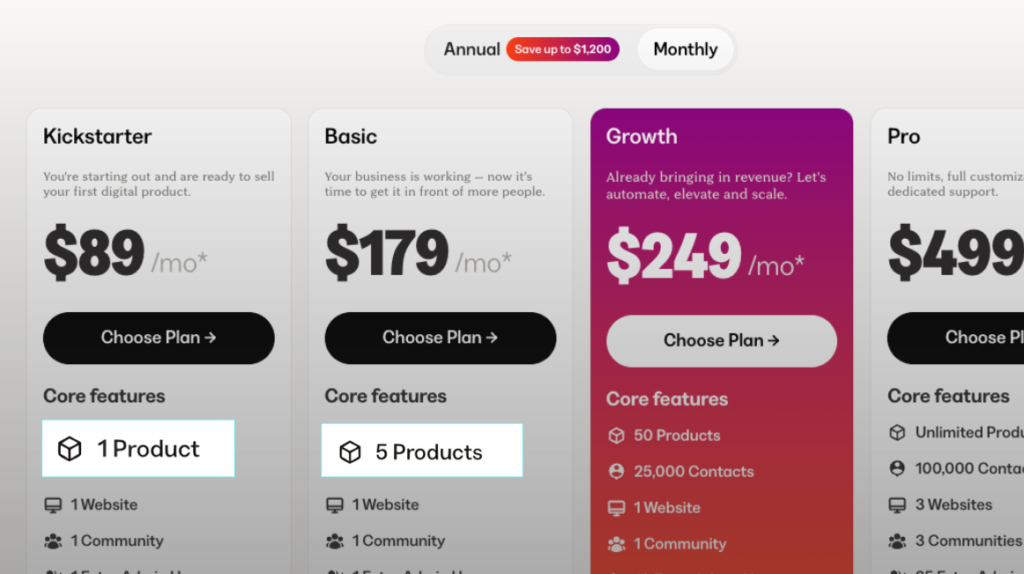
- Kickstarter: $89 per month
- Basic: $179 per month
- Growth: $249 per month
- Pro: $499 per month
Regardless of the plan that you’re using Kajabi enables you create digital products, build sales funnels, launch email campaigns, hold events and process payments.
Ideally, it provides a complete solution to run your digital business saving you huge amounts of monthly fees if you bought individual third-party tools.
For example, Kajabi replaces:
- Thinkific for courses: $49
- Kit for email marketing: $39
- Leadpages for landing pages: $49
- Heartbeat for communities: $49
- Webflow for websites: $18
- ClickFunnels for sales funnels: $97
- SamCart for checkouts: $79
This is $380 each month.
When you do the math, Kajabi’s $199 Growth plan is actually a bargain.
But when you scrunitize its pricing, you’ll see that its threshold plans are expensive compared to the value you get.
That because Kajabi puts strict limits on the number of digital products you can create on the two plans. For example, you can only create 1 product on the Kickstarter plan and 5 products on the Basic plan.
When you think about it, you can get more value on other platforms for a lower or nearly the same price tag.
For example, on Systeme’s most expensive plan, Webinar—which costs $97 per month—you can create unlimited courses.

As your business grows, that’s when Kajabi’s premium price starts to make sense.
On its Pro plan (costs $499 per month) Kajabi offers unlimited product limits and up to 100k contacts which is actually a good bang for the buck.
Verdict: Kajabi offers the best value when you’re on its two highest paid plans (Growth and Pro). You unlock more product limits, can build larger email lists, and you get access to more advanced tools like branded mobile apps and API access. This is a strong value for money if you’re an established creator or coach generating consistent revenue. But if you are just starting, Kajabi is a risky overhead. The limits on the lower plans are too tight to experiment or scale without added costs.
Kajabi charges transaction fees even when using a third-party payment gateway.
Kajabi has its own payment system called Kajabi Payments.
It uses the standard payment processing fees of 2.9% + $0.30 (or 2.7% + $0.30 when you’re on the Pro plan), and doesn’t charge you platform commissions.

However, when you integrate a thirdparty payment gateway like your own Stripe account, Kajabi will charge you transaction fees of 0.5% – 5% depending on the plan you’re on.
| Plan | Kickstarter | Basic | Growth | Pro |
| Transaction fees | 5% | 2% | 1% | 0.5% |
That’s exclusive of the processing fees you’ll be paying from your payment processor.
For example, Stripe charges a standard processing fee of 2.9% + $0.30 per transaction.
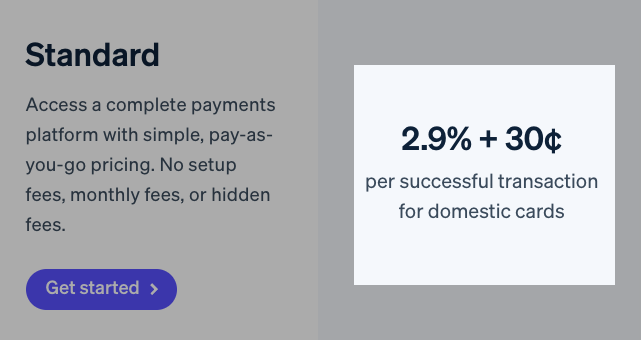
If you are on the Kickstarter plan selling a $100 item, Stripe will charge you 2.9% + $0.30 on transaction fees and Kajabi will take $5.0.
That’s nearly $8 of your revenue lost to transaction fees.
When you think about it, it’s like Kajabi is charging you the fees to discourage you from using other payment gateways other than their own.
Kajabi Review: User Experience
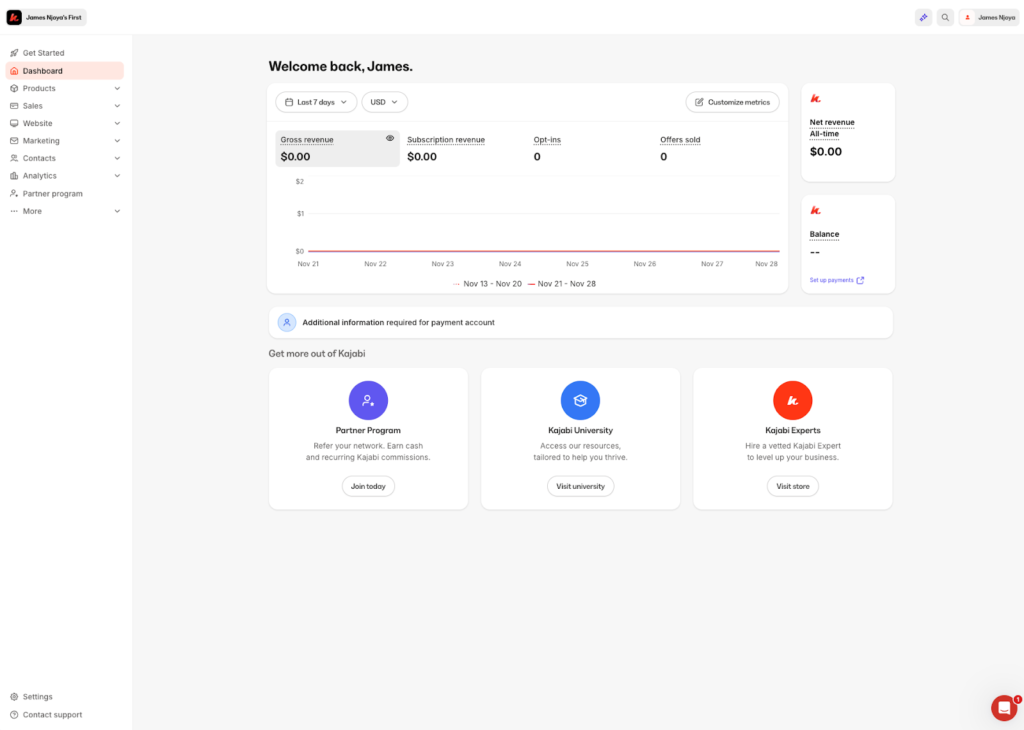
Kajabi has a modern and clutter-free dashboard, but it still has a steep learning curve for beginners.
Many all-in-one marketing platforms I’ve used before including Kartra are complicated because of their dense feature set. Though Kajabi too has a bit of a learning curve especially for beginners I found it noticeably easier to use.
Once you login in, you’ll find its primary tools located on the left sidebar ordered by how users actually work. Product creation tools at the top, followed by sales, marketing, and automation features. This order feels natural to any user using a modern web application. Tools are tucked inside dropdown menus, and you’ll need to click to expand all the menu items, which keeps the interface clean.
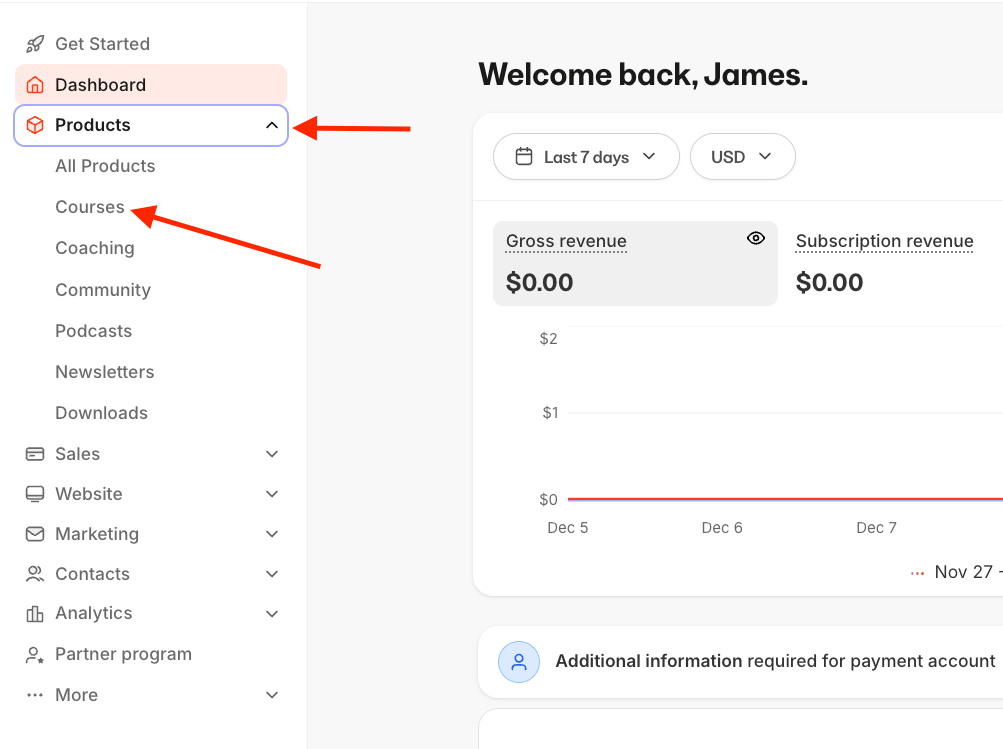
Navigation throught the platform is a breeze. Menus items are clearly labeled and the UI loads very fast. Creating products is super straightforward since Kajabi guides you through everything with clear microcopy and linked documentations. There’s also a handful of templates including sales funnels and landing pages to help you set up your campaigns fast instead of starting from scratch.
But still, if it’s your first time using Kajabi, you’ll find it quite overwhelming because it has a lot of tools which will take you some time learning how to use each one of them.
Kajabi Review: Digital Products
Kajabi allows you to create and sell a handful of digital assets including: courses, coaching, newsletters, downloads, communities and podcasts—either individually or bundled together.
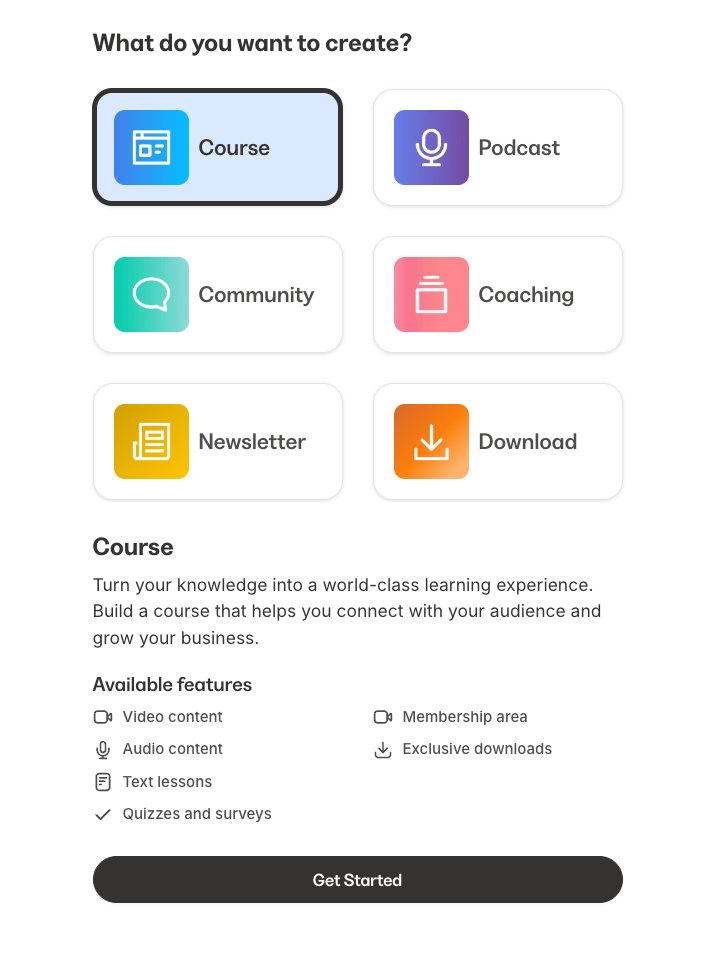
In this section, I’ll review four of its major product offerings. That is courses, coaching, newsletters and communities.
Starting with its bread and butter…
1. Online Course Builder Review
TL;DR: Kajabi course builder lets you natively host learning materials, run live sessions, and assess students, but more advanced features like AI transcriptions and cohort-based courses are paywalled behind expensive tiers.
Kajabi allows you to build both self-paced and cohort-based courses.
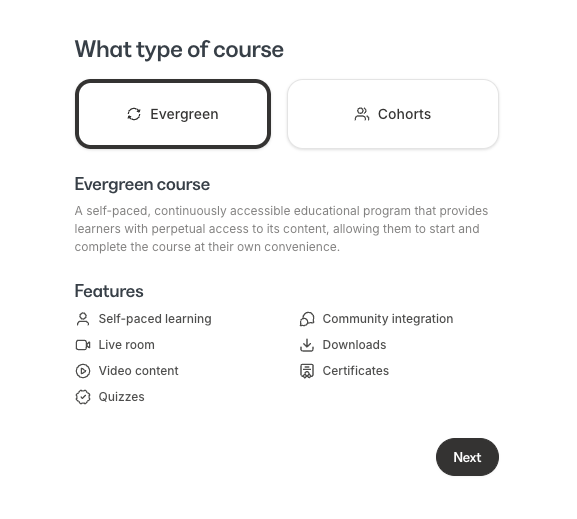
But cohorts-based courses are only available on its high-end tiers: Growth and Pro plans.

Which means if you are on the entry-level Kickstarter or Basic plans, you cannot use its native cohort tool to drip content based on a specific start date for a group of students.
For self-paced courses, Kajabi has one of the best in-class tools on the market.
You can structure your course curriculum into modules, submodules and lessons. You can do it manually or with the help of its generative AI.
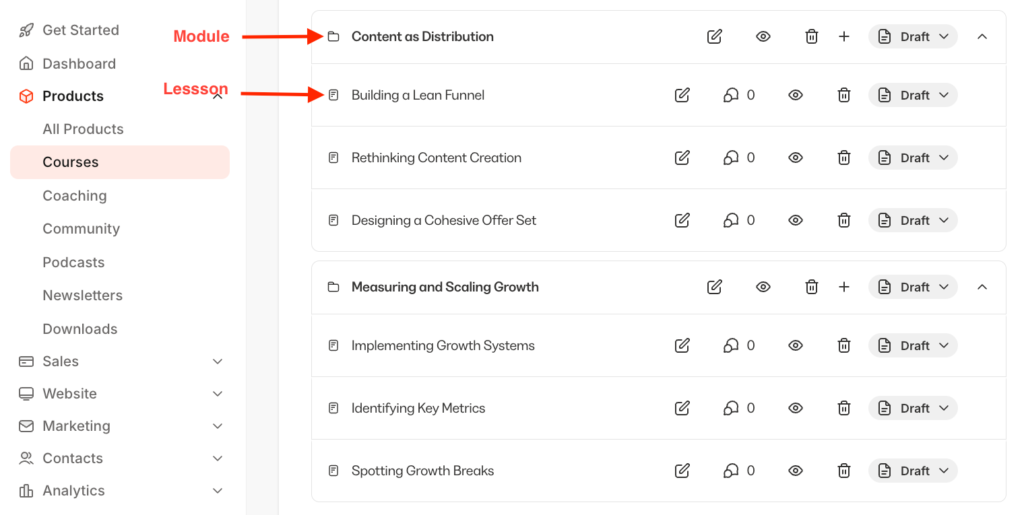
In your lessons you can add various content types into your lessons including videos, text, audio, embeds.
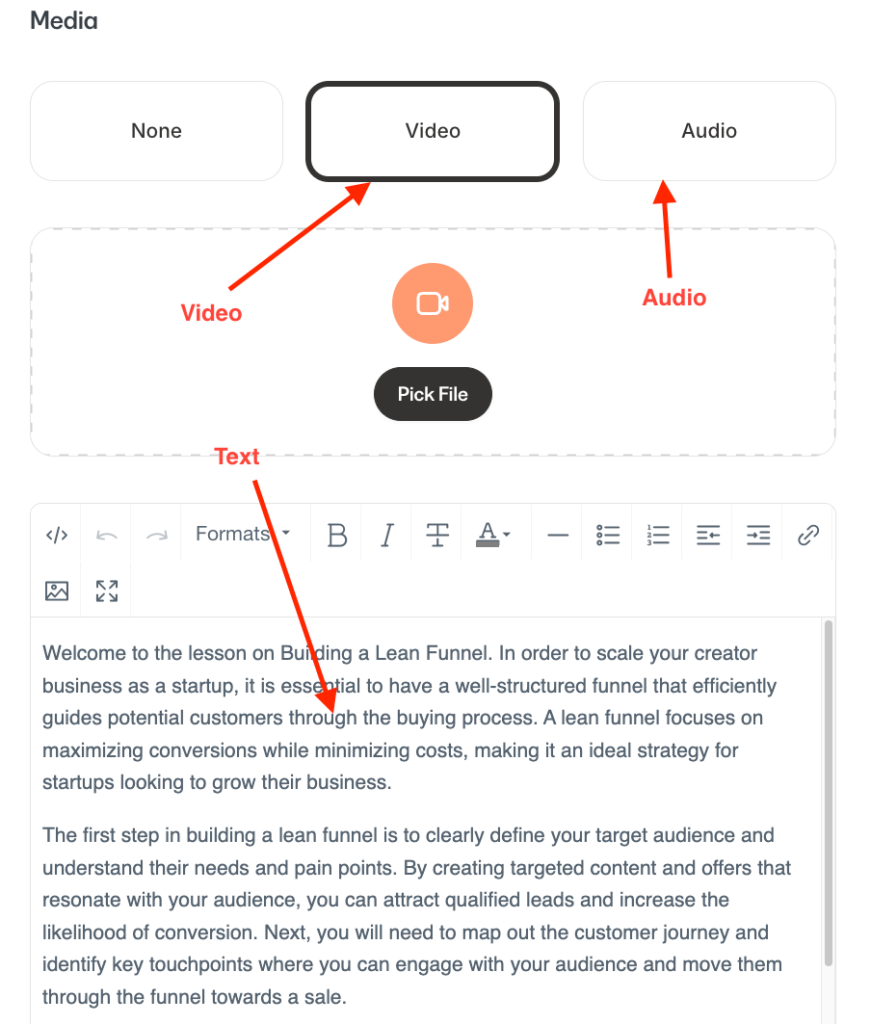
For video lessons, you can enable auto-generated transcriptions, translation and dubbing into over 30 languages. You can also upload your transcripts as SRT files to add captions to your videos.

However, Kajabi doesn’t properly support video embeds from third-party video hosting sites like Wistia and Vimeo.
If you prefer hosting your videos on the platforms (perhaps for more control or their advanced analytics), Kajabi doesn’t make it easy. You have to embed the iframe code into the body text of the lesson rather than the “Hero” video player slot. If your theme is designed to show a video at the top, you end up with an empty placeholder there and your actual video shoved down into the text description.

Kajabi also enables you to add downloads to your lessons to help in learning. For example, you can add templates that learners can use to help them implement what they’ve learned from your lessons.
Perhaps one thing I loved about Kajabi course creation tools is that you can enable live sessions directly into your course curriculum via its Live Rooms for upto 200 participants.
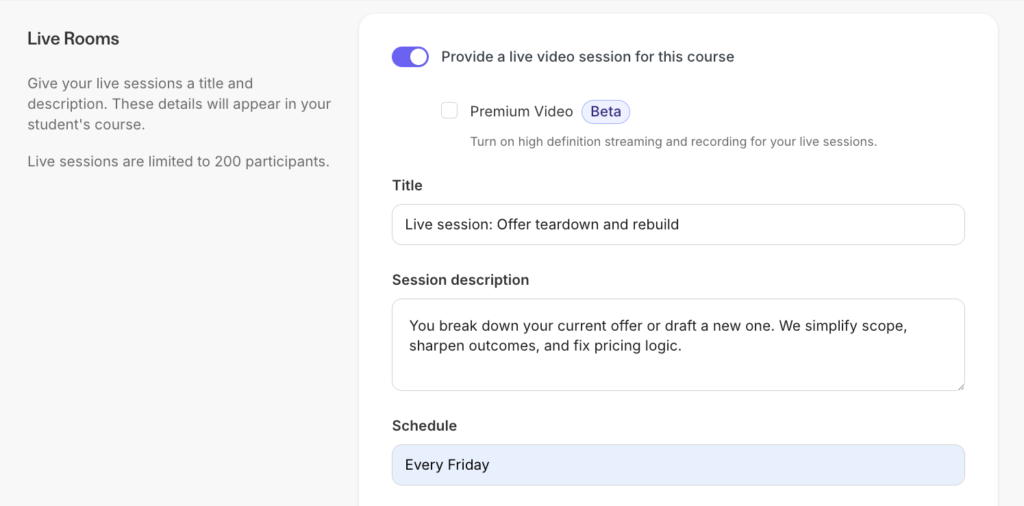
This can be good for holding live Q&As or workshops to offer more value and engaging learners at a personal level.
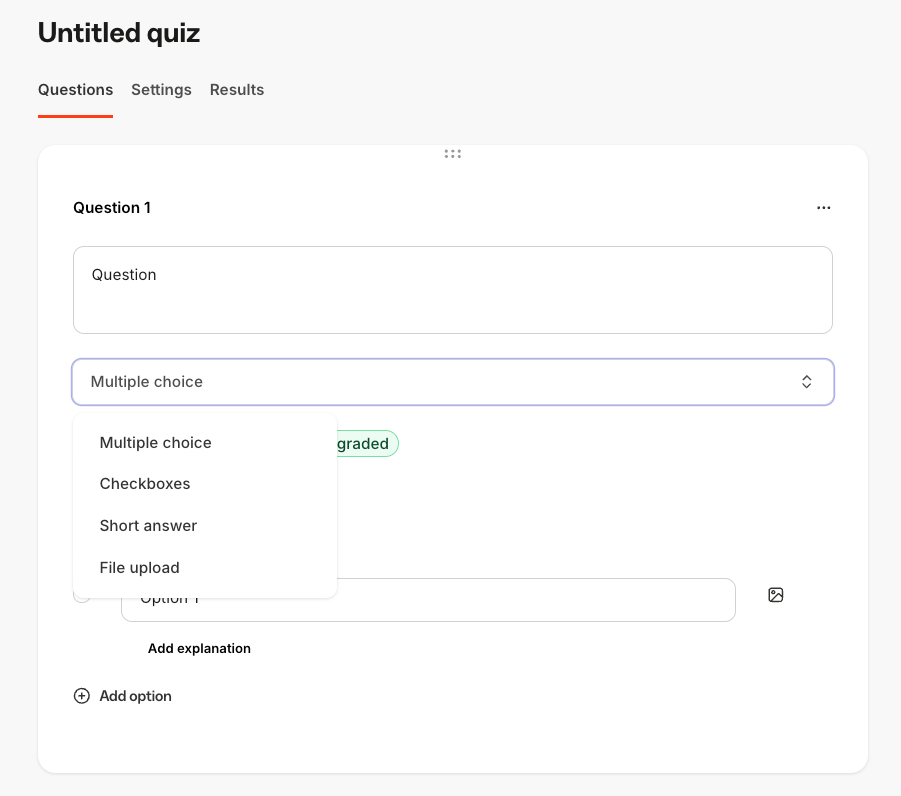
Kajabi also lets you include quizzes with multiple-choice, checkboxes, short answers and file upload. It also allows you to enforce a passing grade for your quizzes.
Once the students complete the course, you can issue a course completion certificate.
However, unlike course creation tools like LearnWorlds and Thinkific, Kajabi lacks SCORM compliance and advanced assessment tools like exams and gradebooks.
Verdict: Kajabi course builder gets the basics done. It has a simple drag-and-drop curriculum builder, lets you assess students and also natively engage them with live sessions. However, it still misses some things that many specialized LMS platforms have, like SCORM compliance, gradebooks or interactive video players.
2. Online coaching
TL;DR: Kajabi can replace Zoom, Calendly, and ThriveCart in your coaching business tech stack.
With Kajabi you can host paid 1-on-1 and group coaching programs.
But unlike platforms like Teachable, Thinkific and Podia, Kajabi treats coaching as a first-class product.
It offers all the essential tools you need to run your coaching programs, including—scheduling, video conferencing, and payment processing, built-in—replacing the need for using multiple third-party apps to run your coaching business.
To start with, Kajabi has its own scheduling tool (called Kajabi Scheduler), to enable you manage availability, and booking rules. It syncs with major calendars like Google Calendar and Outlook.
However, if you prefer using third-party solutions like Calendly, Kajabi gives you the flexibility to use it without breaking the program flow.
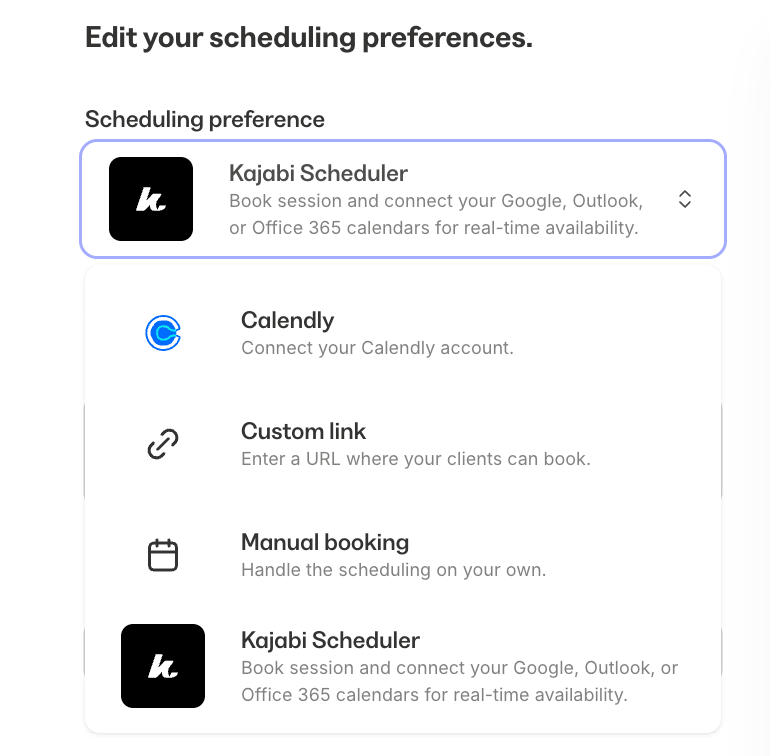
Each booking effortlessly ties back to a specific coaching session, which keeps delivery organized and predictable.
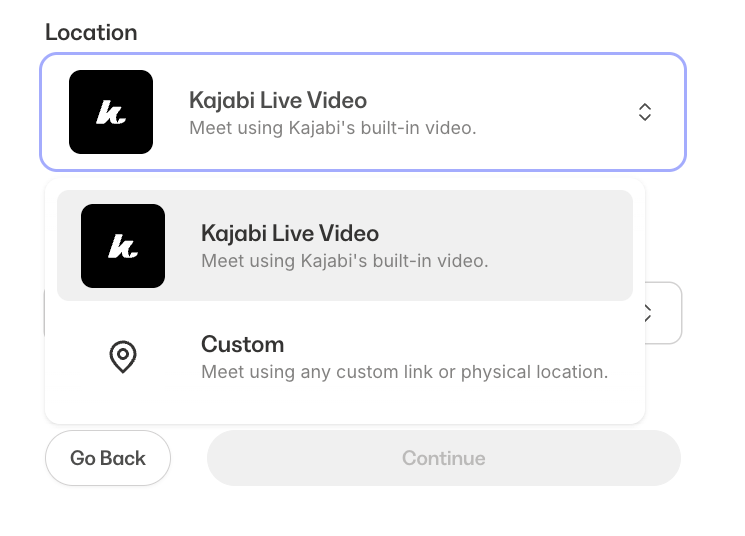
Same thing with video conferencing. Kajabi includes native live video support for up to 200 participants, which removes the need for separate video conferencing tools. Still, if you prefer services like Zoom or Google Meet, Kajabi lets you use them.
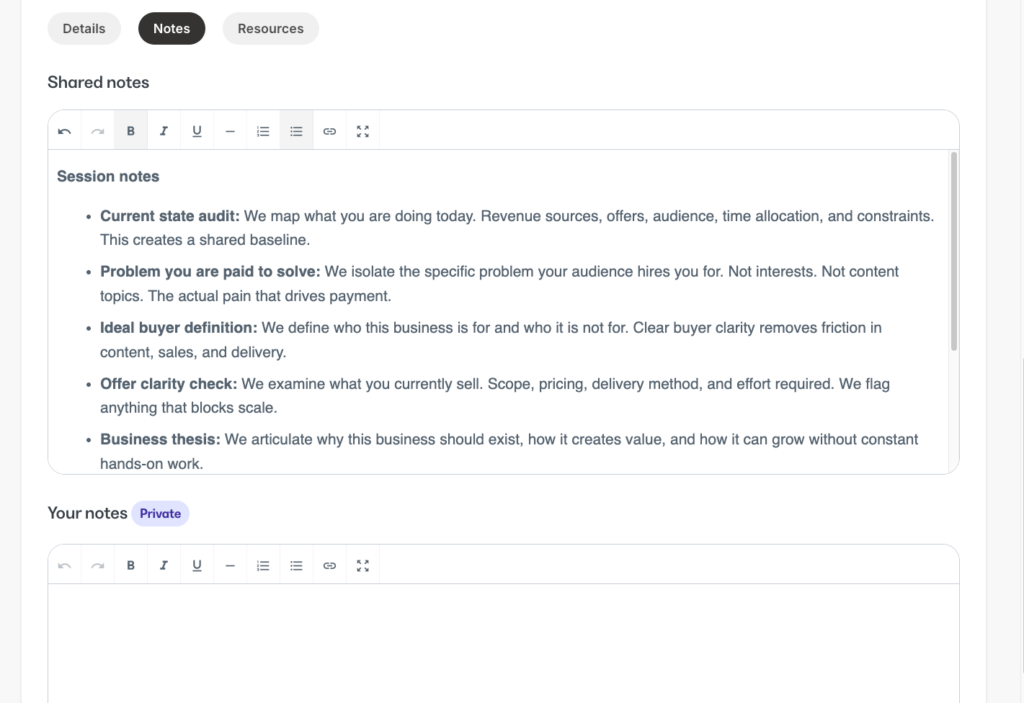
Each coaching session supports structured context. You can add a session description, define agenda items, attach notes, and share resource links to support learning.
You can automatically record your live sessions and store replays inside the coaching product.

Replays stay attached to the correct session and program, which simplifies follow-up and makes it easy to reuse recordings as learning assets.
Once the program is live, you can automate onboarding emails when a client joins, session reminders before calls, and follow-up messages after sessions.
3. Community Building
TL;DR: Kajabi community builder has strong engagement & access control features but lacking in moderation and customization tools.
Kajabi is one of the few all-in-one knowledge business platforms with strong community building tools to help you build engaging learning experiences.
Its community features feel polished and modern. So much so, I’d argue that it rivals community-first platforms like Circle, and Mighty Networks.
With Kajabi communities, you can control access using Access Groups.

They are customizable member segments that let you control who sees what content, discussions, and space, allowing for tailored experiences for different members levels.
You can create different access groups for different members levels and tie them to specific resources. For example, you can build a “Free” tier where members can access basic content while reserving the good stuff—like events, specific courses, or 1-on-1 coaching—for your “Pro” members.
Once members are in, you have plenty of ways to engage them. You can start threaded discussions, open group chats, or run challenges. I also love the gamification element. You can award points and badges that show up on a leaderboard, which really helps drive friendly competition.
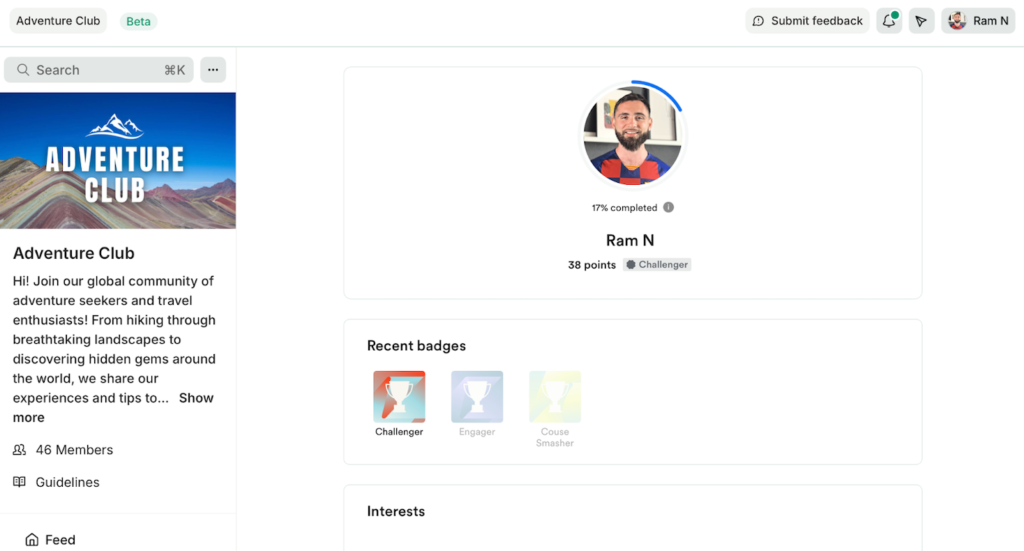
Connecting in real-time is super easy, too. You can schedule meetups where members can RSVP, or if you feel like hopping on a spontaneously call, simply hit the “Live” button on the sidebar.

And you’ll be instantly redirected in a live room allowing you live stream to your members without needing extra software.
Another thing I liked about Kajabi’s community is that it allows you to link other offers into your community membership. You can choose to provide free access to your community members once they purchase your membership. For example, you can choose to offer free access to a minicourse, or template library.
That said, there are some downsides you need to know about Kajabi communities. One of them is limited customization. You can add a cover banner, pick a brand color, and switch between light or dark mode, but that’s about it.

If you’re coming from Circle or Bettermode, where you can tweak the entire theme and layout, this might feel a bit stifling. You just can’t make the space look totally unique to your brand.
Another thing is basic moderation. Keeping the community safe is almost entirely manual work. Kajabi doesn’t give you automated tools like profanity filters or flagging features, so you or a team member will have to keep a close eye on the chats yourself.
4. Newsletters
TL;DR: Kajabi’s native newsletter tool can effectively replace Substack.
If you are planning on launching a paid newsletter, Kajabi lets you run the whole operation natively. You can easily package your newsletter as a standalone premium product and charge for it directly, keeping your revenue under one roof.
Writing a newsletter is a breeze. The builder has a rich-text editor, allowing you to style content with bullets, headings, and custom CTA buttons. You can also embed videos directly into the body from platforms like YouTube, Tiktok and X.
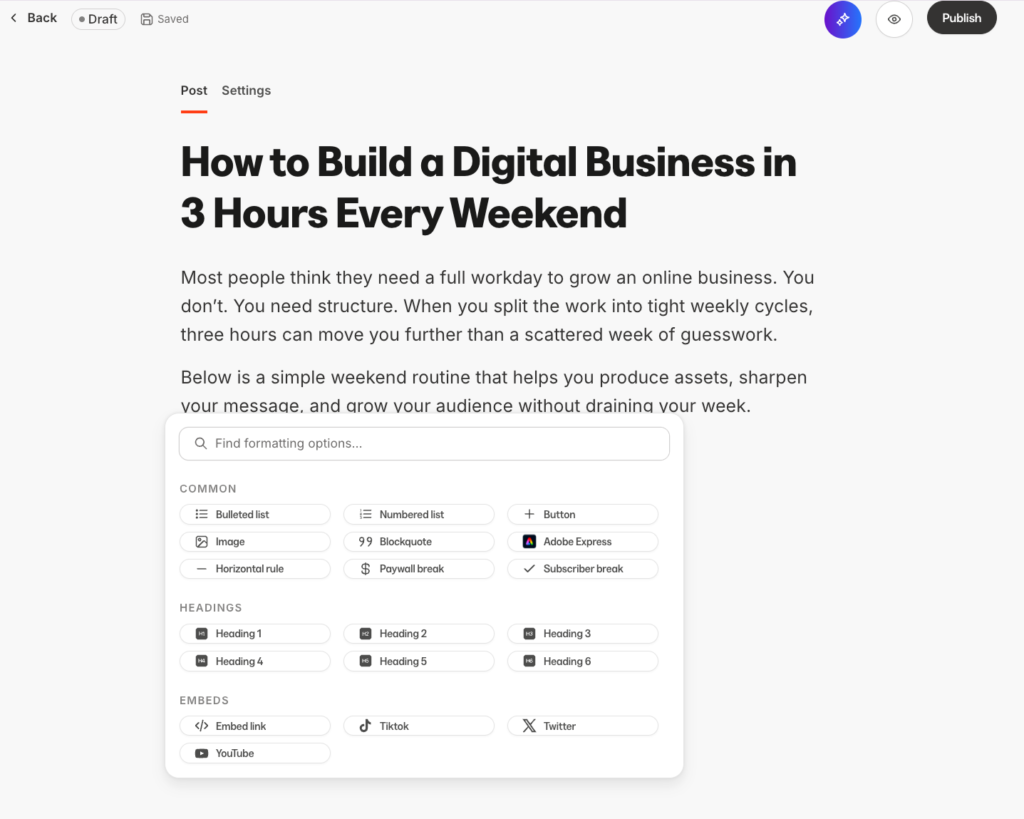
You can use the “paywall snippet” tool in its editor which allows you to publicly display the first section of your newsletter contents while locking the rest behind a—you’ve guessed it, paywall.
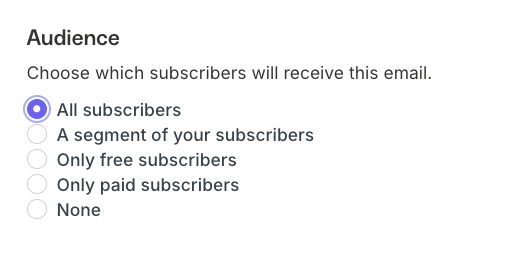
Once you have your newsletter post in place, you can preview it, send a test email, add a custom subject line and preview text. You can also select specific segments in your list such as paid, or free.
Once the email is out, Kajabi gives you real-time data to measure success. You get a clear view of engagement metrics like open rates and click-through rates. Crucially, it also tracks “newsletter health” by monitoring bounce rates and spam complaints, helping you protect your sender reputation.
Now, things I wished it had is the ability to A/B test your emails. As you cannot split-test subject lines or email content to see what performs best. For data-driven marketers who rely on testing to optimize open rates, this is a significant missing feature compared to dedicated email tools.
Kajabi Review: Marketing & Sales Tools
Kajabi is an all in one digital business platform. Which means, aside from letting you create digital products it also offers tools to sell and market them. That includes landing pages, sales funnels, email marketing, checkout pages and payment processing.
In theory, it replaces the need for using multiple dedicated software to handle the sales and marketing aspects of your business. Tools like Wix for website building, Leadpages for landing pages, Clickfunnels for funnels and automation, Kit for email marketing, and ThriveCart for checkout building.
But how do Kajabi’s native tools compare in practice? And are they good enough to replace dedicated standalone platforms?
Let’s find out.
1. Website and page building
TL;DR: Has decent website templates but the premium ones are overpriced. It’s page builder gets the basics done but it offers limited design freedom.
In Kajabi, you can build complete websites using its intuitive website builder.
You can choose from 17 free prebuilt theme templates—which honestly, isn’t an exciting amount of templates when you compare it to platforms like Wix, WordPress and Squarespace with hundreds of themes to choose from.
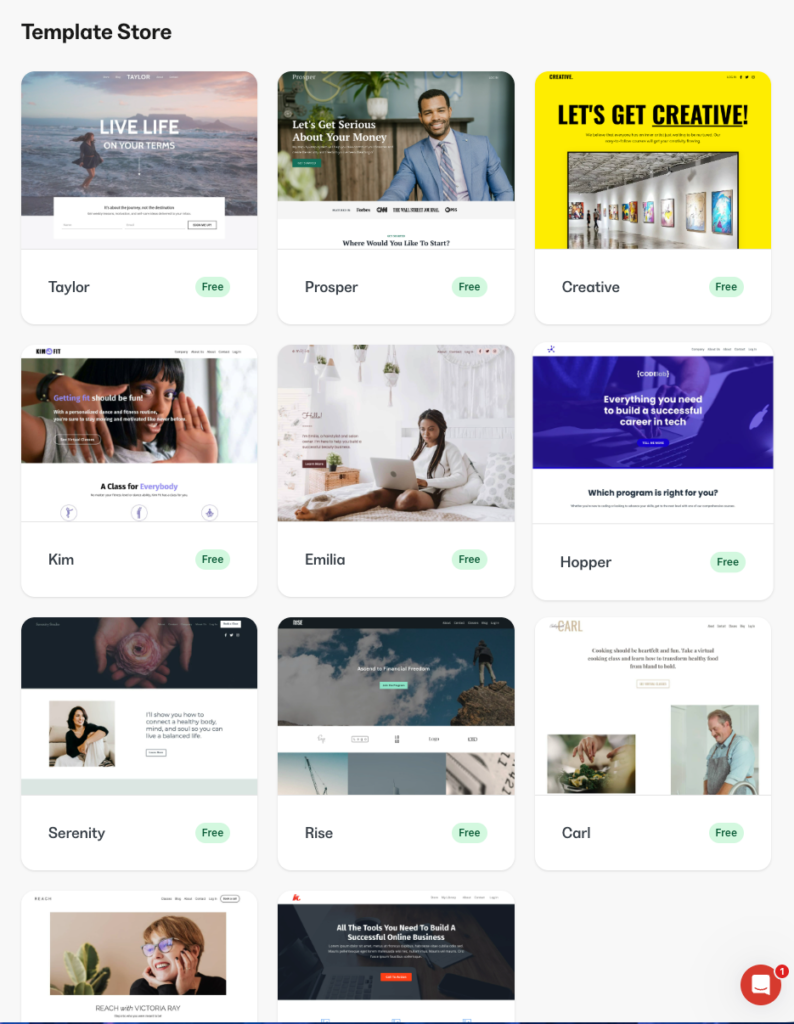
Many of its templates feel dated and basic. However, if you’re looking for a more professional or premium design, you can browse their marketplace, which features templates for sale by various creators.
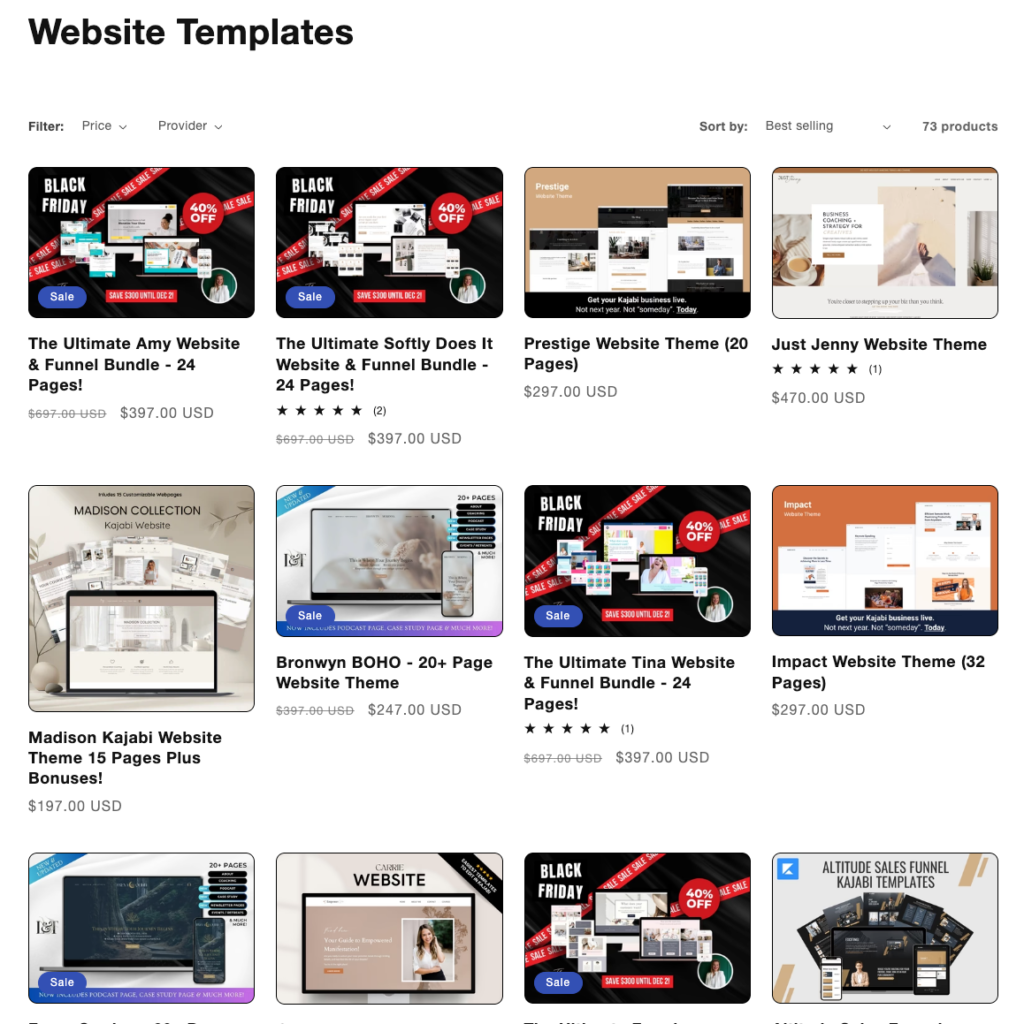
But, that will cost you an extra $100–$900 for a decent-looking theme, which in my opinion, is extremely expensive.
Compare that to a complete website template on a professional website builder like Webflow that looks X10 more modern and sleeker.

And it costs barely $79.
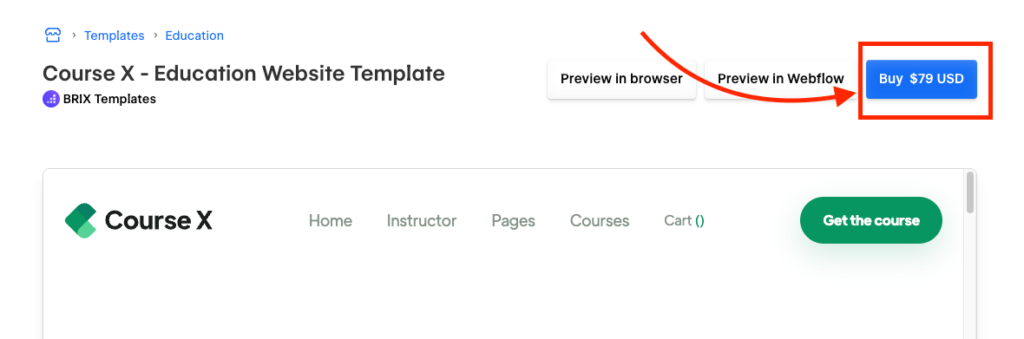
As you can see many of Kajabi’s premium templates are highly overpriced.
But how good is its page builder?
Kajabi is more of a section-based page builder.
What I mean is that, it lets you structure your web pages using sections and blocks.
Sections are prebuilt design patterns that you can drag & drop into any part of your page. Blocks are like design columns consisting of individual or group of elements.
You can add various sections like: feature cards, inline optin-forms, hero sections, testimonials and FAQs.
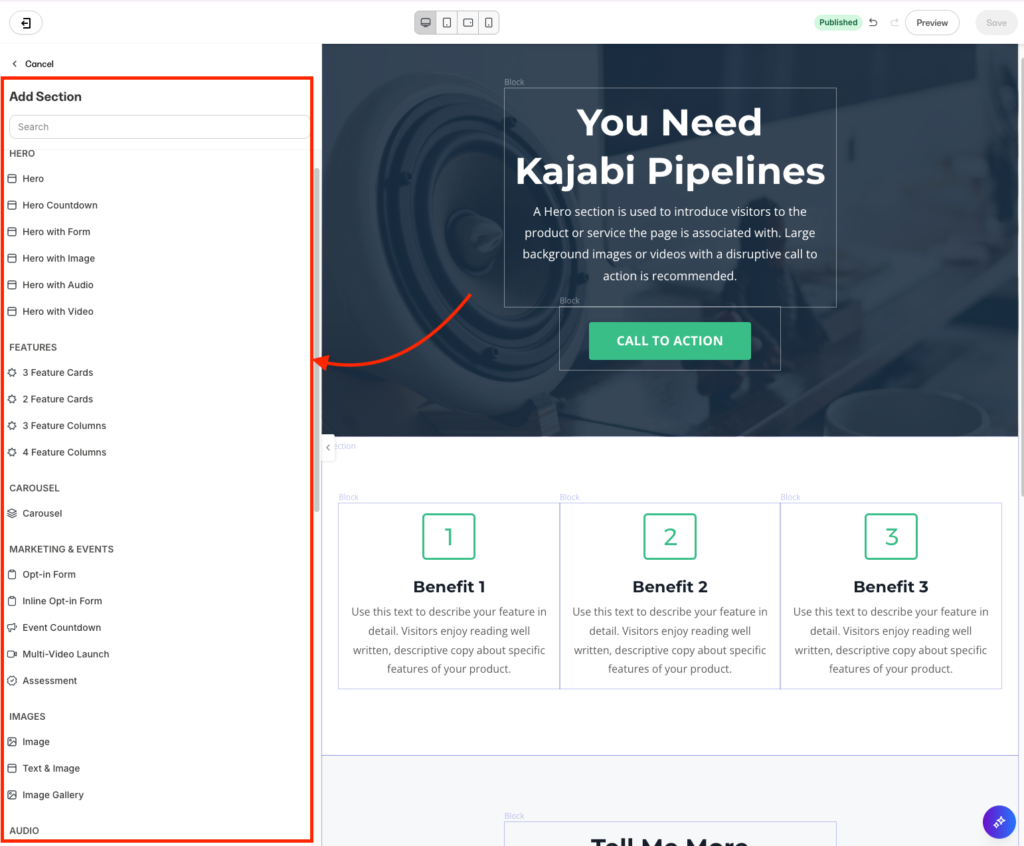
You can then customize individual elements by adding colors, animations, custom code and adjusting block widths.
But even so, Kajabi’s website builder doesn’t let you freely move individual elements on the page. For example you cannot grab an element and move it 5 pixels to any direction you want. You also can’t overlap elements or create complex, broken-grid layouts without custom code.
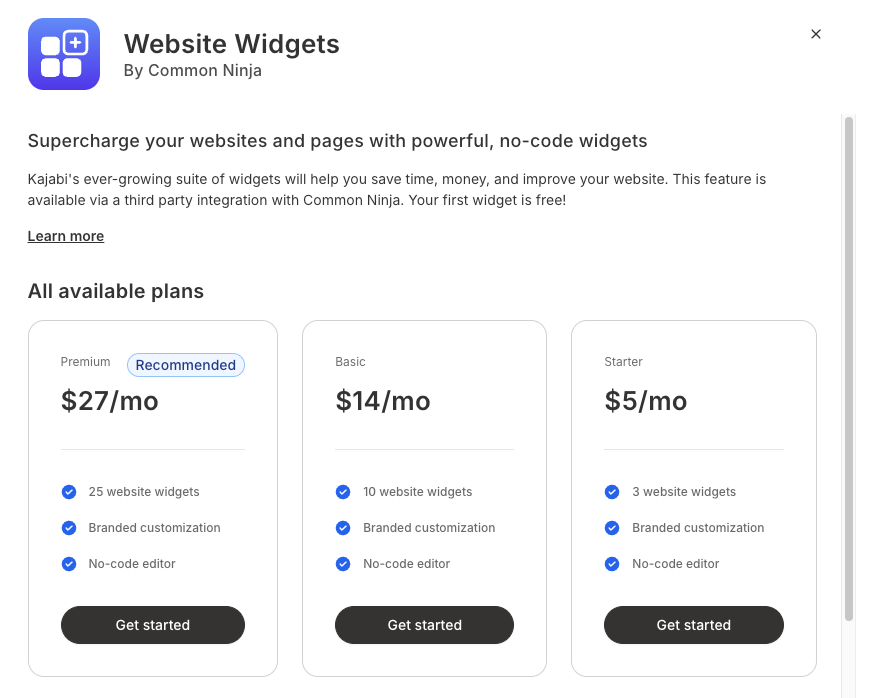
However, Kajabi lets you elevate your designs with add-on they call Widgets. Essentially, they allow you to easily incorporate custom design elements into your pages, such as visually appealing comparison tables, professional-looking pricing tables, image carousels, among many other options.
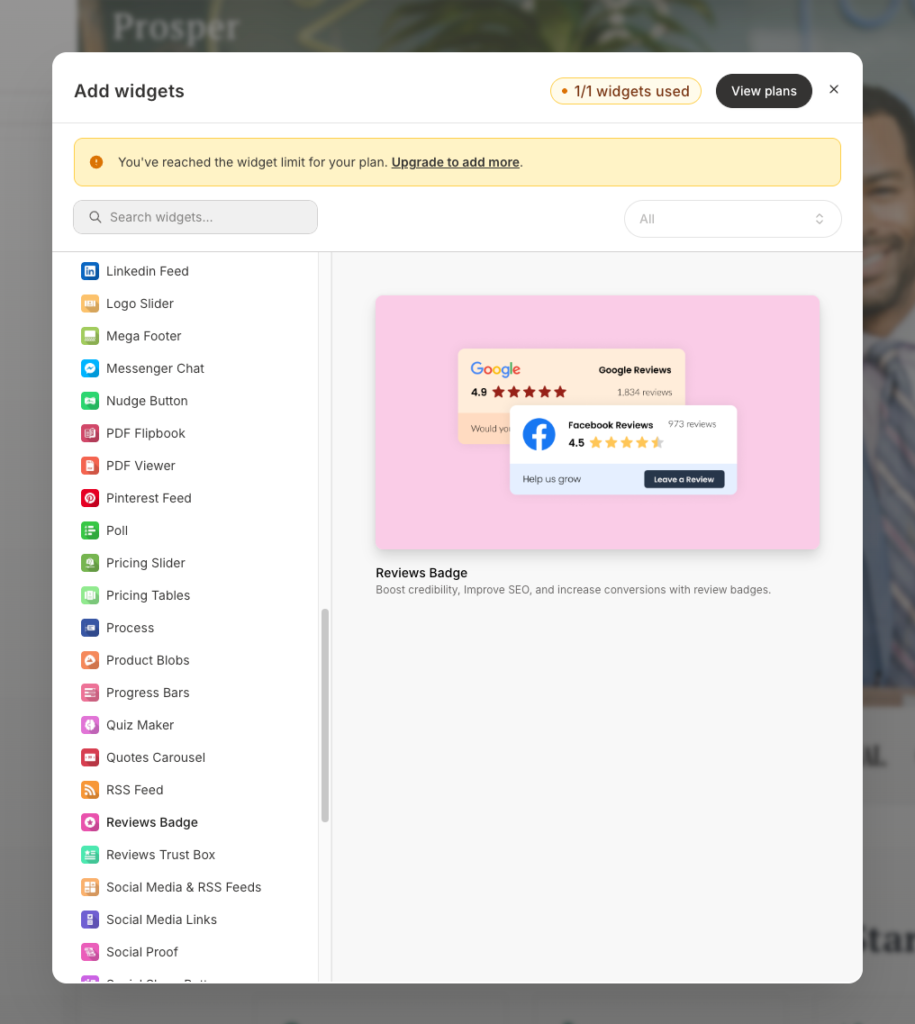
Which is cool if you want your pages to look sleeker.
Only that you need to pay $5-$27 per month for 3 – 25 website widgets adding to the total costs.
2. Funnels
TL;DR: Features a visual funnel builder with some fantastic templates, but it falls short on high-level conversion optimization.
With Kajabi, you can build end-to-end sales funnels for your memberships and digital offerings in minutes. It comes with 8+ prebuilt funnel templates “Blueprints”—that cover major use cases like product launches, sales pages, Zoom webinars, and coaching campaigns.
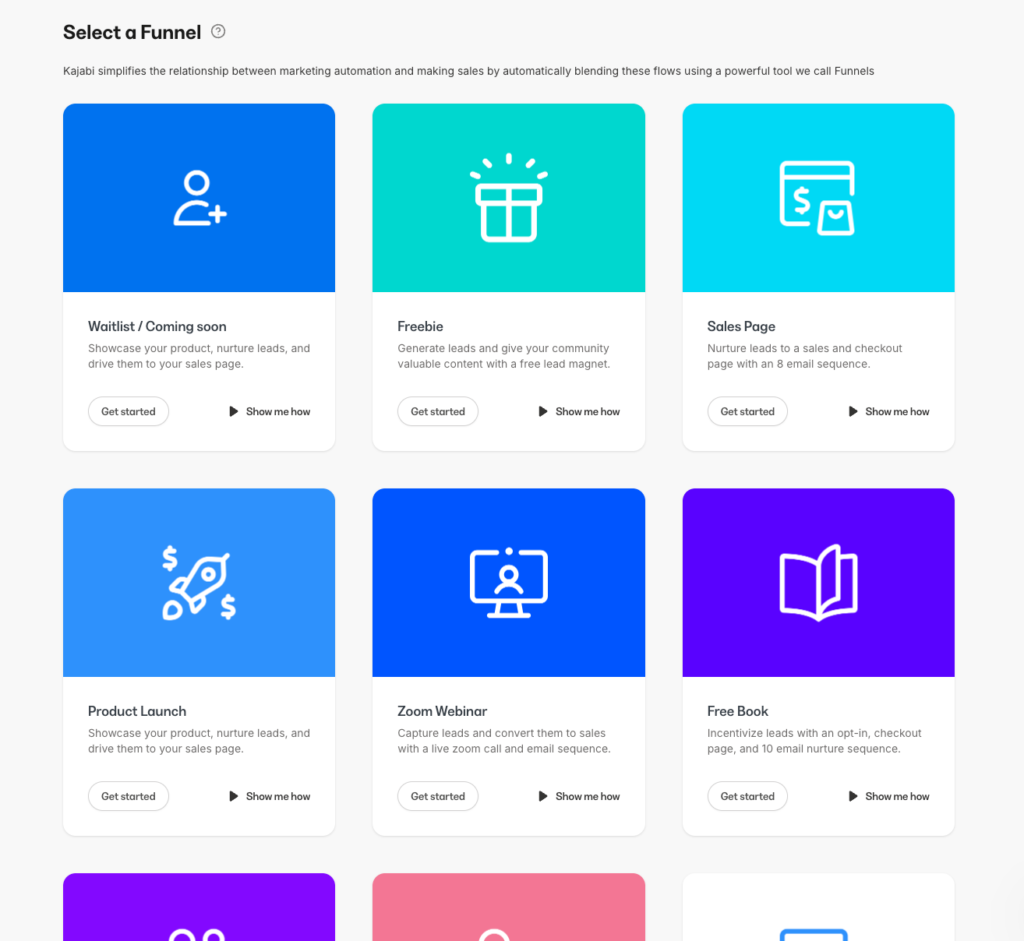
I genuinely liked these Blueprints because they let you move fast without worrying about the technical bells and whistles. Simply select the template you want, and Kajabi will automatically generate the essential steps in the pipeline.
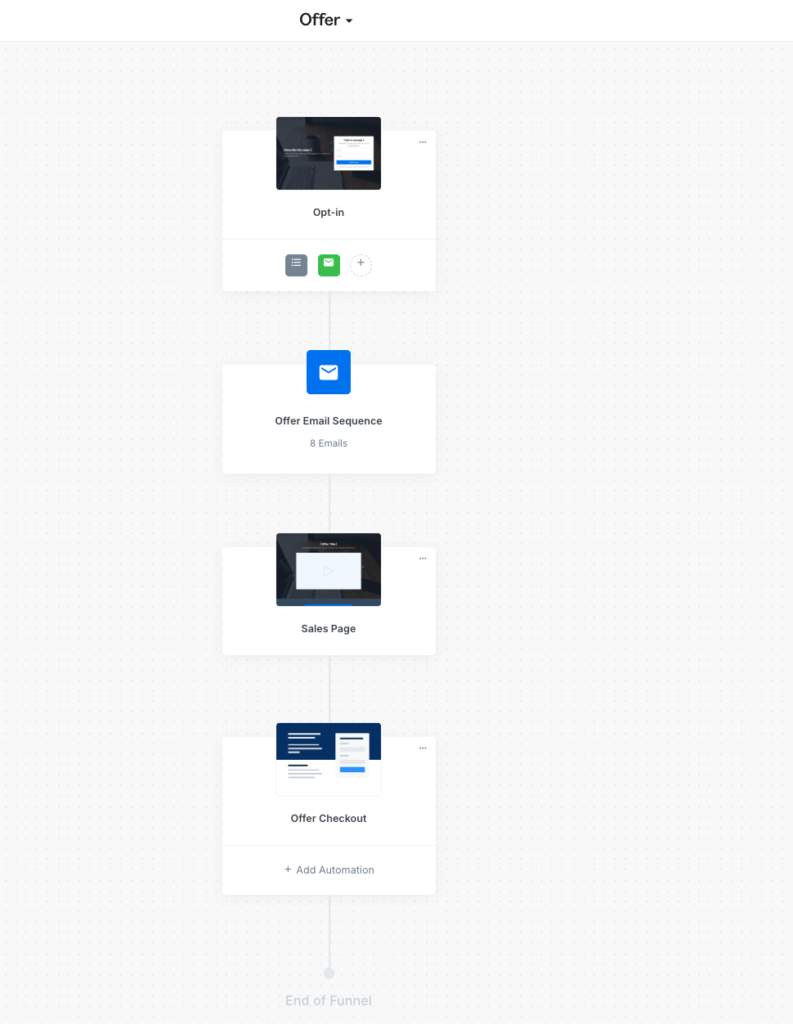
For example, I tested the Sales Page Blueprint. And with one click, Kajabi generated a complete funnel containing an opt-in page, a pre-written email sequence, a sales page, and the checkout offer.
However, when I compare Kajabi’s funnels to competitors like ClickFunnels or Kartra, the limitations are obvious.
First, it doesn’t let you map specific traffic channels to your funnel behaviors.
Imagine you are driving traffic from two very different sources: cold traffic from a TikTok ad and warm traffic from your weekly newsletter.
In a dedicated funnel builder like Kartra, you could tag incoming traffic and create a “conditional split.” You could automatically route the cold TikTok traffic to a low-ticket “tripwire” offer to build trust, while sending your warm newsletter leads directly to your high-ticket main course.
Kajabi doesn’t support this dynamic routing. It treats every visitor exactly the same, meaning you lose the ability to tailor the journey based on where the user came from.
Secondly, you cannot split-test an entire funnel flow. You are mostly limited to A/B testing individual pages. If you want a funnel builder that lets you aggressively split test your pipeline, you’re better off with alternatives like Kartra and Clickfunnels.
3. Email marketing & automations
TL;DR: Lets you A/B test your emails, segment your contacts, and trigger behavioral automations but its email templates are wanting.
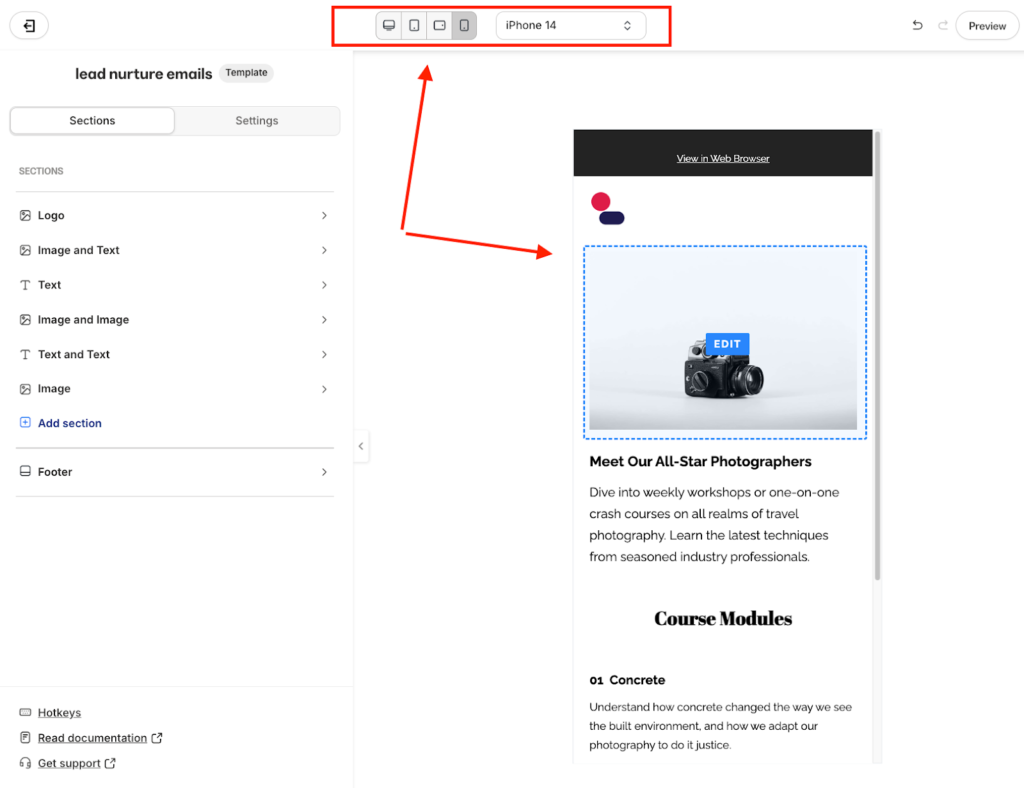
Kajabi offers a drag-and-drop visual email editor that supports rich content like videos, countdown timers, and call-to-action buttons.
You get over 19 templates to start with. However, much like their landing pages, these templates look dated right out of the box.
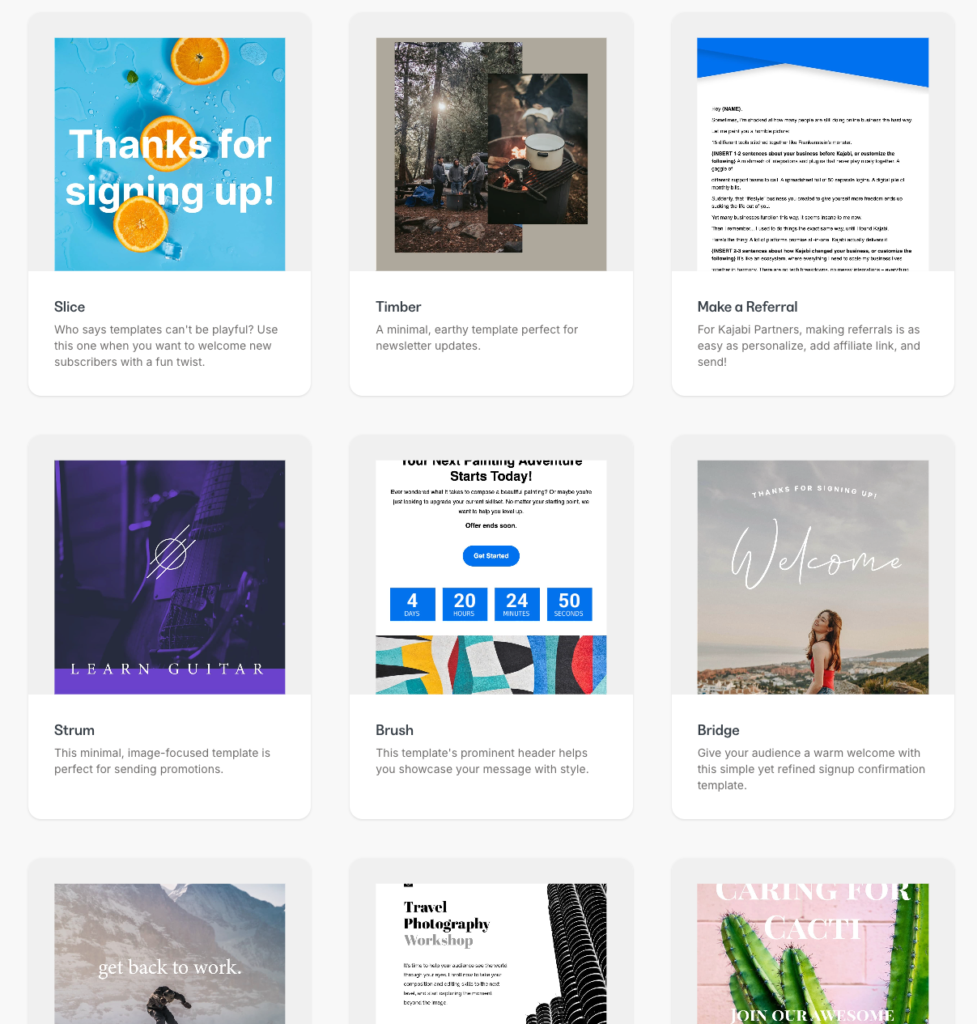
To be honest, I usually ignore the aesthetics when it comes to building email designs. In my experience, simple plain-text emails often perform better ones with sleek designs because they feel more personal.
But if your brand relies on visual appeal, you can customize these templates to match your look. The editor also lets you preview exactly how your design will render across desktop, mobile, and tablets before you hit send.
You can send simple email broadcasts or automated email sequences.
For Broadcasts, Kajabi lets you run A/B tests to see what actually converts. You can test subject lines, preview text, or even entirely different email designs.

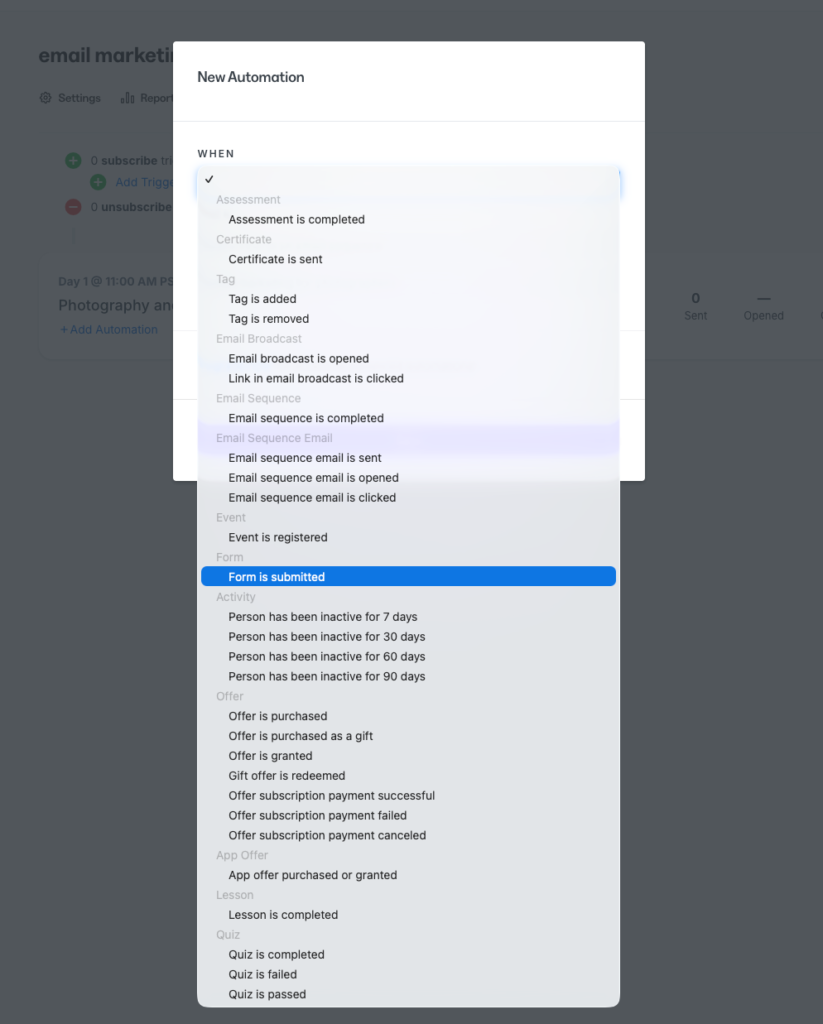
For automated sequences, Kajabi keeps things linear. It doesn’t use a complex visual tree like ActiveCampaign; instead, it uses a straightforward “When/Then” logic builder.
You can trigger automations based on almost any user behavior: a form submission, a successful payment, a tag addition, or an event registration.
When it comes to list management, Kajabi offers contact management that is robust enough for most creators, but it isn’t a dedicated CRM like HubSpot or Pipedrive.
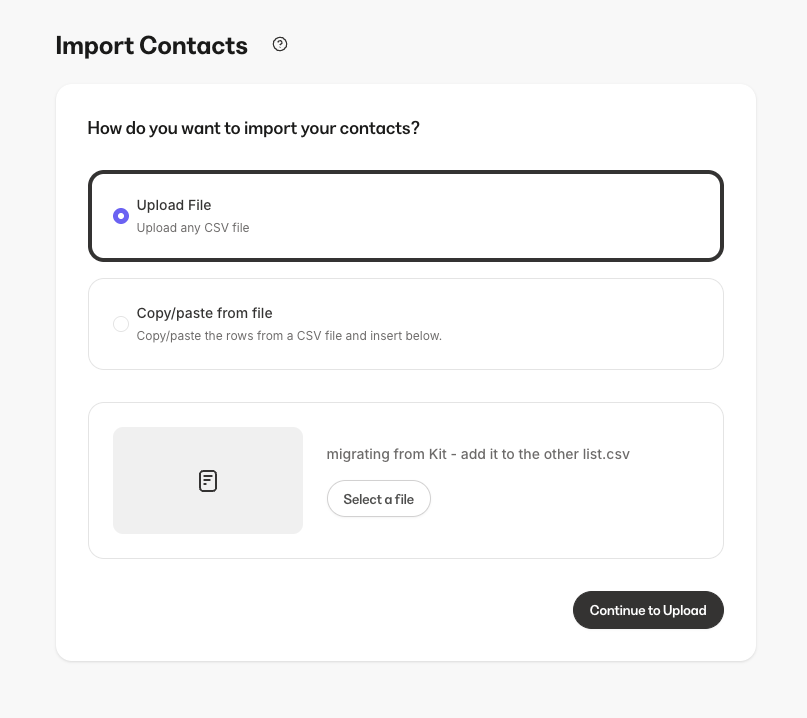
You can import contacts in a CSV file, map custom fields, and organize your list using Tags and Segments.
4. Checkout and payment processing
Kajabi recently revamped its checkout page builder. The older version looked polished and worked well on mobile, but customization was shallow. Layout options were fixed, design control was minimal, and the only meaningful tweak was button color and adding custom fields.
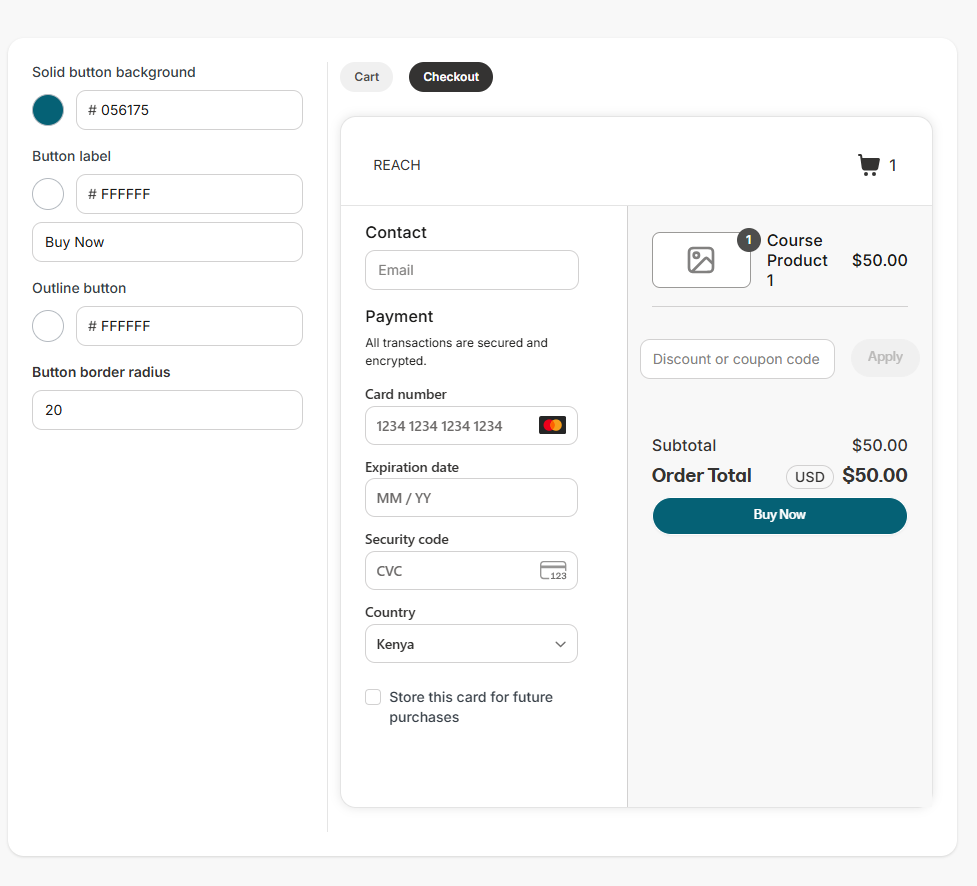
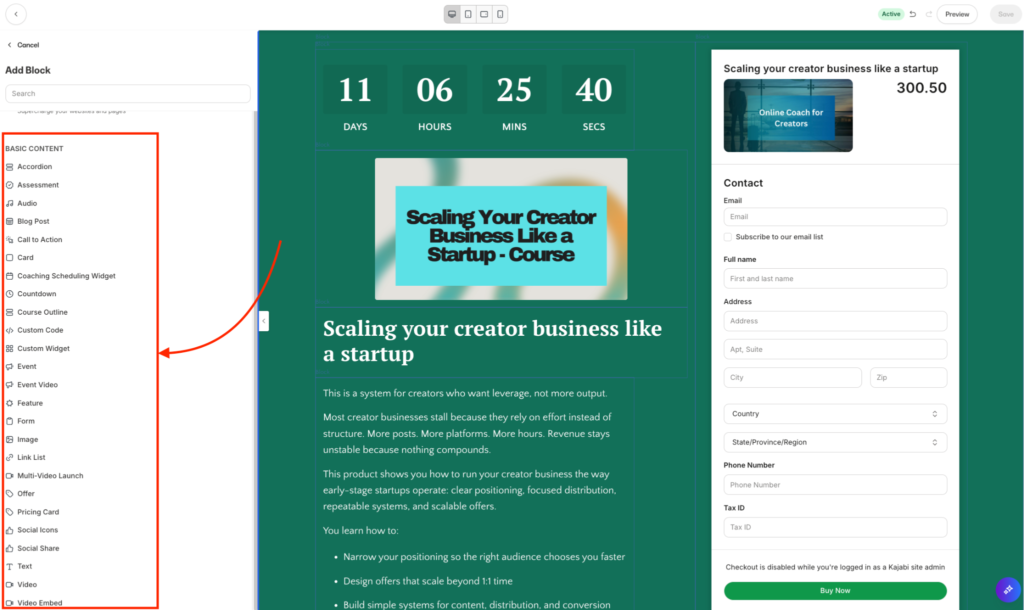
The new Enhanced Checkout fixes most of that. It now works like Kajabi’s landing page builder, which means real control. You can change fonts and backgrounds, add cart functionality, reuse templates across offers, and even import templates you’ve bought from third-party designers. You can also choose from 15+ blocks to add to your designs such as, videos, count down timers, custom code, e.t.c
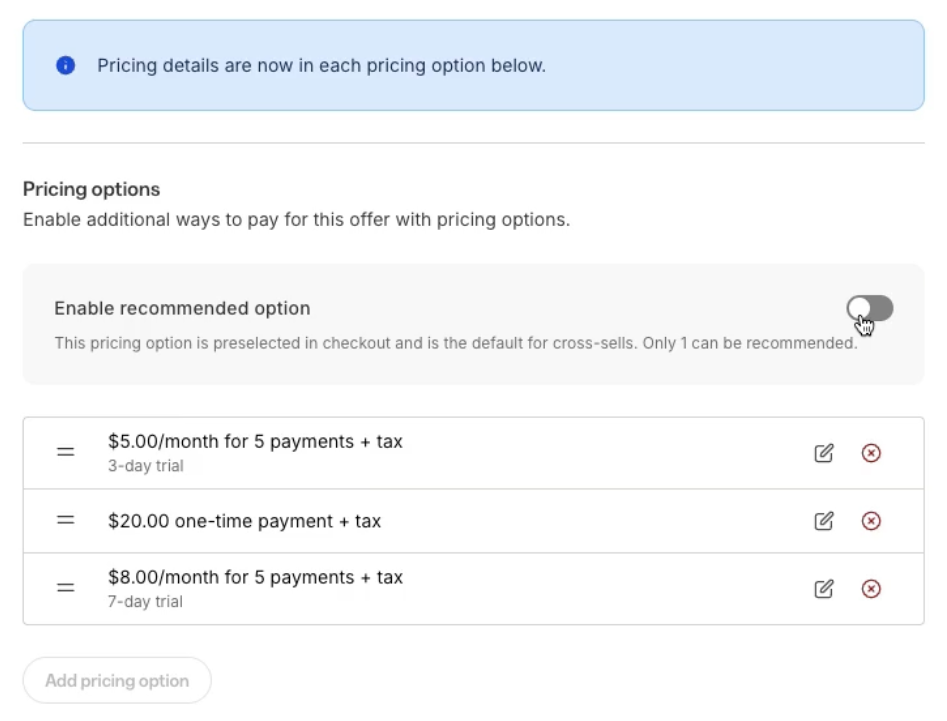
You can also enable multiple pricing options allowing customers choose how they want to pay—whether it’s a one-time, subscription, and payment plans all within a single checkout block.
Kajabi also includes a proper shopping cart. Buyers can add multiple offers and pay once instead of checking out product by product.
This works especially well if you sell bundles, tiered programs, templates or add-on services alongside the core offer.
Aside from that, Kajabi also lets you attach order bumps, one-click upsells, and downsells directly to an offer increasing its value order. You can further offer discounts, coupons and free trials to your products.
When it comes to placement, Kajabi gives you two native options. You can send buyers to a standalone checkout page, or trigger a popup checkout from any Kajabi page or button. The popup appears as a modal over the page, which helps keep attention focused on completing the purchase. However it doesn’t support inline checkouts that you can embed on external pages.
For payments, Kajabi supports its native payment option, Stripe, and PayPal. If you operate in a supported country, Kajabi Payments is the most tightly integrated option. It accepts cards, Apple Pay, Google Pay, and BNPL methods like Afterpay and Cash App Pay. It also handles automatic tax calculation and can sync with accounting tools like QuickBooks Online and Xero.
Kajabi review: third-party integrations
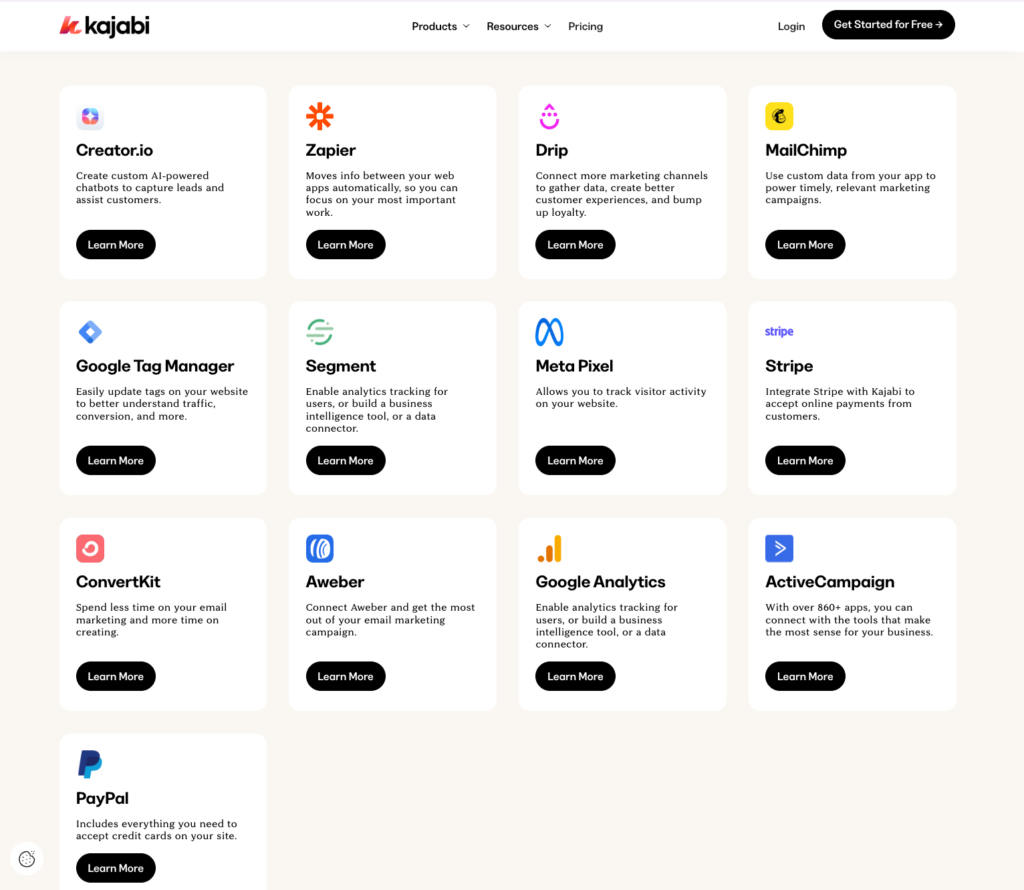
Kajabi does not offer a large app marketplace. Unlike WordPress or Shopify it comes with 13 direct third-party integrations covering various tools like MailChimp, Segment, Aweber, Paypal, Stripe, Zapier, e.t.c
For advanced use cases, Kajabi offers Webhooks and an API. The only side is that these form of integrations are only available on Pro plan.
Kajabi supports both outbound and inbound webhooks, which means data can move in real time without constant polling. You can send events out of Kajabi when something happens, such as a lesson completion triggering access in an external app. You can also push data into Kajabi, for example creating a user and granting access from a custom checkout built elsewhere.
Meanwhile, its API lets you observe and control the business layer of your Kajabi site. You can sync contacts and customers, list and assign offers, track purchases, orders, transactions, and subscriptions, respond to events through webhooks, and automate access and lifecycle actions from external systems. It supports reporting, lifecycle automation, and entitlement management outside Kajabi, but it does not allow you to create or modify courses, offers, pricing, checkout behavior, or the user interface.
Kajabi Pros and Cons
Pros
Cons
Wrapping Up: Is Kajabi Worth It?
In this detailed review of Kajabi, I’ve shown you how it measures up across pricing, user experience, and its all-in-one tech stack. I ignored surface claims, tested the platform myself and looked at how the platform fairs once you start building, selling, and delivering paid offers.
Below is my take on Kajabi.
Kajabi is excellent at product delivery. Its course and coaching builders are among the strongest I have used. Structuring lessons, gating content, and managing client access feels polished. The community feature adds real value by keeping discussion, feedback, and learning in one place instead of scattering it across external tools.
Kajabi’s marketing tools are solid but not exceptional. Funnels, landing pages, automations, and email marketing cover the fundamentals. You can launch and sell without extra software, but power if you’re a user, you’ll notice limits in customization, analytics depth, and advanced automation logic. They’re decent but do not replace best-in-class marketing tools.
Pricing is where Kajabi becomes hard to defend. It is expensive, especially at the lower tiers. The lower plans restrict you to 1 to 5 products, which becomes a constraint fast once you experiment with bundles, lead magnets, or multiple offers. Simply put, you get more value as you move up the pricing ladder, but the upfront cost alone can be a deal breaker if you are still validating your offers.
In conclusion, choose Kajabi if:
- You want product creation, marketing, payments, and delivery in one system and don’t want separate logins.
- You plan to monetize through multiple product formats such as courses, coaching, memberships, and downloads.
- You want a built-in community tied directly to your learning programs without paying for a separate platform.
- You sell high-ticket coaching and want a solution that replaces the common stack of Zoom, Calendly, and Google Drive with a single client experience.
Explore Kajabi for 30 days for free.
Now if you’re looking for compelling Kajabi alternatives without breaking your bank or better yet, with stronger sales and marketing tools or well-rounded online learning tools, here are my recommendations.
- Systeme –The strongest cost-effective option. It offers a generous free plan with 3 funnels and 2,000 contacts. Paid plans start at $17 per month and allow up to 5 courses, unlimited physical products, and up to 5,000 contacts. For most beginners, Systeme delivers a near-complete all-in-one setup at a fraction of Kajabi’s cost.
- Kartra – Built for marketers who want deeper control. Kartra leans heavily into funnels, automations, and campaign logic. It suits users who prioritize advanced marketing workflows over simplicity.
- Podia – A simpler, faster setup for solo creators. Podia works well for selling webinars, downloads, and coaching with minimal friction. Its interface feels lighter and more approachable, which helps if you want to launch quickly without configuration overhead
- Teachable – Stronger for structured education. While its marketing tools lag behind, Teachable excels at learning features such as graded quizzes, certificates, and student progress tracking.
Also read: